

 v1.9.6
particles_network
Flutter용 성능이 뛰어나고 사용자 정의 가능한 상호작용 파티클 네트워크 위젯입니다. 배경 애니메이션, 랜딩 페이지 및 시각적 효과에 적합합니다.
71좋아요 6.8천30일 다운로드160Pub 점수
AndroidiOSWebmacOSWindowsLinux
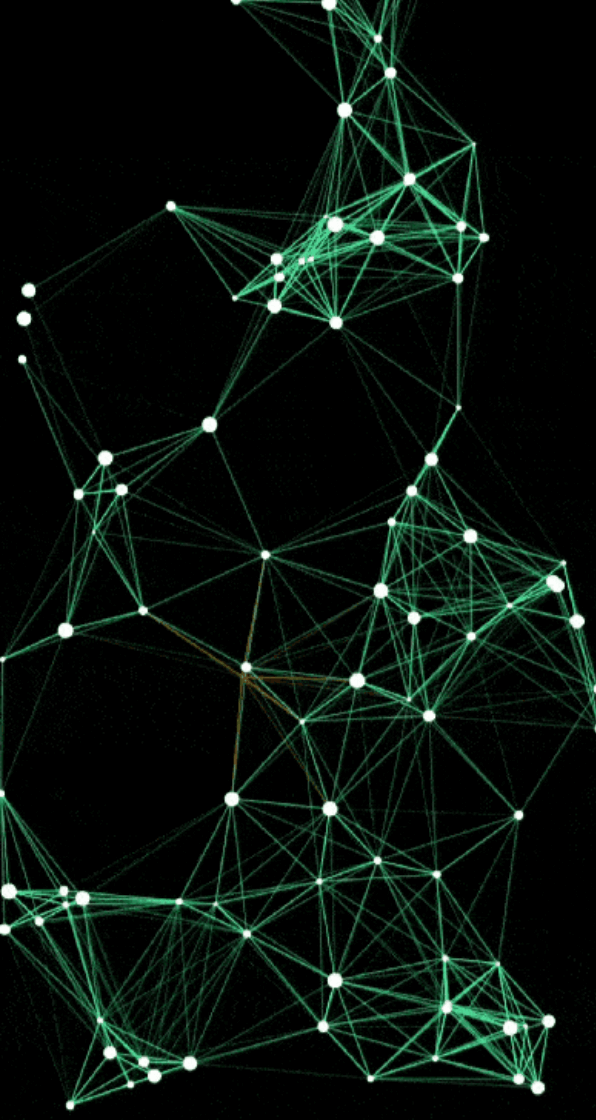
Flutter용 상호작용 파티클 네트워크 Flutter UI를 터치에 반응하고 기기 간에 아름답게 확대되는 놀라운 고성능 파티클 네트워크 애니메이션으로 생동감 있게 만들어보세요.

아래는 영문 원문 스냅샷입니다. 최신 내용은 GitHub에서 확인하세요.
Transform your Flutter app's UI with a high-performance particle network animation that responds to touch and adapts seamlessly to any screen size.
High-performance, GPU-accelerated particle systems for Flutter with advanced physics.


GitHub • Pub.dev • Live Demo • Documentation
Advanced Physics Engine
_lineColorLut): Precomputed 256-level alpha lookup table with inverse distance precomputation ($255.0 / \text{lineDistance}$), completely eliminating Color allocations and GC overhead during connection rendering.isTouchActive): Skips all touch physics calculations, distance queries, and forced QuadTree rebuilds when the screen is idle.TrajectoryBuffer): Deterministic trajectory precomputation during idle states for smooth 120 FPS playback with zero per-frame physics computation.Rich Customization
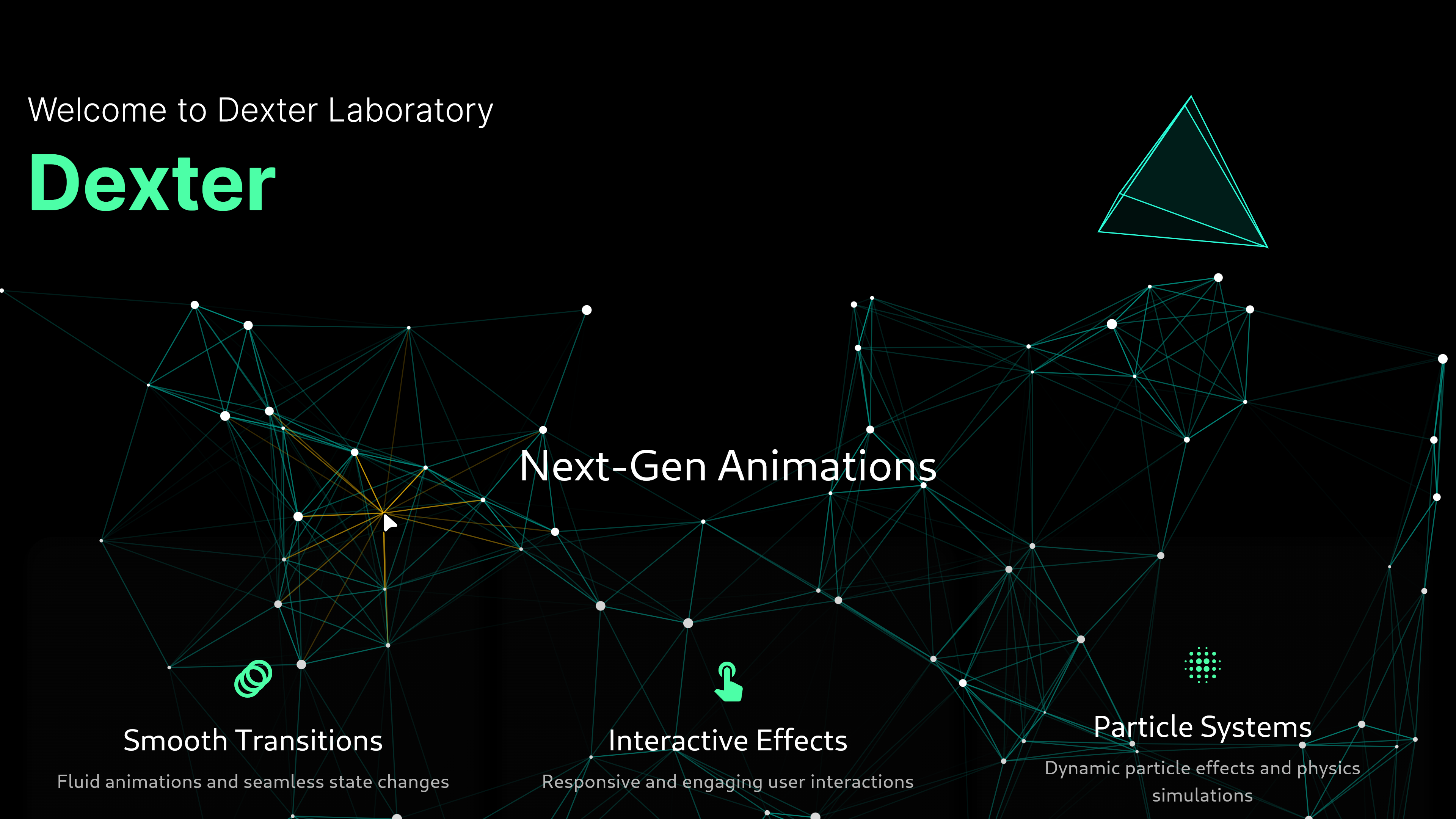
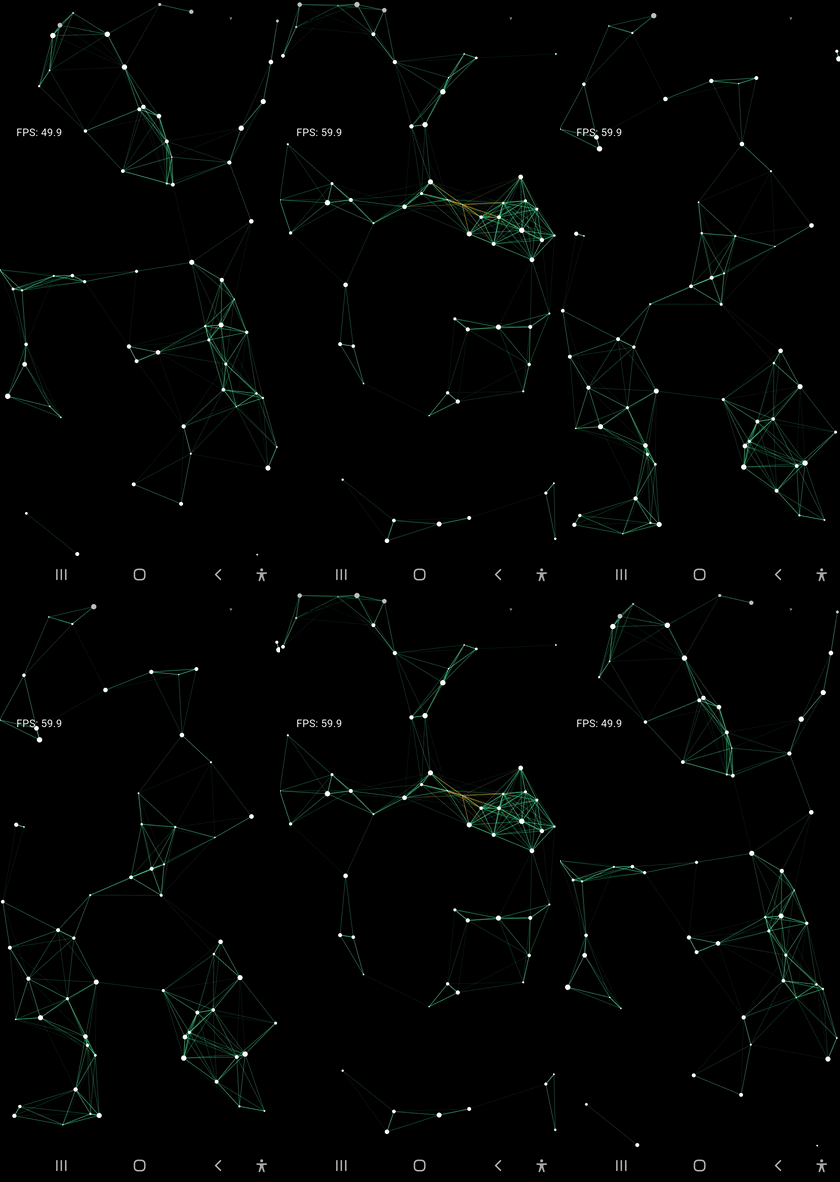
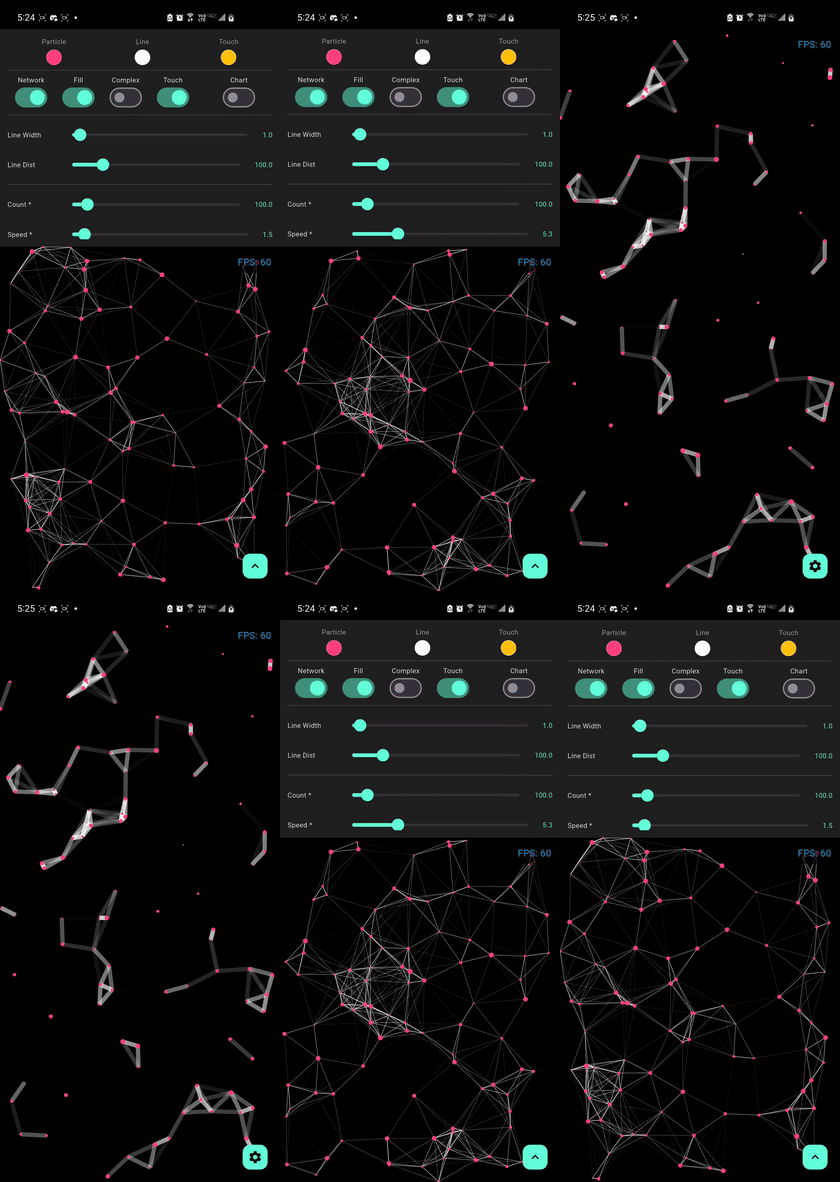
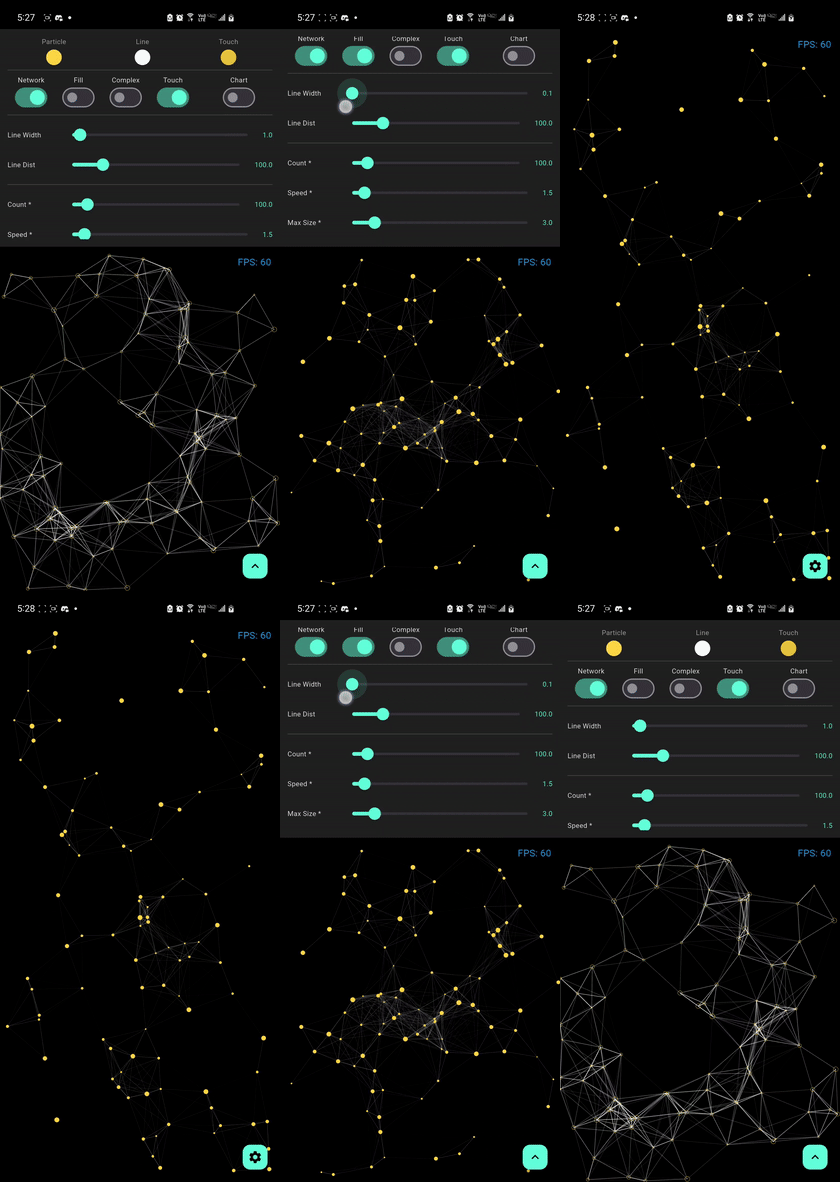
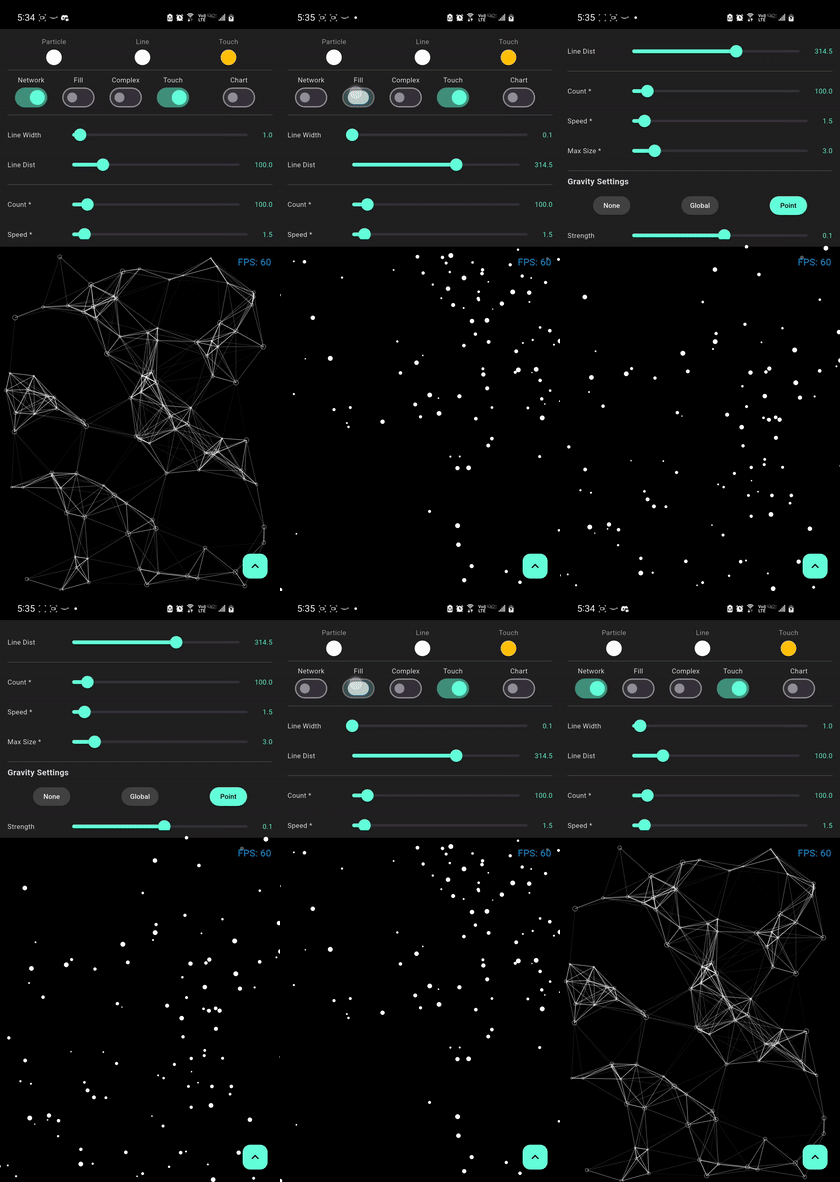
| Default Network | Bold Lines | Gravity Effect |
 |
 |
 |
| Mass Gravity Effect | Complex Optimized | Particle no stroke |
 |
 |
 |
Experience the performance and fluid animations directly in your browser:

[!TIP] For the best experience on web, our demo uses CanvasKit rendering to ensure smooth 60 FPS performance for the particle physics and shaders.
Perfect for creating stunning visual effects in:
| Metric | Before Optimization | After Optimization | Improvement |
|---|---|---|---|
| Rendering 100 frames (500 particles) | 4,608 ms (~46 ms/frame) | 496 ms (~4.9 ms/frame) | 9.3x Faster (89.2% reduction) |
| Physics Update Loop (1,000 particles, 1,000 frames) | ~120 ms | 45 ms | 2.6x Faster |
| Framerate (500 particles) | ~21 FPS | > 120 FPS | Ultra-fluid rendering |
| Connection Color Allocations | Thousands of Color instances/sec |
0 allocations (_lineColorLut) |
100% GC pressure eliminated |
| Touch calculations when idle | Executed every frame | 0 calculations (isTouchActive) |
100% idle overhead eliminated |
[!NOTE] Performance may vary based on device specifications, screen resolution, and other running applications. These benchmarks use default settings with
drawNetwork: trueandfill: true.
import 'package:flutter/material.dart';
import 'package:particles_network/particles_network.dart';

void main() {
  runApp(const MyApp());
}

class MyApp extends StatelessWidget {
  const MyApp({super.key});

  @override
  Widget build(BuildContext context) {
    return MaterialApp(
      home: Scaffold(
        backgroundColor: Colors.black,
        body: ParticleNetwork(
          particleCount: 100,
          maxSpeed: 1.5,
          maxSize: 1.5,
          lineWidth: 1.0,
          lineDistance: 100,
          particleColor: Colors.white,
          lineColor: Colors.teal,
          touchColor: Colors.amber,
          touchActivation: true,
          isComplex: false,
          fill: true,
          drawNetwork: true,
          gravityType: GravityType.none,
          gravityStrength: 0.1,
          gravityDirection: const Offset(0, 1),
          gravityCenter: null,
          hoverEffect: true,
        ),
      ),
    );
  }
}
Add the package to your pubspec.yaml:
dependencies:
  particles_network: ^1.9.5
Then run:
flutter pub get
For optimal performance on web, use CanvasKit renderer:
# Development
flutter run -d chrome --wasm
# Production build
flutter build web --wasm
No additional setup required! The package works out of the box.
No additional setup required! The package works out of the box.
| Platform | Support | Performance | Notes |
|---|---|---|---|
| Android | ✅ Full | Excellent | Hardware acceleration enabled |
| iOS | ✅ Full | Excellent | Optimized for Metal rendering |
| Web | ✅ Full | Very Good | Best with CanvasKit renderer |
| Windows | ✅ Full | Excellent | DirectX acceleration |
| macOS | ✅ Full | Excellent | Metal acceleration |
| Linux | ✅ Full | Very Good | OpenGL acceleration |
Minimum Requirements:
>=3.10.0^3.0.0| Property | Type | Default | Description |
|---|---|---|---|
particleCount |
int |
60 |
Number of particles in the system |
maxSpeed |
double |
0.5 |
Maximum initial velocity of particles |
maxSize |
double |
1.5 |
Maximum particle radius |
lineWidth |
double |
0.5 |
Thickness of connection lines |
lineDistance |
double |
100 |
Max distance for a connection to form |
particleColor |
Color |
Colors.white |
Color of the particles |
lineColor |
Color |
Colors.teal |
Color of the connections |
touchColor |
Color |
Colors.amber |
Highlight color on touch/proximity |
touchActivation |
bool |
true |
Enables interactive touch effects |
isComplex |
bool |
false |
Optimized mode for 500+ particles |
fill |
bool |
true |
Whether to fill or outline particles |
drawNetwork |
bool |
true |
Enables/Disables connection lines |
gravityType |
GravityType |
none |
Type of physics simulation (none, global, point) |
gravityStrength |
double |
0.1 |
Intensity of the force ($F = ma$ applied) |
gravityDirection |
Offset |
(0, 1) |
Direction vector for GravityType.global |
gravityCenter |
Offset? |
center |
Center coordinates for GravityType.point |
hoverEffect |
bool? |
false |
Enables/Disables mouse hover effects |
The library now features a realistic physics engine that simulates mass and forces.
Simulates a constant force field across the entire viewport (like natural Earth gravity).
gravityType: GravityType.global.gravityDirection to control where the particles "fall". Offset(0, 1) is down, Offset(1, 0) is right.ParticleNetwork(
gravityType: GravityType.global,
gravityStrength: 0.5,
gravityDirection: Offset(0, 1), // Standard downward fall
)
Simulates a force emanating from or towards a specific point in space.
gravityStrength. Particles will accelerate towards the gravityCenter.gravityStrength. Particles will be pushed away from the gravityCenter.ParticleNetwork(
gravityType: GravityType.point,
gravityStrength: -1.5, // Repulsion effect
gravityCenter: Offset(width / 2, height / 2),
)
[!NOTE] Physical properties like Mass are automatically calculated based on the particle's
size. Larger particles will feel heavier and respond more realistically to the applied forces.
AnimatedBuilder(
  animation: Theme.of(context),
  builder: (context, _) => ParticleNetwork(
    particleColor: Theme.of(context).primaryColor,
    lineColor: Theme.of(context).colorScheme.secondary,
    // other configs...
  ),
)
Stack(
  children: [
    ParticleNetwork(/* configuration */),
    YourAppContent(),
  ],
)
particleCount and lineDistance for weaker devicesisComplex: true for high-density scenesfill: false for better performance and lighter visualsThe package now exports core types directly from the main entry point, making it easier to use without managing multiple imports:
import 'package:particles_network/particles_network.dart';

// Access directly:
// GravityType, GravityConfig, Particle
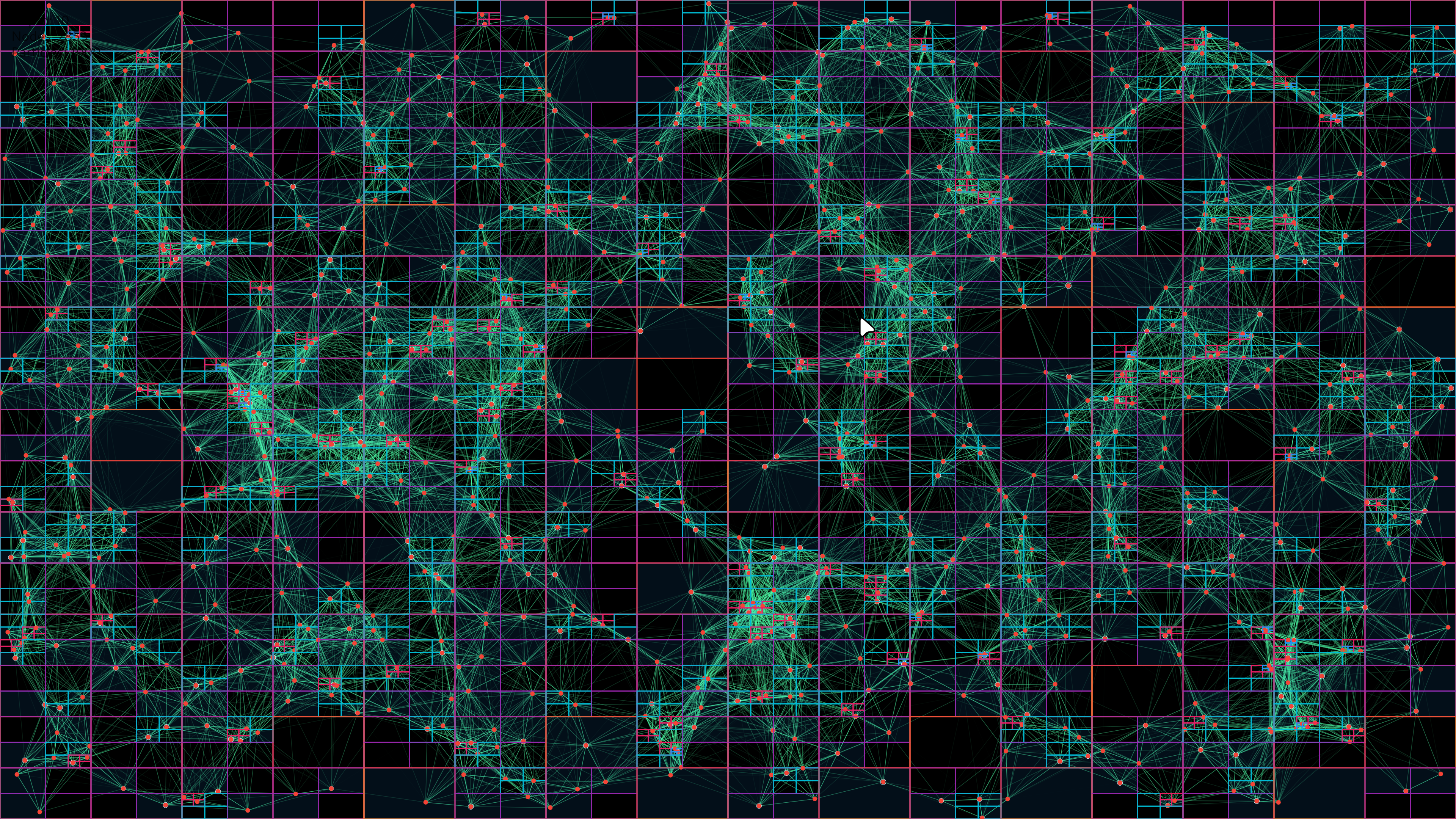
This package combines advanced CPU-side spatial partitioning with GPU-side rendering using Fragment Shaders to achieve optimal performance even with a large number of particles.
The particle network uses Fragment Shaders for rendering, which offloads the drawing work to the GPU. This allows for:
[!TIP] For web deployments, use CanvasKit rendering mode for the best shader performance. Add
--web-renderer canvaskitto your build command.
The package uses an advanced Compressed QuadTree spatial data structure for efficient particle management.
final quadTree = CompressedQuadTreeNode(
  Rectangle(0, 0, screenWidth, screenHeight),
);

particles.forEach((particle) =>
  quadTree.insert(QuadTreeParticle(
    particle.id,
    particle.x,
    particle.y
  ))
);

final nearbyParticles = quadTree.queryCircle(
  touchX,
  touchY,
  searchRadius
);
Key Benefits:
_lineColorLut)To prevent micro-stutters and frame drops caused by Garbage Collector (GC) pauses during connection rendering:
List<Color> _lineColorLut stores all 256 opacity gradations for the configured lineColor.color.withAlpha(...) allocations and division operations per connection with an instantaneous $O(1)$ table lookup, eliminating thousands of short-lived Color objects per second from the heap.TrajectoryBuffer)Float64List buffer when the screen is idle.import 'package:flutter/material.dart';
import 'package:particles_network/particles_network.dart';
class HomePage extends StatelessWidget {
@override
Widget build(BuildContext context) {
return Scaffold(
body: Stack(
children: [
// Particle background
ParticleNetwork(
particleCount: 80,
maxSpeed: 1.0,
particleColor: Colors.blue.shade200,
lineColor: Colors.blue.shade100,
touchActivation: false,
),
// Your content
Center(
child: Text(
'Welcome',
style: TextStyle(fontSize: 48, color: Colors.white),
),
),
],
),
);
}
}
ParticleNetwork(
  particleCount: 120,
  maxSpeed: 2.0,
  lineDistance: 150,
  touchActivation: true,
  touchColor: Colors.amber,
  particleColor: Colors.white,
  lineColor: Colors.teal,
)
ParticleNetwork(
  particleCount: 100,
  gravityType: GravityType.global,
  gravityStrength: 0.5,
  gravityDirection: Offset(0, 1), // Downward
  particleColor: Colors.white,
  lineColor: Colors.blue,
)
ParticleNetwork(
  particleCount: 150,
  gravityType: GravityType.point,
  gravityStrength: 1.2, // Positive = attraction
  gravityCenter: Offset(screenWidth / 2, screenHeight / 2),
  particleColor: Colors.purple,
  lineColor: Colors.purpleAccent,
)
ParticleNetwork(
  particleCount: 100,
  gravityType: GravityType.point,
  gravityStrength: -1.5, // Negative = repulsion
  gravityCenter: Offset(screenWidth / 2, screenHeight / 2),
  particleColor: Colors.red,
  lineColor: Colors.orange,
)
ParticleNetwork(
  particleCount: 800,
  isComplex: true, // Enable optimization for 500+ particles
  maxSpeed: 0.8,
  lineDistance: 80,
  fill: false, // Outline mode for better performance
  particleColor: Colors.cyan,
  lineColor: Colors.cyanAccent,
)
class ThemedParticles extends StatelessWidget {
  @override
  Widget build(BuildContext context) {
    final isDark = Theme.of(context).brightness == Brightness.dark;

    return ParticleNetwork(
      particleCount: 100,
      particleColor: isDark ? Colors.white : Colors.black,
      lineColor: isDark ? Colors.teal : Colors.blue,
      touchColor: Theme.of(context).colorScheme.primary,
    );
  }
}
Solution: Use CanvasKit renderer for better shader performance:
flutter run -d chrome --web-renderer canvaskit
flutter build web --web-renderer canvaskit
Possible Causes:
particleColor contrasts with the backgroundmaxSize parameter (default is 1.5)particleCount for more visibilitySolution:
ParticleNetwork(
  particleCount: 100, // Increase if needed
  maxSize: 3.0,       // Make particles larger
  particleColor: Colors.white, // Ensure contrast
  // ...
)
Solution: Ensure touchActivation is set to true:
ParticleNetwork(
  touchActivation: true,
  touchColor: Colors.amber, // Visible highlight color
  // ...
)
Solution: Enable complex mode and optimize settings:
ParticleNetwork(
  particleCount: 500,
  isComplex: true,        // Enable optimization
  fill: false,            // Use outline mode
  lineDistance: 80,       // Reduce connection distance
  drawNetwork: true,      // Can disable if needed
  // ...
)
Solution: Ensure gravity type is set correctly:
// For global gravity
ParticleNetwork(
  gravityType: GravityType.global,  // Must be set
  gravityStrength: 0.5,              // Non-zero value
  gravityDirection: Offset(0, 1),    // Direction vector
)

// For point gravity
ParticleNetwork(
  gravityType: GravityType.point,    // Must be set
  gravityStrength: 1.0,              // Non-zero value
  gravityCenter: Offset(200, 200),   // Valid coordinates
)
A: It depends on your target platform:
isComplex: true: 500-1000 particlesA: Yes! Simply wrap it in a Stack:
Stack(
  children: [
    ParticleNetwork(/* config */),
    YourContent(),
  ],
)
A: Yes! The package supports:
A: Use global gravity with downward direction:
ParticleNetwork(
  gravityType: GravityType.global,
  gravityStrength: 0.3,
  gravityDirection: Offset(0, 1),
  particleColor: Colors.white,
  maxSpeed: 0.5,
)
A: Yes, set drawNetwork: false:
ParticleNetwork(
  drawNetwork: false,
  // ...
)
fill: true and fill: false?A:
fill: true - Particles are filled circles (default, more visible)fill: false - Particles are outlined circles (better performance, lighter look)A: Enable touch activation:
ParticleNetwork(
  touchActivation: true,
  touchColor: Colors.amber, // Highlight color
  lineDistance: 150,        // Interaction radius
)
Note: Some properties like particleCount, maxSpeed, and maxSize require a widget rebuild to take effect. You can force this by changing the widget's key.
New Features:
Breaking Changes: None! Version 1.9.x is fully backward compatible.
New Parameters:
ParticleNetwork(
  // New gravity parameters (optional)
  gravityType: GravityType.none,     // none, global, or point
  gravityStrength: 0.1,              // Force intensity
  gravityDirection: Offset(0, 1),    // For global gravity
  gravityCenter: null,               // For point gravity
  // All existing parameters still work
)
Recommended Updates:
Update your pubspec.yaml:
dependencies:
  particles_network: ^1.9.2
Run:
flutter pub get
(Optional) Experiment with the new gravity features!
This package is built with:
Inspired by:
Special Thanks:
We welcome contributions! See the contributing guide for more details.
Ways to Contribute:
This package is released under the MIT License.
의존성 목록 6 개
{"sdk":"flutter"}{"sdk":"flutter"}^6.0.0^5.0.0^1.16.0^2.4.0사용 목적에 따라 검색하고 개발 활동을 비교한 뒤 원본 저장소에서 요구 사항을 확인하세요.
“A repository is the most basic element of GitHub.”
GitHub Docs — About repositories ↗