


 v1.2.2
from_to_time_picker
24시간 및 12시간 형식으로 하루의 시작 시간과 종료 시간을 선택할 수 있는 간단한 기간 시간 범위 선택기
61좋아요 6130일 다운로드140Pub 점수
AndroidiOSWebmacOSWindowsLinux
시간 범위 선택기 패키지

아래는 영문 원문 스냅샷입니다. 최신 내용은 GitHub에서 확인하세요.


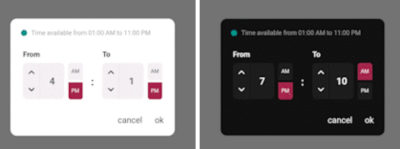
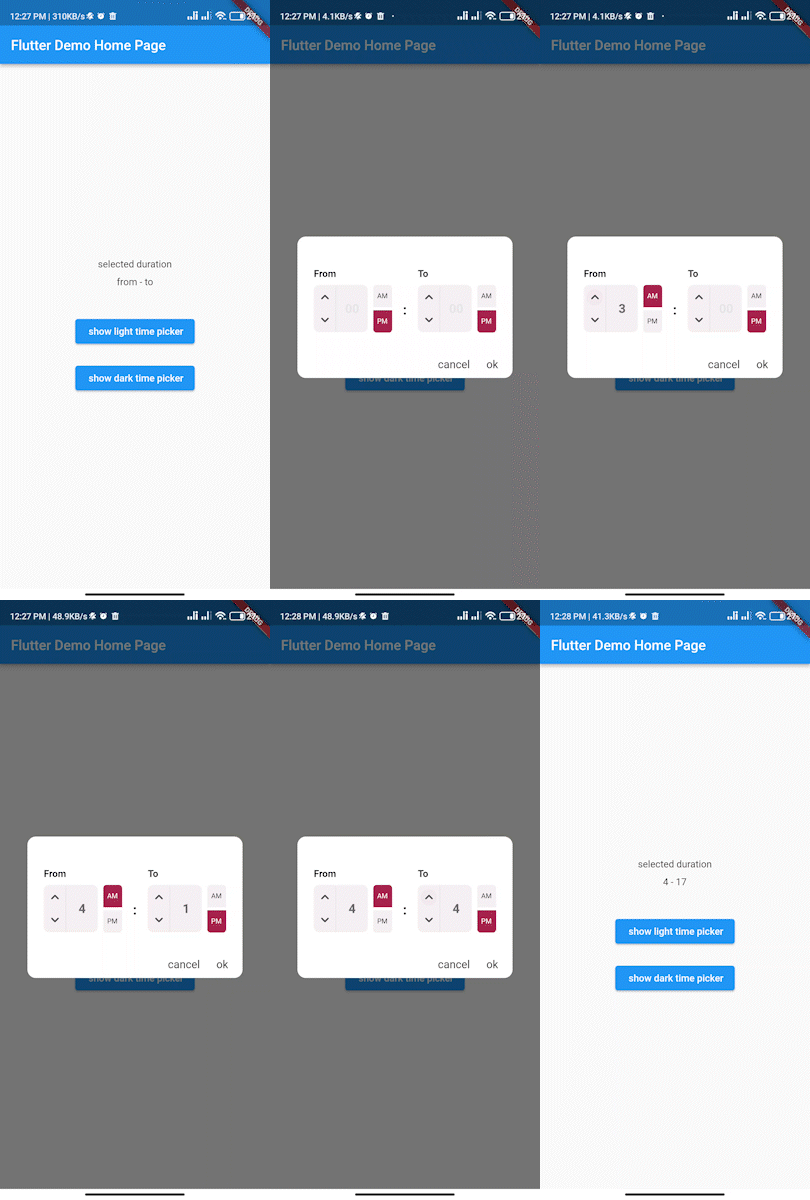
Simple interactive time range picker that enables users to pick a specific duration of the day by selecting start time and end time and defining whether it was AM or PM then it returns the duration chosen in 24H format.
In the pubspec.yaml of your flutter project, add the following dependency:
dependencies:
...
from_to_time_picker: ^1.2.2
In your library add the following import:
import 'package:from_to_time_picker/from_to_time_picker.dart';
default mode
showDialog(
        context: context,
        builder: (_) => FromToTimePicker(
              onTab: (from, to) {
                print('from $from to $to');
              },
            ));
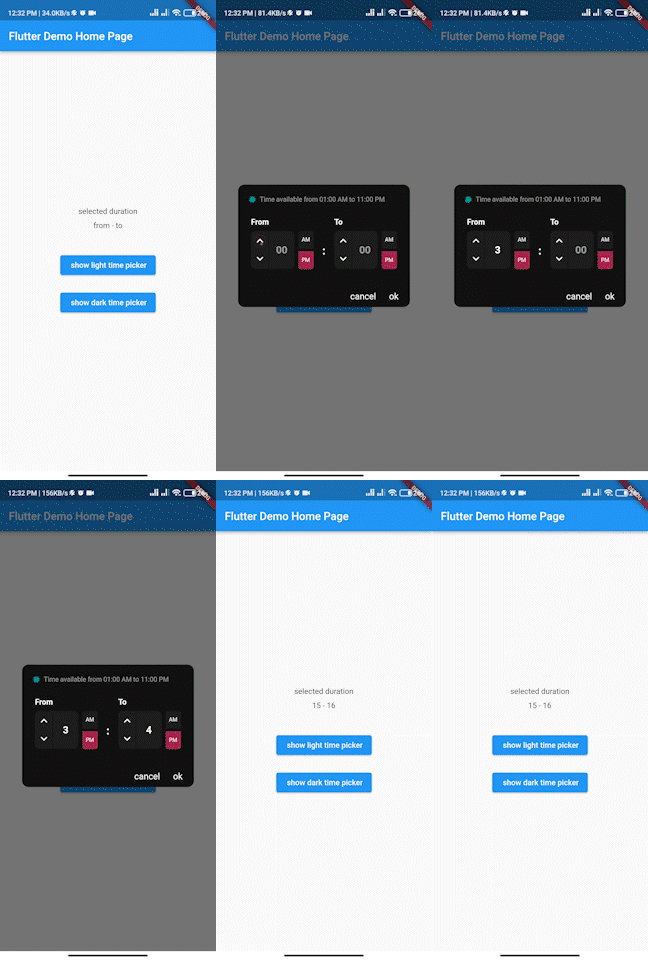
customized mode
showDialog(
      context: context,
      builder: (_) => FromToTimePicker(
        onTab: (from, to) {
          print('from $from to $to');
        },
        dialogBackgroundColor: Color(0xFF121212),
        fromHeadlineColor: Colors.white,
        toHeadlineColor: Colors.white,
        upIconColor: Colors.white,
        downIconColor: Colors.white,
        timeBoxColor: Color(0xFF1E1E1E),
        timeHintColor: Colors.grey,
        timeTextColor: Colors.white,
        dividerColor: Color(0xFF121212),
        doneTextColor: Colors.white,
        dismissTextColor: Colors.white,
        defaultDayNightColor: Color(0xFF1E1E1E),
        defaultDayNightTextColor: Colors.white,
        colonColor: Colors.white,
        showHeaderBullet: true,
        headerText: 'Time available from 01:00 AM to 11:00 PM',
      ),
    );
We accept the following contribution:
의존성 목록 3 개
{"sdk":"flutter"}^0.19.0{"sdk":"flutter"}사용 목적에 따라 검색하고 개발 활동을 비교한 뒤 원본 저장소에서 요구 사항을 확인하세요.
“A repository is the most basic element of GitHub.”
GitHub Docs — About repositories ↗