패키지, 저장소 및 앱 카테고리 검색

from_to_time_picker 표지
패키지 상세v1.2.2

from_to_time_picker

24시간 및 12시간 형식으로 하루의 시작 시간과 종료 시간을 선택할 수 있는 간단한 기간 시간 범위 선택기

AndroidiOSWebmacOSWindowsLinux
30일 다운로드
61
좋아요
61
Pub 점수
140

패키지 설치

flutter pub add from_to_time_picker

패키지 개요

공개 정보를 바탕으로 생성한 선택 가이드입니다.

하루 동안 시간 범위를 선택할 수 있는 간단한 Flutter 패키지로 사용자가 시작 시간과 종료 시간을 모두 선택할 수 있습니다. 여러 플랫폼에서 24시간 및 12시간 형식을 지원합니다. 지속 시간 입력이 필요한 앱에 원활하게 통합될 수 있도록 깔끔하고 직관적인 인터페이스로 설계되었습니다. 스케줄링, 예약 또는 이벤트 생성 기능에 적합합니다.

사용 사례

  • 예약 일정 조정
  • 예약 시간 슬롯
  • 이벤트 기획
  • 작업 기간 선택
  • 시간 추적

주요 기능

  • 24시간 및 12시간 시간 형식을 지원합니다
  • 간단한 시작/종료 시간 선택
  • 크로스 플랫폼 호환성
  • 사용자 지정 가능한 UI
  • Flutter 폼과의 간편한 통합

적합한 대상

  • 시간 범위 입력이 필요한 앱 개발자
  • 스케줄링 또는 캘린더 애플리케이션
  • 시간 기반 워크플로를 갖춘 모바일 및 웹 앱

고려 사항

  • 하루 단위 시간 범위에 한정
  • 시간대 처리 없음
  • 논리적 시간 순서에 대한 수동 검증이 필요합니다

원본 README

연결된 소스 저장소의 README 원문 스냅샷입니다. 최신 내용은 저장소에서 확인하세요.

From To Time Picker

Pub Version License: MIT GitHub code size in bytes

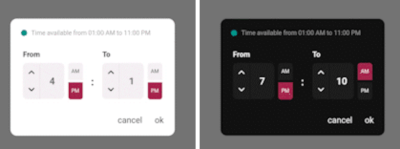
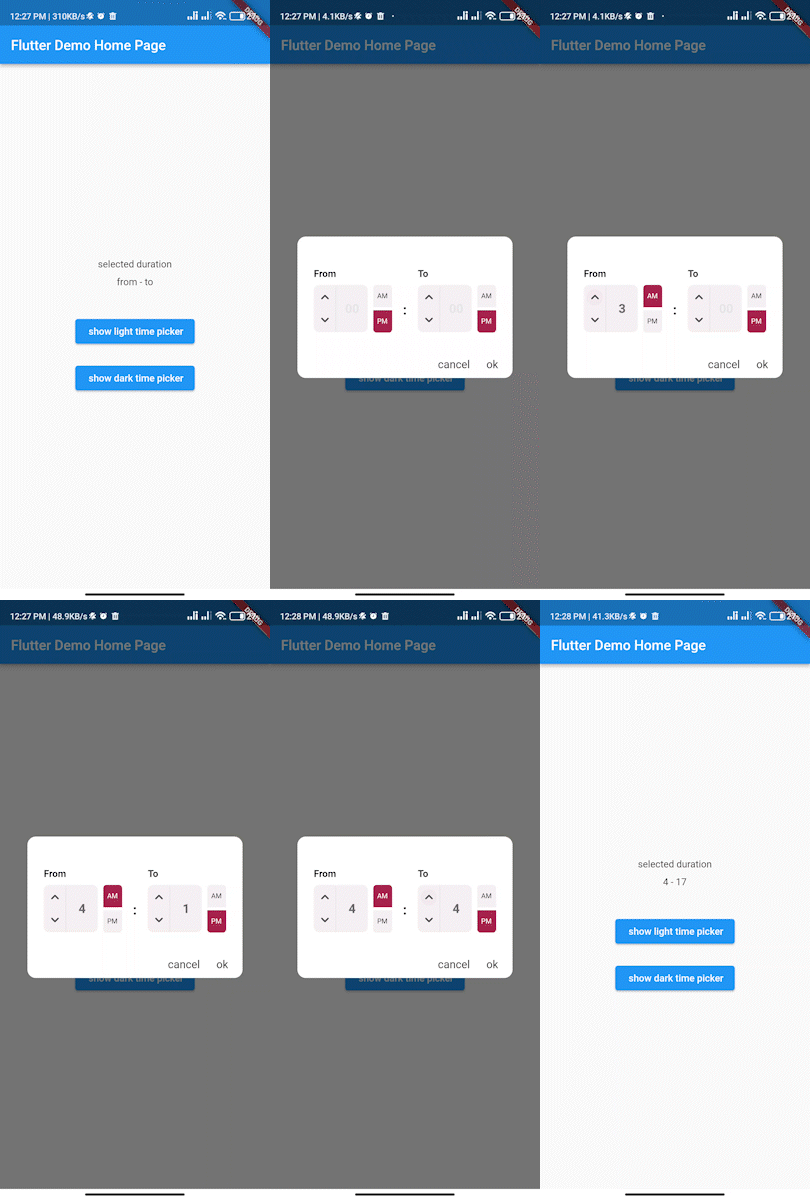
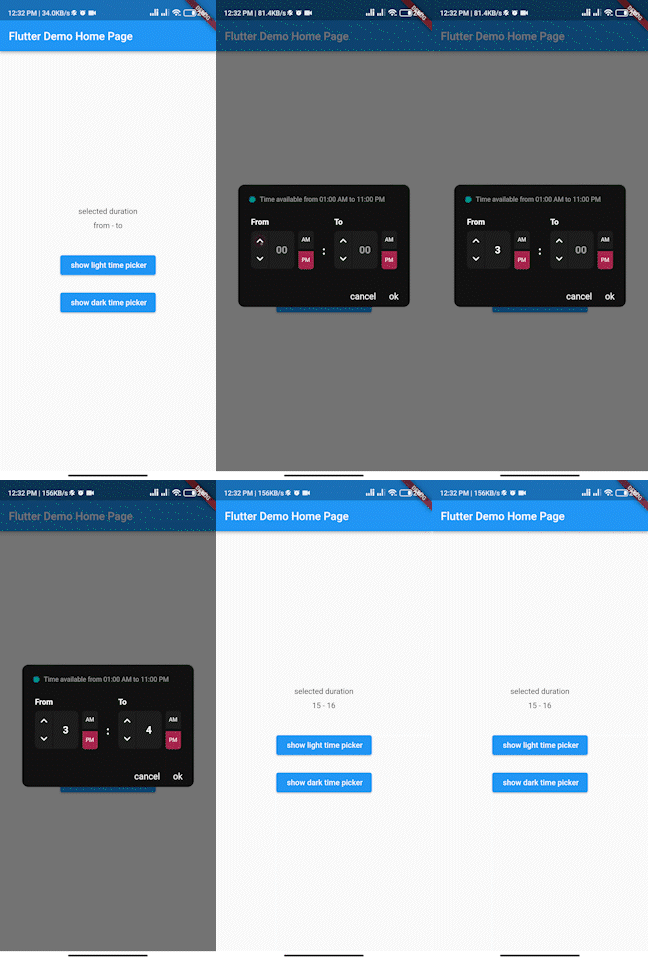
Simple interactive time range picker that enables users to pick a specific duration of the day by selecting start time and end time and defining whether it was AM or PM then it returns the duration chosen in 24H format.

time_picker_gif time_picker_gif

Usage

In the pubspec.yaml of your flutter project, add the following dependency:

dependencies:
...
from_to_time_picker: ^1.2.2

In your library add the following import:

import 'package:from_to_time_picker/from_to_time_picker.dart';

Example

default mode


showDialog(
        context: context,
        builder: (_) => FromToTimePicker(
              onTab: (from, to) {
                print('from $from to $to');
              },
            ));

customized mode

showDialog(
      context: context,
      builder: (_) => FromToTimePicker(
        onTab: (from, to) {
          print('from $from to $to');
        },
        dialogBackgroundColor: Color(0xFF121212),
        fromHeadlineColor: Colors.white,
        toHeadlineColor: Colors.white,
        upIconColor: Colors.white,
        downIconColor: Colors.white,
        timeBoxColor: Color(0xFF1E1E1E),
        timeHintColor: Colors.grey,
        timeTextColor: Colors.white,
        dividerColor: Color(0xFF121212),
        doneTextColor: Colors.white,
        dismissTextColor: Colors.white,
        defaultDayNightColor: Color(0xFF1E1E1E),
        defaultDayNightTextColor: Colors.white,
        colonColor: Colors.white,
        showHeaderBullet: true,
        headerText: 'Time available from 01:00 AM to 11:00 PM',
      ),
    );

Contributing

We accept the following contribution:

  • Improving documentation
  • Reporting issues
  • fixing bugs

Maintainer

  • Ahmed Elsarag

카테고리

의존성

의존성 목록 1 개

소스 저장소

이 패키지를 사용하는 프로젝트

아직 데이터가 없습니다.