
 v0.5.0
spaces
일관되고 반응형 앱을 구축하기 위해 전역 간격 상수를 정의합니다.
18좋아요 3530일 다운로드130Pub 점수
AndroidiOSWebmacOSWindowsLinux
일관되고 반응형 앱을 구축하기 위해 전역 간격 상수를 정의합니다.

^2.0.0-nullsafety.1{"sdk":"flutter"}^0.13.0-nullsafety.0^0.14.0-nullsafety.0^1.11.5{"sdk":"flutter"}아래는 영문 원문 스냅샷입니다. 최신 내용은 GitHub에서 확인하세요.
logo
https://img.shields.io/pub/v/spaces.svg https://img.shields.io/badge/$-donate-ff69b4.svg?maxAge=2592000&style=flat
Defining global spacing constants for building consistent and responsive apps.
Add the dependency to your pubspec.yaml :
dependencies:
    spaces: <version>
return MaterialApp(
    // Defining
    builder: (context, child) => Spacing(
        dataBuilder: (context) {
          final mediaQuery = MediaQuery.of(context);
          if (mediaQuery.size.width > 500) {
            return SpacingData.generate(30);
          }
          return SpacingData.generate(10);
        },
        child: child,
    ),
    home:Builder(builder: (context) {
        // Using
        final spacing = Spacing.of(context);
        return SpacedColumn.normal(
            padding: spacing.insets.all.semiBig,
            children: <Widget>[
                Text('hello'),
                Space.big(),
                Text('world'),
            ],
        );
      })
    ),
)
A Spacing widget should declare a global spacing configuration for your application.
return MaterialApp(
    builder: (context, child) => Spacing.fixed(
        data: SpacingData.generate(10.0), // This generates a set of spacing constants for your apps, from a base space of `10.0`.
        child: child,
    ),
    /// ...
)
By calling the Spacing.generate constructor, a set of constants are automatically generated from a single base value.
The generated values are :
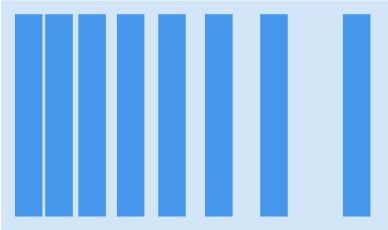
value * 0.2value * 0.4value * 0.6valuevalue * 1.5value * 2.5value * 5.0SpacingData.generate(10.0)
If you want to define the various spacing values, you can use the
SpacingData.fromSpaces(
    extraSmall: 1.0,
    small: 2.0,
    semiSmall: 4.0,
    normal: 8.0,
    semiBig: 12.0,
    big: 20.0,
    extraBig: 100.0,
)
You can define the dataBuilder property of the Spacing constructor to generate a configuration from the given context.
Spacing(
    dataBuilder: (context) {
        final mediaQuery = MediaQuery.of(context);
        return SpacingData.generate(mediaQuery.size.width > 300.0 ? 20.0 : 10.0),
    },
    child: child,
)
To access various spacing constants, simply use the Spacing.of(context) getter, or the context.spacing() extension method.
final spacing = Spacing.of(context);
// spacing.spaces.semiBig
There are seven availables spacing constants : extraSmall, small, semiSmall, normal, semiBig, big, extraBig;
final spacing = Spacing.of(context);
return SizedBox(
    width: spacing.spaces.semiSmall,
);
You have EdgeInsets presets available from <spacing>.insets.<selector>.<size>.
The available selectors are : all, horizontal, vertical, onlyLeft, onlyTop, onlyRight, onlyBottom, exceptLeft, exceptRight, exceptTop, exceptBottom.
final spacing = Spacing.of(context);
return Padding(
    padding: spacing.insets.exceptLeft.semiBig,
    child: Text('Hello'),
);
The Space widget uses gap under the hood to define a space in a Flex, Column, Row or Scrollable (such as ListView).
return Column(
    children: [
        Text('hello'),
        const Space.semiSmall(),
        Text('world'),
    ],
);
Like Flex / Column / Row, but with additional padding and spaceBetween properties.
final spacing = Spacing.of(context);
return SpacedColumn.small(
    padding: spacing.insets.all.normal,
    children: [
        Text('hello'),
        Text('world'),
    ],
);