
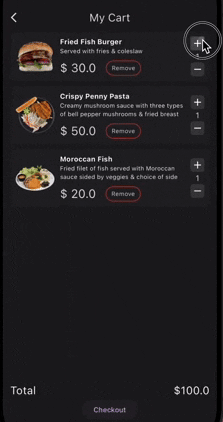
 v0.0.8
persistent_shopping_cart
이 포괄적인 패키지를 사용하여 Flutter 앱에서 쇼핑카트 데이터를 쉽게 관리하고 지속적으로 저장하세요. 로컬 스토리지의 단순화와 사용자에게 더 나은 쇼핑 경험 제공
270좋아요 5930일 다운로드160Pub 점수
AndroidiOSmacOSWindowsLinux
axiftaj/persistent_shopping_cart open-source repository details.
아래는 영문 원문 스냅샷입니다. 최신 내용은 GitHub에서 확인하세요.
Persistent Shopping Cart is a Flutter package that provides a simple and persistent shopping cart functionality for your mobile application. It uses Hive for local storage, making the cart data persist across app sessions.
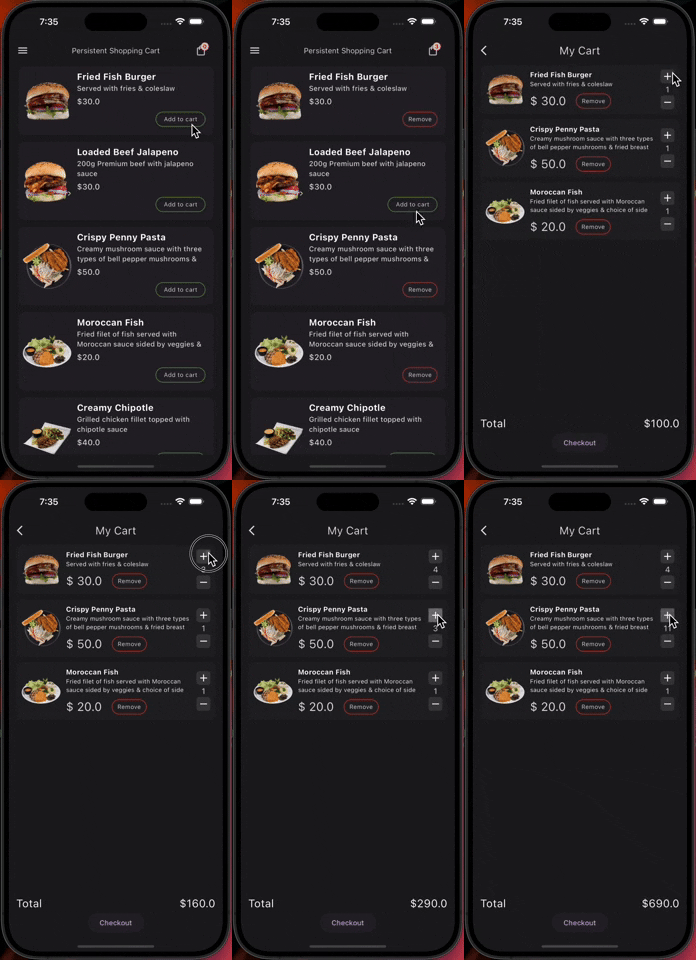
init() method.addToCart method.removeFromCart method.incrementCartItemQuantity and decrementCartItemQuantity methods.calculateTotalPrice method.getCartItemCount method.clearCart method.showCartItems method, providing flexible builders for customizing how the cart is displayed (e.g., ListView, GridView).showCartItemCountWidget method.showTotalAmountWidget method.showAndUpdateCartItemWidget method.getCartData method in the PersistentShoppingCart class to get a list of cart items and the total price.import 'package:persistent_shopping_cart/persistent_shopping_cart.dart';
init method:await PersistentShoppingCart().init();
// Add product to the cart
await PersistentShoppingCart().addToCart(PersistentShoppingCartItem());

// Remove product from the cart
await PersistentShoppingCart().removeFromCart(productId);

// Increment product quantity in the cart
await PersistentShoppingCart().incrementCartItemQuantity(productId);

// Decrement product quantity in the cart
await PersistentShoppingCart().decrementCartItemQuantity(productId);

// Get total price of items in the cart
double totalPrice = PersistentShoppingCart().calculateTotalPrice();

// Get total number of items in the cart
int itemCount = PersistentShoppingCart().getCartItemCount();

// Clear the cart
PersistentShoppingCart().clearCart();

// Retrieve cart data and total price
Map<String, dynamic> cartData = PersistentShoppingCart().getCartData();
List<PersistentShoppingCartItem> cartItems = cartData['cartItems'];
double totalPriceFromData = cartData['totalPrice'];
The showCartItems method now provides flexibility to define how cart items are displayed (e.g., ListView, GridView) using a builder function.
PersistentShoppingCart().showCartItems(
  cartItemsBuilder: (BuildContext context, List<PersistentShoppingCartItem> cartItems) {
    // no item added to cart
    if(cartItems.isEmpty){
    return EmptyCartMsgWidget();
    }
    // Define your custom widget for displaying cart items
    return ListView.builder(
      itemCount: cartItems.length,
      itemBuilder: (context, index) {
        final item = cartItems[index];
        return ListTile(
          title: Text(item.name), // Replace with your cart item widget
          subtitle: Text('Quantity: ${item.quantity}'),
        );
      },
    );
  },
);
PersistentShoppingCart().showCartItemCountWidget(
  cartItemCountWidgetBuilder: (int itemCount) {
    // Your custom widget displaying the cart item count
  },
);
PersistentShoppingCart().showTotalAmountWidget(
  cartTotalAmountWidgetBuilder: (double totalAmount) {
    // Your custom widget displaying the total amount
  },
);
PersistentShoppingCart().showAndUpdateCartItemWidget(
  inCartWidget: YourInCartWidget(),
  notInCartWidget: YourNotInCartWidget(),
  product: yourProduct,
);

의존성 목록 8 개
{"sdk":"flutter"}^2.2.3^2.1.5^1.1.0^2.4.14^2.0.1{"sdk":"flutter"}^5.0.0사용 목적에 따라 검색하고 개발 활동을 비교한 뒤 원본 저장소에서 요구 사항을 확인하세요.
“A repository is the most basic element of GitHub.”
GitHub Docs — About repositories ↗