
Biyi
BeyondTranslate(이전 이름: Biyi)는 Flutter와 Rust로 구현된 macOS, Windows, Linux용 빠르고 네이티브 경험을 제공하는 번역 앱입니다. 화면 어디서든 텍스트를 캡처하고 여러 엔진으로 구동되는 정확한 번역을 얻을 수 있습니다.

- 스타
- 1.5천
- 포크
- 129
- 최근 푸시(UTC)
- 2026. 11. 1.
- 프로젝트 상태
- 활성
원본 README
아래는 영문 원문 스냅샷입니다. 최신 내용은 GitHub에서 확인하세요.
BeyondTranslate

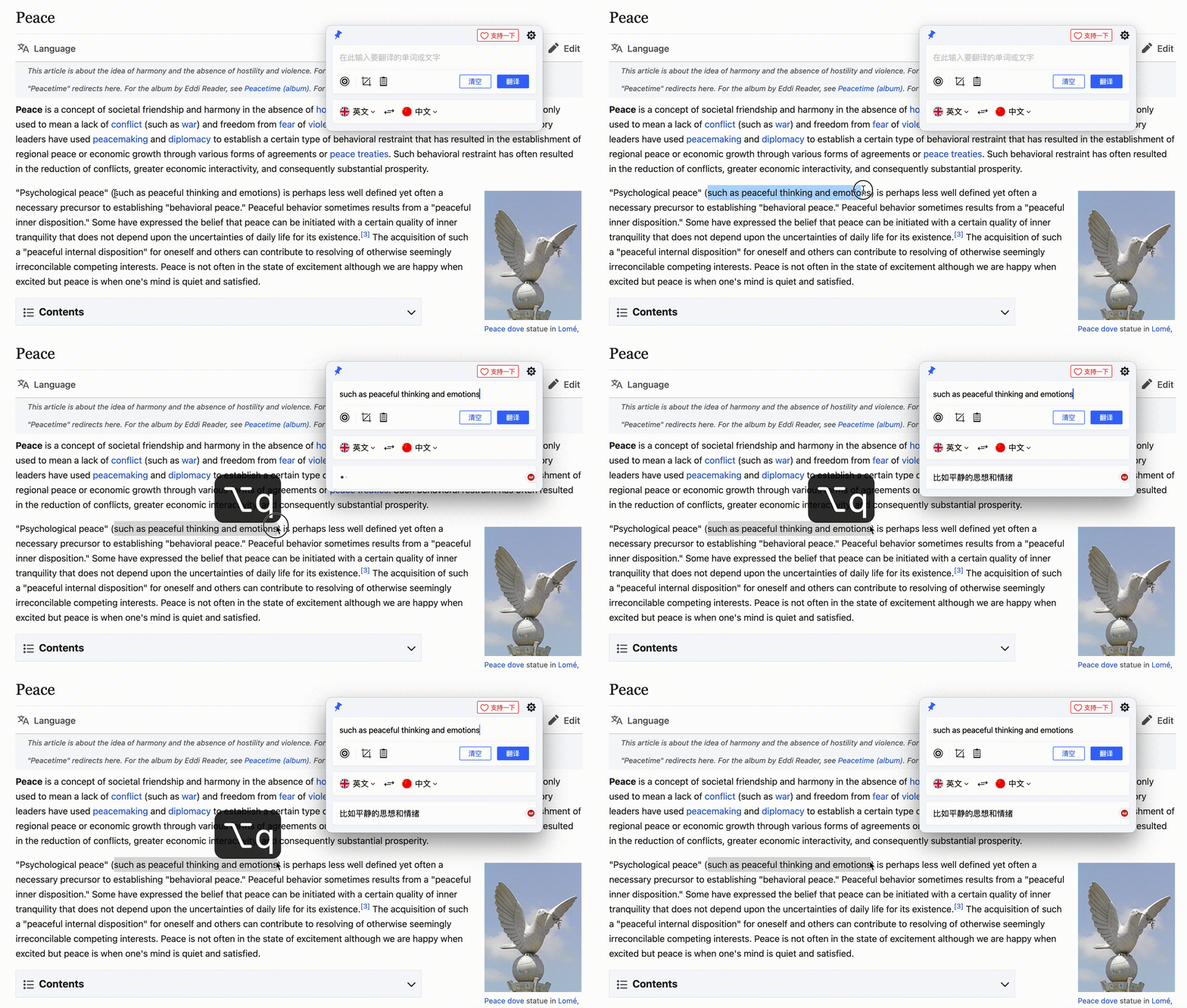
BeyondTranslate (formerly Biyi) is a fast, native-experience translation app for macOS, Windows and Linux, built with Flutter and Rust. Capture text from anywhere on screen and get accurate translations powered by multiple engines — all from a lightweight app that stays out of your way until you need it. View document
⚠️ Note: Architecture upgrade in progress: Core services have been switched to Rust to improve performance and cross-platform reuse. The UI layer continues to be powered by Flutter, while the macOS settings page is rendered natively with SwiftUI.
English | 简体中文
Platform Support
| Linux | macOS | Windows |
|---|---|---|
| ✔️ | ✔️ | ✔️ |
Installation
Downloads are available on the Releases page. Also check out the website for other installation methods.
To install with Homebrew, run:
brew tap beyondtranslate/beyondtranslate
brew install beyondtranslate
Development
⚠️ Linux requirements
appindicator3-0.1keybinder-3.0
Run the following command
sudo apt-get install appindicator3-0.1 libappindicator3-dev
sudo apt-get install keybinder-3.0
Before You Start
- Clone this repo via git:
$ git clone https://github.com/beyondtranslate/beyondtranslate.git
- Change to
beyondtranslatedirectory
$ cd beyondtranslate
- Install dependencies
$ melos bs
Run app
$ cd apps/desktop
$ flutter run -d linux / macos / windows
Discussion
Welcome to join the discussion group to share your suggestions and ideas with me.
Related Links
- https://github.com/beyondtranslate/beyondtranslate
- https://github.com/leanflutter/screen_text_extractor
License

Beyond Translate ↗
분류
사용 중인 의존성
의존성 목록 2 개
- flutter_lints개발 의존성
^6.0.0 - melos개발 의존성
^7.0.0
프로젝트에 맞는 저장소를 선택하려면?
사용 목적에 따라 검색하고 개발 활동을 비교한 뒤 원본 저장소에서 요구 사항을 확인하세요.
- 이름, 작성자 또는 설명으로 검색하고 기술 주제로 범위를 좁힙니다.
- 스타, 포크, 최근 푸시를 함께 비교하세요. 스타는 관심의 지표이며 품질을 보장하지 않습니다.
- 사용하기 전에 GitHub에서 README, 라이선스, Issues를 확인하세요.
출처 및 관리
“A repository is the most basic element of GitHub.”
GitHub Docs — About repositories ↗