
school-ui-toolkit
Flutter 애플리케이션 개발을 시작하는 데 도움이 되는 기본 UI 툴킷입니다.

- 스타
- 130
- 포크
- 31
- 최근 푸시(UTC)
- 2020. 10. 30.
- 프로젝트 상태
- 활성
원본 README
아래는 영문 원문 스냅샷입니다. 최신 내용은 GitHub에서 확인하세요.
Basic UI Toolkit [Theme: School]

Descrption
A basic UI toolkit to get you started with flutter application development.
Widget List:
- SchoolToolkitButton: Button with a busy indicator
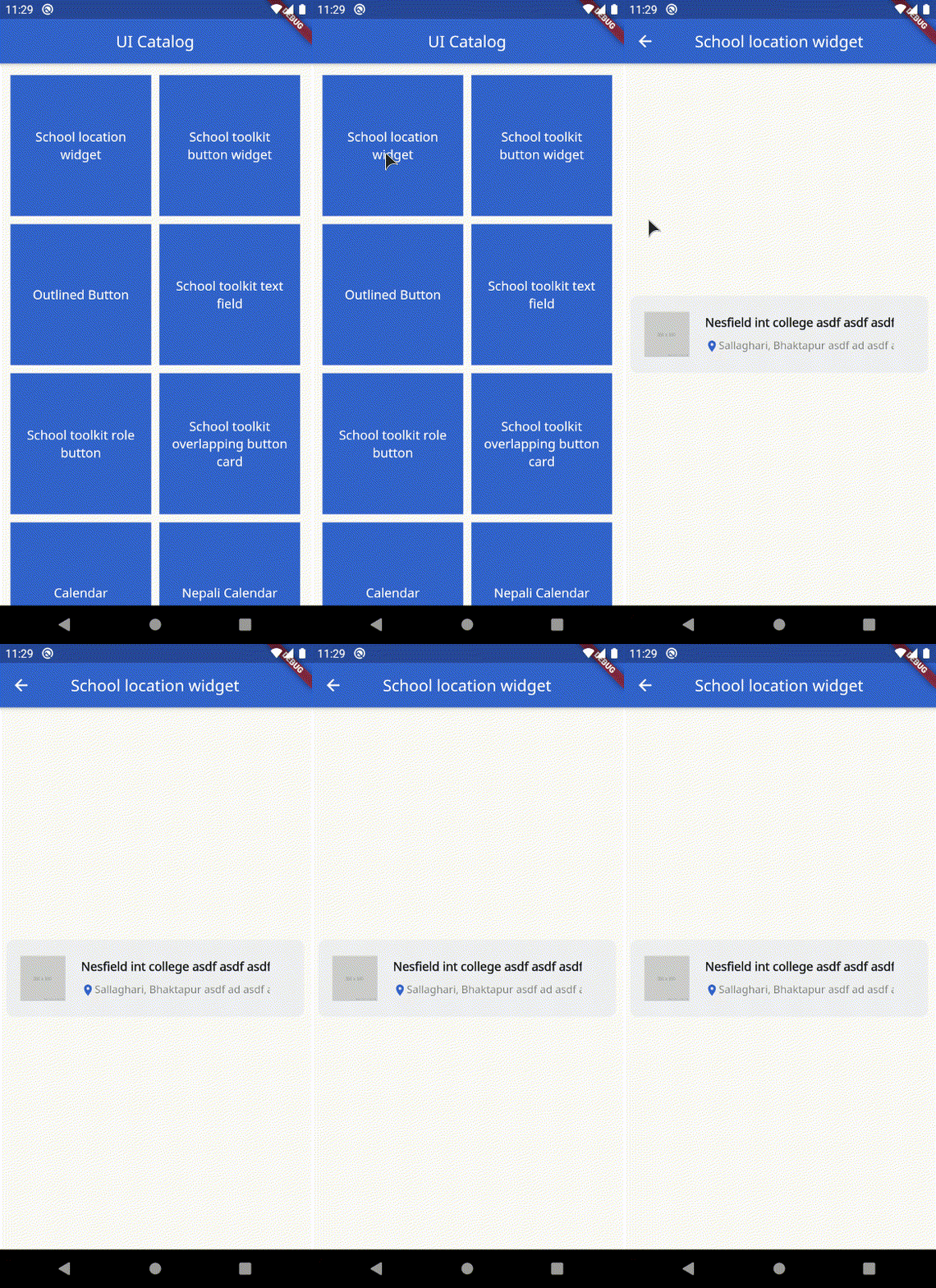
- SchoolLocationWidget: Card to display school information
- OutlinedButton: Button with only outline border with a busy indicator
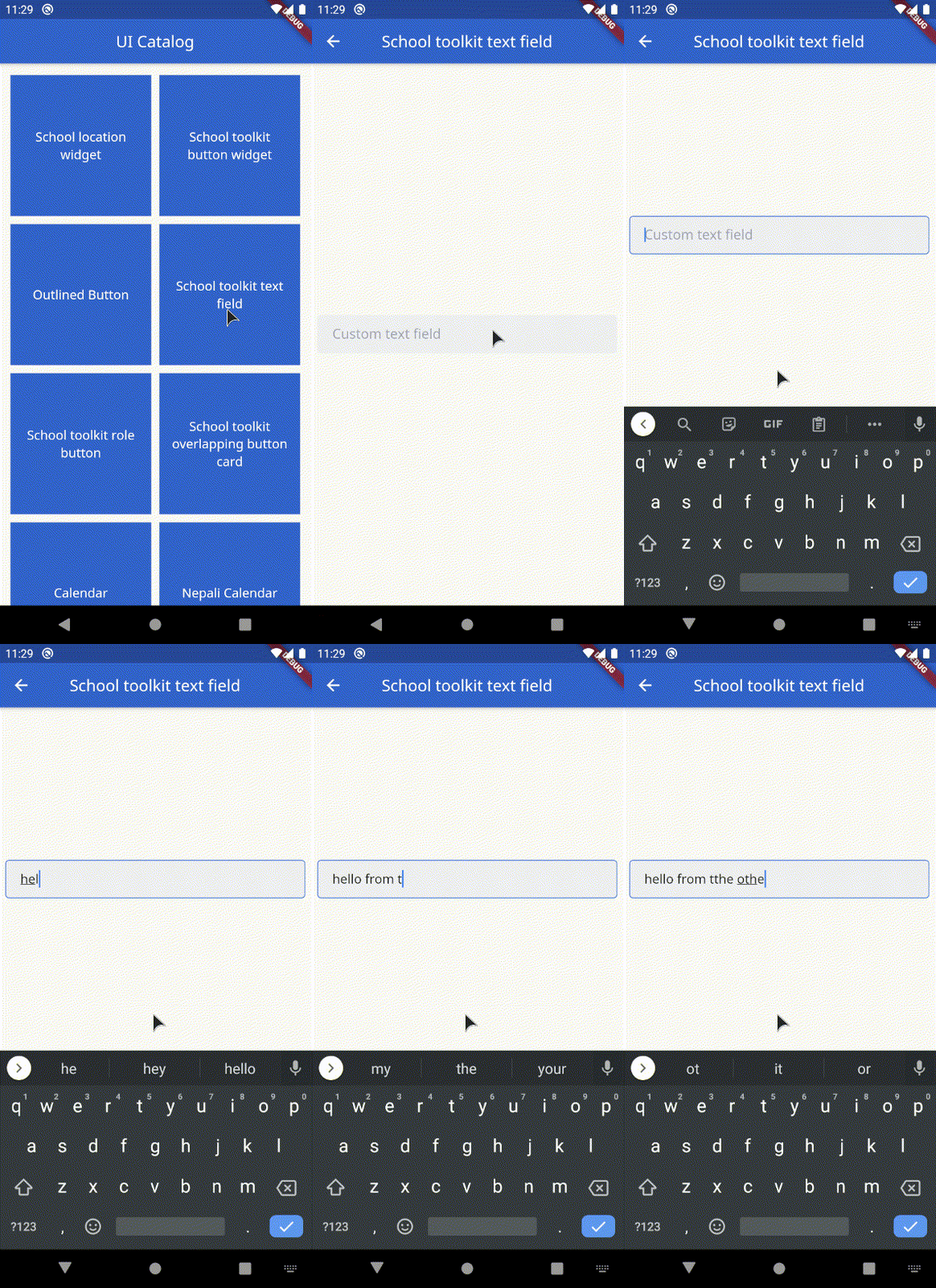
- SchoolToolkitTextField: Custom text field
- SchoolToolkitRoleButton: Animated role selection button
- OverlappingButtonCard: Overlapping container with a hovering button on the bottom
- Calendar: Calendar with two view states: [expanded(shows the entire calendar), shrink(shows only a week)]
- NepaliCalendar: Nepali Calendar with two view states: [expanded(shows the entire calendar), shrink(shows only a week)]
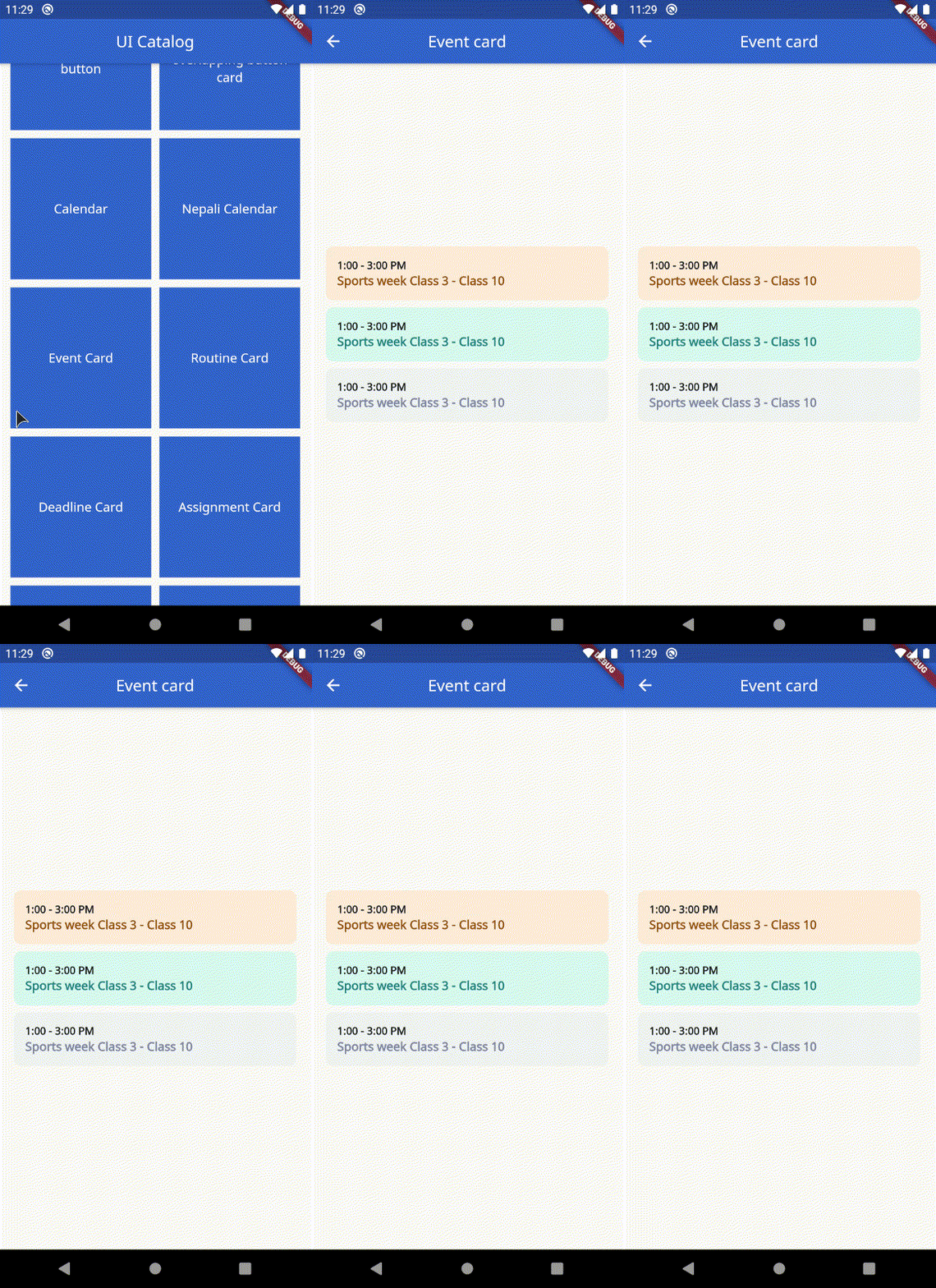
- EventCard: Displays the time and event
- RoutineCard: Displays the Name of class, Subject, Time and Professor.
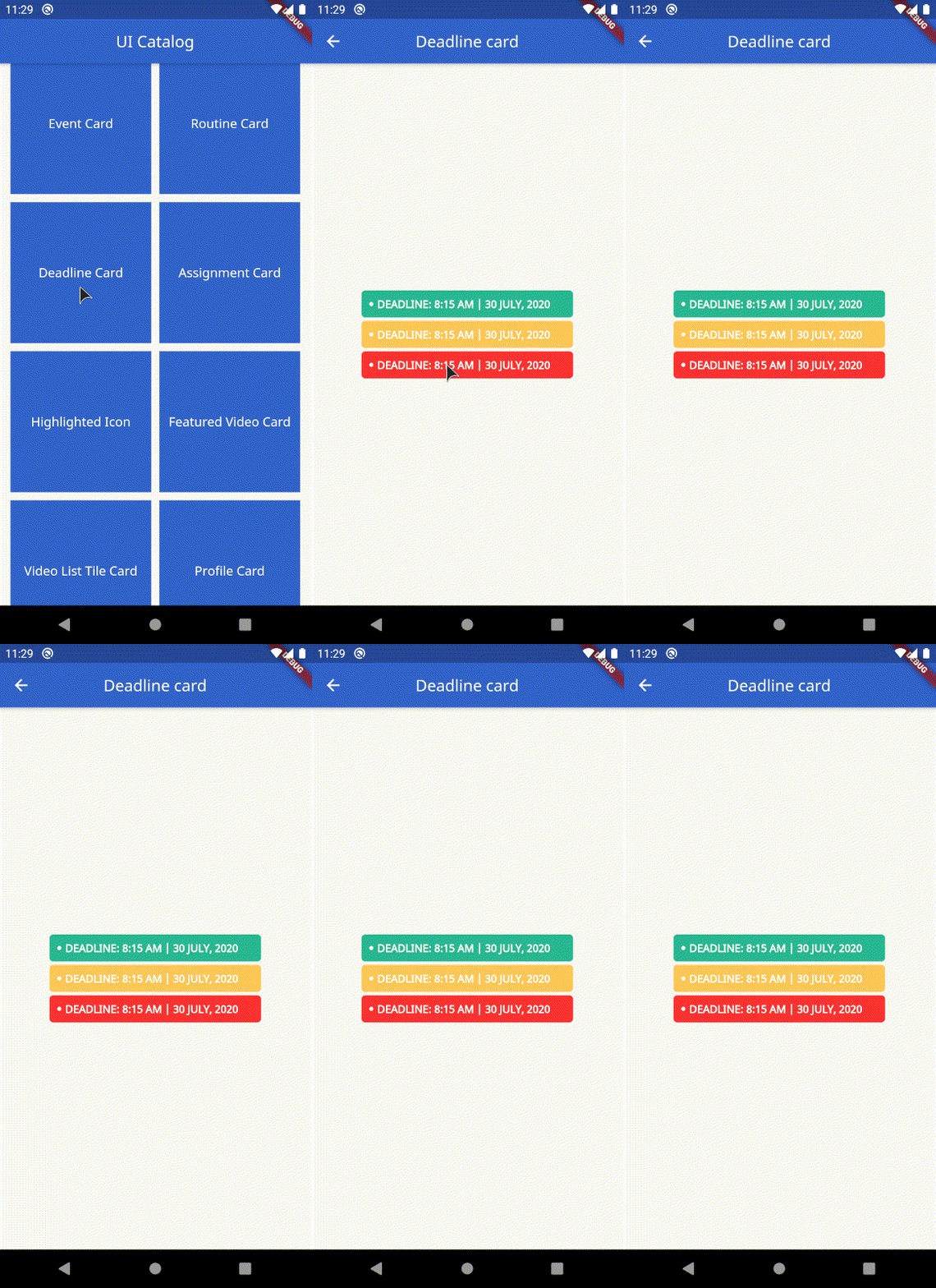
- DeadlineCard: Display a deadline
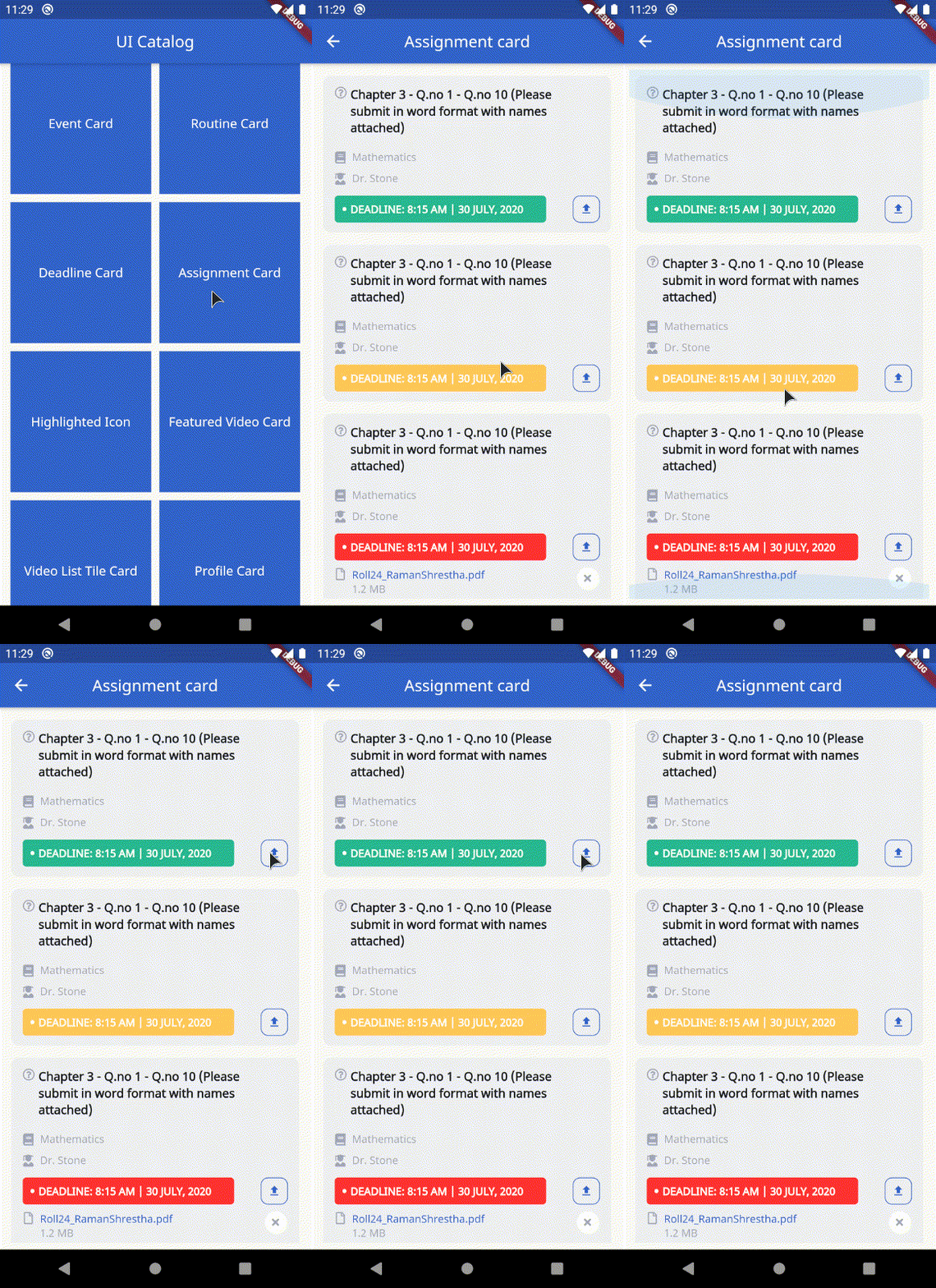
- AssignmentCard: Displays the assignment, deadline, subject with optional parameters to handle upload
- HighlightedIcon: Custom container that highlights the icon passed. Takes in an optional busy parameter to display loading indicator.
- FeaturedVideoCard: Display a featured video thumbnail with a title.
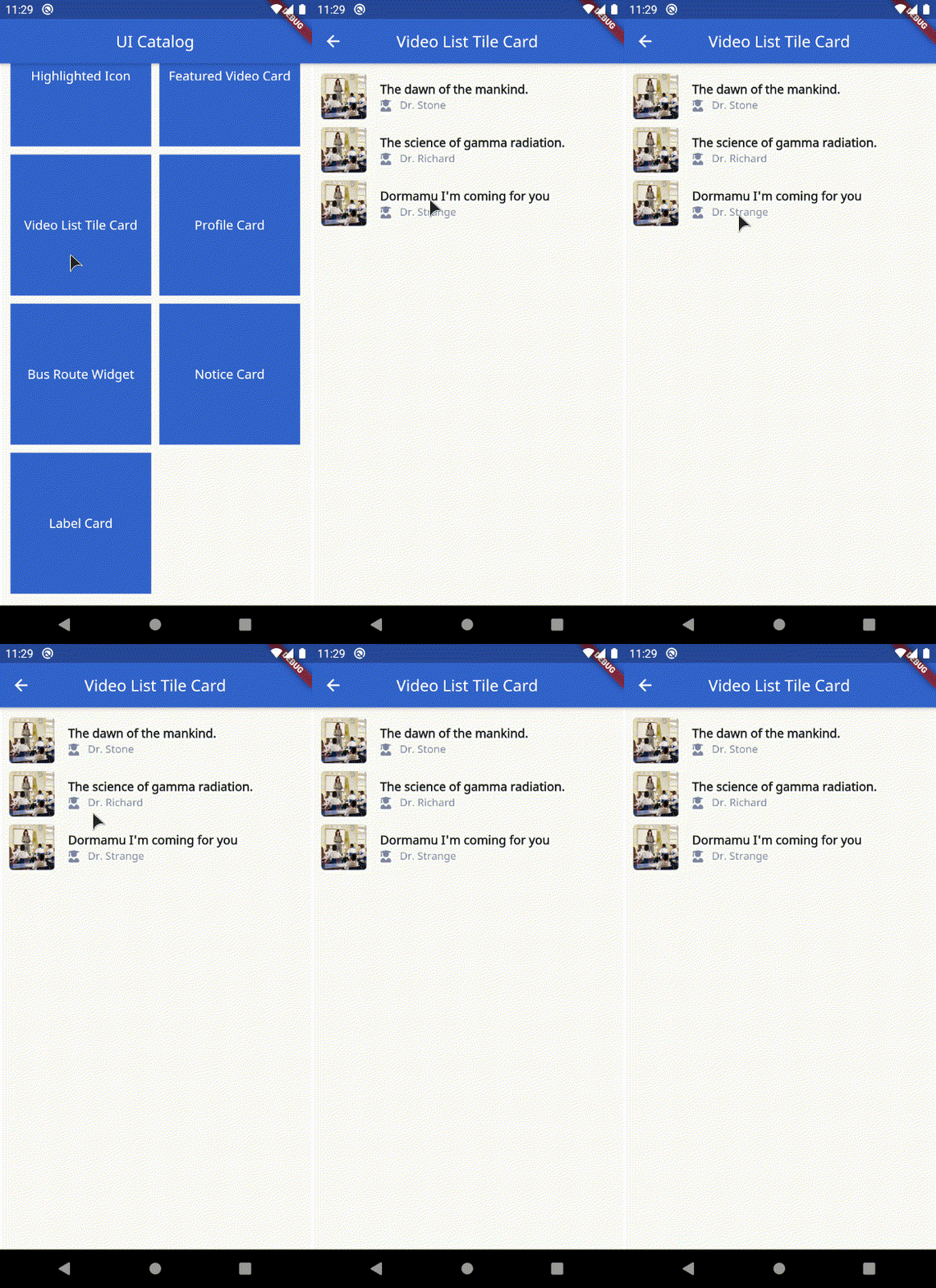
- VideoListTileCard: Display a listtile with thumbnail, title and author.
- ProfileCard: Custom profile card.
- BusRouteWidget: Display a bus route. Takes in title and a subtitle.
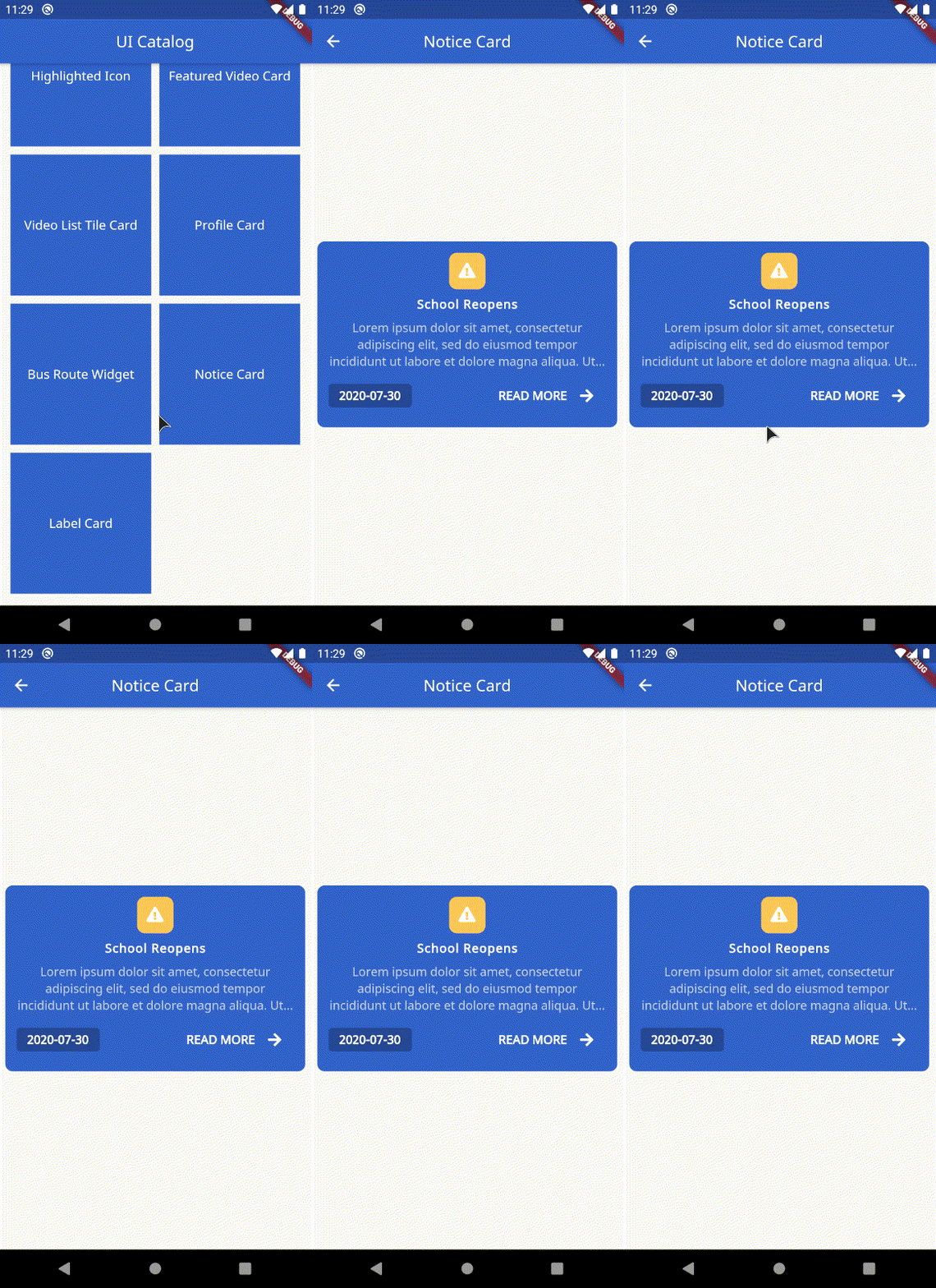
- NoticeCard: Custom notice widget that takes in title, subtitle, formatted date string with exposed on tap handler.
- LabelCard: Display a custom text label. Takes in label string, width, height, text style and color.
Example
The example file contains a catalog for all the available widgets.
SchoolToolkitButton
SchoolToolkitButton(
    onPressed: () {
        // handle on pressed
    },
    busy: true, // defaults to false
    label: 'Text Label'.toUpperCase(),
),

SchoolLocationWidget
SchoolLocationWidget(
    imageURL: 'http://via.placeholder.com/350x350',
    address: 'Area 69',
    name: 'Alien High School',
),
OutlinedButton
OutlinedButton(
    onPressed: () {
        // handle on pressed
    },
    busy: true, // defaults to false
    label: 'Edit Info'.toUpperCase(),
),

SchoolToolkitTextField
SchoolToolkitTextField(
    hint: 'Custom text field',
    controller: ...,
    errorText: ...,
    key: ...,
    label: ...,
    obscureText: ...,
    onChanged: ...,
    onFieldSubmitted: ...,
    onSaved: ...,
    onTap: ...,
),
SchoolToolkitRoleButton
SchoolToolkitRoleButton(
    iconData: FontAwesomeIcons.userGraduate,
    label: 'Student'.toUpperCase(),
    selected: true, // defaults to false
),

OverlappingButtonCard
OverlappingButtonCard(
    width: 354,
    height: 589,
    label: 'Button label'.toUpperCase(),
    onPressed: () {
        // handle on presssed
    },
    chld: ...,
    padding: ..., // optional field
),

Calendar
Calendar(
    startExpanded: true, // set this to false if you need the calendar to be built shrinked (show only active week)
    onDateSelected: (date) {
        print('Selected date: $date');
        // handle date selection
    },
    onNextMonth: (date) {
        print('Next month: $date');
        // handle on next month.
    },
    onPreviousMonth: (date) {
        print('Previous month: $date');
        // handle previous month
    },
    calendarEvents: [
        CalendarEvent.fromDateTime(
            dateTime: DateTime.now(),
            color: SchoolToolkitColors.red,
        ),
    ],
    recurringEventsByDay: [
        CalendarEvent.fromDateTime(
            dateTime: DateTime(2020, 7, 1),
            color: SchoolToolkitColors.blue,
        ),
        CalendarEvent.fromDateTime(
            dateTime: DateTime(2020, 7, 2),
            color: SchoolToolkitColors.red,
        ),
    ],
    recurringEventsByWeekday: [
        CalendarEvent.fromWeekDay(
            weekDay: DateTime.sunday,
            color: SchoolToolkitColors.green,
            holiday: true,
        ),
    ],
),

NepaliCalendar
Important: Please note the date returned by the NepaliCalendar methods use the NepaliDateTime instead of DateTime class
NepaliCalendar(
    startExpanded: true, // set this to false if you need the calendar to be built shrinked (show only active week)
    onDateSelected: (date) {
        print('Selected date: $date');
        // handle date selection
    },
    onNextMonth: (date) {
        print('Next month: $date');
        // handle on next month.
    },
    onPreviousMonth: (date) {
        print('Previous month: $date');
        // handle previous month
    },
    calendarEvents: [
        NepaliCalendarEvent.fromDateTime(
            dateTime: NepaliDateTime.now(),
            color: SchoolToolkitColors.red,
        ),
    ],
    recurringEventsByDay: [
        NepaliCalendarEvent.fromDateTime(
            dateTime: NepaliDateTime(2020, 7, 1),
            color: SchoolToolkitColors.green,
        ),
    ],
    recurringEventsByWeekday: [
        NepaliCalendarEvent.fromWeekDay(
            weekDay: 1,
            color: SchoolToolkitColors.brown,
        ),
    ],
),

EventCard
EventCard(
    event: 'Sports week Class 3 - Class 10',
    time: '1:00 - 3:00 PM',
    secondaryColor: SchoolToolkitColors.lighterGrey,
    primaryColor: SchoolToolkitColors.grey,
),
RoutineCard
RoutineCard(
    classTopic: 'Fundamentals of Mathematics',
    classType: 'Theory Class',
    subject: 'Mathematics',
    professor: 'Mr. Ram Prasad Yadav',
    time: '8:00 - 9:00 AM',
),

DeadlineCard
 DeadlineCard(
    deadline: DateTime.now(),
    secondaryColor: ..., // optional
    primaryColor: ..., // optional
),
AssignmentCard
AssignmentCard(
    // optional, if deadline is not passed, deadline card will not be shown
    deadline: DateTime.now(),
    question:
        'Chapter 3 - Q.no 1 - Q.no 10 (Please submit in word format with names attached)',
    subject: 'Mathematics',
    teacher: 'Dr. Stone',
    deadlineBackgroundColor: SchoolToolkitColors.red,
    onUploadHandler: () {
        print('Handle upload');
        // optional, if null is passsed upload button will be hidden
    },
    // optional
    fileList: [
        FileWrapper(
            fileName: 'assignment-information.pdf',
            fileSize: '11.5 KB',
            onTap: () {
            print('Handle on tap');
            },
        ),
    ],
),
HighlightedIcon
HighlightedIcon(
    icon: Icons.class_,
    busy: true, // optional. If busy is set to true, displays a loading indicator instead of the icons passed.
),

FeaturedVideoCard
FeaturedVideoCard(
    title: 'Professor KPR Lecture - Neuroscience Lecture 32',
    thumbnailURL:
        'https://www.teachermagazine.com.au/files/ce-image/cache/1c03ffc10fd4ef6a/Cognitive_load_theory_-_teaching_strategies_855_513_60.jpg',
    onTap: () {
        print('Handling on tap');
    },
),

VideoListTileCard
VideoListTileCard(
    author: 'Dr. Richard',
    title: 'The science of gamma radiation.',
    margin: EdgeInsets.all(5.0),
    thumbnailURL:
        'https://www.teachermagazine.com.au/files/ce-image/cache/1c03ffc10fd4ef6a/Cognitive_load_theory_-_teaching_strategies_855_513_60.jpg',
    color: ..., // Optional. use to set the background color of the tile
    onTap: ..., // Optional. use to handle on tap
    padding: ..., // Optional. use to add desired padding
    showIcon: ..., // Optional. set this to flase if you don't want the icon besides the author.
),
ProfileCard
ProfileCard(
    imageURL:
        'https://cdn1.iconfinder.com/data/icons/female-avatars-vol-1/256/female-portrait-avatar-profile-woman-sexy-afro-2-512.png',
    email: 'email@email.com',
    name: 'Dr. Steven Stones',
    phoneNumber: '9843XXXXXX',
    post: 'Sorceror',
    margin: EdgeInsets.all(5.0), // optional
),

BusRouteWidget
InformationTileWidget(
    margin: EdgeInsets.all(5.0),
    icon: FontAwesomeIcons.bus,
    biggerTitle: true,
    title: 'Bus Route 1',
    subTitle: 'Tinkune-Dhobhighat-NewRoad',
    iconColor: Colors.white,
    rounded: false,
    iconBackgroundColor: SchoolToolkitColors.blue,
    onTap: ..., // Optional.
),

NoticeCard
NoticeCard(
    date: DateFormat('yyyy-MM-dd').format(DateTime.now()),
    title: 'School Reopens',
    subTitile:
        'Lorem ipsum dolor sit amet, consectetur adipiscing elit, sed do eiusmod tempor incididunt ut labore et dolore magna aliqua. Ut enim ad minim veniam, quis nostrud exercitation ullamco laboris nisi ut aliquip ex ea commodo consequat. Duis aute irure dolor in reprehenderit in voluptate velit esse cillum dolore eu fugiat nulla pariatur.',
    onTap: () {
        // Handle readmore
    },
),
LabelCard
LabelCard(
    label: 'Text label',
    color: SchoolToolkitColors.red,
    height: ..., // Optional
    width: ..., // Optional
    textStyle: ..., // Optional
),

Support
Like what you see? Support me by buying me a coffee :)

License
MIT License

GitHub 작성자
BugTheDebugger ↗
언어DartSwiftKotlinObjective-C
분류
사용 중인 의존성
의존성 목록 7 개
- flutter
{"sdk":"flutter"} - flutter_screenutil
^3.2.0 - cached_network_image
^2.2.0+1 - font_awesome_flutter
^8.8.1 - intl
^0.16.1 - nepali_date_picker
^4.1.0 - flutter_test개발 의존성
{"sdk":"flutter"}
프로젝트에 맞는 저장소를 선택하려면?
사용 목적에 따라 검색하고 개발 활동을 비교한 뒤 원본 저장소에서 요구 사항을 확인하세요.
- 이름, 작성자 또는 설명으로 검색하고 기술 주제로 범위를 좁힙니다.
- 스타, 포크, 최근 푸시를 함께 비교하세요. 스타는 관심의 지표이며 품질을 보장하지 않습니다.
- 사용하기 전에 GitHub에서 README, 라이선스, Issues를 확인하세요.
출처 및 관리
“A repository is the most basic element of GitHub.”
GitHub Docs — About repositories ↗