

v3.0.0
flutter_country_selector
국가 선택기로 국가를 선택하는 방법
12좋아요 5.6만30일 다운로드160Pub 점수
AndroidiOSWebmacOSWindowsLinux
Flutter용 국가 선택기

아래는 영문 원문 스냅샷입니다. 최신 내용은 GitHub에서 확인하세요.
Country selector of the phone_form_field package exported in its own package.
Demo available here: https://cedvdb.github.io/flutter_country_selector/
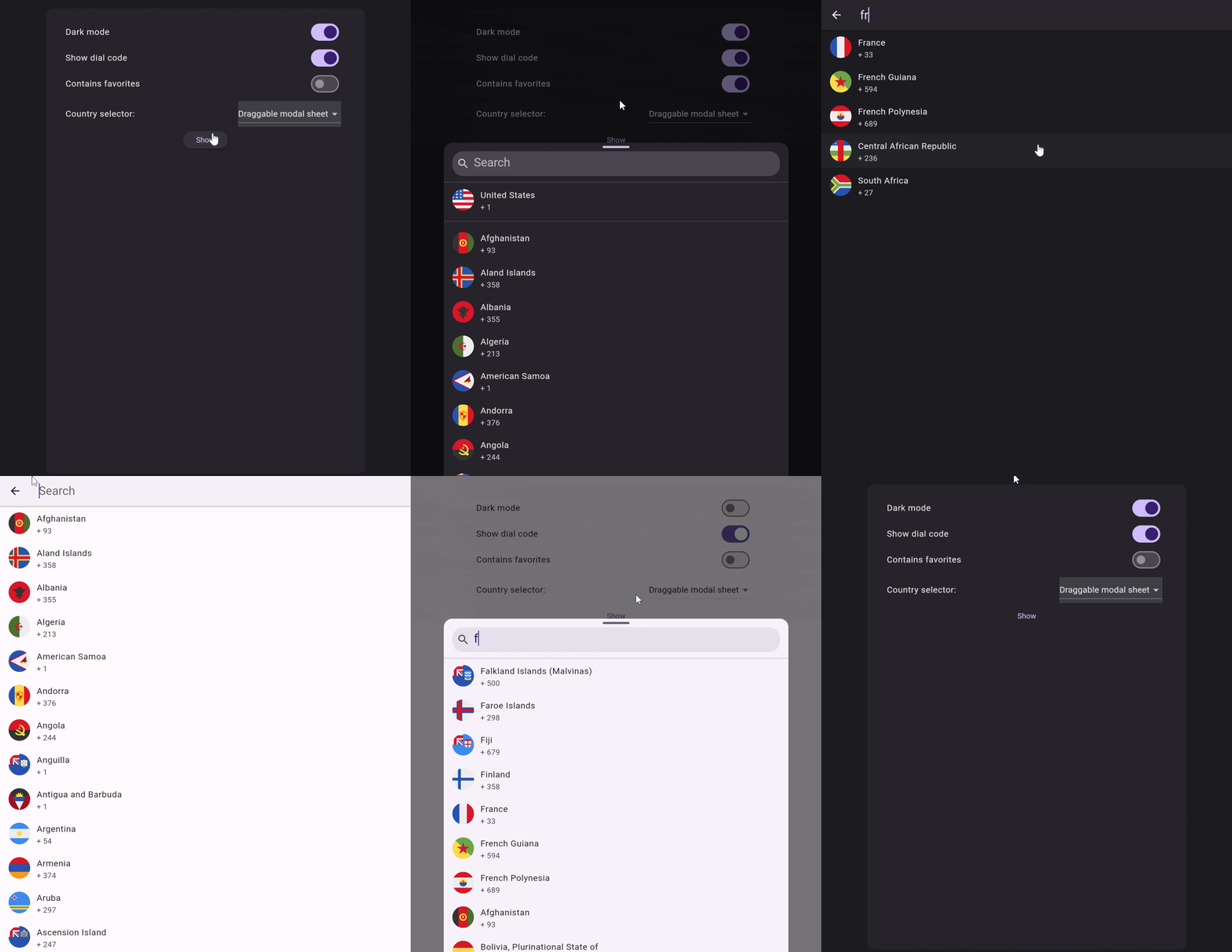
Use CountrySelector.page if you need to show the selector inside a widget that is full screen. If you need to show the selector inside a modal of some sort, use CountrySelector.sheet instead.
Navigator.of(context).push(
  MaterialPageRoute(
    builder: (ctx) => CountrySelector.page(
      onCountrySelected: (country) => Navigator.of(context).pop(country),
    ),
  ),
)
Use CountrySelectorLocalization.of(context)?.countryName(isoCode) when you need to dynamically localize the name of a country.
Example setup:
const MaterialApp(
  locale: Locale('en'),
  supportedLocales: [
    Locale('en'),
  ],
  localizationsDelegates: [
    GlobalMaterialLocalizations.delegate,
    CountrySelectorLocalization.delegate,
  ],
  // ...
)
Some users have expressed their need to change some flags due to political reasons, or stylistic reasons. You might also wish to add your own flags. To do so refer to this issue: https://github.com/cedvdb/phone_form_field/issues/222
의존성 목록 9 개
{"sdk":"flutter"}>=0.18.0 <=1.0.0^0.1.5^5.0.0^1.0.0^9.0.2{"sdk":"flutter"}any^6.0.0사용 목적에 따라 검색하고 개발 활동을 비교한 뒤 원본 저장소에서 요구 사항을 확인하세요.
“A repository is the most basic element of GitHub.”
GitHub Docs — About repositories ↗