

 v1.0.2
flutter_multiselect
iOS 및 Android와 호환되며 중립적인 디자인을 사용하는 다중 선택 UI 위젯용 Flutter 패키지입니다.
51좋아요 27930일 다운로드150Pub 점수
AndroidiOSWebmacOSWindowsLinux
다중 선택 UI 위젯을 위한 플러터 패키지
아래는 영문 원문 스냅샷입니다. 최신 내용은 GitHub에서 확인하세요.
Flutter package for multi-select UI widget
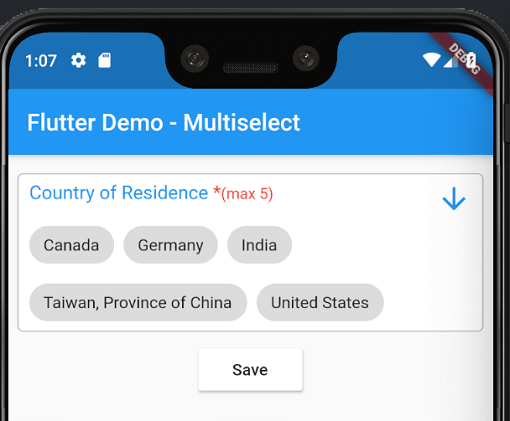
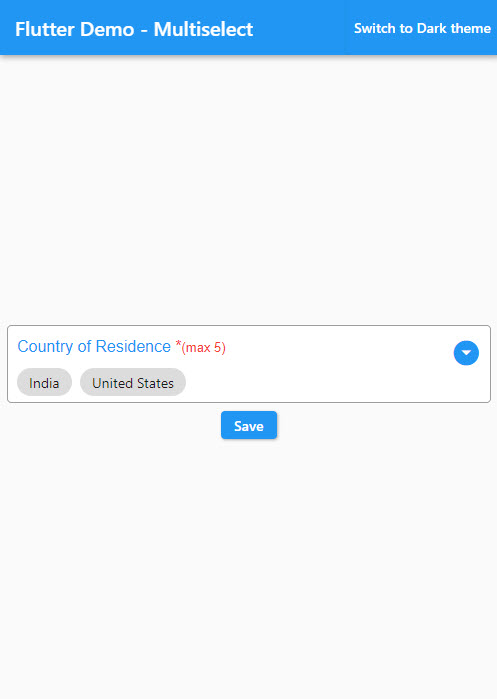
Android and iOS screenshot-

pubspec.yamldependencies:
flutter_multiselect:
import 'package:flutter_multiselect/flutter_multiselect.dart';
By default, there is no UI control for multi-select in iOS and Android, and my widget can be used to bridge this gap.
child: MultiSelect(
  autovalidate: false,
  titleText: "Countries",
  validator: (value) {
    if (value == null) {
      return 'Please select one or more option(s)';
    }
  },
  errorText: 'Please select one or more option(s)',
  dataSource: [
    {
      "display": "Australia",
      "value": 1,
    },
    {
      "display": "Canada",
      "value": 2,
    },
    {
      "display": "India",
      "value": 3,
    },
    {
      "display": "United States",
      "value": 4,
    }
  ],
  textField: 'display',
  valueField: 'value',
  filterable: true,
  required: true,
  value: null,
  onSaved: (value) {
    print('The saved values are $value');
  }
),
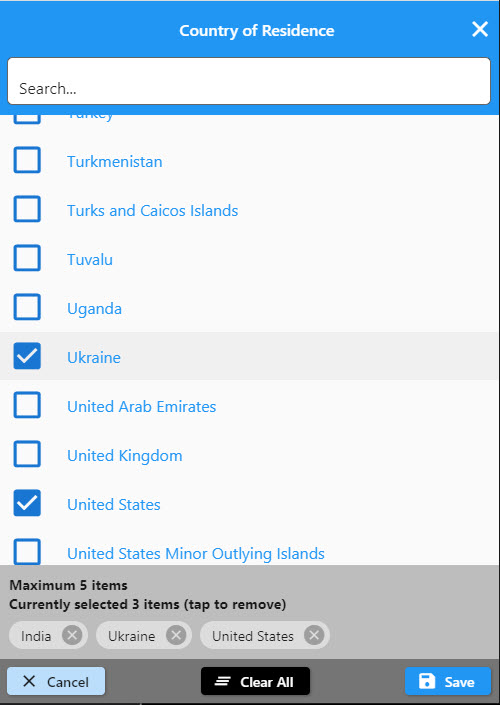
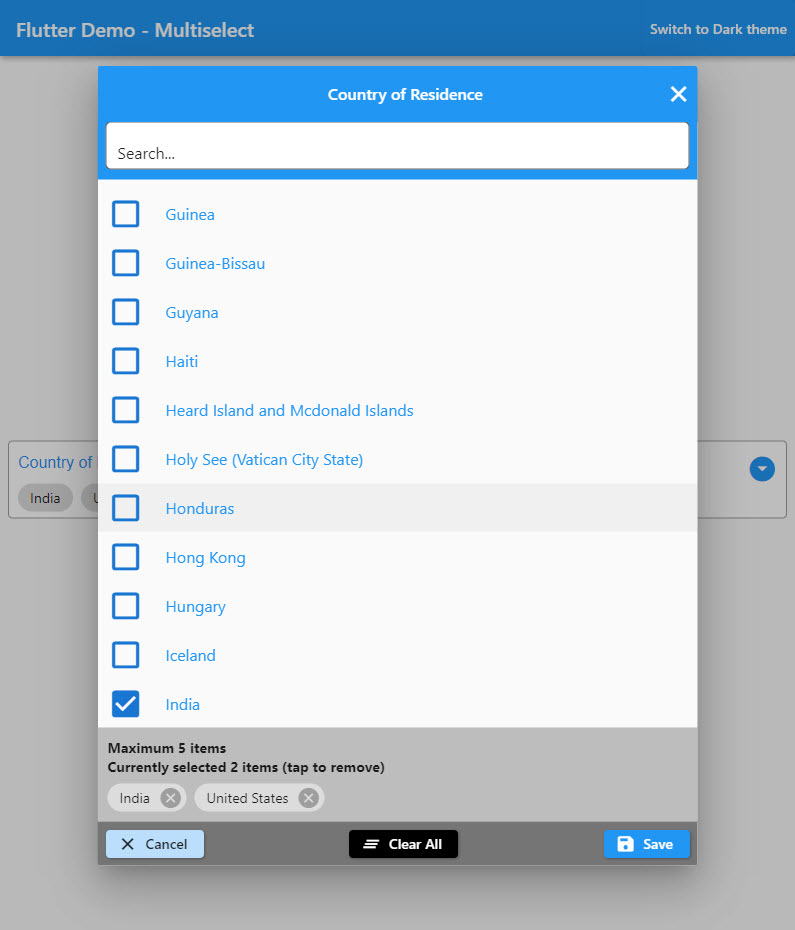
Check the colors and text to see the changes that it makes to the modal interface
child: MultiSelect(
    //--------customization selection modal-----------
    buttonBarColor: Colors.red,
    cancelButtonText: "Exit",
    titleText: "Custom Title",
    checkBoxColor: Colors.black,
    selectedOptionsInfoText: "Selected custom text (tap to remove)",
    selectedOptionsBoxColor: Colors.green,
    autovalidate: true,
    maxLength: 5, // optional
    //--------end customization selection modal------------
    validator: (dynamic value) {
      if (value == null) {
        return 'Please select one or more option(s)';
      }
      return null;
    },
    errorText: 'Please select one or more option(s)',
    dataSource: [
      {"name": "Afghanistan", "code": "AF"},
      {"name": "Åland Islands", "code": "AX"},
      {"name": "Albania", "code": "AL"},
    ],
    textField: 'name',
    valueField: 'code',
    filterable: true,
    required: true,
    onSaved: (value) {
      print('The saved values are $value');
    }),
    change: (value) {
      print('The selected values are $value');
    })
and of course you can check the full list of the parameters to personalize your modal!
| Type | Parameter |
|---|---|
| Color | buttonBarColor |
| String | cancelButtonText |
| IconData | cancelButtonIcon |
| Color | cancelButtonColor |
| Color | cancelButtonTextColor |
| String | saveButtonText |
| IconData | saveButtonIcon |
| Color | saveButtonColor |
| Color | saveButtonTextColor |
| String | clearButtonText |
| IconData | clearButtonIcon |
| Color | clearButtonColor |
| Color | clearButtonTextColor |
| String | deleteButtonTooltipText |
| IconData | deleteIcon |
| Color | deleteIconColor |
| Color | selectedOptionsBoxColor |
| String | selectedOptionsInfoText |
| Color | selectedOptionsInfoTextColor |
| IconData | checkedIcon |
| IconData | uncheckedIcon |
| Color | checkBoxColor |
| Color | searchBoxColor |
| String | searchBoxHintText |
| Color | searchBoxFillColor |
| IconData | searchBoxIcon |
| String | searchBoxToolTipText |
| Size | responsiveDialogSize |

의존성 목록 3 개
{"sdk":"flutter"}{"sdk":"flutter"}^5.0.7사용 목적에 따라 검색하고 개발 활동을 비교한 뒤 원본 저장소에서 요구 사항을 확인하세요.
“A repository is the most basic element of GitHub.”
GitHub Docs — About repositories ↗