

 v1.0.1
update_notification
사용자가 Flutter 앱의 최신 버전을 보유하고 있는지 확인합니다.
29좋아요 2230일 다운로드120Pub 점수
AndroidiOSmacOS
d2itechnology/update_notification open-source repository details.

아래는 영문 원문 스냅샷입니다. 최신 내용은 GitHub에서 확인하세요.
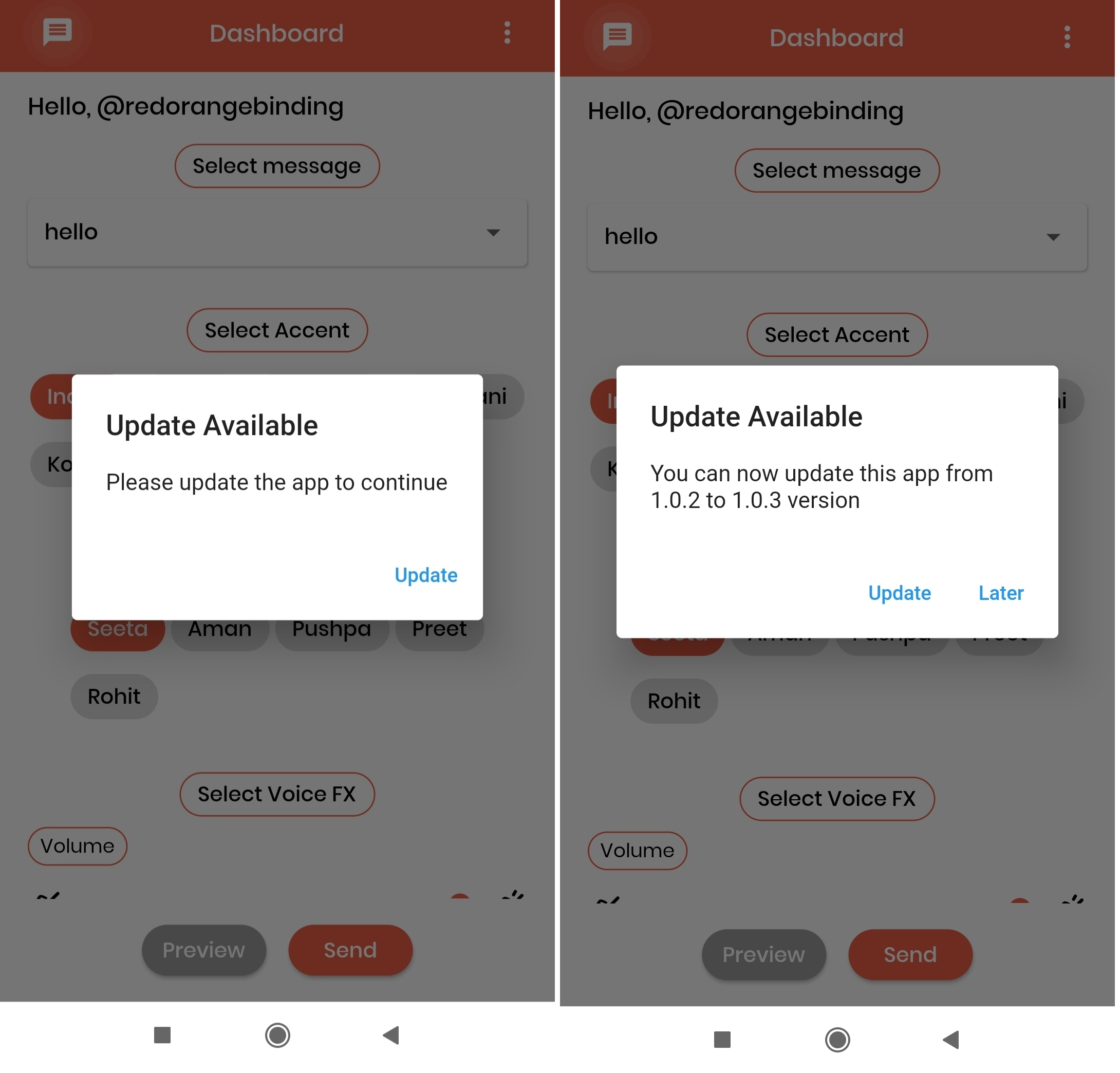
The UI of the alert dialog is simply a card.
Screenshots:
Add update_notification as a dependency in your pubspec.yaml file.
dependencies:
  update_notification: ^1.0.1
In main.dart (or any) file, first create an instance of the UpdateNotification class in your initState() method.
final UpdateNotification updateNotification = UpdateNotification();
Pass the application package name in andoidAppId, iOSAppId.
Pass application minimum version value in minimumVersion parameter. This parameter is used to force people to update application, any user having version less than the specified version will be forced to update application
Call showAlertDialog method-
updateNotification.showAlertDialog(context: context);
If updated app version is available on stores, application will get a popup on launch of application and an option to Update. On click of update button user will be directed to the respective stores(App store or play store).
 import 'package:flutter/cupertino.dart';
 import 'package:flutter/material.dart';
 import '/update_notification.dart';

 class Example extends StatefulWidget {
   const Example({Key? key}) : super(key: key);

   @override
   _ExampleState createState() => _ExampleState();
 }

 class _ExampleState extends State<Example> {
   @override
   void initState() {
     super.initState();

     final UpdateNotification updateNotification =
         UpdateNotification(
             iOSAppId: 'com.google.myride',
             androidAppId: 'com.google.rever',
             minimumVersion: '1.0.0');

     showDialog(updateNotification);
   }

   void showDialog(UpdateNotification updateVersion) {
     updateVersion.showAlertDialog(context: context);
   }

   @override
   Widget build(BuildContext context) {
     return Scaffold(
       body: Container(),
     );
   }
 }
의존성 목록 8 개
{"sdk":"flutter"}^2.0.2^0.15.0^6.0.11^1.15.0^0.13.3^1.0.3{"sdk":"flutter"}사용 목적에 따라 검색하고 개발 활동을 비교한 뒤 원본 저장소에서 요구 사항을 확인하세요.
“A repository is the most basic element of GitHub.”
GitHub Docs — About repositories ↗