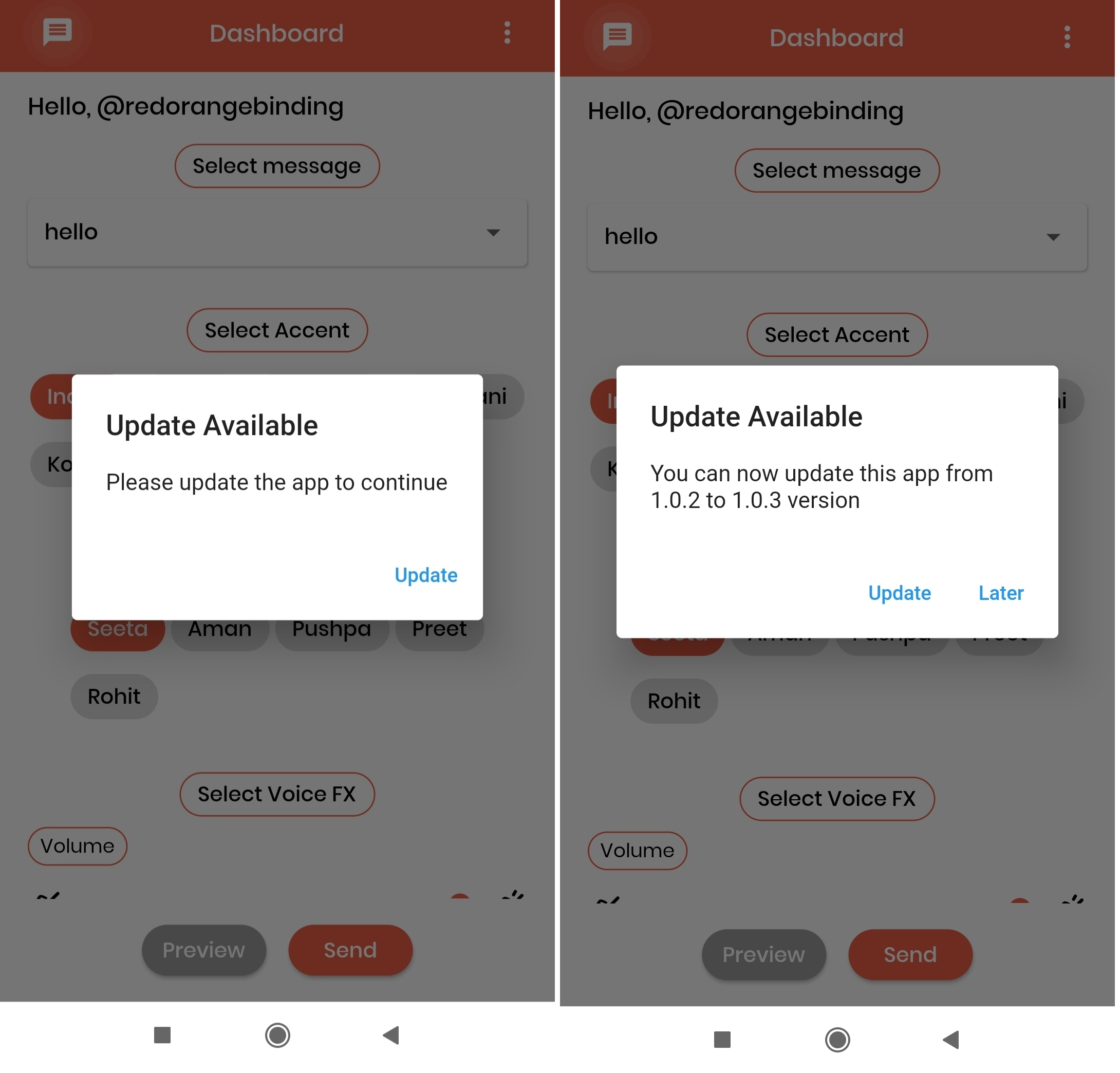
update_notification 패키지는 원격 구성 파일을 확인하여 Flutter 앱이 사용자가 최신 버전을 사용 중인지 여부를 판단하는 데 도움을 줍니다. 이 패키지는 Android, iOS, macOS 플랫폼을 지원하며, 새 버전이 사용 가능할 때 사용자에게 업데이트를 요청할 수 있게 해줍니다. 패키지는 지정된 URL에서 버전 정보를 가져와 현재 앱 버전과 비교하고, 해당 내용에 따라 알림이나 경고를 트리거합니다. 앱의 품질을 유지하고 사용자가 최신 개선 사항 및 보안 수정 사항의 이점을 누릴 수 있도록 하는데 이상적입니다.
사용 사례
사용자에게 앱 업데이트를 요청합니다
모니터 앱 버전 준수 상태
새로운 릴리스에 대한 사용자 알림
보안 패치 채택을 보장하십시오
시기 적절한 업데이트를 통해 사용자 경험을 향상시키기
주요 기능
URL을 통해 원격 버전을 확인합니다
여러 플랫폼을 지원합니다
사용자 정의 가능한 업데이트 프롬프트
가볍고 쉽게 통합 가능
실시간 버전 비교
적합한 대상
자주 업데이트가 필요한 앱
엔터프라이즈 애플리케이션
보안 민감 앱
사용자 중심 모바일 앱
크로스 플랫폼 Flutter 프로젝트
고려 사항
공개적으로 접근 가능한 버전 구성 파일이 필요합니다
검사에 네트워크 액세스가 필요합니다
잘 구성되지 않은 경우 성능에 영향을 줄 수 있습니다
외부 서버의 신뢰성에 의존
버전 기반 업데이트 감지에 제한됨
원본 README
연결된 소스 저장소의 README 원문 스냅샷입니다. 최신 내용은 저장소에서 확인하세요.
update_notification
This flutter package will alert app users to update the application.
With the help of an alert pop-up, users can easily navigate to the respective stores(App Store or play Store) to update the app.
In main.dart (or any) file, first create an instance of the UpdateNotification class in your initState() method.
final UpdateNotification updateNotification = UpdateNotification();
Pass the application package name in andoidAppId, iOSAppId.
Pass application minimum version value in minimumVersion parameter. This parameter is used to force people to update application, any user having version less than the specified version will be forced to update application
If updated app version is available on stores, application will get a popup on launch of application and an option to Update. On click of update button user will be directed to the respective stores(App store or play store).