
v1.1.0
flutter_spinning_wheel
Flutter에서 회전 휠로 사용할 수 있는 사용자 지정 가능한 위젯입니다.
89좋아요 4230일 다운로드40Pub 점수
플랫폼 정보 없음
Flutter용으로 매우 사용자 정의 가능한 회전 휠 위젯입니다.
아래는 영문 원문 스냅샷입니다. 최신 내용은 GitHub에서 확인하세요.


A customizable widget to use as a spinning wheel in Flutter.
Add
flutter_spinning_wheel : ^lastest_version
to your pubspec.yaml, and run
flutter packages get
in your project's root directory.
Create a new project with command
flutter create myapp
Edit lib/main.dart like this:
import 'package:flutter/material.dart';

import 'package:flutter_circular_slider/flutter_circular_slider.dart';

void main() => runApp(MyApp());

class MyApp extends StatelessWidget {
  @override
  Widget build(BuildContext context) {
    return MaterialApp(
      theme: ThemeData(
        primarySwatch: Colors.blue,
      ),
      home: MyHomePage(),
    );
  }
}

class MyHomePage extends StatelessWidget {
  @override
  Widget build(BuildContext context) {
    return Scaffold(
        backgroundColor: Colors.blueGrey,
        body: Center(
          child: Container(child:
            SpinningWheel(
              Image.asset('assets/images/wheel-6-300.png'),
              width: 310,
              height: 310,
              dividers: 6,
              onEnd: _dividerController.add,
            ),
          ),
        ));
  }
}
You can replace the image with one of your preference.
| Basic | Game |
|---|---|
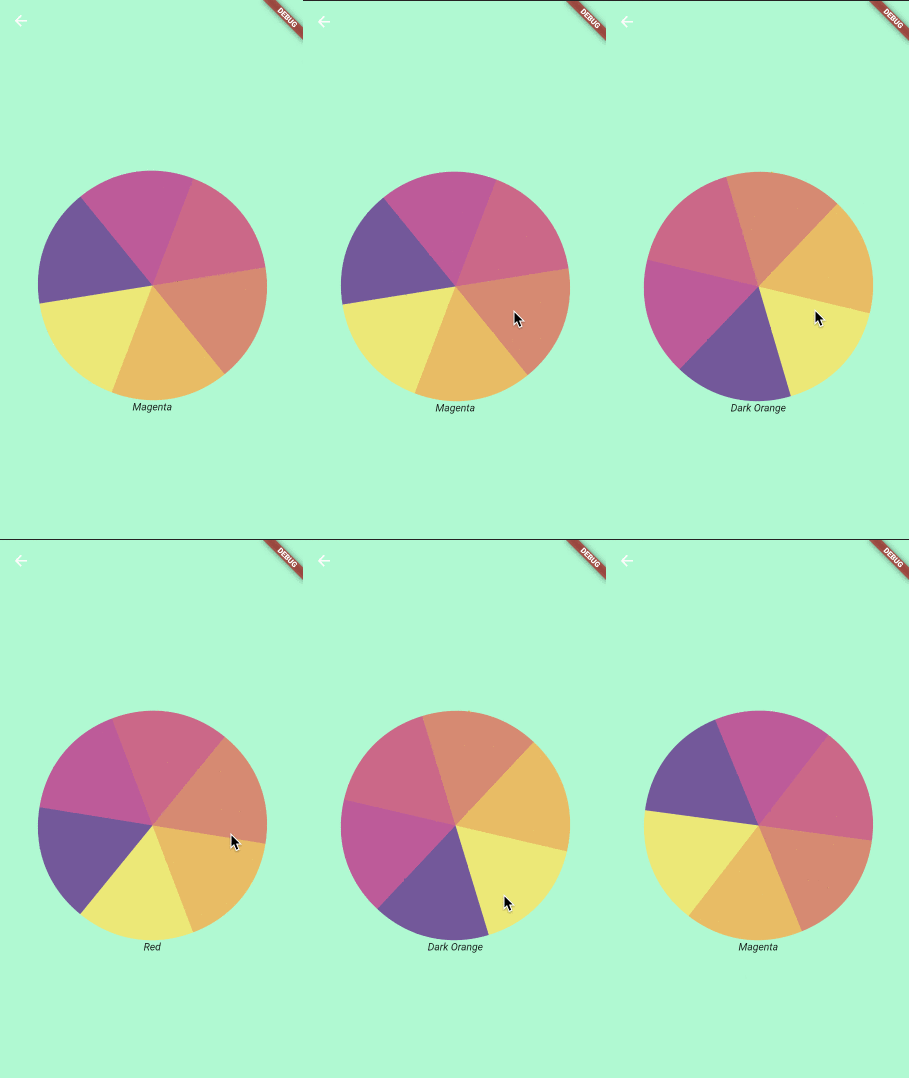 |
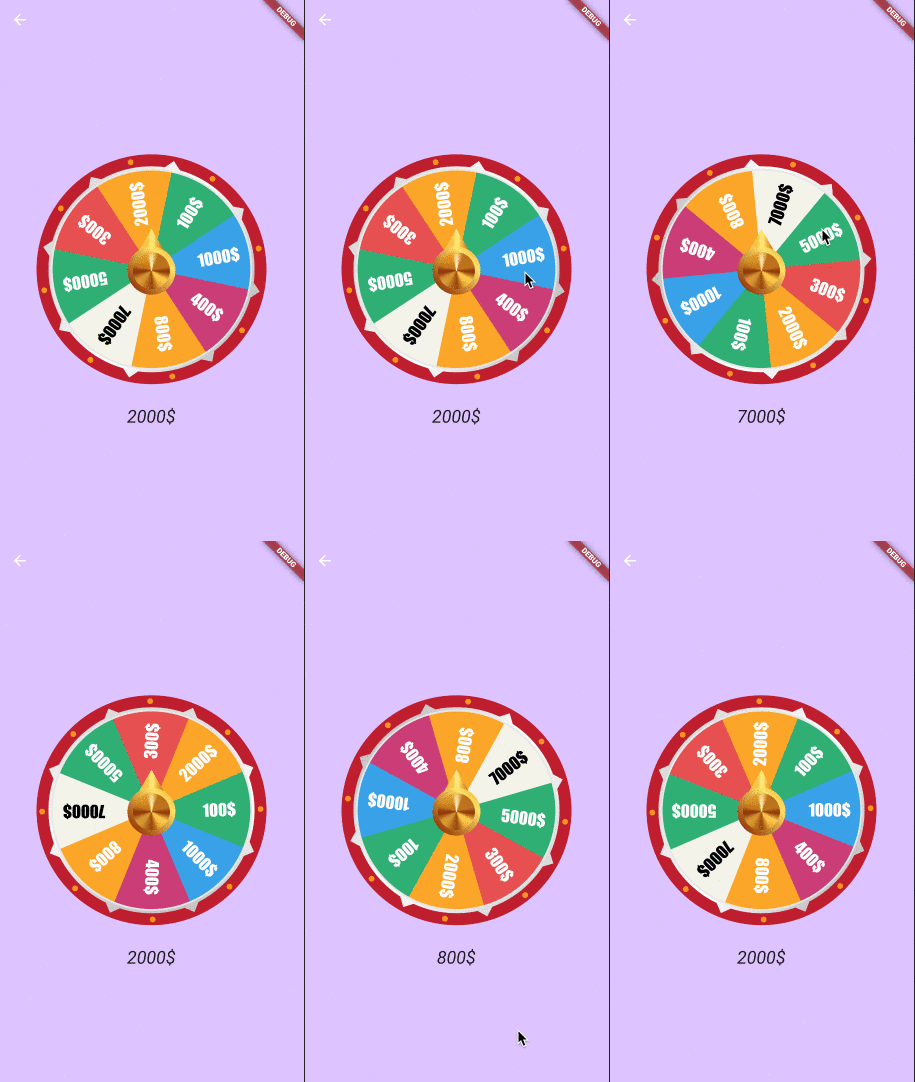 |
| Parameter | Default | Description |
|---|---|---|
| image | The image to be used as wheel. | |
| dividers | The number of divisions in the image. It's important that all divisions are equal. | |
| height | Height of the container that will display the wheel. | |
| width | Width of the container that will display the wheel. | |
| initialSpinAngle | 0.0 | Initial rotation angle for the wheel, so the wheel could look initialy rotated. |
| spinResistance | 0.5 | From >0.0 to 1.0 will be used to calculate the speed and deceleration of the wheel. |
| canInteractWhileSpinning | true | If set to false, once the animation starts the user won't be able to stop it. |
| secondaryImage | Secondary image that will be rendered on top of the wheel and won't be affected by the animation. | |
| secondaryImageHeight | Height for the secondary image. | |
| secondaryImageWidth | Width for the secondary image. | |
| secondaryImageTop | Used to fine tune the position of the secondary image. Otherwise it will be centered. | |
| secondaryImageLeft | Used to fine tune the position of the secondary image. Otherwise it will be centered. | |
| onUpdate | void onUpdate(int value) | Callback function executed when the selected divider changes during the animation. |
| onEnd | void onEnd(int value) | Callback function executed when the animation stops. |
| shouldStartOrStop | Stream to interact with the wheel, with double being pixelsPerSecond in axis y (default 8000) |
import 'dart:async';
import 'dart:math';

import 'package:flutter/material.dart';
import 'package:flutter/services.dart';
import 'package:flutter_spinning_wheel/flutter_spinning_wheel.dart';

void main() {
  SystemChrome.setEnabledSystemUIOverlays([]);
  runApp(MyApp());
}

class MyApp extends StatelessWidget {
  @override
  Widget build(BuildContext context) {
    return MaterialApp(
      theme: ThemeData(
        primarySwatch: Colors.blue,
      ),
      home: MyHomePage(),
    );
  }
}

class MyHomePage extends StatelessWidget {
  final StreamController _dividerController = StreamController<int>();

  dispose() {
    _dividerController.close();
  }

  @override
  Widget build(BuildContext context) {
    return Scaffold(
      appBar: AppBar(backgroundColor: Color(0xffDDC3FF), elevation: 0.0),
      backgroundColor: Color(0xffDDC3FF),
      body: Center(
        child: Column(
          mainAxisAlignment: MainAxisAlignment.center,
          children: [
            SpinningWheel(
              Image.asset('assets/images/roulette-8-300.png'),
              width: 310,
              height: 310,
              initialSpinAngle: _generateRandomAngle(),
              spinResistance: 0.6,
              canInteractWhileSpinning: false,
              dividers: 8,
              onUpdate: _dividerController.add,
              onEnd: _dividerController.add,
              secondaryImage:
                  Image.asset('assets/images/roulette-center-300.png'),
              secondaryImageHeight: 110,
              secondaryImageWidth: 110,
            ),
            SizedBox(height: 30),
            StreamBuilder(
              stream: _dividerController.stream,
              builder: (context, snapshot) =>
                  snapshot.hasData ? RouletteScore(snapshot.data) : Container(),
            )
          ],
        ),
      ),
    );
  }

  double _generateRandomAngle() => Random().nextDouble() * pi * 2;
}

class RouletteScore extends StatelessWidget {
  final int selected;

  final Map<int, String> labels = {
    1: '1000\$',
    2: '400\$',
    3: '800\$',
    4: '7000\$',
    5: '5000\$',
    6: '300\$',
    7: '2000\$',
    8: '100\$',
  };

  RouletteScore(this.selected);

  @override
  Widget build(BuildContext context) {
    return Text('${labels[selected]}',
        style: TextStyle(fontStyle: FontStyle.italic, fontSize: 24.0));
  }
}

의존성 목록 3 개
{"sdk":"flutter"}^1.1.6{"sdk":"flutter"}사용 목적에 따라 검색하고 개발 활동을 비교한 뒤 원본 저장소에서 요구 사항을 확인하세요.
“A repository is the most basic element of GitHub.”
GitHub Docs — About repositories ↗