
가상 키보드
Flutter 가상 키보드

- 스타
- 55
- 포크
- 111
- 최근 푸시(UTC)
- 2023. 5. 30.
- 프로젝트 상태
- 활성
원본 README
아래는 영문 원문 스냅샷입니다. 최신 내용은 GitHub에서 확인하세요.
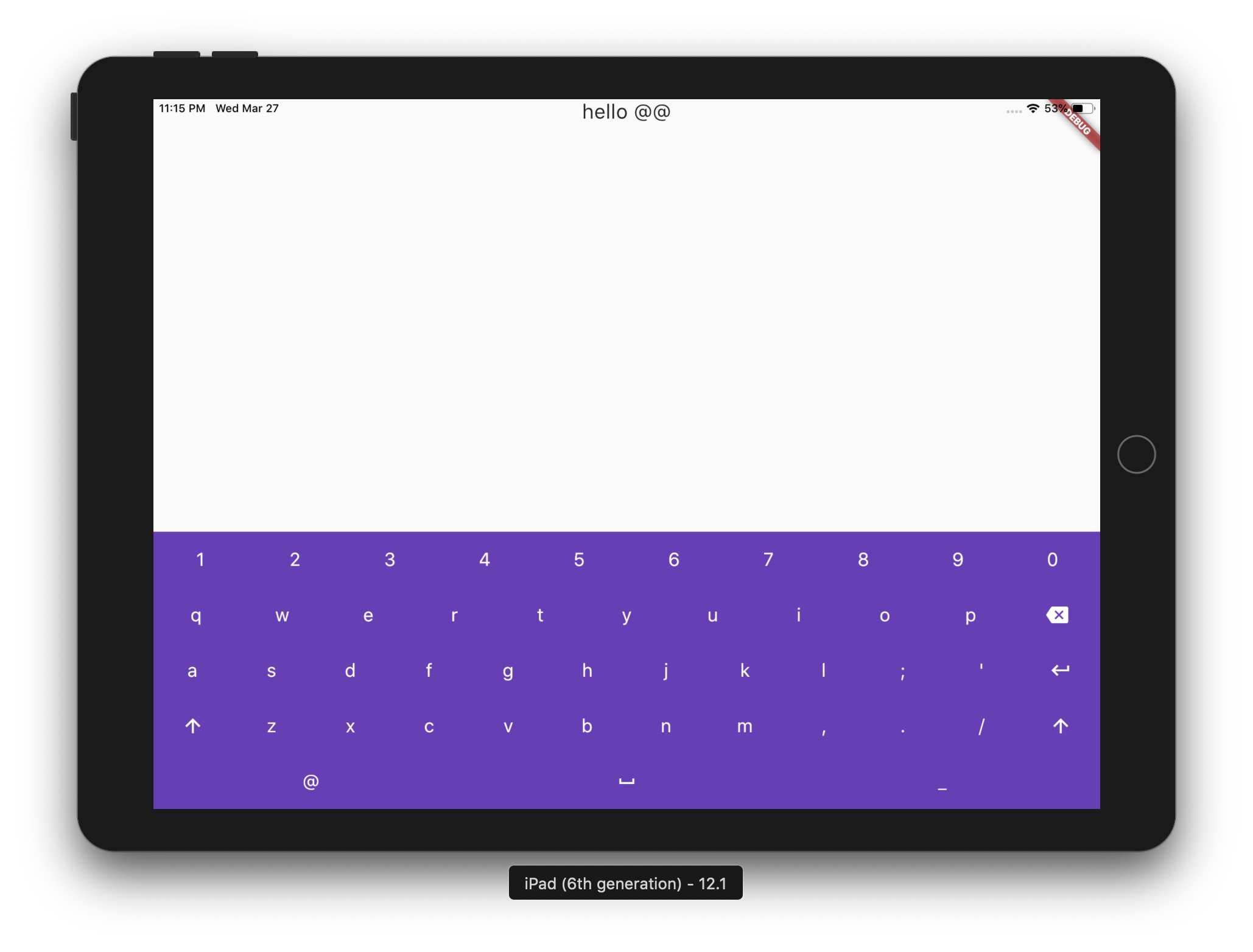
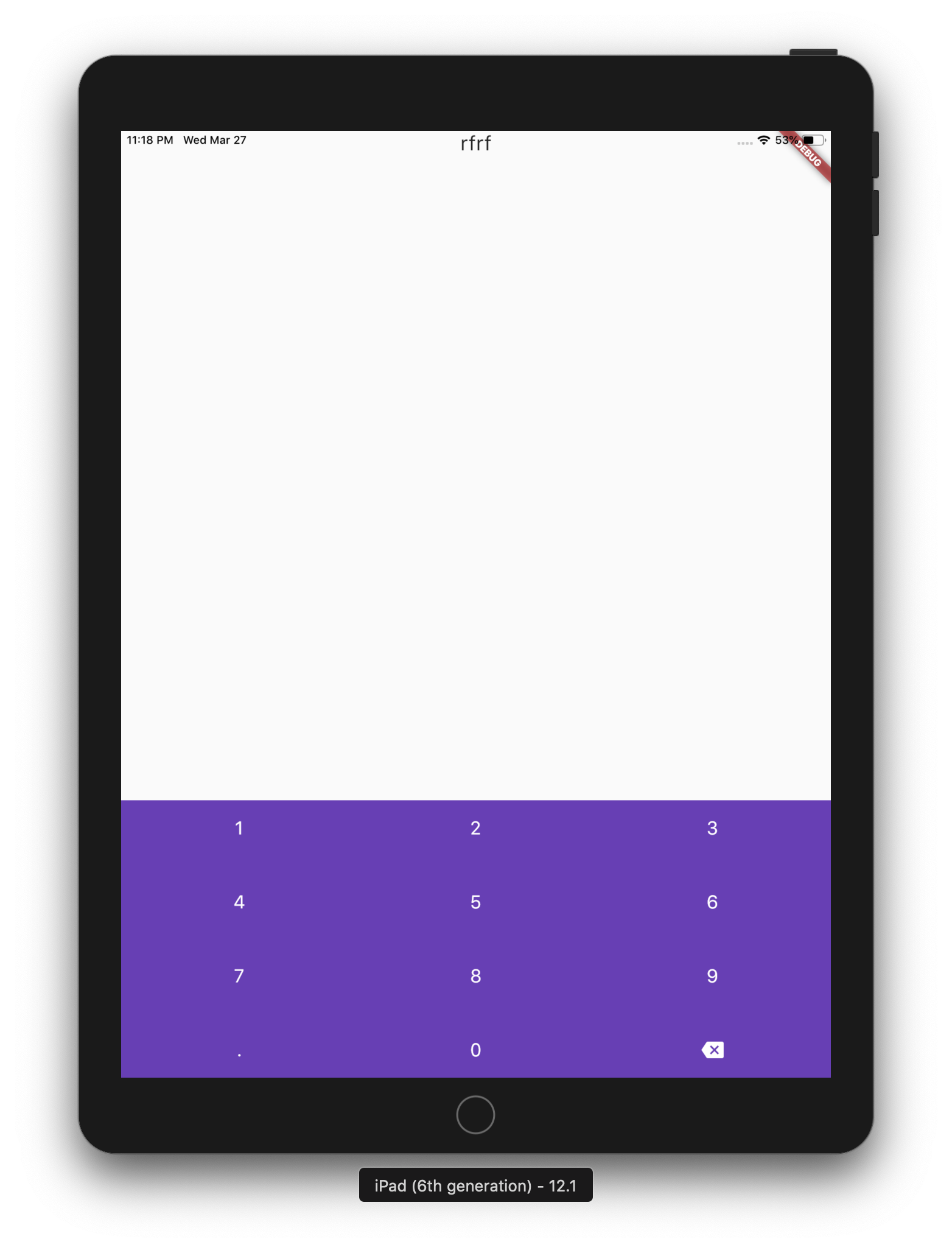
virtual_keyboard
Introduction
A simple package for dispaying virtual keyboards on a devices like kiosks and ATMs. The library is written in Dart and has no native code dependancy.
Virtual keyboard provides a core set of functionality to display onscreen virtual keyboards. Managing the events sould be done on the project level.
Reference
VirtualKeyboard
Flutter widget to show virtual keyboards.
// Keyboard Type: Can be Numeric or Alphanumeric.
VirtualKeyboardType type
// Callback for Key press event. Called with pressed `Key` object.
Function onKeyPress;
// Virtual keyboard height. Default is 300.
double height;
// Color for key texts and icons.
Color textColor;
// Font size for keyboard keys.
double fontSize;;
// Only Caps letters enabled.
bool alwaysCaps;;
VirtualKeyboardType
enum of Available Virtual Keyboard Types.
// Numeric only.
VirtualKeyboardType.Numeric
// Alphanumeric: letters`[A-Z]` + numbers`[0-9]` + `@` + `.`.
VirtualKeyboardType.Alphanumeric
VirtualKeyboardKey
Virtual Keyboard key.
// The text of the key.
String text
// The capitalized text of the key.
String capsText;
// Action or String
VirtualKeyboardKeyType keyType;
// Action of the key.
VirtualKeyboardKeyAction action;
VirtualKeyboardKeyType
Type for virtual keyboard key.
// Can be an action key - Return, Backspace, etc.
VirtualKeyboardKeyType.Action
// Keys that have text values - letters, numbers, comma ...
VirtualKeyboardKeyType.String
VirtualKeyboardKeyAction
/// Virtual keyboard actions.
enum VirtualKeyboardKeyAction { Backspace, Return, Shift, Space }
Usage
Show Alphanumeric keyboard with default view
// Wrap the keyboard with Container to set background color.
Container(
            // Keyboard is transparent
            color: Colors.deepPurple,
            child: VirtualKeyboard(
                // Default height is 300
                height: 350,
                // Default is black
                textColor: Colors.white,
                // Default 14
                fontSize: 20,
                // [A-Z, 0-9]
                type: VirtualKeyboardType.Alphanumeric,
                // Callback for key press event
                onKeyPress: _onKeyPress),
          )
Show Numeric keyboard with default view
Container(
            // Keyboard is transparent
            color: Colors.red,
            child: VirtualKeyboard(
                // [0-9] + .
                type: VirtualKeyboardType.Numeric,
                // Callback for key press event
                onKeyPress: (key) => print(key.text)),
          )
Show Alphanumeric keyboard with customized keys
 Container(
            color: Colors.deepPurple,
            child: VirtualKeyboard(
                height: keyboardHeight,
                textColor: Colors.white,
                fontSize: 20,
                builder: _builder,
                type: VirtualKeyboardType.Numeric,
                onKeyPress: _onKeyPress),
          )

  /// Builder for keyboard keys.
  Widget _builder(BuildContext context, VirtualKeyboardKey key) {
    Widget keyWidget;

    switch (key.keyType) {
      case VirtualKeyboardKeyType.String:
        // Draw String key.
        keyWidget = _keyboardDefaultKey(key);
        break;
      case VirtualKeyboardKeyType.Action:
        // Draw action key.
        keyWidget = _keyboardDefaultActionKey(key);
        break;
    }

    return keyWidget;
  }
onKeyPressed event basic ussage example
// Just local variable. Use Text widget or similar to show in UI.
String text;

  /// Fired when the virtual keyboard key is pressed.
_onKeyPress(VirtualKeyboardKey key) {
if (key.keyType == VirtualKeyboardKeyType.String) {
    text = text + (shiftEnabled ? key.capsText : key.text);
} else if (key.keyType == VirtualKeyboardKeyType.Action) {
    switch (key.action) {
    case VirtualKeyboardKeyAction.Backspace:
        if (text.length == 0) return;
        text = text.substring(0, text.length - 1);
        break;
    case VirtualKeyboardKeyAction.Return:
        text = text + '\n';
        break;
    case VirtualKeyboardKeyAction.Space:
        text = text + key.text;
        break;
    case VirtualKeyboardKeyAction.Shift:
        shiftEnabled = !shiftEnabled;
        break;
    default:
    }
}
// Update the screen
setState(() {});
}

GitHub 작성자
Digital Pomegranate ↗
언어DartObjective-CJava
분류
사용 중인 의존성
의존성 목록 2 개
- flutter
{"sdk":"flutter"} - flutter_test개발 의존성
{"sdk":"flutter"}
프로젝트에 맞는 저장소를 선택하려면?
사용 목적에 따라 검색하고 개발 활동을 비교한 뒤 원본 저장소에서 요구 사항을 확인하세요.
- 이름, 작성자 또는 설명으로 검색하고 기술 주제로 범위를 좁힙니다.
- 스타, 포크, 최근 푸시를 함께 비교하세요. 스타는 관심의 지표이며 품질을 보장하지 않습니다.
- 사용하기 전에 GitHub에서 README, 라이선스, Issues를 확인하세요.
출처 및 관리
“A repository is the most basic element of GitHub.”
GitHub Docs — About repositories ↗