

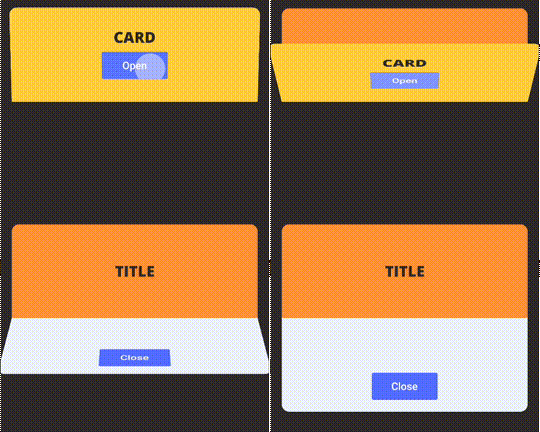
 v1.0.2
folding_cell
간단한 접기 셀 위젯으로, 앞쪽 위젯과 내부 위젯을 전달하여 접고 펼 수 있습니다.
132좋아요 74530일 다운로드150Pub 점수
AndroidiOSWebmacOSWindowsLinux
Flutter FoldingCell 위젯

아래는 영문 원문 스냅샷입니다. 최신 내용은 GitHub에서 확인하세요.
Simple folding cell widget, pass frontWidget and innerWidget to fold and unfold.

Add dependency in pubspec.yaml:
dependencies:
  folding_cell: "^1.0.2"
Import in your project:
import 'package:folding_cell/folding_cell.dart';
class FoldingCellSimpleDemo extends StatelessWidget {
  final _foldingCellKey = GlobalKey<SimpleFoldingCellState>();

  @override
  Widget build(BuildContext context) {
    return Container(
      color: Color(0xFF2e282a),
      alignment: Alignment.topCenter,
      child: SimpleFoldingCell.create(
        key: _foldingCellKey,
        frontWidget: _buildFrontWidget(),
        innerWidget: _buildInnerWidget(),
        cellSize: Size(MediaQuery.of(context).size.width, 140),
        padding: EdgeInsets.all(15),
        animationDuration: Duration(milliseconds: 300),
        borderRadius: 10,
        onOpen: () => print('cell opened'),
        onClose: () => print('cell closed'),
      ),
    );
  }

  Widget _buildFrontWidget() {
    return Container(
      color: Color(0xFFffcd3c),
      alignment: Alignment.center,
      child: Stack(
        children: <Widget>[
          Align(
            alignment: Alignment.center,
            child: Text(
              "CARD TITLE",
              style: GoogleFonts.aldrich(
                color: Color(0xFF2e282a),
                fontSize: 20.0,
                fontWeight: FontWeight.bold,
              ),
            ),
          ),
          Positioned(
            right: 10,
            bottom: 10,
            child: TextButton(
              onPressed: () => _foldingCellKey?.currentState?.toggleFold(),
              child: Text(
                "OPEN",
              ),
              style: TextButton.styleFrom(
                backgroundColor: Colors.white,
                minimumSize: Size(80, 40),
              ),
            ),
          )
        ],
      ),
    );
  }

  Widget _buildInnerWidget() {
    return Container(
      color: Color(0xFFecf2f9),
      padding: EdgeInsets.only(top: 10),
      child: Stack(
        children: [
          Align(
            alignment: Alignment.topCenter,
            child: Text(
              "CARD TITLE",
              style: GoogleFonts.aldrich(
                color: Color(0xFF2e282a),
                fontSize: 22.0,
                fontWeight: FontWeight.bold,
              ),
            ),
          ),
          Align(
            alignment: Alignment.center,
            child: Text(
              "CARD DETAIL",
              style: GoogleFonts.aldrich(
                color: Color(0xFF2e282a),
                fontSize: 40.0,
              ),
            ),
          ),
          Positioned(
            right: 10,
            bottom: 10,
            child: TextButton(
              onPressed: () => _foldingCellKey?.currentState?.toggleFold(),
              child: Text(
                "Close",
              ),
              style: TextButton.styleFrom(
                backgroundColor: Colors.white,
                minimumSize: Size(80, 40),
              ),
            ),
          ),
        ],
      ),
    );
  }
}
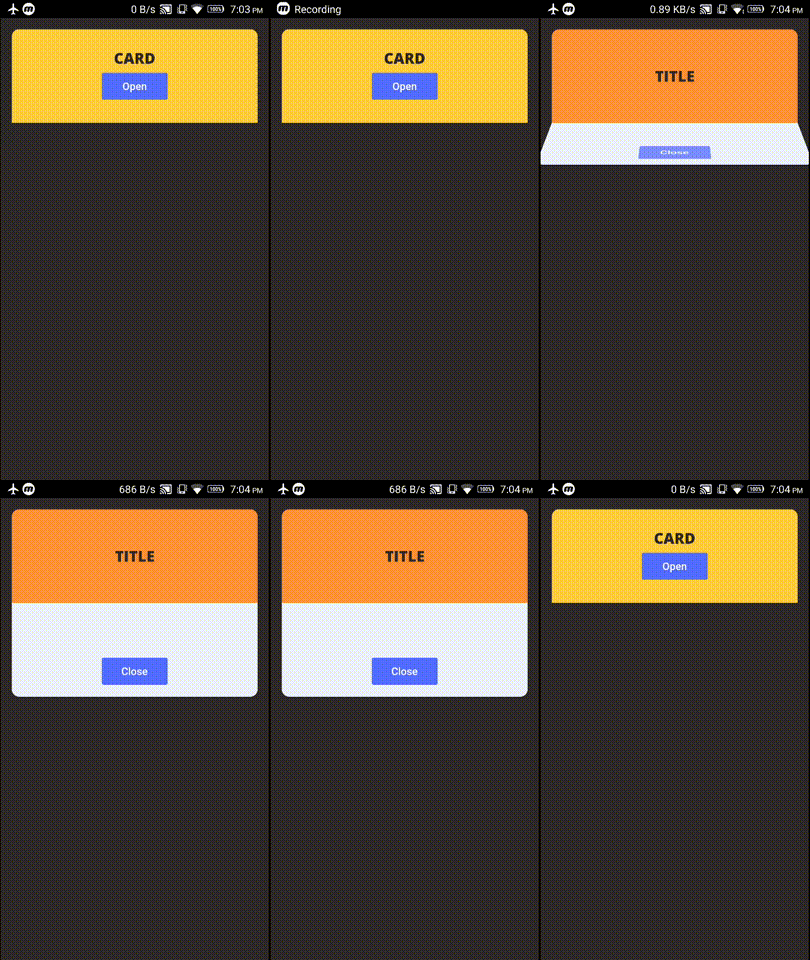
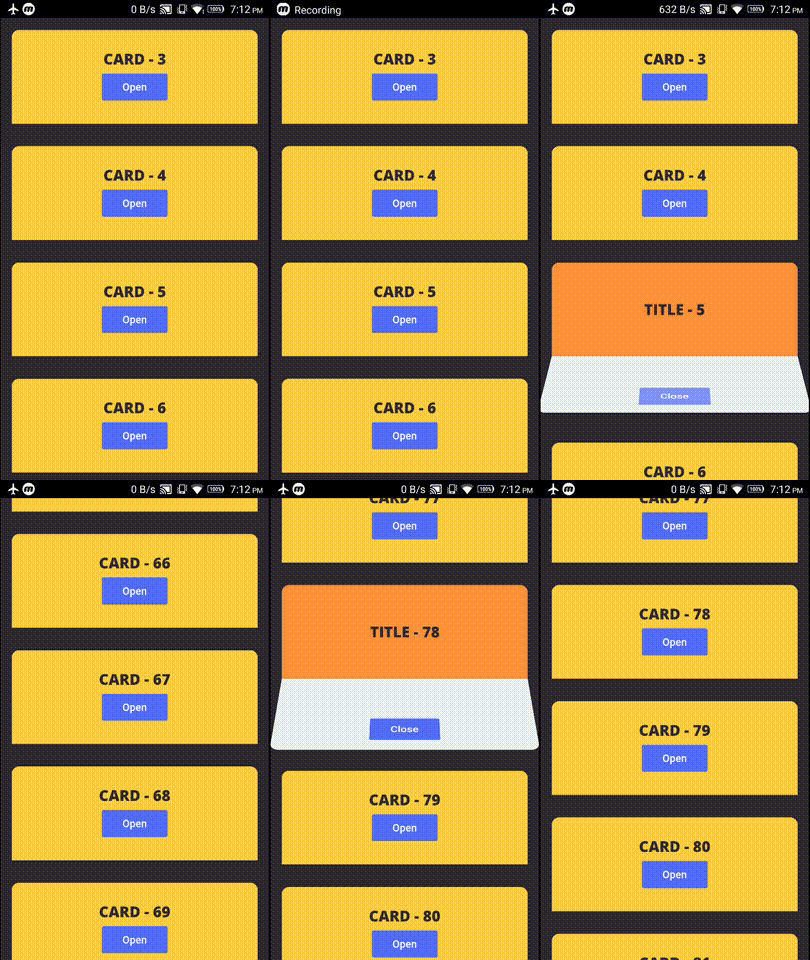
example project contains these two demos
Check Changelog for updates
Reporting issues and requests for new features are always welcome.
의존성 목록 2 개
{"sdk":"flutter"}{"sdk":"flutter"}사용 목적에 따라 검색하고 개발 활동을 비교한 뒤 원본 저장소에서 요구 사항을 확인하세요.
“A repository is the most basic element of GitHub.”
GitHub Docs — About repositories ↗