패키지, 저장소 및 앱 카테고리 검색

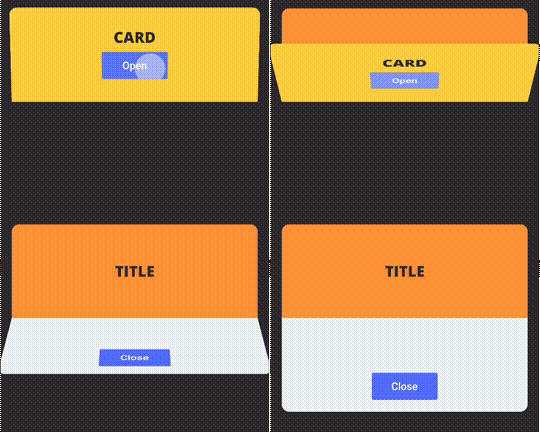
folding_cell 표지
패키지 상세v1.0.2

folding_cell

간단한 접기 셀 위젯으로, 앞쪽 위젯과 내부 위젯을 전달하여 접고 펼 수 있습니다.

AndroidiOSWebmacOSWindowsLinux
30일 다운로드
745
좋아요
132
Pub 점수
150

패키지 설치

flutter pub add folding_cell

패키지 개요

공개 정보를 바탕으로 생성한 선택 가이드입니다.

카드 유형 컴포넌트에 부드러운 접기 및 펼치기 애니메이션을 가능하게 하는 간단한 Flutter 위젯입니다. frontWidget과 innerWidget을 제공함으로써 사용자는 접히는 콘텐츠 섹션에 적합한 상호작용 가능한 확장 셀을 만들 수 있습니다. 이 패키지는 Android, iOS, Web, macOS, Windows, Linux 등 여러 플랫폼을 지원하여 크로스플랫폼 앱에 매우 유연합니다. 가볍고 쉽게 통합할 수 있으며, 복잡한 설정 없이 깔끔한 UI 전환에 중점을 둡니다.

사용 사례

  • 확장 가능한 프로필 카드 만들기
  • 상호작용형 자주 묻는 질문 섹션 만들기
  • 접을 수 있는 작업 목록 설계
  • 애니메이션 제품 세부 정보 구현
  • 반응형 네비게이션 드로어 개발

주요 기능

  • 부드러운 접기/펴기 애니메이션
  • 사용자 정의 앞쪽 및 내부 위젯 지원
  • 크로스 플랫폼 호환성
  • 필수 최소 구성
  • 경량이며 성능이 뛰어남

적합한 대상

  • 간단한 확장 가능한 UI
  • 카드 기반 인터페이스
  • 모바일 우선 디자인
  • 인터랙티브 레이아웃 프로토타이핑
  • 미세한 애니메이션을 필요로 하는 앱

고려 사항

  • 기본 접기 기능을 넘어서는 사용자 정의가 제한적
  • 복잡한 중첩 애니메이션에 적합하지 않습니다
  • 고급 시각 효과를 위해 추가 스타일링이 필요할 수 있습니다
  • 단일 레벨 접기 전용
  • 중요한 내부 위젯이 많을수록 성능이 달라질 수 있습니다

원본 README

연결된 소스 저장소의 README 원문 스냅샷입니다. 최신 내용은 저장소에서 확인하세요.

Simple FoldingCell widget

Simple folding cell widget, pass frontWidget and innerWidget to fold and unfold.

pub package

Installation

Add dependency in pubspec.yaml:

dependencies:
  folding_cell: "^1.0.2"

Import in your project:

import 'package:folding_cell/folding_cell.dart';

Basic usage

class FoldingCellSimpleDemo extends StatelessWidget {
  final _foldingCellKey = GlobalKey<SimpleFoldingCellState>();

  @override
  Widget build(BuildContext context) {
    return Container(
      color: Color(0xFF2e282a),
      alignment: Alignment.topCenter,
      child: SimpleFoldingCell.create(
        key: _foldingCellKey,
        frontWidget: _buildFrontWidget(),
        innerWidget: _buildInnerWidget(),
        cellSize: Size(MediaQuery.of(context).size.width, 140),
        padding: EdgeInsets.all(15),
        animationDuration: Duration(milliseconds: 300),
        borderRadius: 10,
        onOpen: () => print('cell opened'),
        onClose: () => print('cell closed'),
      ),
    );
  }

  Widget _buildFrontWidget() {
    return Container(
      color: Color(0xFFffcd3c),
      alignment: Alignment.center,
      child: Stack(
        children: <Widget>[
          Align(
            alignment: Alignment.center,
            child: Text(
              "CARD TITLE",
              style: GoogleFonts.aldrich(
                color: Color(0xFF2e282a),
                fontSize: 20.0,
                fontWeight: FontWeight.bold,
              ),
            ),
          ),
          Positioned(
            right: 10,
            bottom: 10,
            child: TextButton(
              onPressed: () => _foldingCellKey?.currentState?.toggleFold(),
              child: Text(
                "OPEN",
              ),
              style: TextButton.styleFrom(
                backgroundColor: Colors.white,
                minimumSize: Size(80, 40),
              ),
            ),
          )
        ],
      ),
    );
  }

  Widget _buildInnerWidget() {
    return Container(
      color: Color(0xFFecf2f9),
      padding: EdgeInsets.only(top: 10),
      child: Stack(
        children: [
          Align(
            alignment: Alignment.topCenter,
            child: Text(
              "CARD TITLE",
              style: GoogleFonts.aldrich(
                color: Color(0xFF2e282a),
                fontSize: 22.0,
                fontWeight: FontWeight.bold,
              ),
            ),
          ),
          Align(
            alignment: Alignment.center,
            child: Text(
              "CARD DETAIL",
              style: GoogleFonts.aldrich(
                color: Color(0xFF2e282a),
                fontSize: 40.0,
              ),
            ),
          ),
          Positioned(
            right: 10,
            bottom: 10,
            child: TextButton(
              onPressed: () => _foldingCellKey?.currentState?.toggleFold(),
              child: Text(
                "Close",
              ),
              style: TextButton.styleFrom(
                backgroundColor: Colors.white,
                minimumSize: Size(80, 40),
              ),
            ),
          ),
        ],
      ),
    );
  }
}

Examples

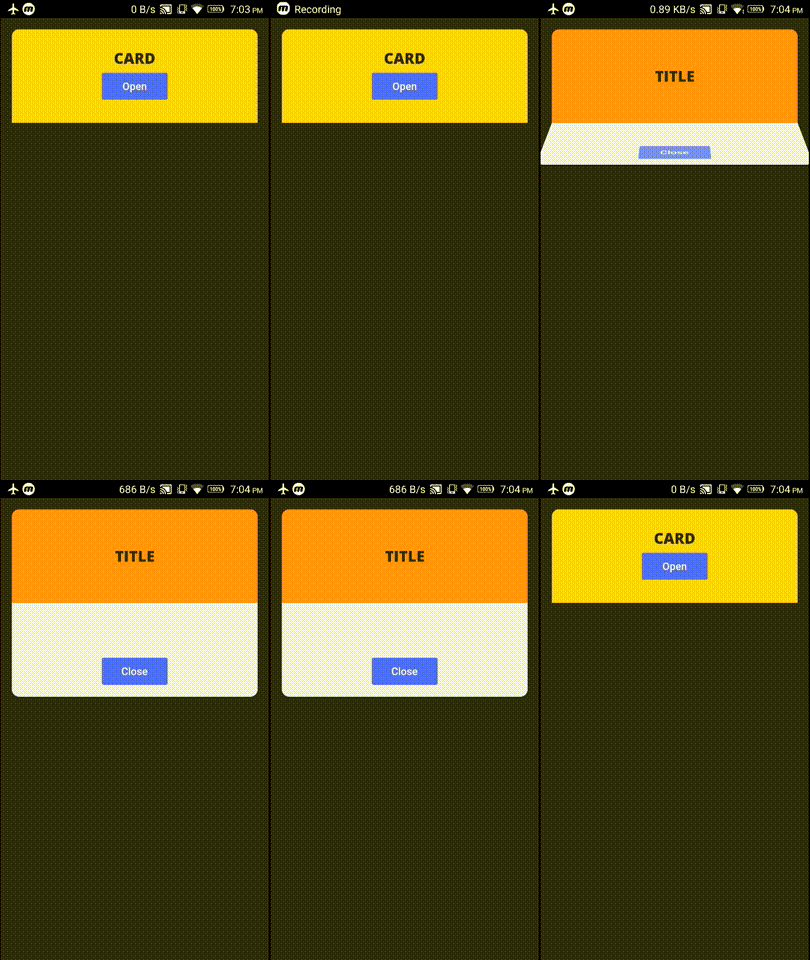
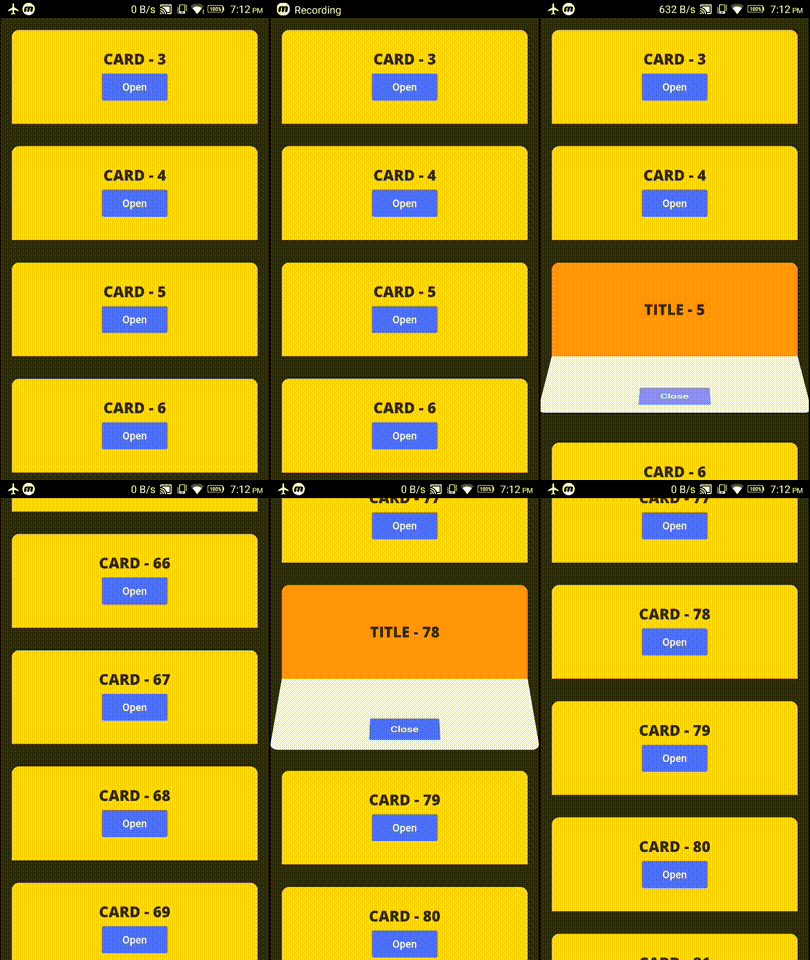
example project contains these two demos

Demo 1 - FoldingCell inside Container

alt tag

Demo 2 - FoldingCell inside ListView

alt tag

Changelog

Check Changelog for updates

Bugs/Requests

Reporting issues and requests for new features are always welcome.

카테고리

소스 저장소

이 패키지를 사용하는 프로젝트

아직 데이터가 없습니다.