v6.0.1
firebase_crashlytics
Firebase Crashlytics용 Flutter 플러그인입니다. 잡히지 않은 오류를 Firebase 콘솔로 보고합니다.
1.3천좋아요 247만30일 다운로드160Pub 점수
AndroidiOSmacOS
모바일 게임 틱택토

아래는 영문 원문 스냅샷입니다. 최신 내용은 GitHub에서 확인하세요.
A mobile game built in Flutter. You can find it published on stores:
This game was built using the game_template
that you'll find in github.com/flutter/samples.
Note: The name of the game in app stores is "Tic Tac Toe Puzzle Game". Because that's what it is, and because every other variation of "Tic Tac Toe" is already taken.
To make it easier for everyone to play with the sample, it's currently published as a web demo, too, in two versions:
To run the app in debug mode:
flutter run
Code is organized in a loose and shallow feature-first fashion.
In lib/src, you'll therefore find directories such as ads, ai, audio
or main_menu. Nothing fancy, but usable.
The state management approach is intentionally low-level. That way, it's easy to
take this project and run with it, without having to learn new paradigms, or having
to remember to run flutter pub run build_runner watch. You are,
of course, encouraged to use whatever paradigm, helper package or code generation
scheme to build on top of this project.
The following assumes using FVM. Just remove fvm from the commands if you
don't use FVM for Flutter version management.
To build and publish to github.io:
fvm flutter pub global run peanut \
--web-renderer canvaskit \
--extra-args "--base-href=/tictactoe/" \
&& git push origin --set-upstream gh-pages
To build the app for iOS (and open Xcode when finished):
fvm flutter build ipa --bundle-sksl-path warmup_2022-05-12_ios.sksl.json && open build/ios/archive/Runner.xcarchive
To build the app for Android (and open the folder with the bundle when finished):
fvm flutter build appbundle --bundle-sksl-path warmup_2024-01-30_android_pixel5.sksl.json && open build/app/outputs/bundle/release
To update the warmup_2022-04-27_xxx.sksl.json files used in the commands above,
use the official SkSL shader warmup guide.
The game, despite being simple, uses shaders all over the place for the "drawing ink" effect. In my testing, the performance is fine on most reasonable devices, but why not make it even better?
Note: You can remove the --bundle-sksl-path warmup_xxx.json part
of the commands above if you're in a place where you care more about
development speed than performance. For example, when you need a quick
turnaround for some testing and can't be bothered to manually
re-capture the shaders.
Updating the launcher icon:
fvm flutter pub run flutter_launcher_icons
Firebase Crashlytics용 Flutter 플러그인입니다. 잡히지 않은 오류를 Firebase 콘솔로 보고합니다.
앱 내 구매를 위한 플러터 플러그인입니다. 앱 스토어 및 구글 플레이를 통해 앱 내 구매를 수행할 수 있는 API를 제공합니다.
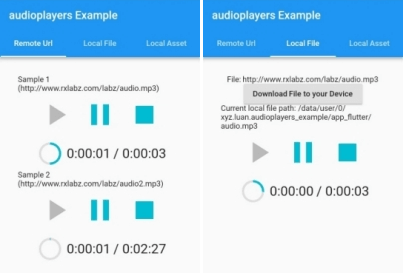
동시에 여러 오디오 파일을 재생할 수 있는 플러터 플러그인
Google 모바일 광고용 플러터 플러그인으로 배너, 인터스티셔널(전체 화면), 보상형 및 네이티브 광고를 지원합니다
게임 센터 및 Google Play 게임 서비스를 지원하는 새로운 Flutter 플러그인입니다.
의존성 목록 16 개
{"sdk":"flutter"}^5.1.0^1.0.2^13.1.0^1.1.0^6.0.2^2.0.13^2.1.1^3.0.3^4.0.0^4.0.0^3.0.1{"sdk":"flutter"}^0.13.1^3.0.1^1.19.0사용 목적에 따라 검색하고 개발 활동을 비교한 뒤 원본 저장소에서 요구 사항을 확인하세요.
“A repository is the most basic element of GitHub.”
GitHub Docs — About repositories ↗