
 v1.1.0
animated_widgets
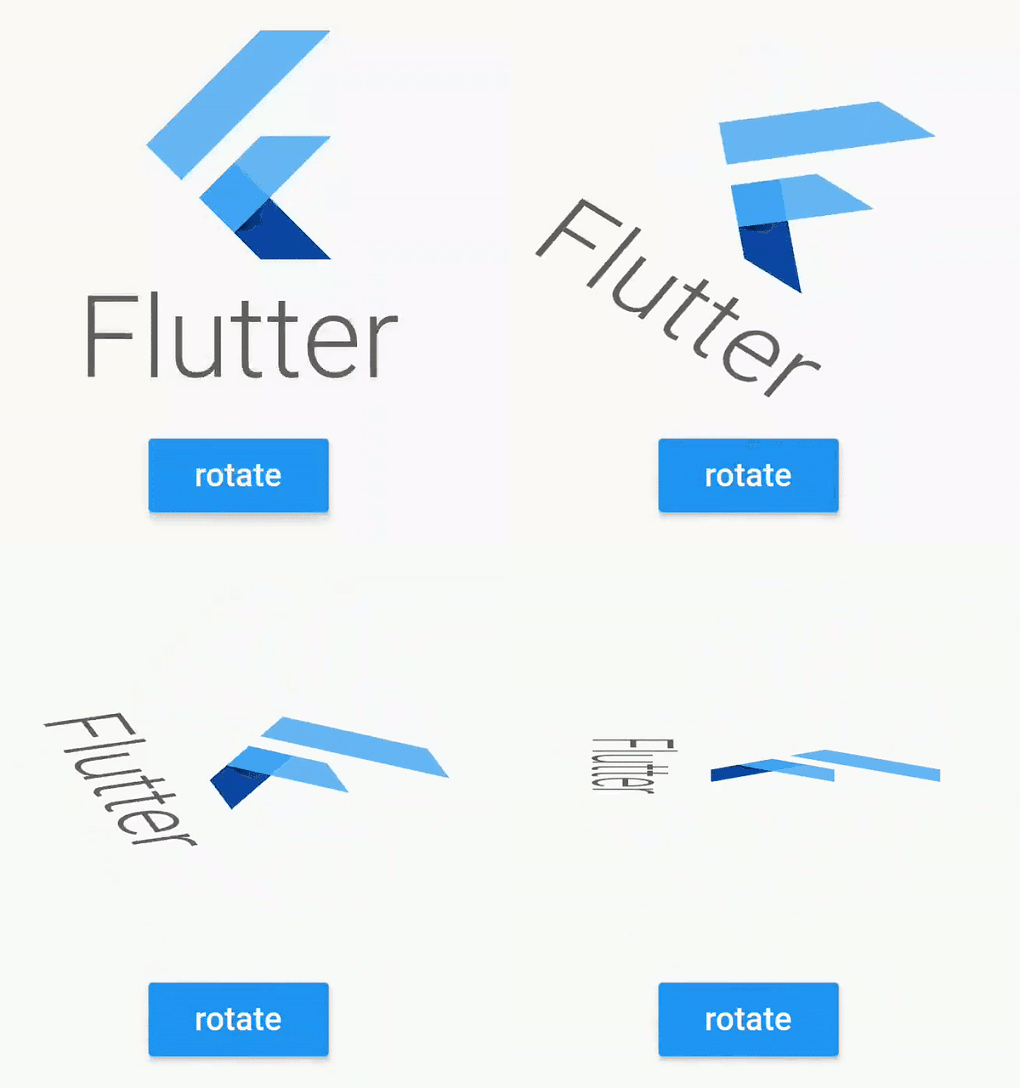
AnimatedWidgets를 사용하여 화면에 쉽게 애니메이션을 추가하세요. 컴포넌트 트리에 항상 애니메이션 위젯을 추가한 다음, 애니메이션을 활성화하고 싶을 때 활성화하세요.
171좋아요 7.1천30일 다운로드70Pub 점수
플랫폼 정보 없음
AnimatedWidgets를 사용하여 화면에 쉽게 애니메이션을 추가하세요. Bloc 패턴용으로 제작되었습니다.

{"sdk":"flutter"}^2.0.8{"sdk":"flutter"}아래는 영문 원문 스냅샷입니다. 최신 내용은 GitHub에서 확인하세요.
Easily add animations on your screen with AnimatedWidgets.
Optimized for MVVM using Bloc, updating the enabled value of the widget will forward or reverse the animation.
Available widgets : TranslationAnimatedWidget, OpacityAnimatedWidget, RotationAnimatedWidget, ScaleAnimatedWidget, SizeAnimatedWidget
For example : add a TranslationAnimatedWidget on a button, then activate it to display it !
TranslationAnimatedWidget(
    enabled: this.displayMyWidget, //update this boolean to forward/reverse the animation
    values: [
        Offset(0, 200), // disabled value value
        Offset(0, 250), //intermediate value
        Offset(0, 0) //enabled value
    ],
    child: /* your widget */
),
or using a tween constructor
RotationAnimatedWidget.tween(
    enabled: this.displayMyWidget, //update this boolean to forward/reverse the animation
    rotationDisabled: Rotation.degrees(z: 0),
    rotationEnabled: Rotation.degrees(z: 90),
    child: /* your widget */
),
Don't hesitate to compose them
TranslationAnimatedWidget.tween(
    enabled: this.displayMyWidget,
    translationDisabled: Offset(0, 200),
    translationEnabled: Offset(0, 0),
    child:
        OpacityAnimatedWidget.tween(
        enabled: this.displayMyWidget,
        opacityDisabled: 0,
        opacityEnabled: 1,
        child: /* your widget */
    ),
),
Example using a Stateful Widget
class _StatefulScreenState extends State<StatefulScreen> {

  // will determine if the opacity animation is launched
  bool _display = false;

  @override
  Widget build(BuildContext context) {
    return Scaffold(
      appBar: AppBar(),
      body: Column(
        crossAxisAlignment: CrossAxisAlignment.stretch,
        mainAxisAlignment: MainAxisAlignment.center,
        mainAxisSize: MainAxisSize.max,
        children: [

          //wrap your widget with OpacityAnimatedWidget
          OpacityAnimatedWidget.tween(
            opacityEnabled: 1, //define start value
            opacityDisabled: 0, //and end value
            enabled: _display, //bind with the boolean
            child: Container(
               height: 200,
               width: 200,
               child: FlutterLogo(
                 style: FlutterLogoStyle.stacked,
               ),
            ),
          ),

          RaisedButton(
            color: Colors.blue,
            child: Text(
              _display ? "hide logo" : "display logo",
              style: TextStyle(color: Colors.white),
            ),
            onPressed: () {
              setState(() {

                //will fire the animation
                _display = !_display;

              });
            },
          )
        ],
      ),
    );
  }
}
Example using bloc pattern
class FirstScreenBloc extends Bloc {
  final _viewState = BehaviorSubject<FirstScreenViewState>.seeded(FirstScreenViewState());
  Observable<FirstScreenViewState> get viewState => _viewState;

  void onClicked() {
    _viewState.add(FirstScreenViewState(buttonVisible: true));
  }

  void onDismissClicked() {
    _viewState.add(FirstScreenViewState(buttonVisible: false));
  }

  @override
  void dispose() {
    _viewState.close();
  }
}

class FirstScreenViewState {
  final bool buttonVisible;

  const FirstScreenViewState({
    this.buttonVisible = false,
  });
}
class FirstScreenView extends StatelessWidget {
  @override
  Widget build(BuildContext context) {
    final bloc = BlocProvider.of<FirstScreenBloc>(context);

    return StreamBuilder<FirstScreenViewState>(
            stream: bloc.viewState,
            builder: (context, snapshot) {

                final viewState = snapshot.data;

                return Stack(
                  fit: StackFit.expand,
                  children: [
                    _buildInputButton(onClicked: () {
                      bloc.onClicked();
                    }),
                    Positioned(
                      bottom: 20,
                      left: 20,
                      right: 20,

                      child: TranslationAnimatedWidget(
                        enabled: viewState.buttonVisible, //will forward/reverse the animation
                        curve: Curves.easeIn,
                        duration: Duration(seconds: 1),
                        values: [
                          Offset(0, 200),
                          Offset(0, -50),
                          Offset(0, 0),
                        ],
                        child: RaisedButton(
                          onPressed: () {
                            bloc.onDismissClicked();
                          },
                          child: Text("Dismiss"),
                        ),

                      ),
                    ),
                  ],
               );
            }
        );
  }
}
RotationAnimatedWidget.tween(
    enabled: enabled,
    rotationDisabled: Rotation.deg(),
    rotationEnabled: Rotation.deg(z: 90, x: 80),
    child: /* your widget */
),

RotationAnimatedWidget.tween(
    enabled: enabled,
    rotation: Rotation.deg(),
    rotationEnabled: Rotation.deg(z: 90, x: 80),
    child: /* your widget */
),
ScaleAnimatedWidget.tween(
      enabled: this._enabled,
      duration: Duration(milliseconds: 600),
      scaleDisabled: 0.5,
      scaleEnabled: 1,

      //your widget
      child: Container(
        height: 200,
        width: 200,
        child: FlutterLogo(
          style: FlutterLogoStyle.stacked,
        ),
      ),
    ),
SizeAnimatedWidget(
      enabled: this._enabled,
      duration: Duration(milliseconds: 1500),
      values: [Size(100, 100),  Size(100, 150), Size(200, 150), Size(200, 200)],
      curve: Curves.linear,

      //your widget
      child: Container(
        decoration: BoxDecoration(
          border: Border.all(color: Colors.blue)
        ),
        child: FlutterLogo(
          style: FlutterLogoStyle.stacked,
        ),
      ),
    ),
ShakeAnimatedWidget(
      enabled: this._enabled,
      duration: Duration(milliseconds: 1500),
      shakeAngle: Rotation.deg(z: 40),
      curve: Curves.linear,
      child: FlutterLogo(
        style: FlutterLogoStyle.stacked,
      ),
    ),
CustomAnimatedWidget(
      enabled: this._enabled,
      duration: Duration(seconds: 3),
      curve: Curves.easeOut,
      builder: (context, percent) { //for custom animation, use builders
        final int displayedDate = (2018 * percent).floor();
        return Text(
              "current year : $displayedDate",
              style: TextStyle(color: Colors.blue),
        );
      },
),
Animated widget is available at https://pub.dev/packages/animated_widgets
dependencies:
  animated_widgets:
For help getting started with Flutter, view our online documentation, which offers tutorials, samples, guidance on mobile development, and a full API reference.
Copyright 2019 florent37, Inc.

Licensed under the Apache License, Version 2.0 (the "License");
you may not use this file except in compliance with the License.
You may obtain a copy of the License at

   http://www.apache.org/licenses/LICENSE-2.0

Unless required by applicable law or agreed to in writing, software
distributed under the License is distributed on an "AS IS" BASIS,
WITHOUT WARRANTIES OR CONDITIONS OF ANY KIND, either express or implied.
See the License for the specific language governing permissions and
limitations under the License.