
persist_theme
Persist Theme - 테마 데이터를 지속적으로 저장하기 위한 플러터 플러그인입니다. 다크 모드 지원. 유지보수자 @rodydavis

- 스타
- 69
- 포크
- 12
- 최근 푸시(UTC)
- 2021. 9. 27.
- 프로젝트 상태
- 활성
원본 README
아래는 영문 원문 스냅샷입니다. 최신 내용은 GitHub에서 확인하세요.


persist_theme
A Flutter plugin for persisting and dynamically changing the theme.
Online Demo: https://fluttercommunity.github.io/persist_theme/
import 'package:flutter/material.dart';

import 'package:persist_theme/persist_theme.dart';
import 'package:provider/provider.dart';
import 'package:scoped_model/scoped_model.dart';

import 'dart:io' show Platform;
import 'package:flutter/foundation.dart';

/// main is entry point of Flutter application
void main() {
  // Desktop platforms aren't a valid platform.
  _setTargetPlatformForDesktop();

  return runApp(MyApp());
}

/// If the current platform is desktop, override the default platform to
/// a supported platform (iOS for macOS, Android for Linux and Windows).
/// Otherwise, do nothing.
void _setTargetPlatformForDesktop() {
  TargetPlatform targetPlatform;
  if (Platform.isMacOS) {
    targetPlatform = TargetPlatform.iOS;
  } else if (Platform.isLinux || Platform.isWindows) {
    targetPlatform = TargetPlatform.android;
  }
  if (targetPlatform != null) {
    debugDefaultTargetPlatformOverride = targetPlatform;
  }
}

final _model = ThemeModel();

class MyApp extends StatelessWidget {
  @override
  Widget build(BuildContext context) {
    return ListenableProvider<ThemeModel>(
      create: (_) => _model..init(),
      child: Consumer<ThemeModel>(
        builder: (context, model, child) {
          return MaterialApp(
            theme: model.theme,
            home: HomeScreen(),
          );
        },
      ),
    );
  }
}

class HomeScreen extends StatelessWidget {
  @override
  Widget build(BuildContext context) {
    final _theme = Provider.of<ThemeModel>(context);
    return Scaffold(
      appBar: AppBar(
        title: const Text('Persist Theme'),
      ),
      body: ListView(
        children: MediaQuery.of(context).size.width >= 480
            ? <Widget>[
                Flex(
                  direction: Axis.horizontal,
                  children: <Widget>[
                    Flexible(child: DarkModeSwitch()),
                    Flexible(child: TrueBlackSwitch()),
                  ],
                ),
                CustomThemeSwitch(),
                Flex(
                  direction: Axis.horizontal,
                  children: <Widget>[
                    Flexible(child: PrimaryColorPicker()),
                    Flexible(child: AccentColorPicker()),
                  ],
                ),
                DarkAccentColorPicker(),
              ]
            : <Widget>[
                DarkModeSwitch(),
                TrueBlackSwitch(),
                CustomThemeSwitch(),
                PrimaryColorPicker(),
                AccentColorPicker(),
                DarkAccentColorPicker(),
              ],
      ),
      floatingActionButton: FloatingActionButton(
        backgroundColor: _theme.accentColor,
        child: Icon(Icons.add),
        onPressed: () {},
      ),
    );
  }
}
Customization
- There are widgets provided but can be fully customized.
- By default hide elements based on the theme.
- The only requirement is that the material app is wrapped in a scoped model like shown above.
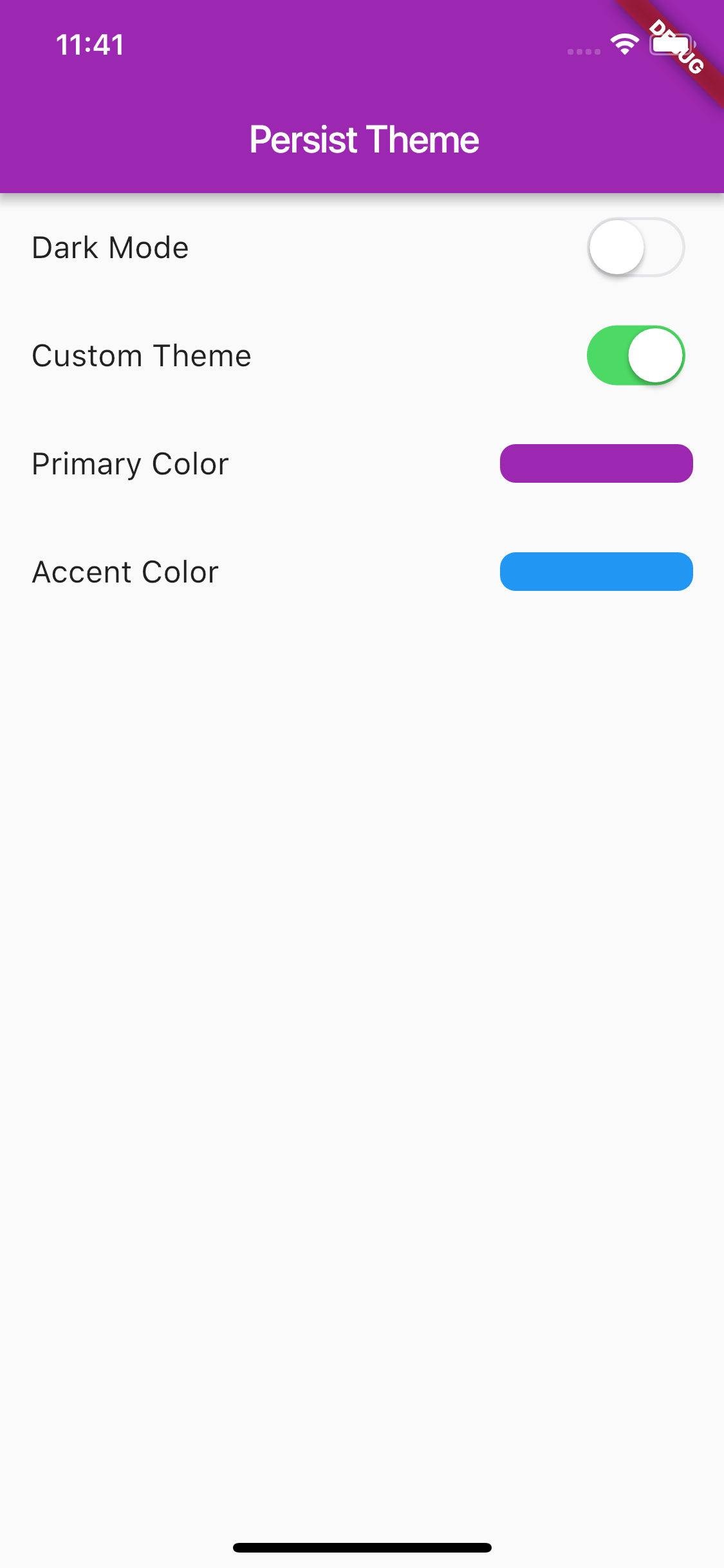
Screenshots
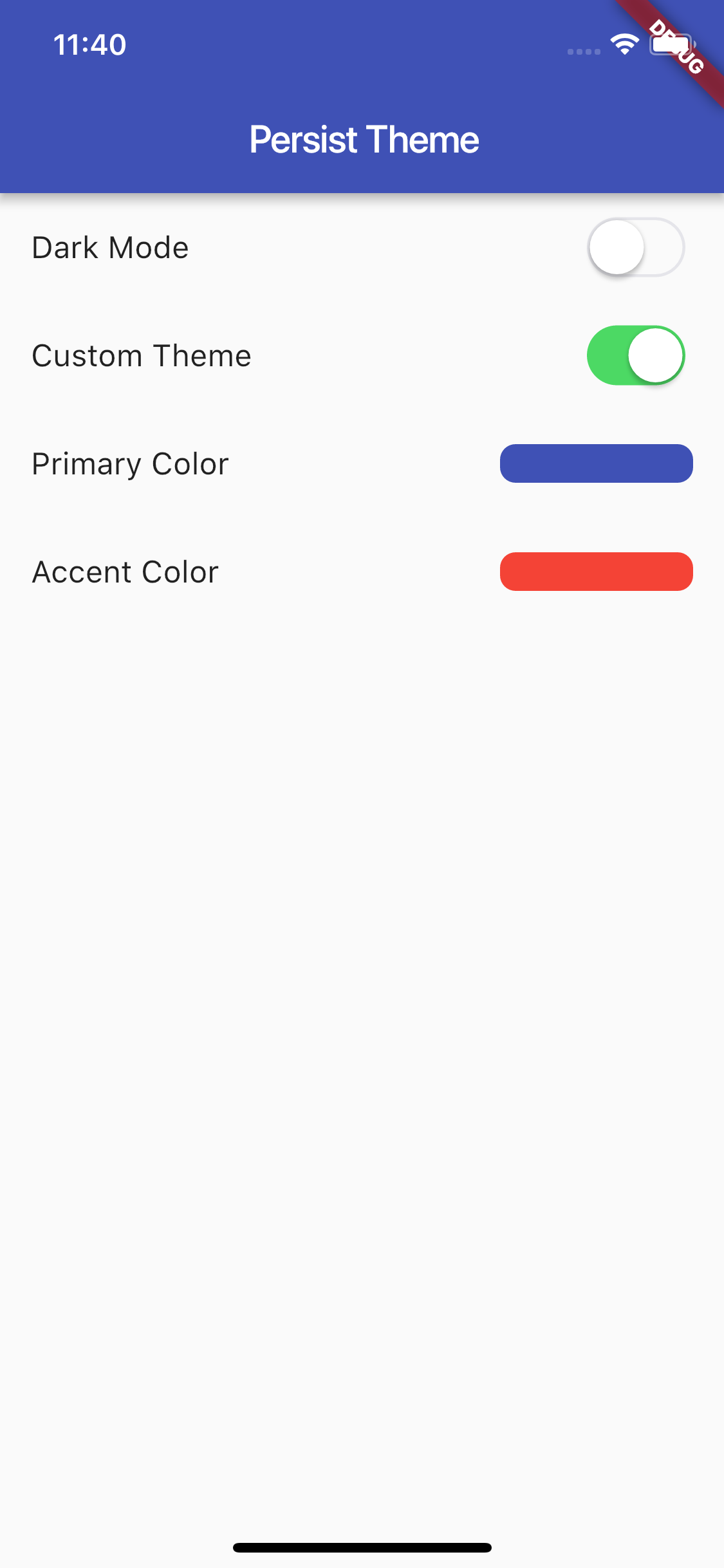
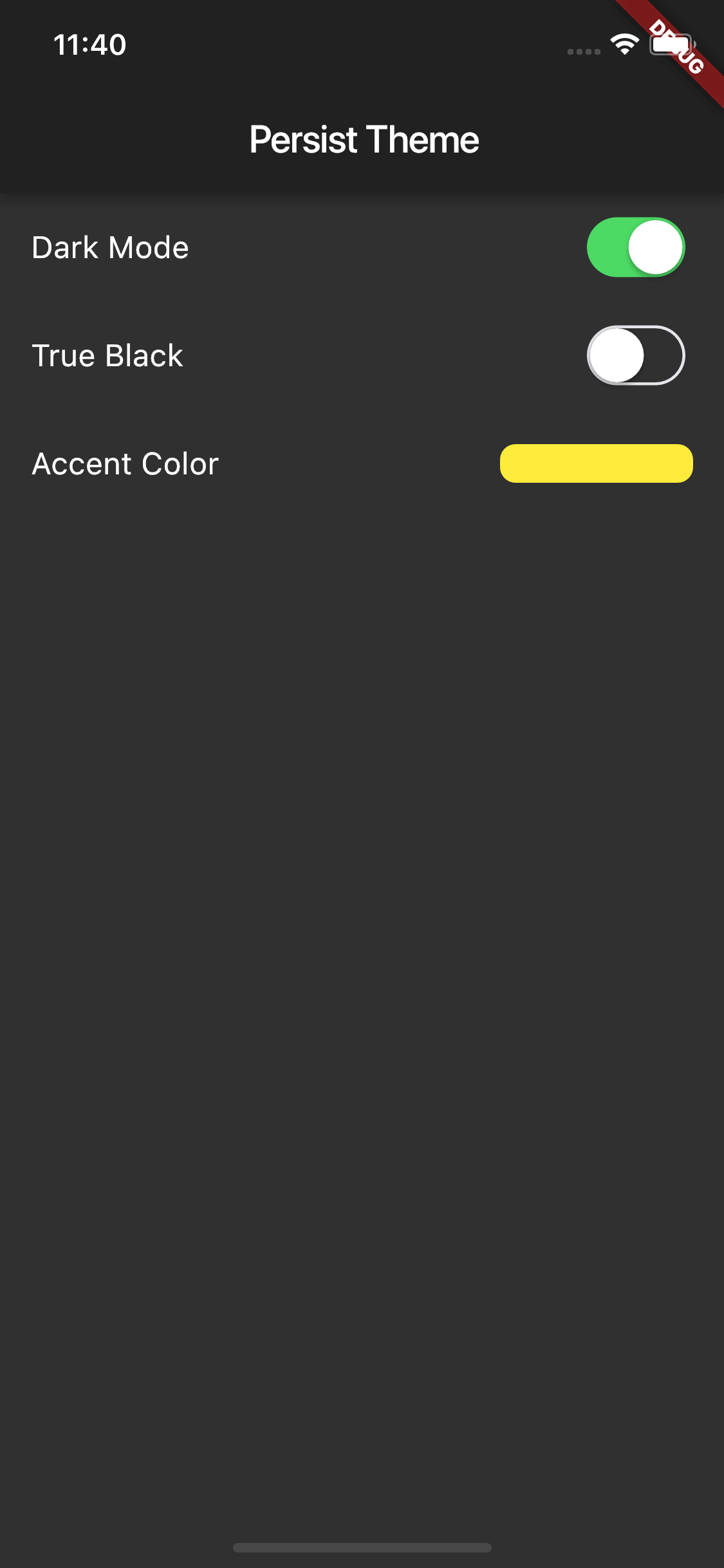
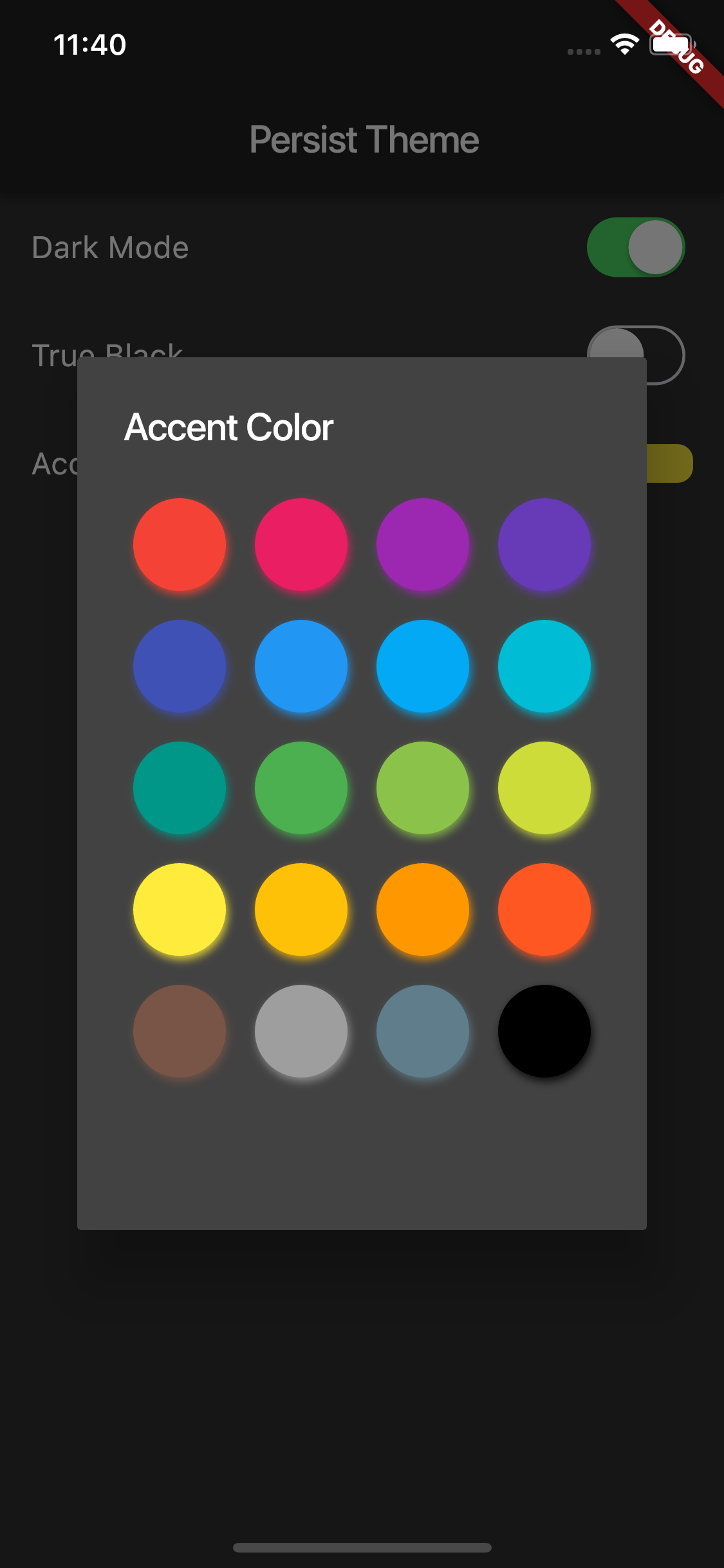
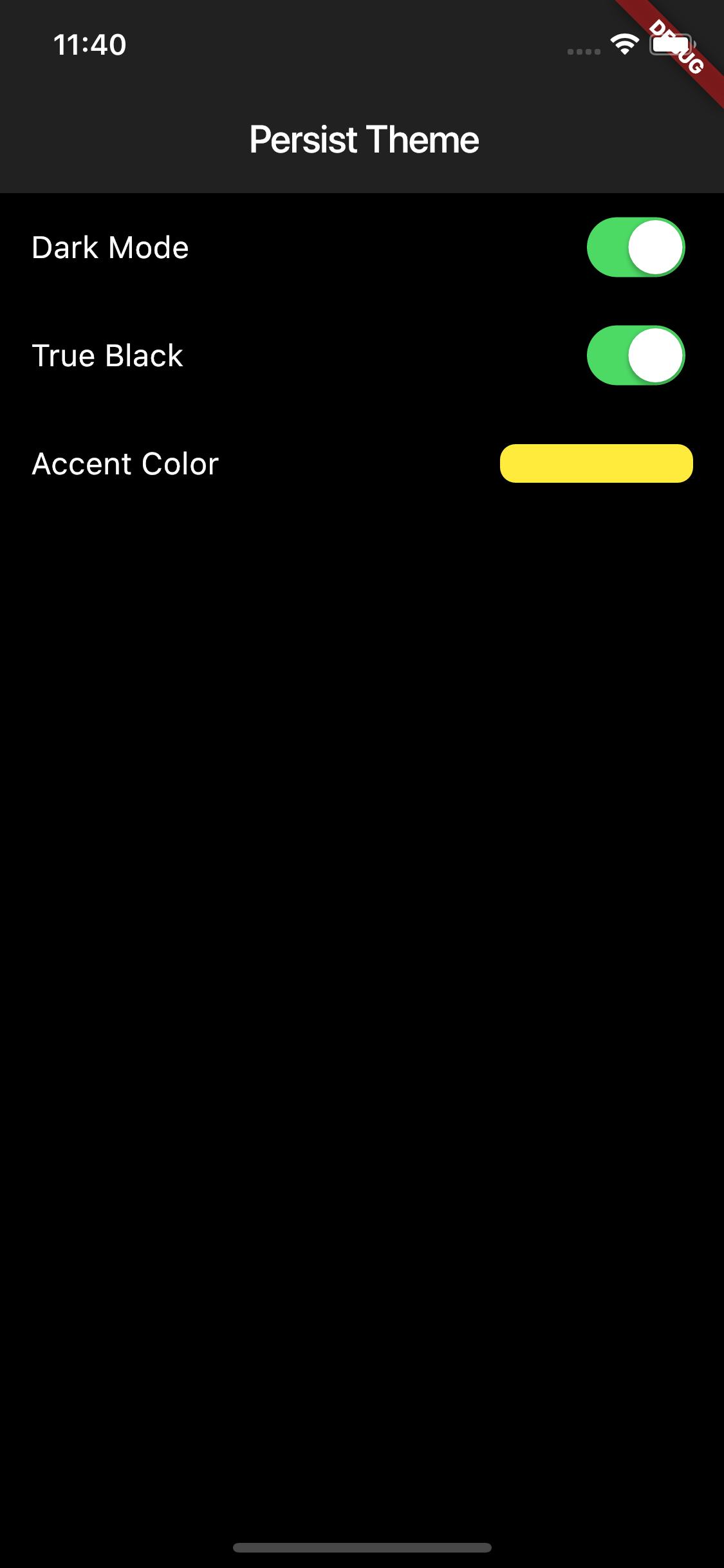

GitHub 작성자
Flutter Community ↗
언어DartRubyMakefileC++SwiftHTMLShellKotlinObjective-C
분류
사용 중인 의존성
의존성 목록 5 개
- flutter
{"sdk":"flutter"} - provider
^4.0.2 - flutter_material_color_picker
^1.0.5 - shared_preferences
^0.5.7+3 - flutter_test개발 의존성
{"sdk":"flutter"}
프로젝트에 맞는 저장소를 선택하려면?
사용 목적에 따라 검색하고 개발 활동을 비교한 뒤 원본 저장소에서 요구 사항을 확인하세요.
- 이름, 작성자 또는 설명으로 검색하고 기술 주제로 범위를 좁힙니다.
- 스타, 포크, 최근 푸시를 함께 비교하세요. 스타는 관심의 지표이며 품질을 보장하지 않습니다.
- 사용하기 전에 GitHub에서 README, 라이선스, Issues를 확인하세요.
출처 및 관리
“A repository is the most basic element of GitHub.”
GitHub Docs — About repositories ↗