

v2.0.0
flutter_speed_dial_material_design
Material Design 스피드 다이얼을 구현하기 위한 Flutter 플러그인 (https://material.io/components/buttons-floating-action-button/#types-of-transitions)
62좋아요 4630일 다운로드40Pub 점수
플랫폼 정보 없음
Material Design 스피드 다이얼을 구현하기 위한 Flutter 플러그인 (https://material.io/components/buttons-floating-action-button/#types-of-transitions)

아래는 영문 원문 스냅샷입니다. 최신 내용은 GitHub에서 확인하세요.
Flutter package which applies Material design Speed dial
There are several packages that provide fancy speed dial. However, as most of those do not work properly on docked FAB using notch, I referenced Andrea Bizzoto and Matt Carroll's idea/code specified here to make it work fine with notch as well. Truly appreciate to Andrea and Matt for sharing such an awesome idea and codes.
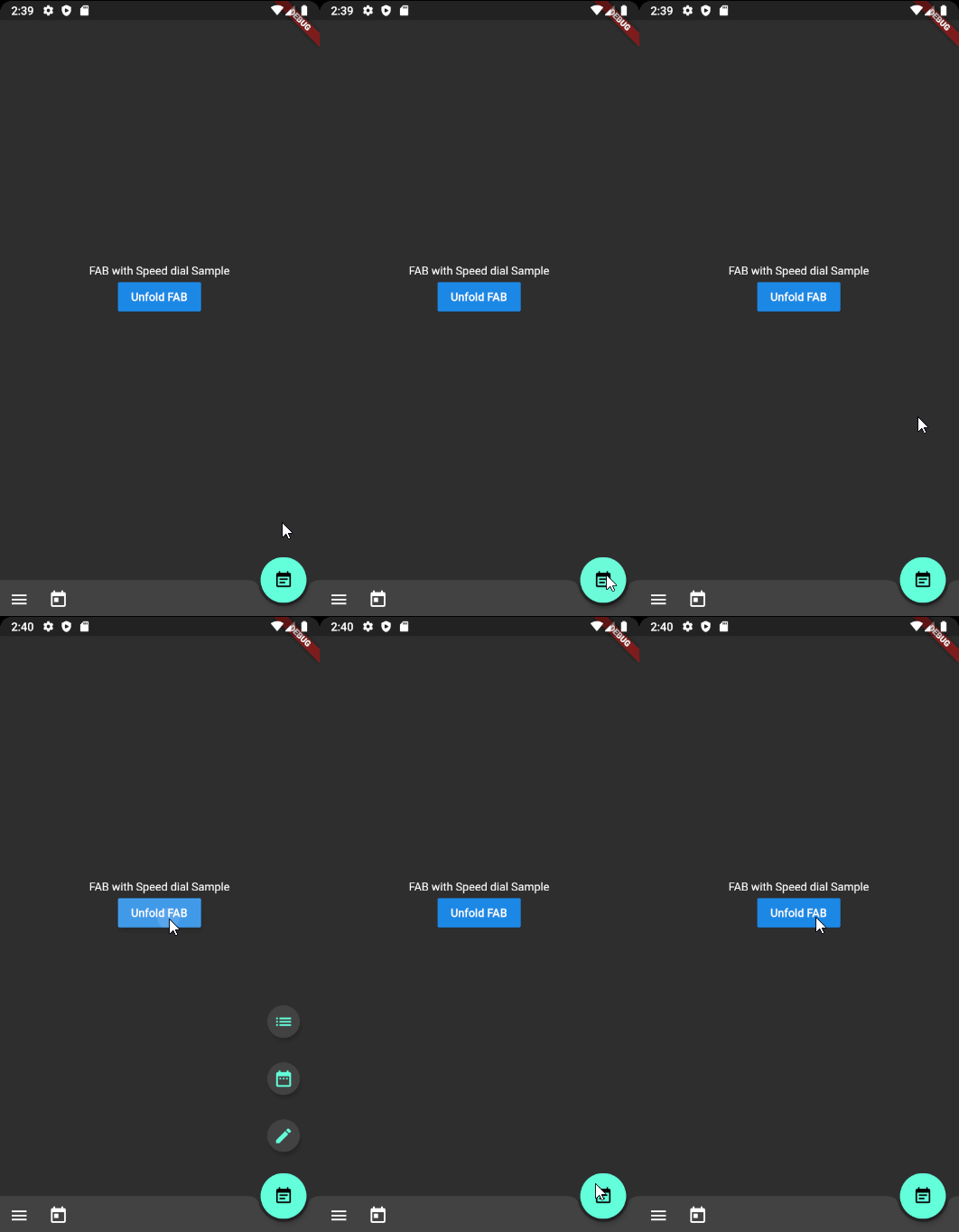
Widget build(BuildContext context) {
    return Scaffold(
      body: SafeArea(child: _buildBody()),
      floatingActionButton: _buildFloatingActionButton(),
      floatingActionButtonLocation: FloatingActionButtonLocation.endDocked,
      bottomNavigationBar: _buildBottomBar(),
    );
  }

Widget _buildFloatingActionButton() {
    final icons = [
      SpeedDialAction(child: Icon(Icons.mode_edit)),
      SpeedDialAction(child: Icon(Icons.date_range)),
      SpeedDialAction(child: Icon(Icons.list)),
    ];

    return SpeedDialFloatingActionButton(
      actions: icons,
      // Make sure one of child widget has Key value to have fade transition if widgets are same type.
      childOnFold: Icon(Icons.event_note, Key: UniqueKey()),
      childOnUnfold: Icon(Icons.add),
      useRotateAnimation: true,
      onAction: _onSpeedDialAction,
    );
  }

_onSpeedDialAction(int selectedActionIndex) {
  print('$selectedActionIndex Selected');
}
SpeedDialController _controller = SpeedDialController();

SpeedDialFloatingActionButton(
      controller: _controller,
      ...
    );

// Use anywhere to mannually unfold
_controller.unfold();
In order to apply fade transition between [childOnFold] and [childOnUnfold], make sure one of those has Key field. (eg. ValueKey(value) or UniqueKey()). As we using AnimatedSwitcher for transition animation, no key with same type of child will perform no animation. It is AnimatedSwitcher's behaviour.
Any pull requests for implementing To-Do functions are always welcome!
Firebase Auth Simplify Google Maps Place Picker
If the package was useful or saved your time, please do not hesitate to buy me a cup of coffee! ;)
The more caffeine I get, the more useful projects I can make in the future.

의존성 목록 2 개
{"sdk":"flutter"}{"sdk":"flutter"}사용 목적에 따라 검색하고 개발 활동을 비교한 뒤 원본 저장소에서 요구 사항을 확인하세요.
“A repository is the most basic element of GitHub.”
GitHub Docs — About repositories ↗