

 v2.0.0
custom_sliding_segmented_control
컨트롤을 표시하는 위젯을 유연하게 구성할 수 있습니다. 색상, 속도, 크기, 초기 값, 애니메이션 등을 추가할 수 있습니다.
232좋아요 6.3만30일 다운로드150Pub 점수
AndroidiOSWebmacOSWindowsLinux
사용자 정의 슬라이딩 세그먼트 컨트롤

아래는 영문 원문 스냅샷입니다. 최신 내용은 GitHub에서 확인하세요.
Allows you to flexibly configure the widget for displaying controls. You can add color, speed, size, initial value, animation and more.
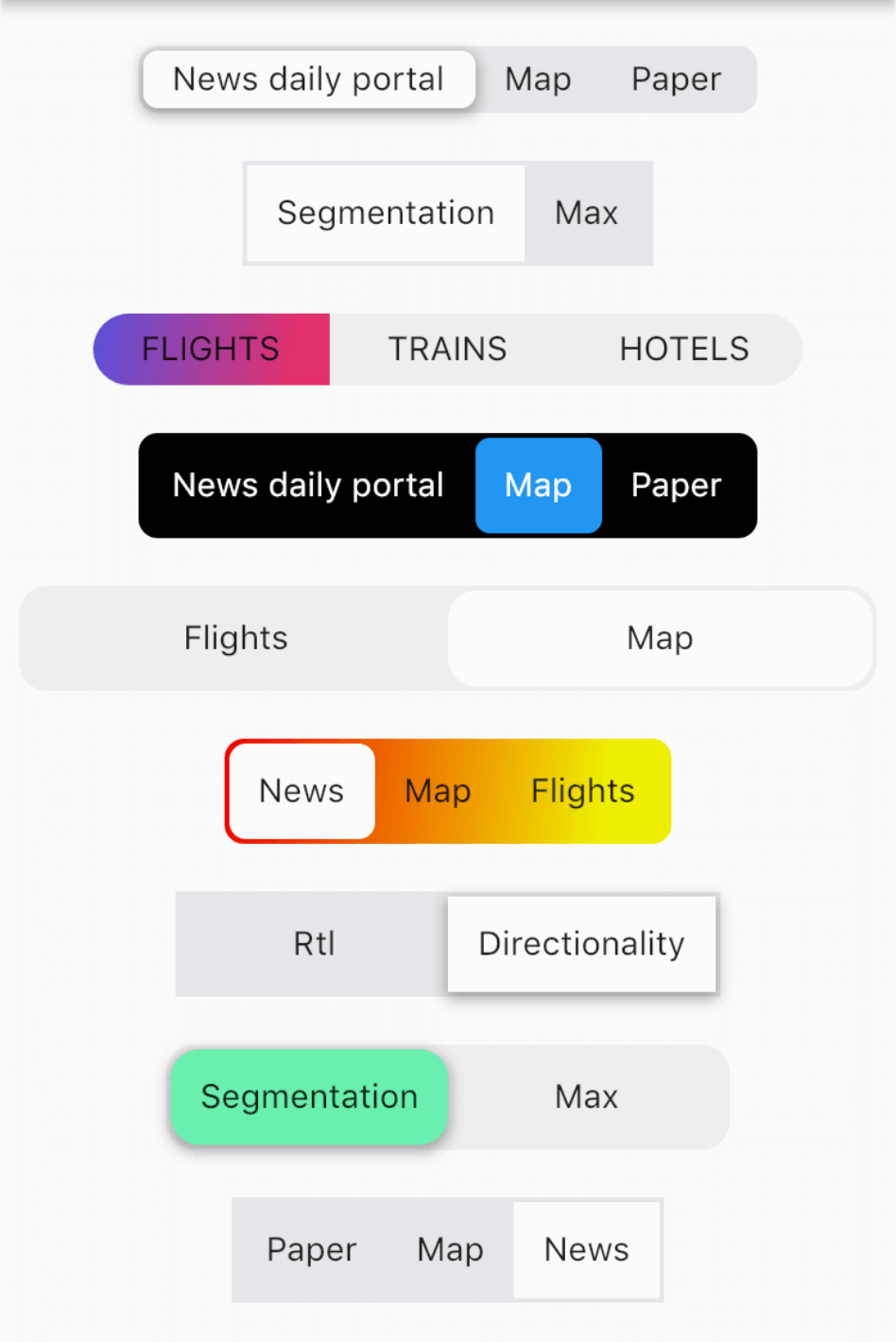
import 'package:custom_sliding_segmented_control/custom_sliding_segmented_control.dart';

CustomSlidingSegmentedControl<int>(
  initialValue: 2,
  children: {
    1: Text('News daily portal'),
    2: Text('Map'),
    3: Text('Paper'),
  },
  decoration: BoxDecoration(
    color: CupertinoColors.lightBackgroundGray,
    borderRadius: BorderRadius.circular(8),
  ),
  thumbDecoration: BoxDecoration(
    color: Colors.white,
    borderRadius: BorderRadius.circular(6),
    boxShadow: [
      BoxShadow(
        color: Colors.black.withOpacity(.3),
        blurRadius: 4.0,
        spreadRadius: 1.0,
        offset: Offset(
          0.0,
          2.0,
        ),
      ),
    ],
  ),
  duration: Duration(milliseconds: 300),
  curve: Curves.easeInToLinear,
  onValueChanged: (v) {
    print(v);
  },
),
의존성 목록 5 개
^1.0.1{"sdk":"flutter"}^1.1.0{"sdk":"flutter"}^2.8.0사용 목적에 따라 검색하고 개발 활동을 비교한 뒤 원본 저장소에서 요구 사항을 확인하세요.
“A repository is the most basic element of GitHub.”
GitHub Docs — About repositories ↗