

 v2.2.8
reorderable_grid_view
재정렬 가능한 그리드 뷰
164좋아요 5.4만30일 다운로드120Pub 점수
AndroidiOSWebmacOSWindowsLinux
huhuang03/reorderable_grid_view open-source repository details.

아래는 영문 원문 스냅샷입니다. 최신 내용은 GitHub에서 확인하세요.
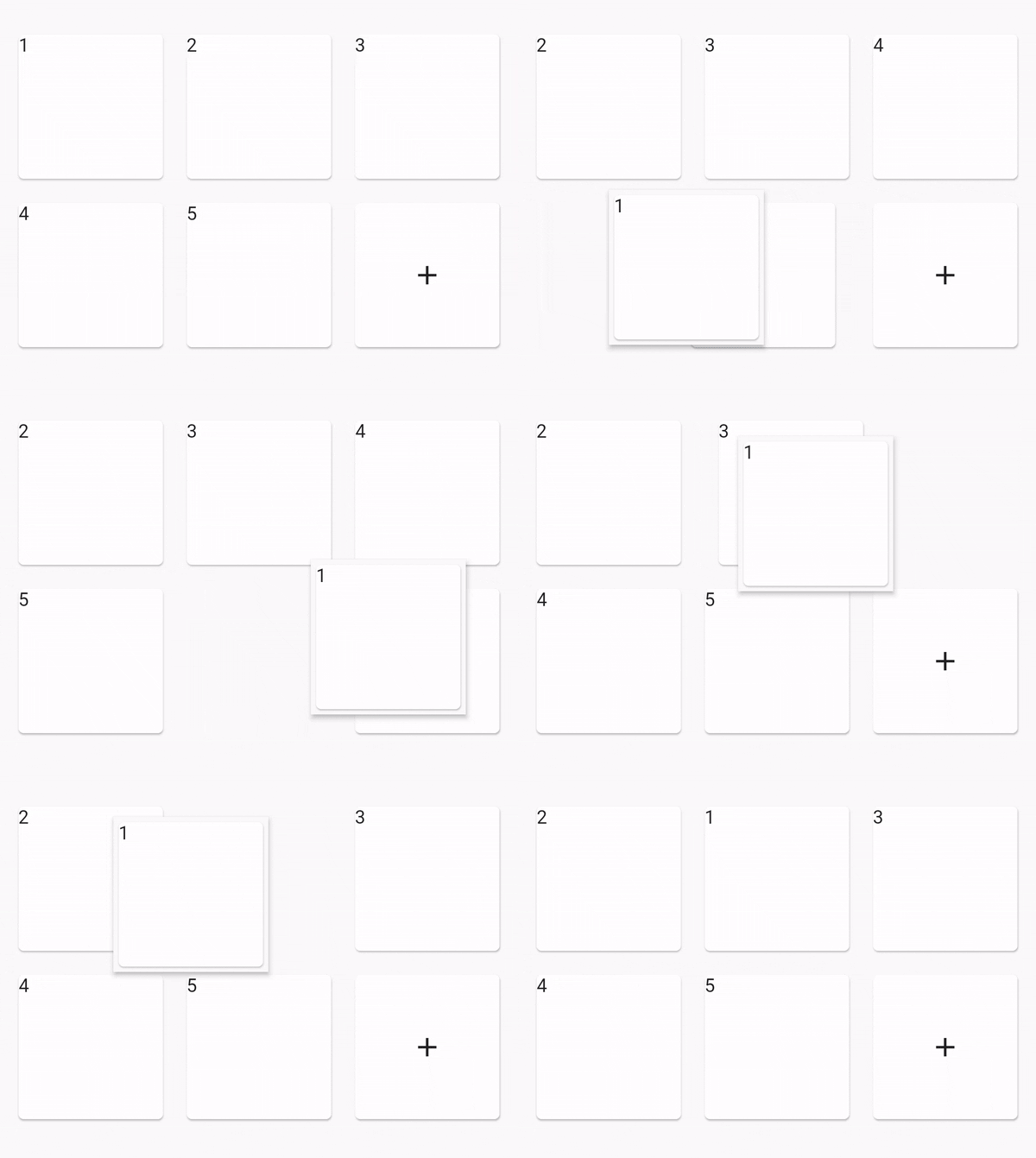
Idea from official ReorderableListView
dependencies:
  reorderable_grid_view: ^2.2.9-alpha.4

class _MyHomePageState extends State<MyHomePage> {
  final data = [1, 2, 3, 4, 5];

  @override
  Widget build(BuildContext context) {
    Widget buildItem(String text) {
      return Card(
        key: ValueKey(text),
        child: Text(text),
      );
    }

    return Scaffold(
      appBar: AppBar(
        title: Text(widget.title),
      ),

      body: Center(
        // use ReorderableGridView.count() when version >= 2.0.0
        // else use ReorderableGridView()
        child: ReorderableGridView.count(
          crossAxisSpacing: 10,
          mainAxisSpacing: 10,
          crossAxisCount: 3,
          children: this.data.map((e) => buildItem("$e")).toList(),
          onReorder: (oldIndex, newIndex) {
            setState(() {
              final element = data.removeAt(oldIndex);
              data.insert(newIndex, element);
            });
          },
          footer: [
            Card(
              child: Center(
                child: Icon(Icons.add),
              ),
            ),
          ],
        ),
      ),
    );
  }
}
| option | desc |
|---|---|
dragWidgetBuilderV2 |
the drag widget builder |
restrictDragScope |
restrict drag scope to ReorderableGridView, not drag over the scree, default is false |
dragStartDelay |
the longPress time |
scrollDirection |
the scroll direction, default is Axis.vertical, supports Axis.horizontal |
scrollSpeedController |
control how speed when scroll down when drag out of viewport |
OnDropIndexChange |
the drop position changed, void (index, oldIndex), oldIndex = nil if is drag start. |
dragWidgetBuilderV2Normaly you can do like this:
dragWidgetBuilderV2: DragWidgetBuilderV2(
	isScreenshotDragWidget: false,
	builder: (index, child, screenshot) {
		return child;
	}
)
And if you dragging widget has some state, the callback's child can't access the state. So you can do a screenshot like this.
dragWidgetBuilderV2: DragWidgetBuilderV2(
	isScreenshotDragWidget: true,
	builder: (index, child, screenshot) {
		return Image(screenshot);
	}
)
ReorderableGridView.builderReorderableGridView.countReorderableSliverGridView.countYou can use ReorderableWrapperWidget to custom your reorderable.
Use ReorderableWrapperWidget as root. and it's descendants is ReorderableItemView[] list
ReorderableWrapperWidget(child: SomeCollection(children: ReorderableItemView))placeholderBuilder is not right when the list is very long, is not fixable for now. please see issue 47ReorderableSliverGridView, please see issue 52placeholderBuilder is not right when the list is very longIf this project is not fit your meet, you can try those other projects
의존성 목록 3 개
{"sdk":"flutter"}{"sdk":"flutter"}^6.0.0사용 목적에 따라 검색하고 개발 활동을 비교한 뒤 원본 저장소에서 요구 사항을 확인하세요.
“A repository is the most basic element of GitHub.”
GitHub Docs — About repositories ↗