

 v1.0.0
audio_manager
음악 재생을 위한 플러터 플러그인으로 알림 처리를 포함합니다.
150좋아요 40630일 다운로드160Pub 점수
AndroidiOSWeb
알림, 잠금 화면 컨트롤 및 데스크톱 시스템 미디어 컨트롤을 갖춘 크로스 플랫폼 플러터 오디오 플러그인입니다.

아래는 영문 원문 스냅샷입니다. 최신 내용은 GitHub에서 확인하세요.






A Flutter plugin for music playback, notification handling, lock-screen controls, and desktop system media controls.
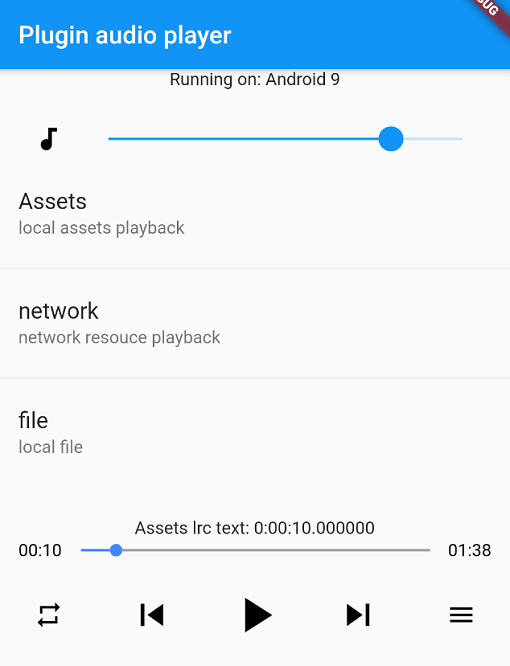
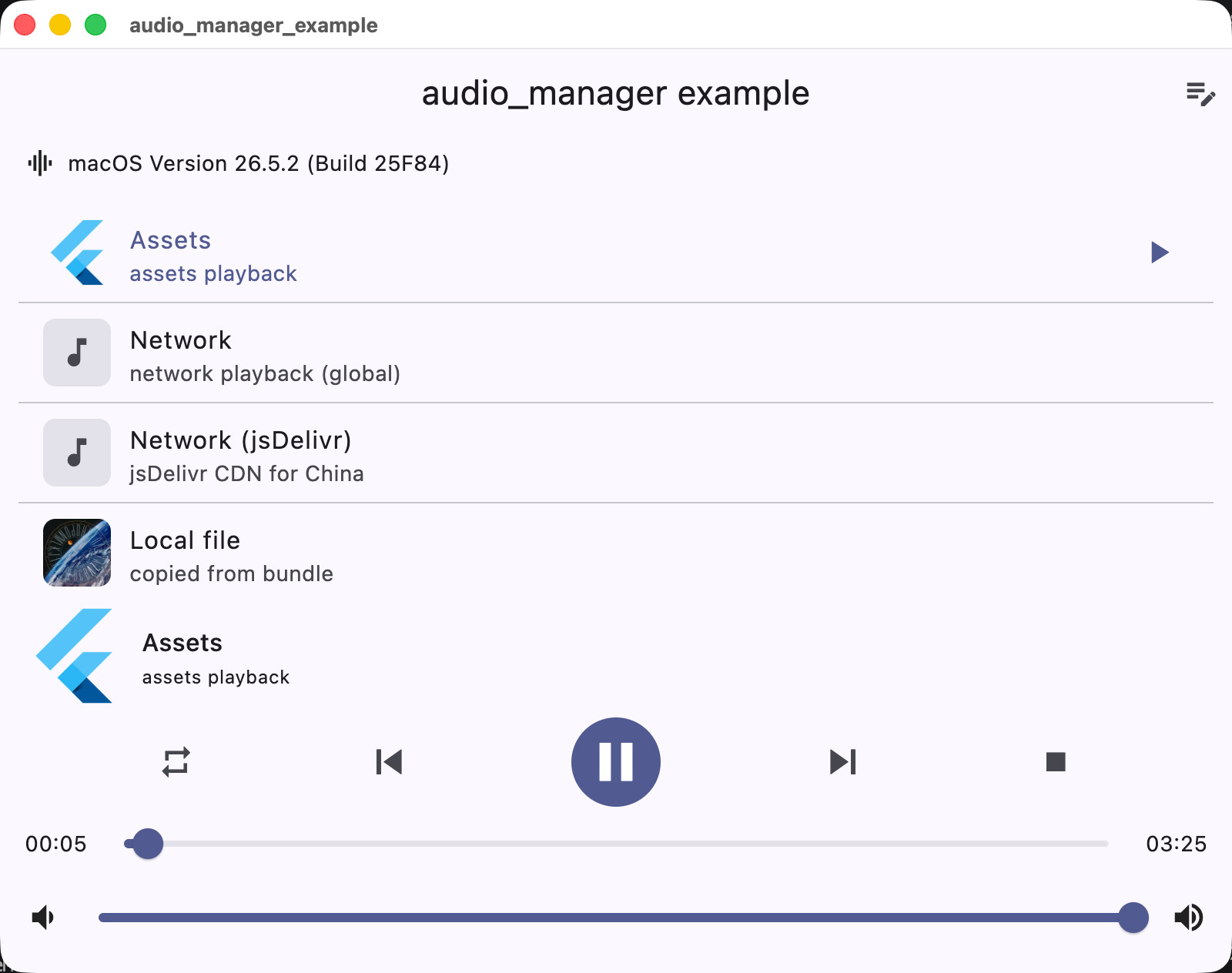
| Android | iOS | macOS |
|---|---|---|
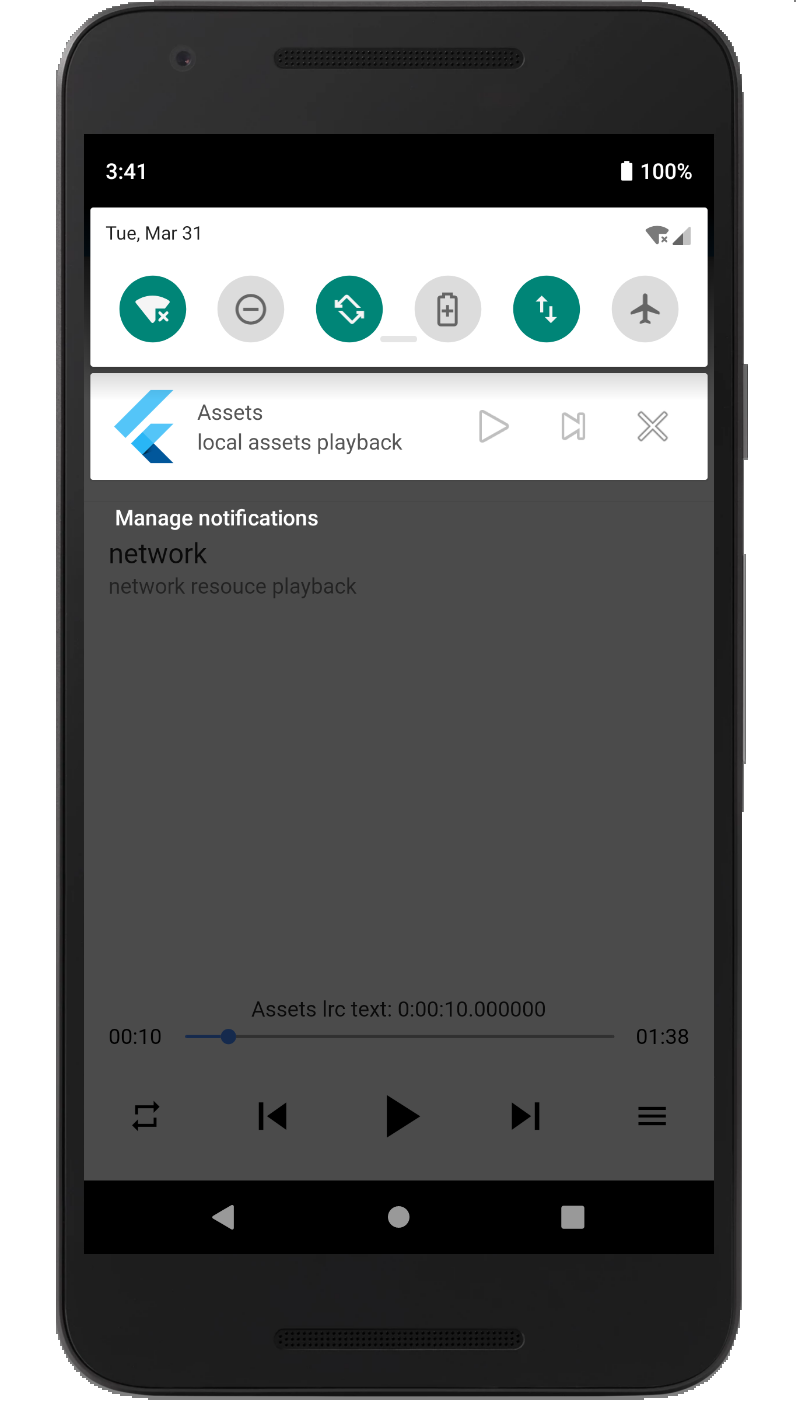 |
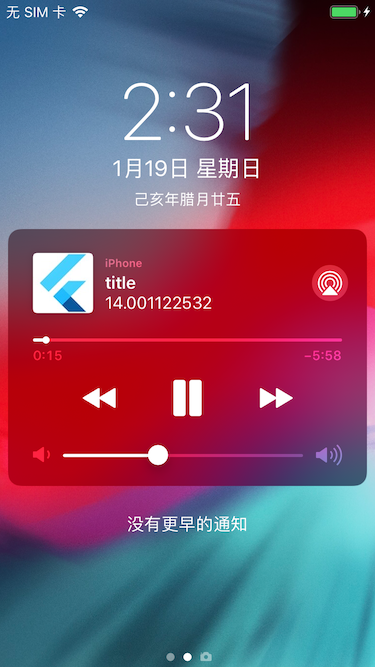 |
 |
| Platform | Playback / integration |
|---|---|
| iOS | AVPlayer + lock screen / Control Center |
| Android | MediaPlayer + MediaSession notification |
| macOS | AVPlayer + Now Playing / Control Center |
| Windows | Windows.Media.Playback + SMTC |
| Linux | GStreamer + MPRIS |
| Web | HTMLAudioElement |
Add the dependency to pubspec.yaml:
dependencies:
  audio_manager: ^1.0.0
The plugin supports both CocoaPods and Swift Package Manager (SPM) on iOS. Flutter 3.24+ integrates it via SPM automatically; otherwise it falls back to CocoaPods.
Add the following permissions in the info.plist file
	<key>UIBackgroundModes</key>
	<array>
		<string>audio</string>
	</array>
	<key>NSAppTransportSecurity</key>
	<dict>
		<key>NSAllowsArbitraryLoads</key>
		<true/>
	</dict>
UIBackgroundModes -> audio when your app really keeps playing audio in the background. If the app does not provide background audio, App Store review may reject it with guideline 2.5.4.Since Android9.0 (API 28), the application disables HTTP plaintext requests by default. To allow requests, add android:usesCleartextTraffic="true" in AndroidManifest.xml
<application
	...
	android:usesCleartextTraffic="true"
	...
>
(app/build.gradle -> minSdkVersion: 23)PendingIntent flags, a media playback foreground service type, and Android 13+ receiver export flags.MediaSession / MediaStyle. Custom notification icons and full custom layouts are not exposed by the public API.Desktop playback integrates with the system media controls: macOS Now Playing / Control Center, Windows SMTC (taskbar media flyout), and Linux MPRIS.
com.apple.security.network.client entitlement to the app's entitlements files (DebugProfile.entitlements / Release.entitlements):<key>com.apple.security.network.client</key>
<true/>
gst_player lives in gst-plugins-bad):sudo apt install libgstreamer1.0-dev libgstreamer-plugins-base1.0-dev libgstreamer-plugins-bad1.0-dev
The plugin uses a singleton. Get AudioManager.instance and start playback directly.
You can use local assets, local files, or network resources.
import 'package:audio_manager/audio_manager.dart';
import 'package:flutter/foundation.dart';

final audio = AudioManager.instance;

// Initial playback. Preloaded playback information.
final error = await audio.start(
  'assets/audio.mp3',
  'Example title',
  desc: 'Example artist',
  // Network cover or asset cover.
  cover: 'assets/ic_launcher.png',
);

if (error.isNotEmpty) {
  debugPrint('Failed to start: $error');
}

// Play or pause; that is, pause if currently playing, otherwise play.
await audio.playOrPause();

// Events callback.
audio.onEvents((events, args) {
  debugPrint('$events $args');
});
await AudioManager.instance.updateInfo(
  title: "new title",
  desc: "new artist",
  coverUrl: "https://example.com/new-cover.png",
  titleMaxLines: 2,
  showPreviousButton: true,
  showStopButton: false,
);
Playback speed is supported through AudioManager.instance.setRate(AudioRate.rate150).
final audio = AudioManager.instance;
await audio.setRate(AudioRate.rate150);
await audio.setVolume(0.8);
Firebase background isolates cannot reliably receive AudioManager.onEvents. For short-lived checks, query the native state directly:
final state = await AudioManager.instance.currentState();
print(state["isPlaying"]);
print(state["title"]);
audio_manager 1.0.0 是首个全平台版本,正式支持 iOS、Android、macOS、Windows、Linux 和 Web。
Windows.Media.Playback,接入 SMTC 和任务栏媒体控制package:web 和 HTMLAudioElement,兼容 Web/WASMpackage:lints/recommended,静态分析和 pub.dev 评分达到满分^1.0.0flutter pub getpod install,或使用 Flutter 3.24+ 自动集成 SPMcom.apple.security.network.client entitlement原有核心 API 保持不变,AudioManager.instance、start、playOrPause、updateInfo、currentState 等仍可直接使用。
Publisher 仍显示为 unverified uploader,需要在 pub.dev 创建并验证 Publisher 后转移包完整说明见 RELEASE_NOTES.md。
사용 목적에 따라 검색하고 개발 활동을 비교한 뒤 원본 저장소에서 요구 사항을 확인하세요.
“A repository is the most basic element of GitHub.”
GitHub Docs — About repositories ↗