

 v0.2.0
cupertino_progress_bar
인터랙티브하지 않은 진행률 막대에는 지정된 기간을 가진 작업의 진행 상황을 보여주기 위해 왼쪽에서 오른쪽으로 채워지는 트랙이 포함되어 있습니다.
18좋아요 5.8천30일 다운로드150Pub 점수
AndroidiOSWebmacOSWindowsLinux
Flutter용 Cupertino 프로그레스 바

아래는 영문 원문 스냅샷입니다. 최신 내용은 GitHub에서 확인하세요.


A progress bar includes a track that fills from left to right to show the progression of a task with a known duration. Progress bars are non-interactive, although they are often accompanied by a button for canceling the corresponding operation.
| Light | Dark |
|---|---|
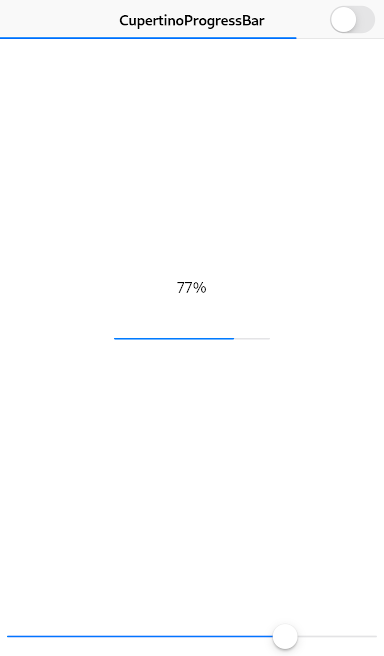 |
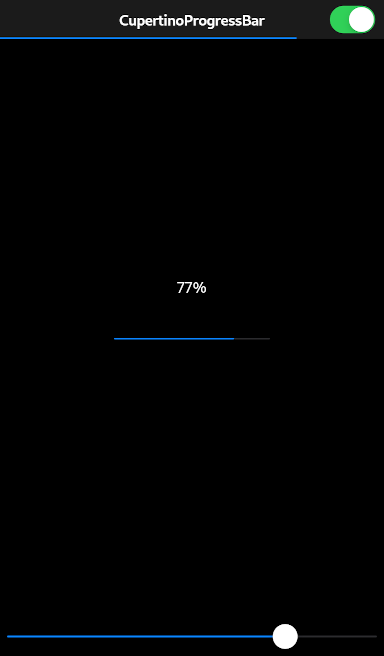 |
CupertinoProgressBar(
  value: 0.77,
)
Always report progress accurately. Don’t display inaccurate progress information just to make your app appear busy. Only use progress bars for tasks that are quantifiable. Otherwise, use an activity indicator.
Use progress bars for tasks with a well-defined duration. Progress bars are great for showing the status of a task, especially when it helps convey how much longer the task needs to complete.
Hide the unfilled portion of track in navigation bars and toolbars. By default, a progress bar’s track includes both filled and unfilled portions. When used in a navigation bar or toolbar, such as to denote a page loading, a progress bar should be configured to hide the unfilled portion of the track.
Consider customizing a progress bar’s appearance to match your app. A progress bar’s appearance can be adjusted to match your app’s design. You can specify, for example, a custom color for both the track and fill.
See also:
To use this package, add cupertino_progress_bar as a dependency in your pubspec.yaml file.
의존성 목록 2 개
{"sdk":"flutter"}{"sdk":"flutter"}사용 목적에 따라 검색하고 개발 활동을 비교한 뒤 원본 저장소에서 요구 사항을 확인하세요.
“A repository is the most basic element of GitHub.”
GitHub Docs — About repositories ↗