


 v0.1.2
pandabar
판다를 위한 세련된 하단 탐색 바. 판다바는 새로운 뉴모포닉 디자인 트렌드를 위해 설계되었습니다.
66좋아요 6430일 다운로드140Pub 점수
AndroidiOSWebmacOSWindowsLinux
kemalturk/panda-bar open-source repository details.

아래는 영문 원문 스냅샷입니다. 최신 내용은 GitHub에서 확인하세요.
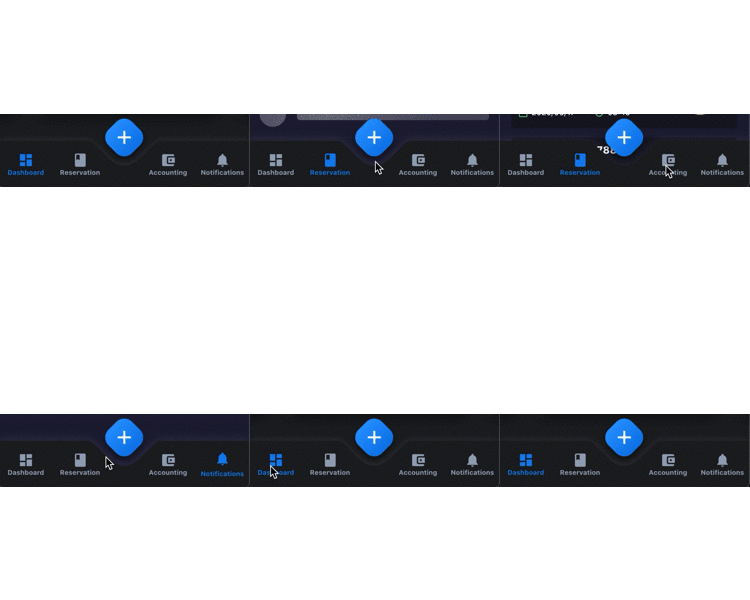
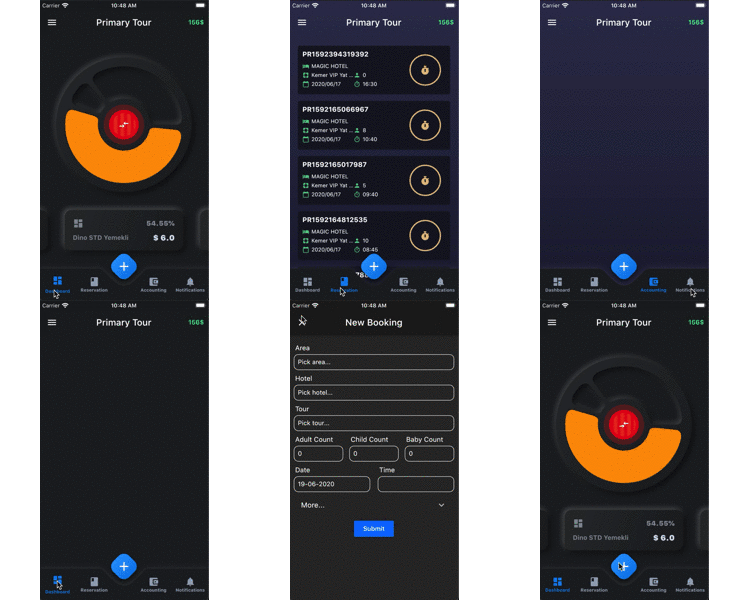
A fancy bottom navigation bar for pandas. Pandabar designed for new neumorphic design trend.
| Preview | PageView |
|---|---|
 |
 |
buttonColor - to change button colorbuttonSelectedColor - to change button selected colorbackgroundColor - the navigation bar's background colorbuttonData - navigation items, required more than one item and less than 5fabIcon - the navigation bar's fab button iconfabColors - the navigation bar's fab button gradient colorsonFabButtonPressed - required to listen fab button is pressedonChange - required to listen when a item is pressed it provide the selected item's idid - the id of this itemicon - the icon of this itemtitle - the title of this itemAdd the dependency in pubspec.yaml:
dependencies:
  ...
  pandabar: ^0.1.1
class HomePage extends StatefulWidget {
  @override
  _HomePageState createState() => _HomePageState();
}

class _HomePageState extends State<HomePage> {

  String page = 'Grey';

  @override
  Widget build(BuildContext context) {
    return Scaffold(
      extendBody: true,
      bottomNavigationBar: PandaBar(
        buttonData: [
          PandaBarButtonData(
            id: 'Grey',
            icon: Icons.dashboard,
            title: 'Grey'
          ),
          PandaBarButtonData(
            id: 'Blue',
            icon: Icons.book,
            title: 'Blue'
          ),
          PandaBarButtonData(
            id: 'Red',
            icon: Icons.account_balance_wallet,
            title: 'Red'
          ),
          PandaBarButtonData(
            id: 'Yellow',
            icon: Icons.notifications,
            title: 'Yellow'
          ),
        ],
        onChange: (id) {
          setState(() {
            page = id;
          });
        },
        onFabButtonPressed: () {

        },
      ),
      body: Builder(
        builder: (context) {

          switch (page) {
            case 'Grey':
              return Container(color: Colors.grey.shade900);
            case 'Blue':
              return Container(color: Colors.blue.shade900);
            case 'Red':
              return Container(color: Colors.red.shade900);
            case 'Yellow':
              return Container(color: Colors.yellow.shade700);
            default:
              return Container();

          }

        },
      ),
    );
  }
}
의존성 목록 2 개
{"sdk":"flutter"}{"sdk":"flutter"}사용 목적에 따라 검색하고 개발 활동을 비교한 뒤 원본 저장소에서 요구 사항을 확인하세요.
“A repository is the most basic element of GitHub.”
GitHub Docs — About repositories ↗