
v5.1.1
android_alarm_manager_plus
Android AlarmManager 서비스에 액세스하기 위한 Flutter 플러그인으로, 알람이 발생할 때 백그라운드에서 Dart 코드를 실행합니다.
616좋아요 1.6만30일 다운로드160Pub 점수
Android
사용자가 정의한 간격으로 알림/기억을 표시하는 간단한 마음챙김 기반 타이머

Android AlarmManager 서비스에 액세스하기 위한 Flutter 플러그인으로, 알람이 발생할 때 백그라운드에서 Dart 코드를 실행합니다.
 v2.0.7
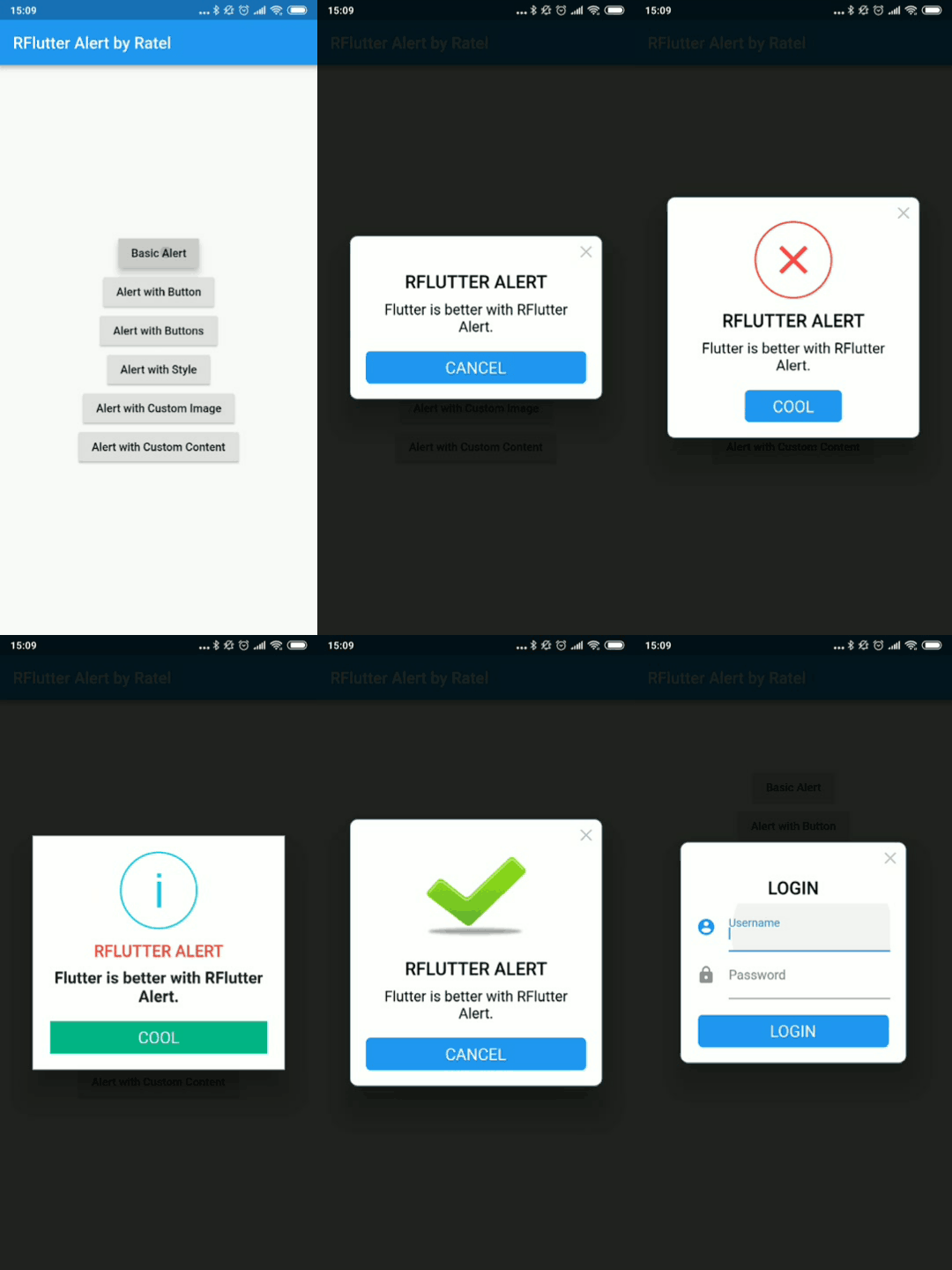
RFlutter Alert는 Flutter용으로 매우 사용자 정의가 가능하고 사용하기 쉬운 알림/팝업 대화상입니다. 재사용 가능한 알림 스타일을 만들거나 원하는 만큼 버튼을 추가할 수 있습니다.
 v8.1.0
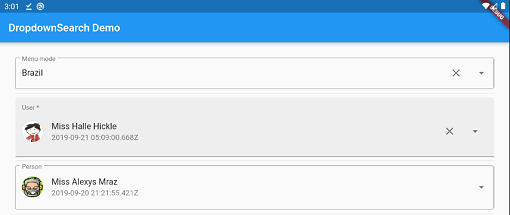
검색, 팝업 플랫폼, 비동기/동기 등 다양한 기능을 갖춘 간단하고 반응성 있으며 매우 사용자 정의 가능한 Flutter 드롭다운. 메뉴, 다이얼로그, 바텀시트 등의 여러 모드를 지원합니다.
날짜를 형식화하는 간단한 API입니다. 다양한 상수를 제공하여 날짜 형식 문자열을 만들 수 있습니다. 형식 문자열에 따라 날짜를 포맷하기 위해 `formatDate` 메서드를 사용하십시오.
Android용 장치의 사운드 모드를 관리하는 플러그인입니다. 이 플러그인은 Android API 24 이상에서 장치의 사운드 모드를 수정하기 위해 필요한 권한을 요청하는 것도 지원합니다.
운영 체제의 로컬 시간대를 가져오는 플러터 플러그인입니다.
앱을 최소화하는 데 사용할 수 있는 플러터 플러그인
{"sdk":"flutter"}^1.0.4^2.0.5^9.5.2^2.0.6^3.2.3^0.27.3^2.0.0^2.0.13^2.0.11^4.6.1^1.1.0^2.0.3^2.1.0^1.1.0^0.9.21^0.1.6+1^2.0.2^4.5.1^1.4.2^2.0.9^2.0.13^4.0.4^3.0.1^2.0.4^0.6.10^6.1.0^0.0.5^0.1.1^1.0.4{"sdk":"flutter"}아래는 영문 원문 스냅샷입니다. 최신 내용은 GitHub에서 확인하세요.
A mindfulness bell with configurable text notifications, schedules, and sound.
ARCHIVED: This repository is archived, there is a rewrite available at https://github.com/kmac/mindfulnotifier2
This app is a simple mindfulness-based timer which displays a notification/reminder at user-defined intervals. It is another take on a 'Mindfulness Bell', with the addition of accompanying text. The reminders are taken from a configurable list, and are chosen at random at a selected interval. The reminder interval can either be periodic (in intervals down to a 15 minute granularity) or random (between a selected range of minutes).
Some default reminders are provided as examples.
There are 5 bells included, and you can also configure a custom bell from your phone's local storage.
This app works very well in conjunction with a smartwatch. In this mode you can also mute the bell to have silent mindfulness prompts throughout your day.
The app is built using Flutter. It currently only runs on Android.
This app uses the following permissions:
ACCESS_NETWORK_STATE: Required by the library used to launch the github source code siteRECEIVE_BOOT_COMPLETED: Required by the underlying alarm service to restart after rebootWAKE_LOCK: Required by the underlying alarm service to wake up at the scheduled timeUSE_FULL_SCREEN_INTENT: Required to show app in foreground from the reminder notificationVIBRATE: Required to vibrate during notificationsSome phones will kill apps when running in the background after a relatively short period of time. Unfortunately, if your phone is killing the app then you will stop getting notifications. If this is happening, you must disable any 'battery optimization' settings for this app. This varies from phone-to-phone - generally you must go into the settings for the app on your phone and turn off any battery optimization. See https://dontkillmyapp.com/ for your phone type and android version for more information.
Bell 1: is from user 'steaq' via https://freesound.org/s/346328 and is licensed under the Creative Commons 0 License.
Bell 2: is from user 'itsallhappening' via https://freesound.org/people/itsallhappening/sounds/48795 and is licensed under the Creative Commons Sampling+ License
Bell 3: is from user 'suburban grilla' via https://freesound.org/people/suburban%20grilla/sounds/2166 and is licensed under the Creative Commons Sampling+ License
Bell 4: is from user 'kerri' via https://freesound.org/people/kerri/sounds/27421/ and is licensed under the Creative Commons Attribution License
Bell 5: is from user 'dobroide' via https://freesound.org/people/dobroide/sounds/436976/ and is licensed under the Creative Commons Attribution License
This app provides basic backup and restore functionality for the customized reminder list. Reminders can exported to a file (in JSON format), which can then be restored on this device, or another device. Note that if you ever uninstall the app, you will lose all of your customized reminders, so you may want to take a backup before uninstalling.
On export, the app saves a file called Mindful Notifier-reminders-<date>.json in the app's external storage directory, which is located in
your devices internal storage in the folder <Internal Storage>/Android/data/com.kmac5dev.mindfulnotifier/files. It also offers you a
chance to 'share' the file via the standard Android share menu (i.e. copy it to another location on your device, to Google Drive, to
Dropbox, etc).
The 'share' step is important if:
You can also use a file browser to access the <Internal Storage>/Android/data/com.kmac5dev.mindfulnotifier/files location.
Note: the exported file is a 'json' text file. It is possible to edit the contents, but if you mess it up that's on you ;-).
The import operation allows you to choose an exported backup file using the system's file chooser. The reminders will be restored from this file. You should then restart the app, and re-enable the reminder service.
Note: Previous 'backup/restore' functionality used a different file format. If you have an older backup file (named like
Mindful Notifier-backup-<date>.json), you can still import this file. The reminders will be pulled from it; however, the other settings in the file will not be restored.
This software is posted in the spirit of open-source software. I have created this app to fulfill my personal requirements, and I am sharing it in case others may find it useful as well. That said, my time is limited, and my approach to support is very much that I am happy if it works for me. I will try to help if you are having issues, but I just don't have the time to add every desired new feature or troubleshoot issues on hardware environments that I don't have access to.
I will consider pull requests for new features, and will always welcome bug fixes!
This project is licensed under the terms of the GNU General Public License v3.0.