

 v2.1.0
flutter_custom_clippers
다양한 사용자 정의 모양을 달성하는 데 도움이 되는 사용자 정의 클리퍼를 제공하는 Flutter 패키지입니다.
786좋아요 1.8만30일 다운로드145Pub 점수
AndroidiOSWebmacOSWindowsLinux
다양한 사용자 정의 모양을 달성하는 데 도움이 되는 사용자 정의 클리퍼를 제공하는 Flutter 패키지입니다.

아래는 영문 원문 스냅샷입니다. 최신 내용은 GitHub에서 확인하세요.
Flutter package that provides you custom clippers to help you achieve various custom shapes.

To use this plugin, add flutter_custom_clippers as a dependency in your pubspec.yaml file.
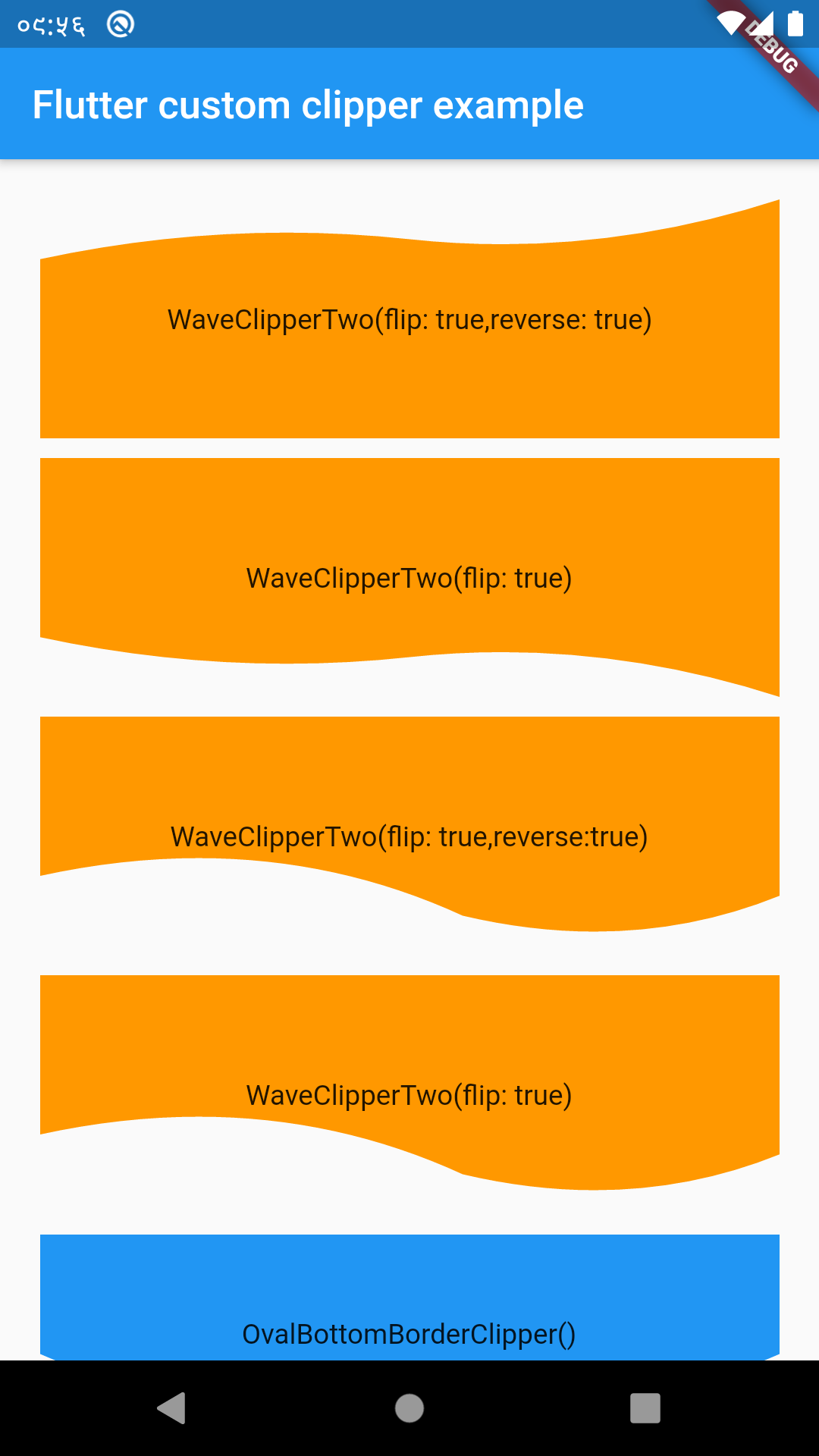
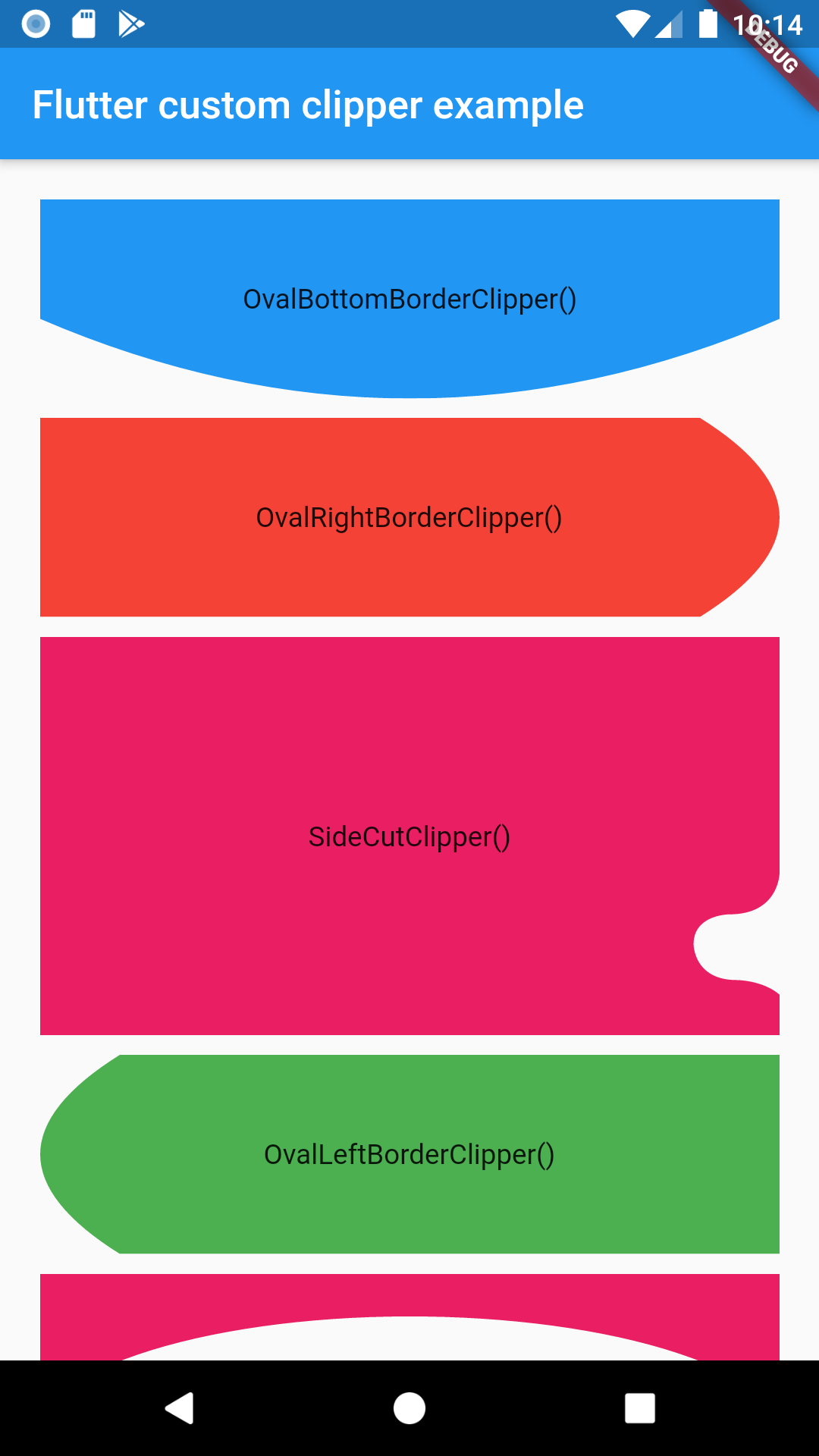
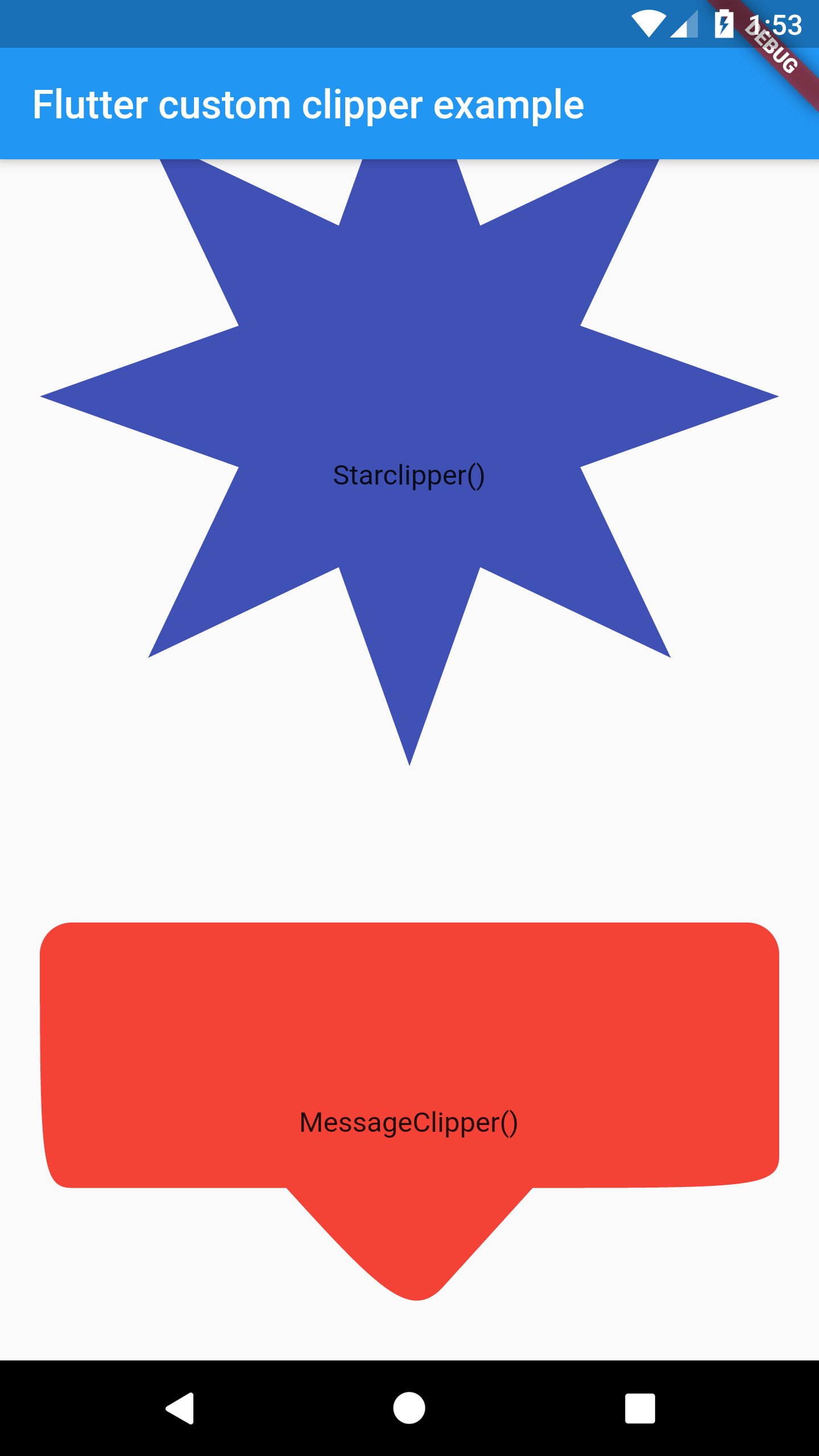
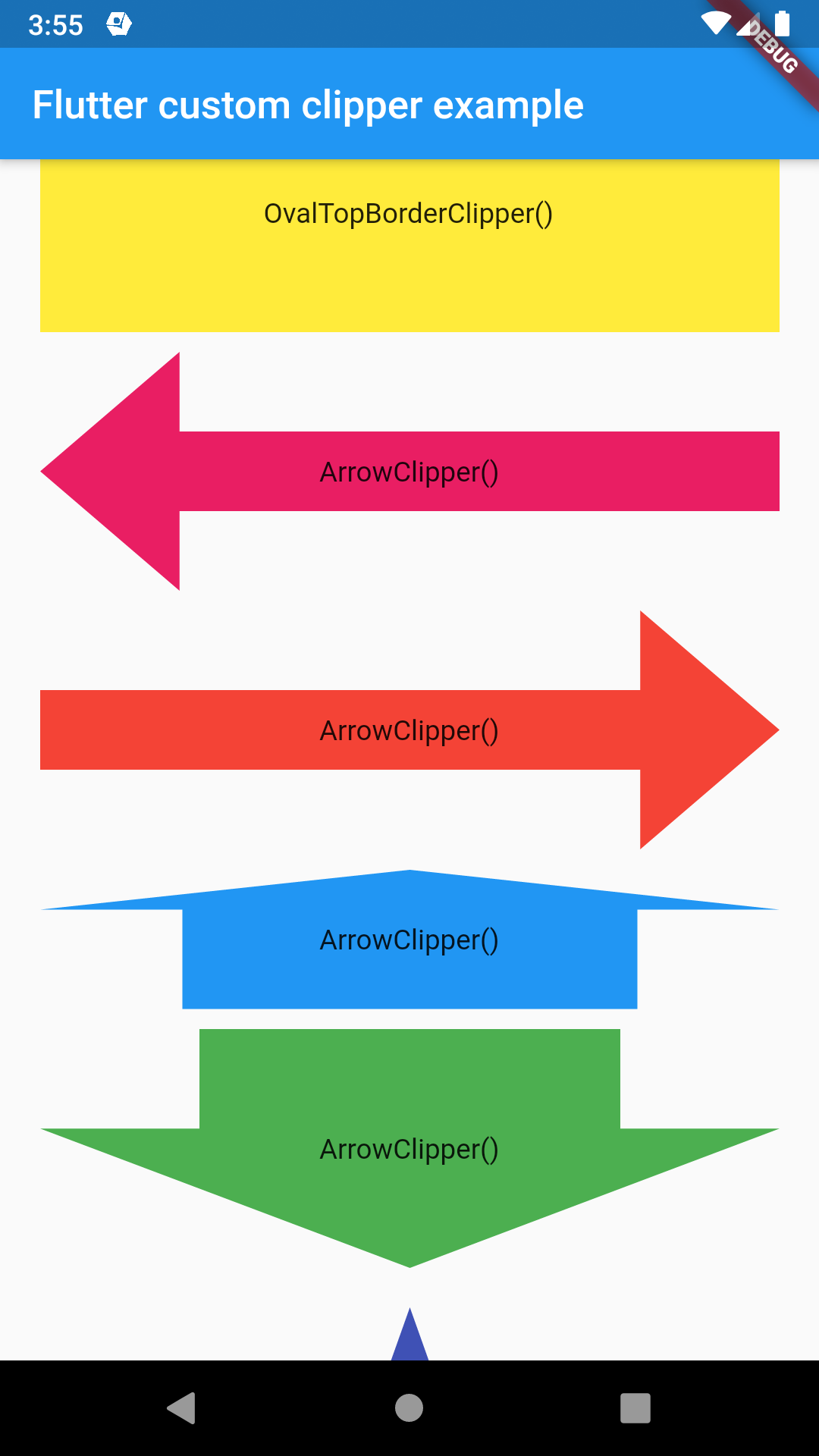
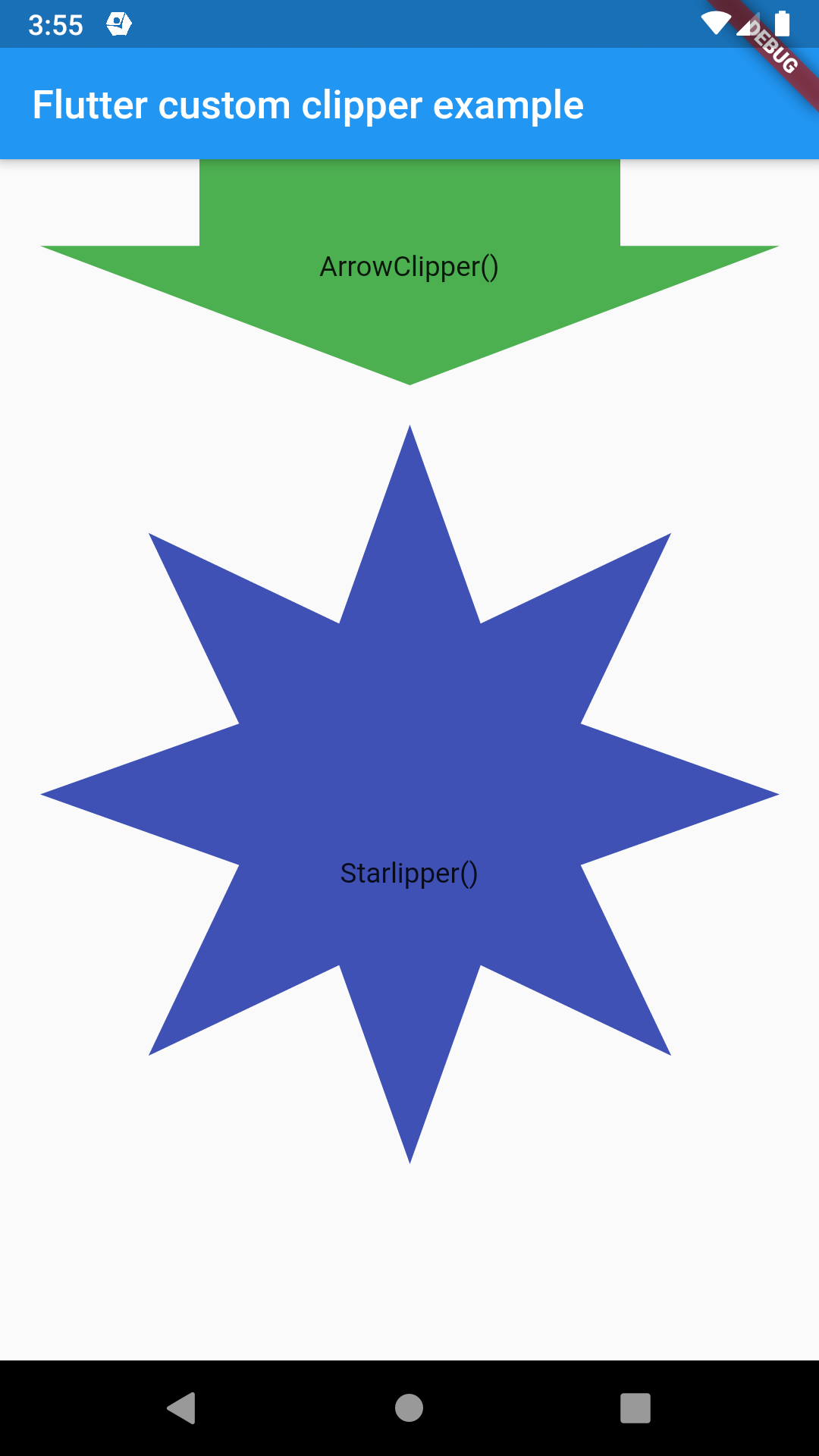
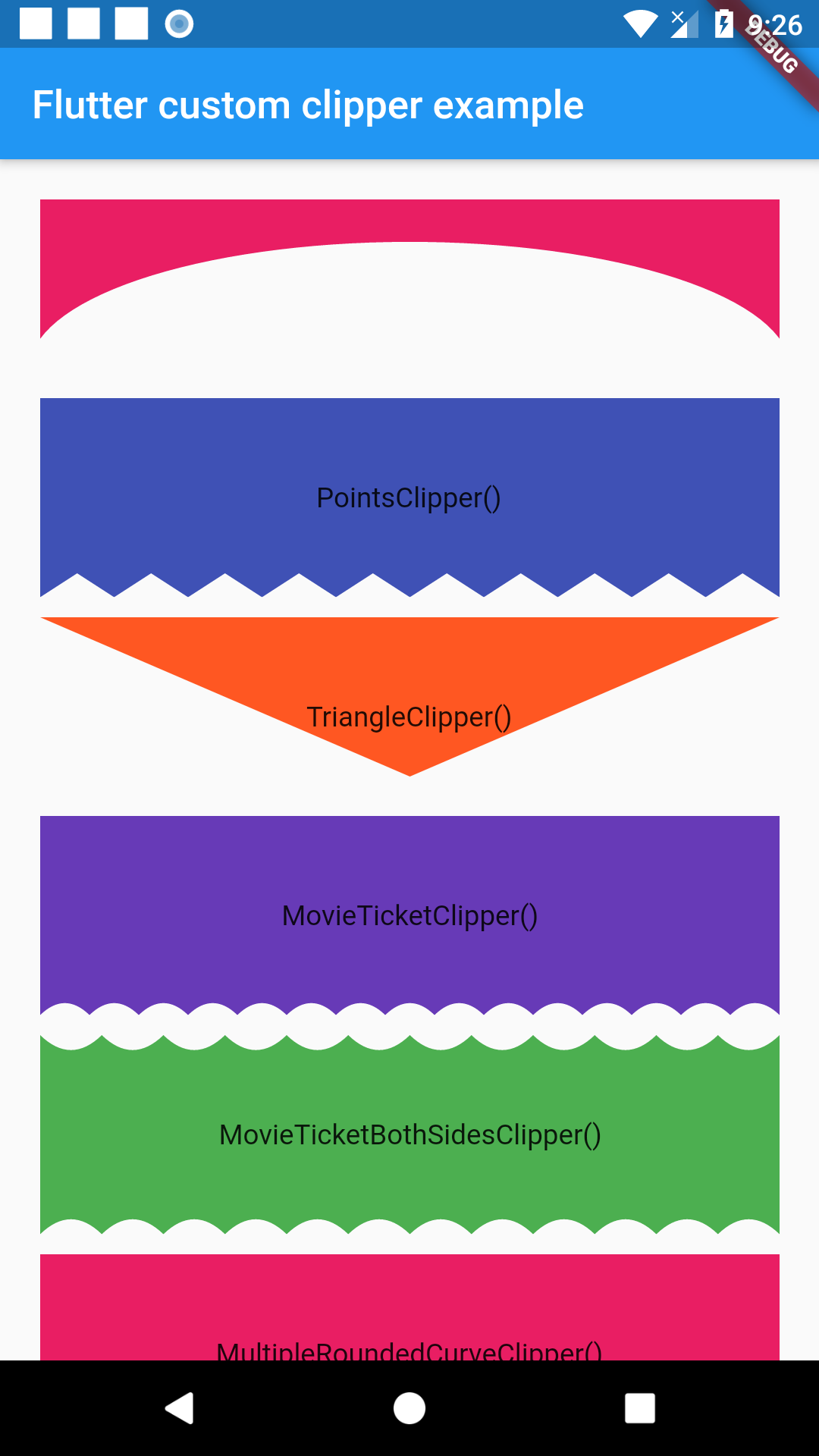
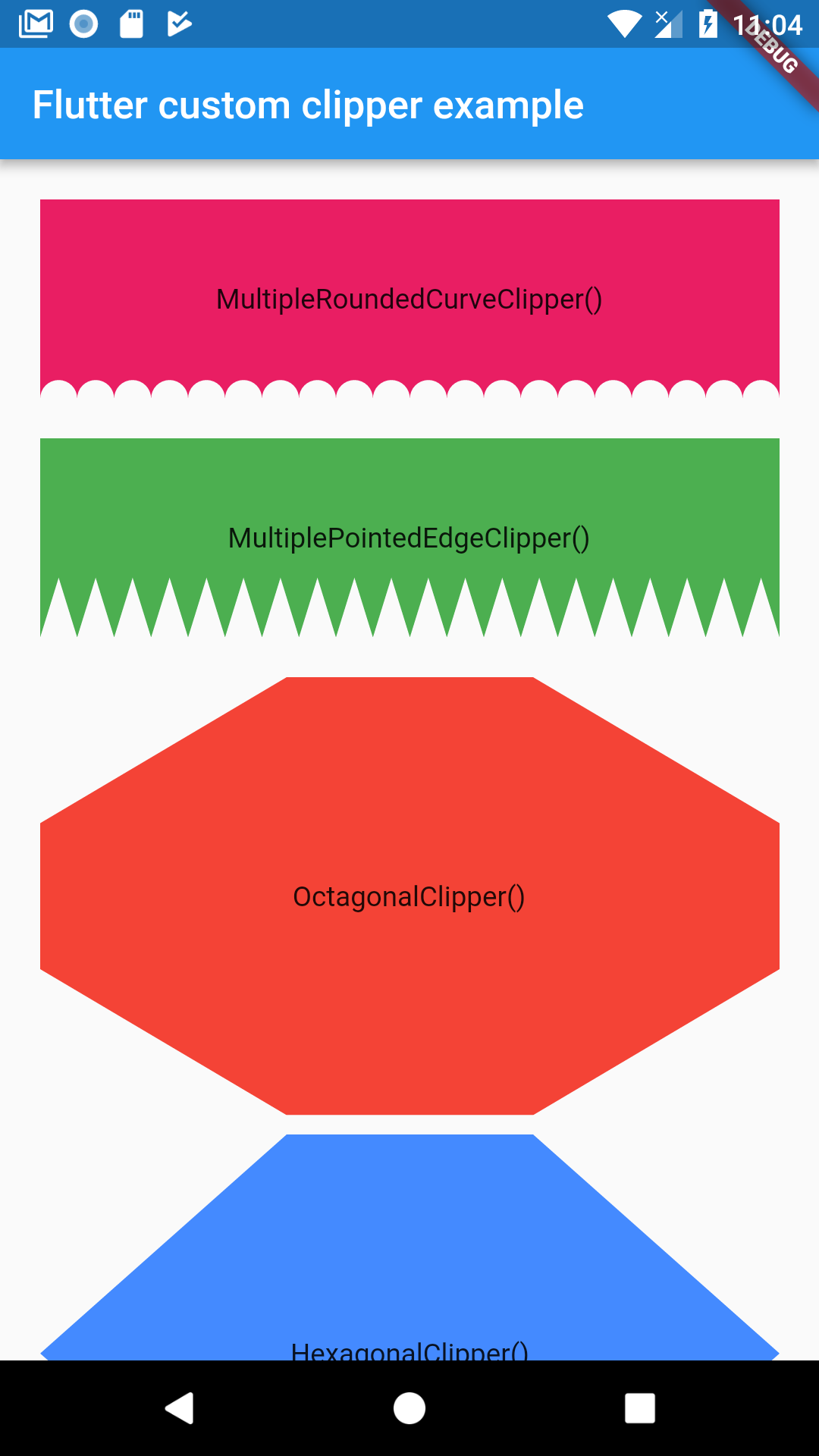
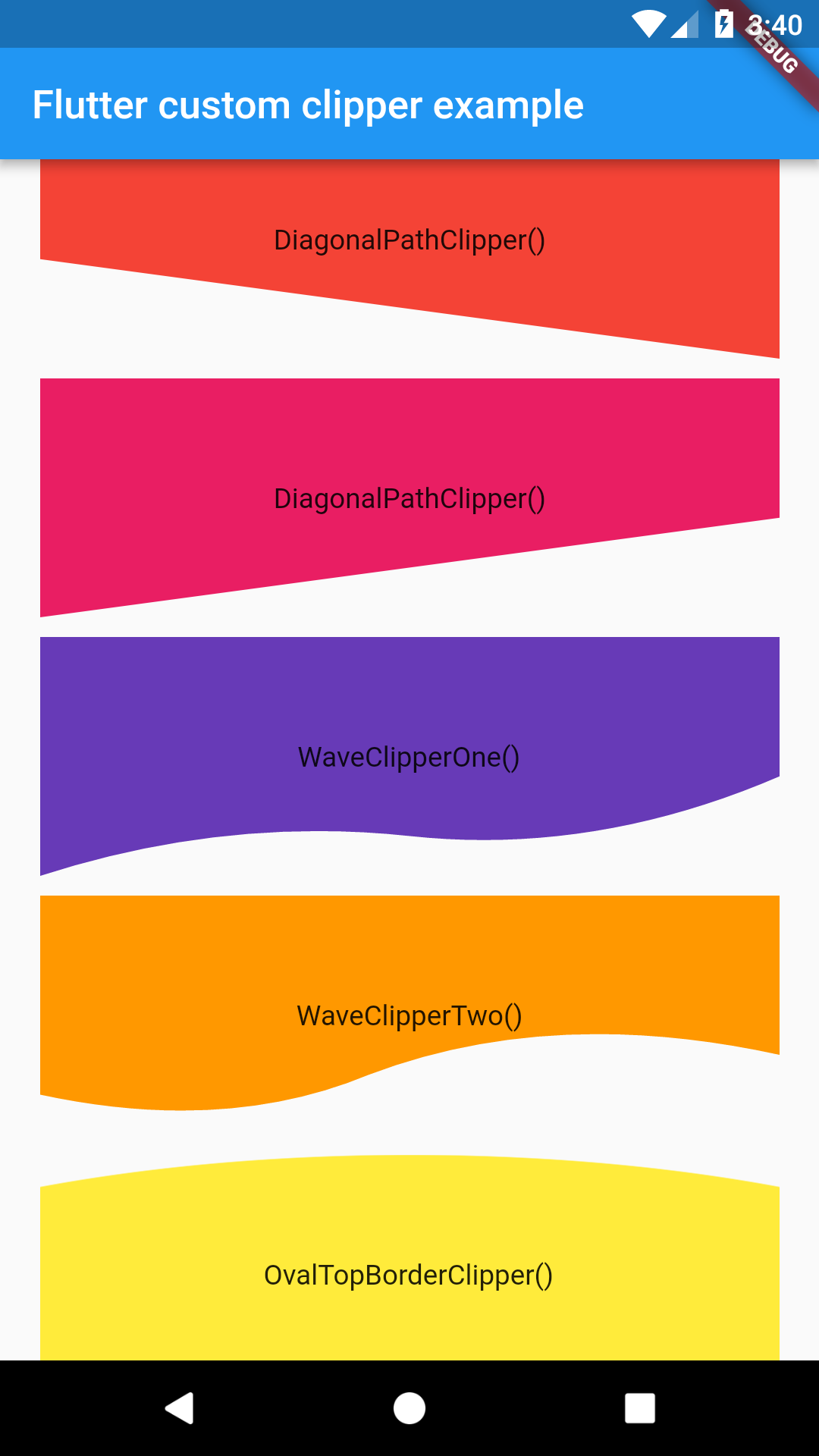
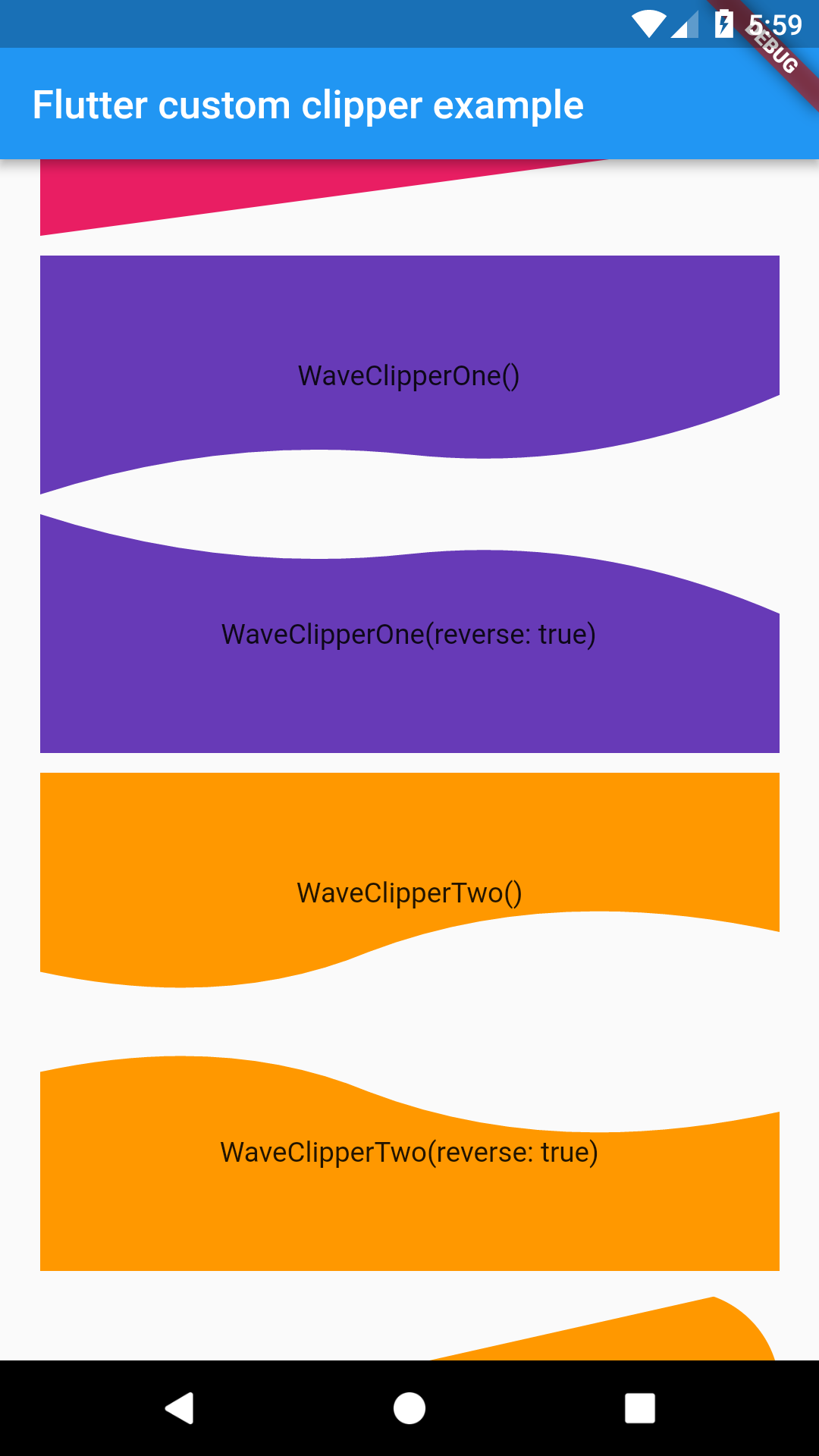
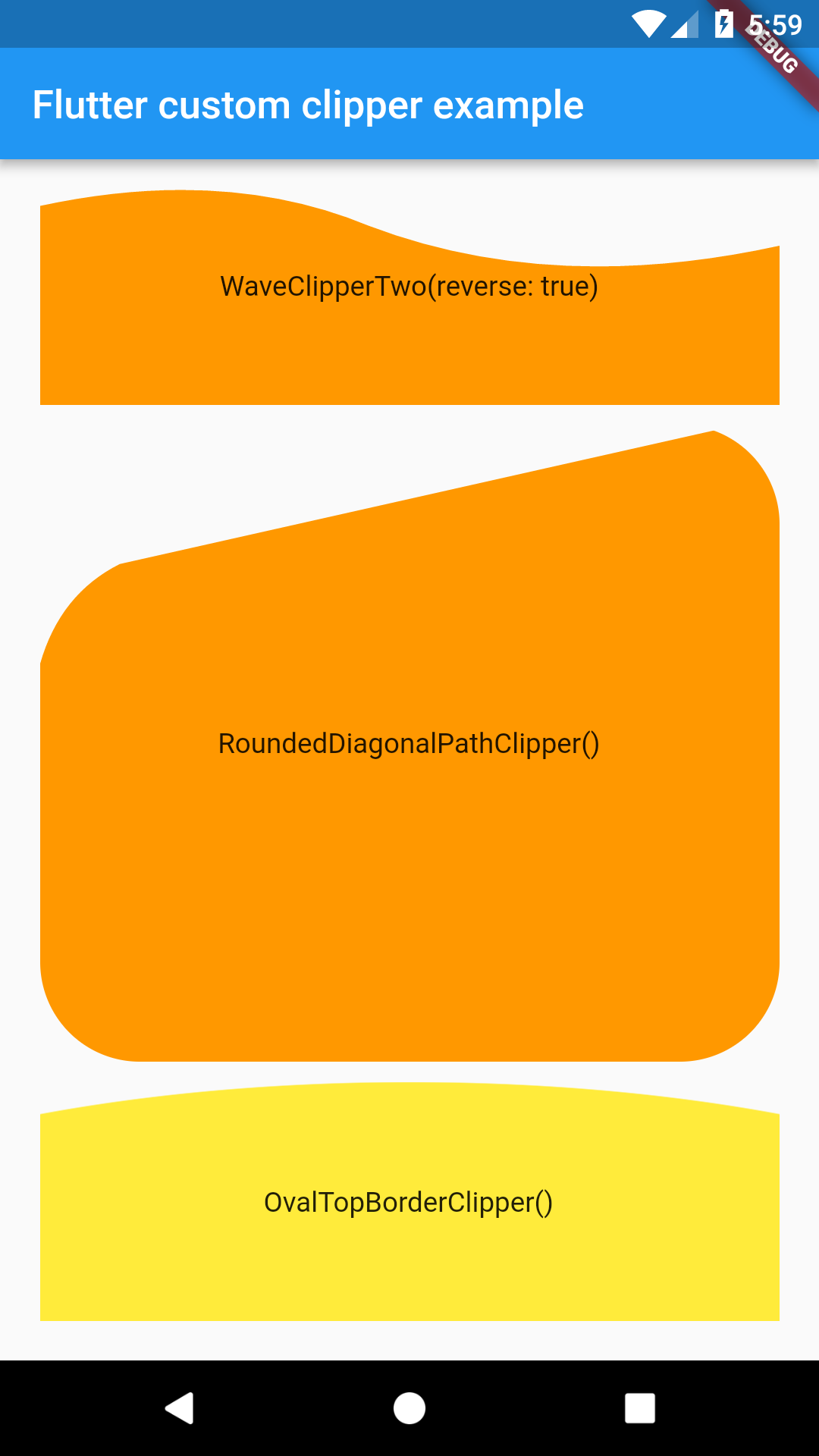
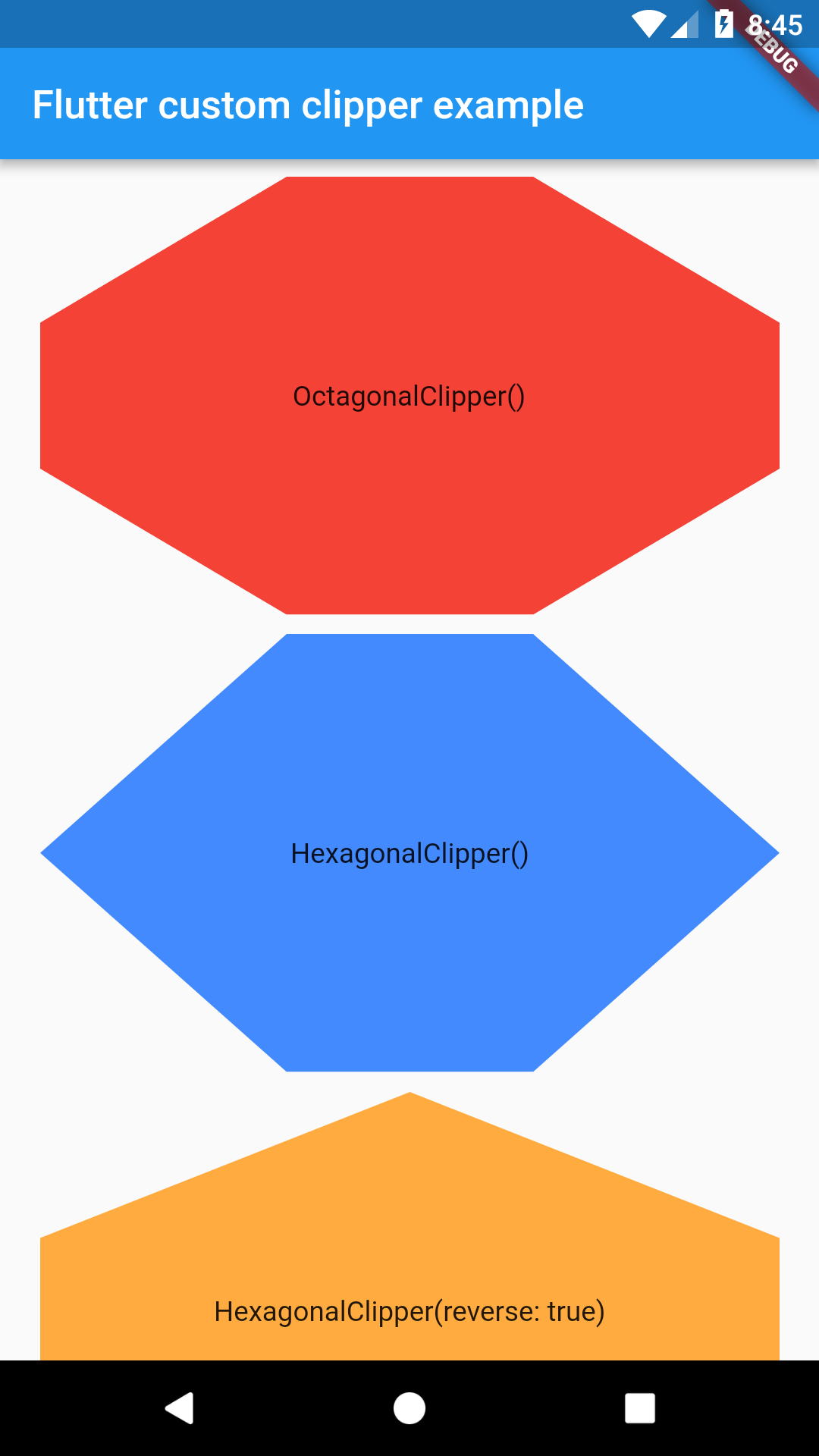
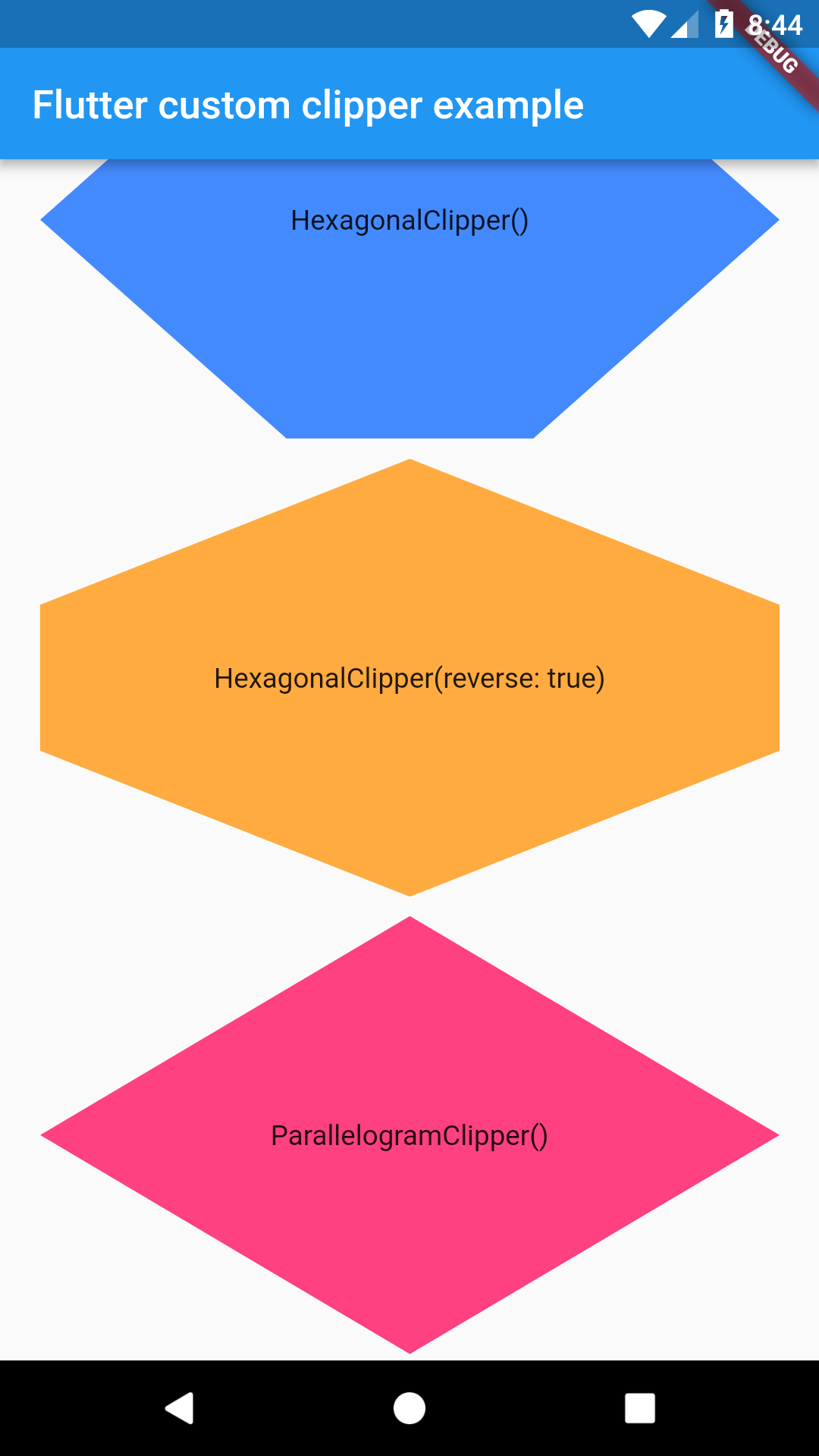
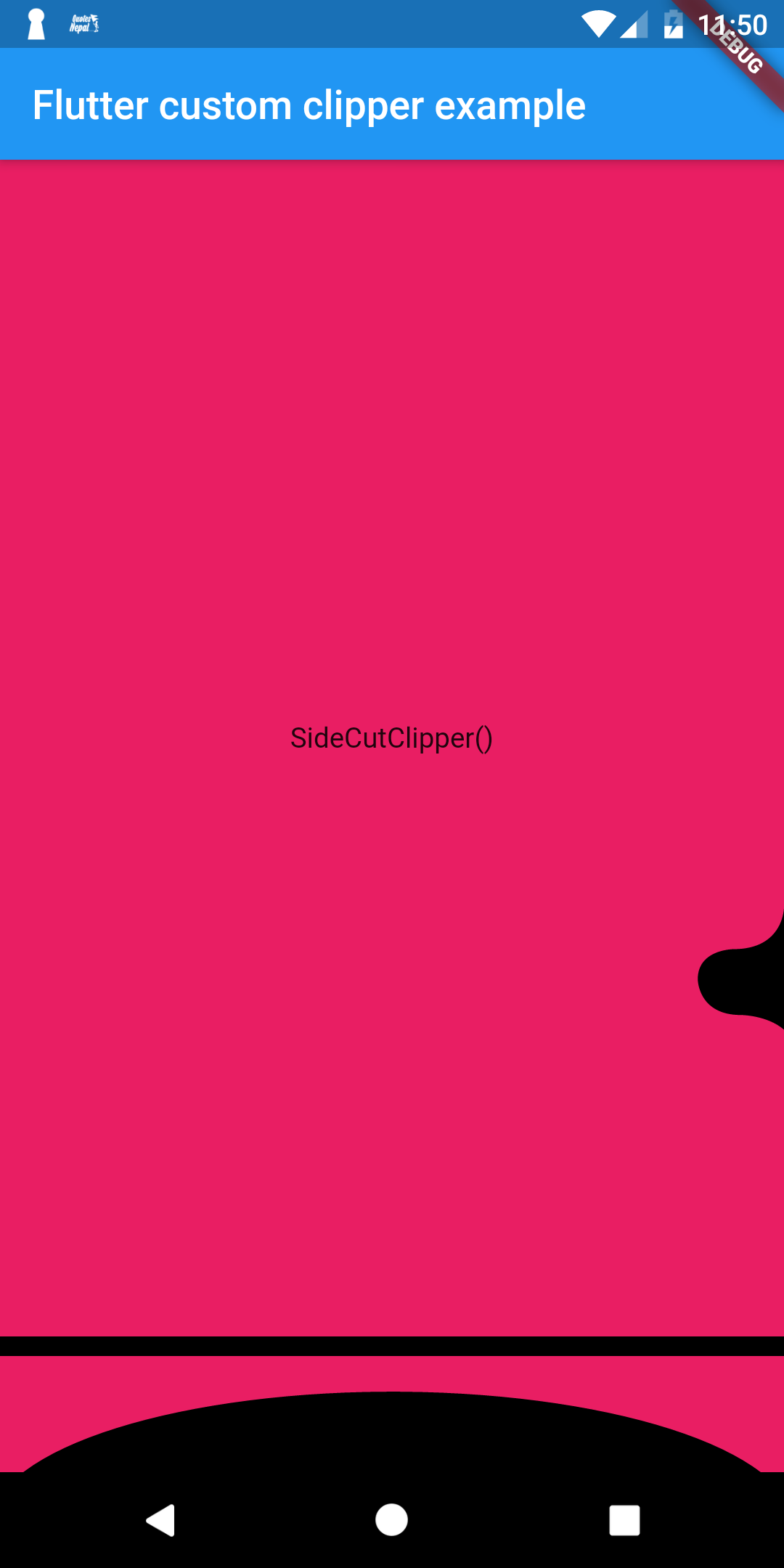

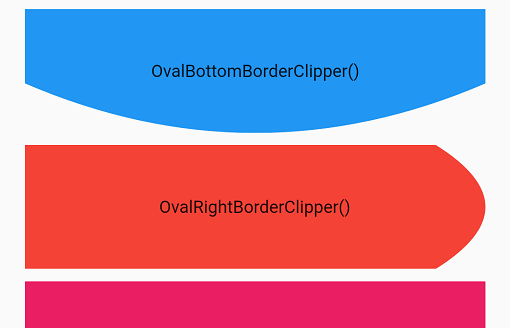
import 'package:flutter/material.dart';
import 'package:flutter_custom_clippers/flutter_custom_clippers.dart';

void main() => runApp(MyApp());

class MyApp extends StatelessWidget {
  @override
  Widget build(BuildContext context) {
    return MaterialApp(
      home: HomeScreen(),
    );
  }
}

class HomeScreen extends StatelessWidget {
  @override
  Widget build(BuildContext context) {
    return Scaffold(
      appBar: AppBar(
        title: Text("Flutter custom clipper example"),
      ),
      body: ListView(
        padding: EdgeInsets.all(20.0),
        children: <Widget>[
           ClipPath(
            clipper: SideCutClipper(),
            child: Container(
              height: 600,
              width: 500  ,
              color: Colors.pink,
              child: Center(child: Text("SideCutClipper()")),
            ),
          ),
          ClipPath(
            clipper: MultipleRoundedCurveClipper(),
            child: Container(
              height: 100,
              color: Colors.pink,
              child: Center(child: Text("MultipleRoundedCurveClipper()")),
            ),
          ),
          SizedBox(height: 20.0,),
          ClipPath(
            clipper: MultiplePointedEdgeClipper(),
            child: Container(
              height: 100,
              color: Colors.green,
              child: Center(child: Text("MultiplePointedEdgeClipper()")),
            ),
          ),
          SizedBox(height: 20.0,),
          ClipPath(
            clipper: OctagonalClipper(),
            child: Container(
              height: 220,
              color: Colors.red,
              child: Center(child: Text("OctagonalClipper()")),
            ),
          ),
          SizedBox(height: 10.0,),
          ClipPath(
            clipper: HexagonalClipper(),
            child: Container(
              height: 220,
              color: Colors.blueAccent,
              child: Center(child: Text("HexagonalClipper()")),
            ),
          ),
          SizedBox(height: 10.0,),
          ClipPath(
            clipper: HexagonalClipper(reverse: true),
            child: Container(
              height: 220,
              color: Colors.orangeAccent,
              child: Center(child: Text("HexagonalClipper(reverse: true)")),
            ),
          ),
          SizedBox(height: 10.0,),
          ClipPath(
            clipper: ParallelogramClipper(),
            child: Container(
              height: 220,
              color: Colors.pinkAccent,
              child: Center(child: Text("ParallelogramClipper()")),
            ),
          ),
          SizedBox(height: 10.0,),
          ClipPath(
            clipper: DiagonalPathClipperOne(),
            child: Container(
              height: 120,
              color: Colors.red,
              child: Center(child: Text("DiagonalPathClipper()")),
            ),
          ),
          SizedBox(height: 10.0,),
          ClipPath(
            clipper: DiagonalPathClipperTwo(),
            child: Container(
              height: 120,
              color: Colors.pink,
              child: Center(child: Text("DiagonalPathClipper()")),
            ),
          ),
          SizedBox(height: 10.0,),
          ClipPath(
            clipper: WaveClipperOne(),
            child: Container(
              height: 120,
              color: Colors.deepPurple,
              child: Center(child: Text("WaveClipperOne()")),
            ),
          ),
          SizedBox(height: 10.0,),
          ClipPath(
            clipper: WaveClipperOne(reverse: true),
            child: Container(
              height: 120,
              color: Colors.deepPurple,
              child: Center(child: Text("WaveClipperOne(reverse: true)")),
            ),
          ),
          SizedBox(height: 10.0,),
          ClipPath(
            clipper: WaveClipperTwo(),
            child: Container(
              height: 120,
              color: Colors.orange,
              child: Center(child: Text("WaveClipperTwo()")),
            ),
          ),
          SizedBox(height: 10.0,),
          ClipPath(
            clipper: WaveClipperTwo(reverse: true),
            child: Container(
              height: 120,
              color: Colors.orange,
              child: Center(child: Text("WaveClipperTwo(reverse: true)")),
            ),
          ),
          SizedBox(height: 10.0,),
          ClipPath(
            clipper: RoundedDiagonalPathClipper(),
            child: Container(
              height: 320,
              decoration: BoxDecoration(
                borderRadius: BorderRadius.all(Radius.circular(50.0)),
                color: Colors.orange,
              ),
              child: Center(child: Text("RoundedDiagonalPathClipper()")),
            ),
          ),
          SizedBox(height: 10.0,),
          ClipOval(
            clipper: OvalTopBorderClipper(),
            child: Container(
              height: 120,
              color: Colors.yellow,
              child: Center(child: Text("OvalTopBorderClipper()")),
            ),
          ),
            SizedBox(
            height: 10,
          ),
          ClipPath(
            clipper: ArrowClipper(70, 80, Edge.BOTTOM),
            child: Container(
              height: 120,
              color: Colors.green,
              child: Center(child: Text("ArrowClipper()")),
            ),
          ),
          SizedBox(
            height: 10,
          ),
          ClipPath(
            clipper: StarClipper(8),
            child: Container(
              height: 450,
              color: Colors.indigo,
              child: Center(child: Text("Starlipper()")),
            ),
          ),
           ClipPath(
            clipper: MessageClipper(borderRadius: 16),
            child: Container(
              height: 200,
              decoration: BoxDecoration(
                borderRadius: BorderRadius.all(Radius.circular(16.0)),
                color: Colors.red,
              ),
              child: Center(child: Text("MessageClipper()")),
            ),
          ),
           SizedBox(height: 20),
          ClipPath(
            clipper: WavyCircleClipper(32),
            child: Container(
              width: 400,
              height: 400,
              color: Colors.purple,
              child: const Center(child: Text("WavyCircleClipper()")),
            ),
          ),
        ],
      ),
    );
  }
}
On latest update few clippers were added from Flutter Clipper Experiments repository.
의존성 목록 1 개
{"sdk":"flutter"}사용 목적에 따라 검색하고 개발 활동을 비교한 뒤 원본 저장소에서 요구 사항을 확인하세요.
“A repository is the most basic element of GitHub.”
GitHub Docs — About repositories ↗