

 v0.3.0
flutter_file_info
파일 유형에 따라 할당된 네이티브 아이콘을 포함하여 세부 파일 메타데이터를 검색하는 Flutter 플러그인입니다.
11좋아요 23330일 다운로드130Pub 점수
AndroidiOSmacOSWindows
파일 유형에 따라 할당된 네이티브 아이콘을 포함하여 세부 파일 메타데이터를 검색하는 Flutter 플러그인입니다.

아래는 영문 원문 스냅샷입니다. 최신 내용은 GitHub에서 확인하세요.



A Flutter plugin for retrieving detailed file metadata, including system-native file icons. You can retrieve the native icon assigned to a file based on its type, ensuring a consistent visual representation across platforms. Perfect for applications that require access to file details and icons.
| API | Android | iOS | Linux | macOS | Windows | Web |
|---|---|---|---|---|---|---|
| getFileIconInfo() | :heavy_check_mark: | :heavy_check_mark: | :x: | :heavy_check_mark: | :heavy_check_mark: | :x: |
| getFileInfo() | :heavy_check_mark: | :heavy_check_mark: | :x: | :heavy_check_mark: | :heavy_check_mark: | :x: |
This plugin requires a minimum iOS deployment target of 13.0. Ensure that your project is configured correctly by following these steps:
Update the Podfile
In the ios/Podfile file, set the deployment target:
platform :ios, '13.0'
After making this change, run:
cd ios && pod install
Update Xcode Project Settings
These steps ensure that your project is compatible with the required iOS version.
Quick simple usage example:
IconInfo? iconInfo = await FileInfo.instance.getFileIconInfo('path/to/example/file.txt');

Widget _buildFileIcon() {
    if (iconInfo == null) return const SizedBox.shrink();
    return Image.memory(
      iconInfo!.pixelData,
      width: iconInfo!.width.toDouble(),
      height: iconInfo!.height.toDouble(),
    );
  }
FileMetadata? fileMetadata = await FileInfo.instance.getFileInfo('path/to/example/file.txt');

if (fileMetadata != null) {
    print(fileMetadata.fileName);                    // Output: file.txt
    print(fileMetadata.fileExtension);               // Output: txt
    print(fileMetadata.fileType);                    // Output: TextDocument
    print(fileMetadata.creationTime?.toString());    // Output: 2024-08-01 17:16:26.500018
    // ...
}
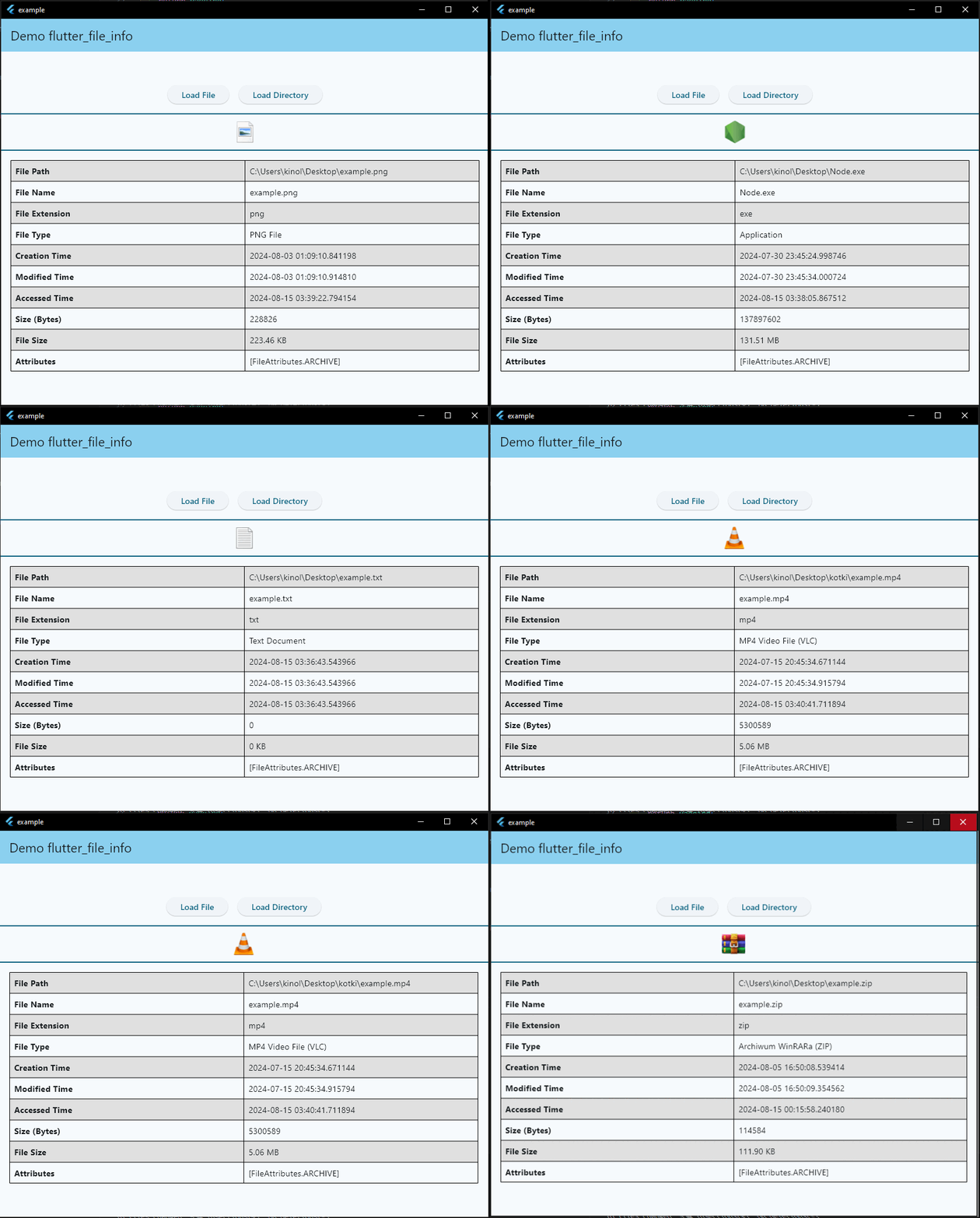
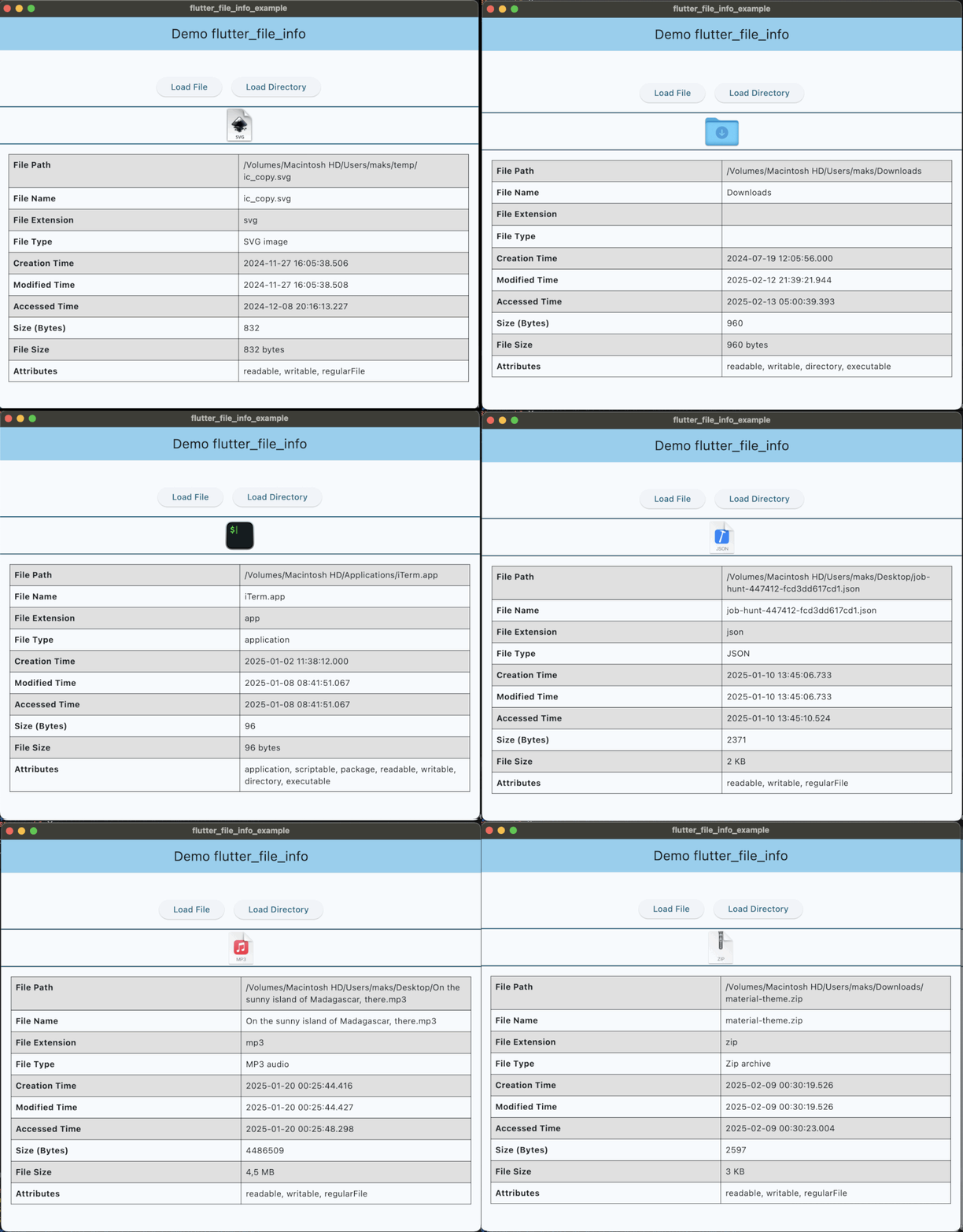
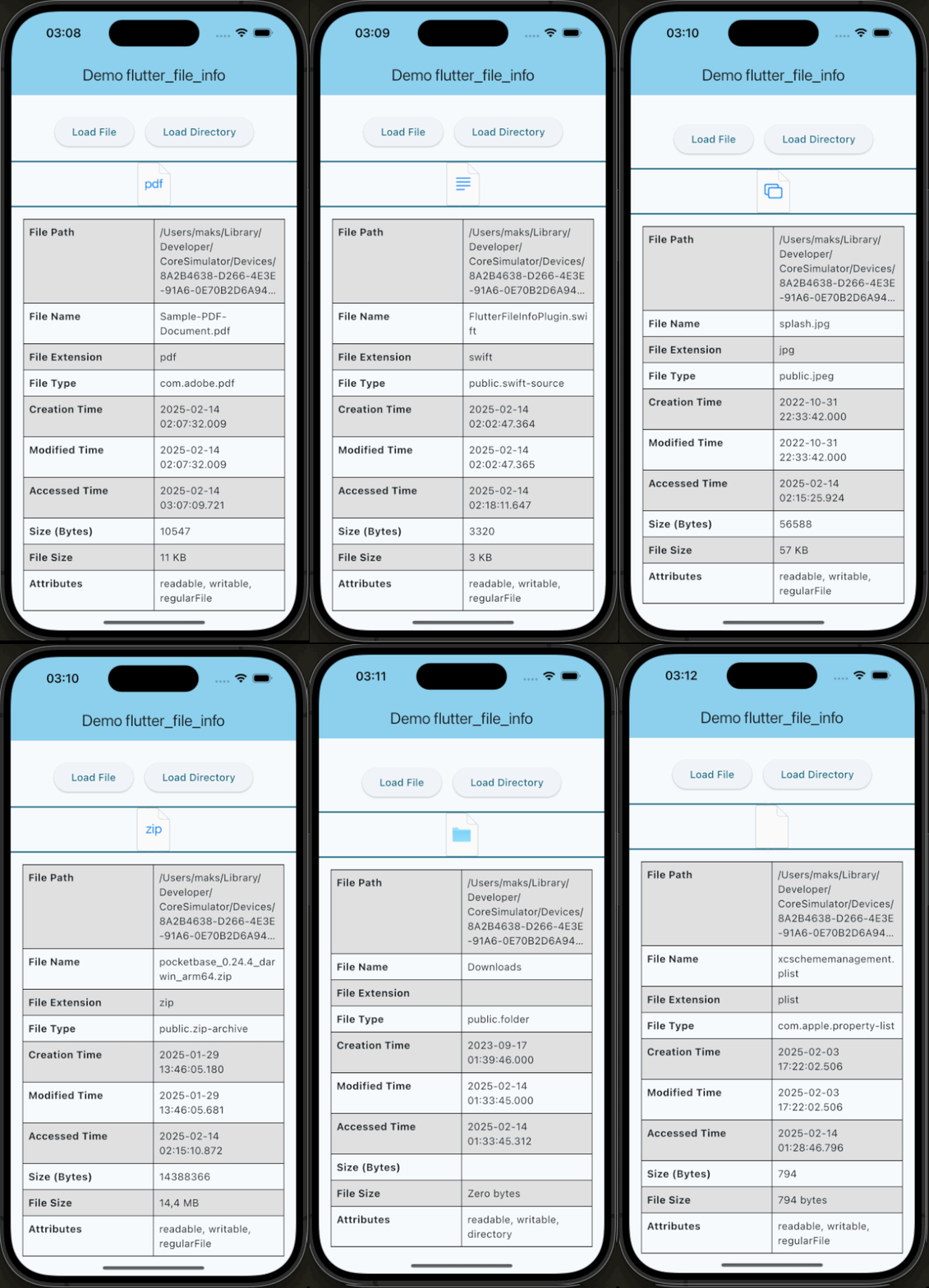
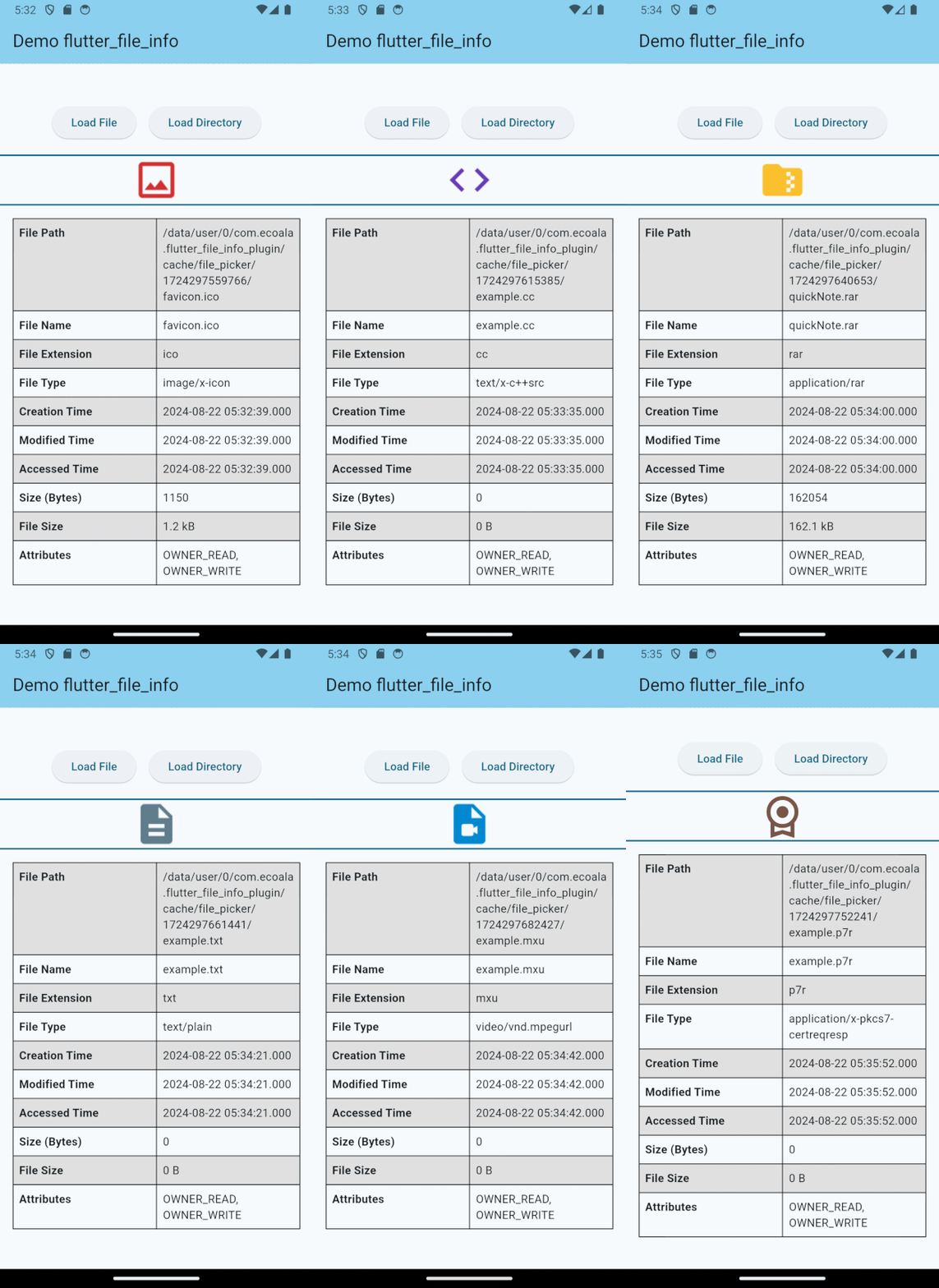
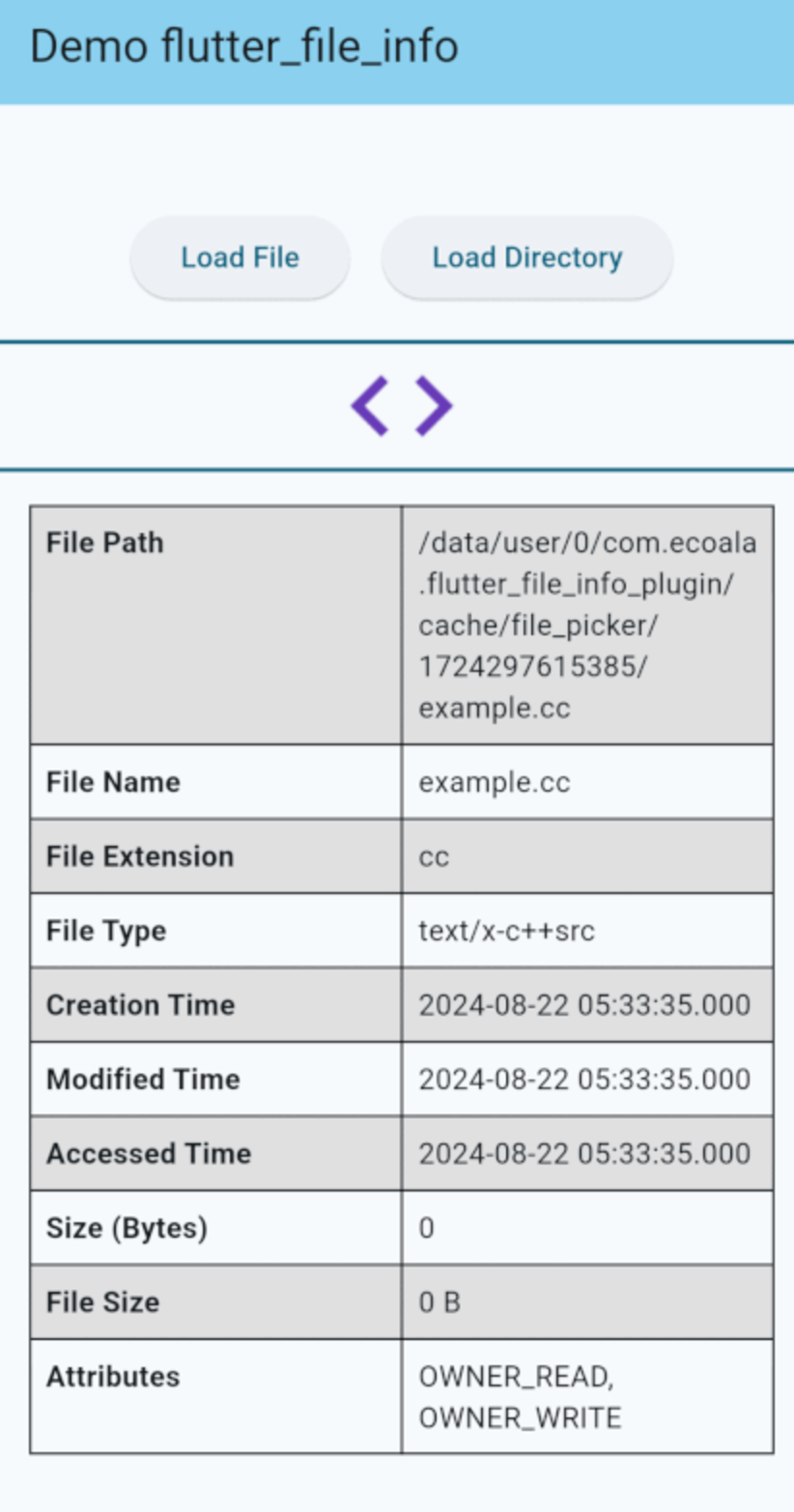
If you would like to contribute to the development of this plugin, please fork the repository and submit a pull request. For detailed contribution guidelines, please refer to the CONTRIBUTING.md file.
This plugin is licensed under the MIT License.
의존성 목록 10 개
{"sdk":"flutter"}^2.0.2^2.0.5^2.1.3^4.2.0^5.5.4{"sdk":"flutter"}^3.0.0^5.4.4^2.4.11사용 목적에 따라 검색하고 개발 활동을 비교한 뒤 원본 저장소에서 요구 사항을 확인하세요.
“A repository is the most basic element of GitHub.”
GitHub Docs — About repositories ↗