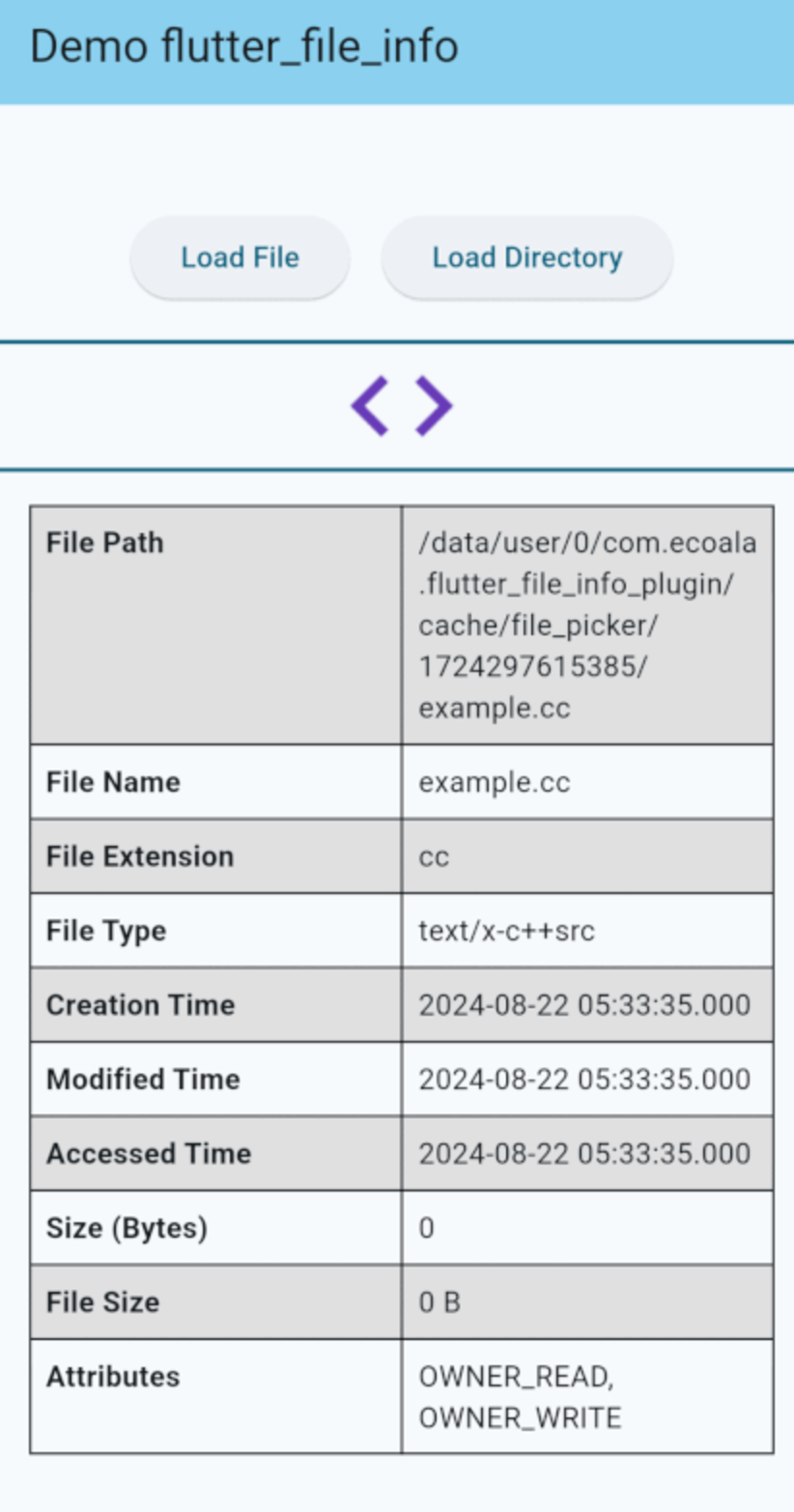
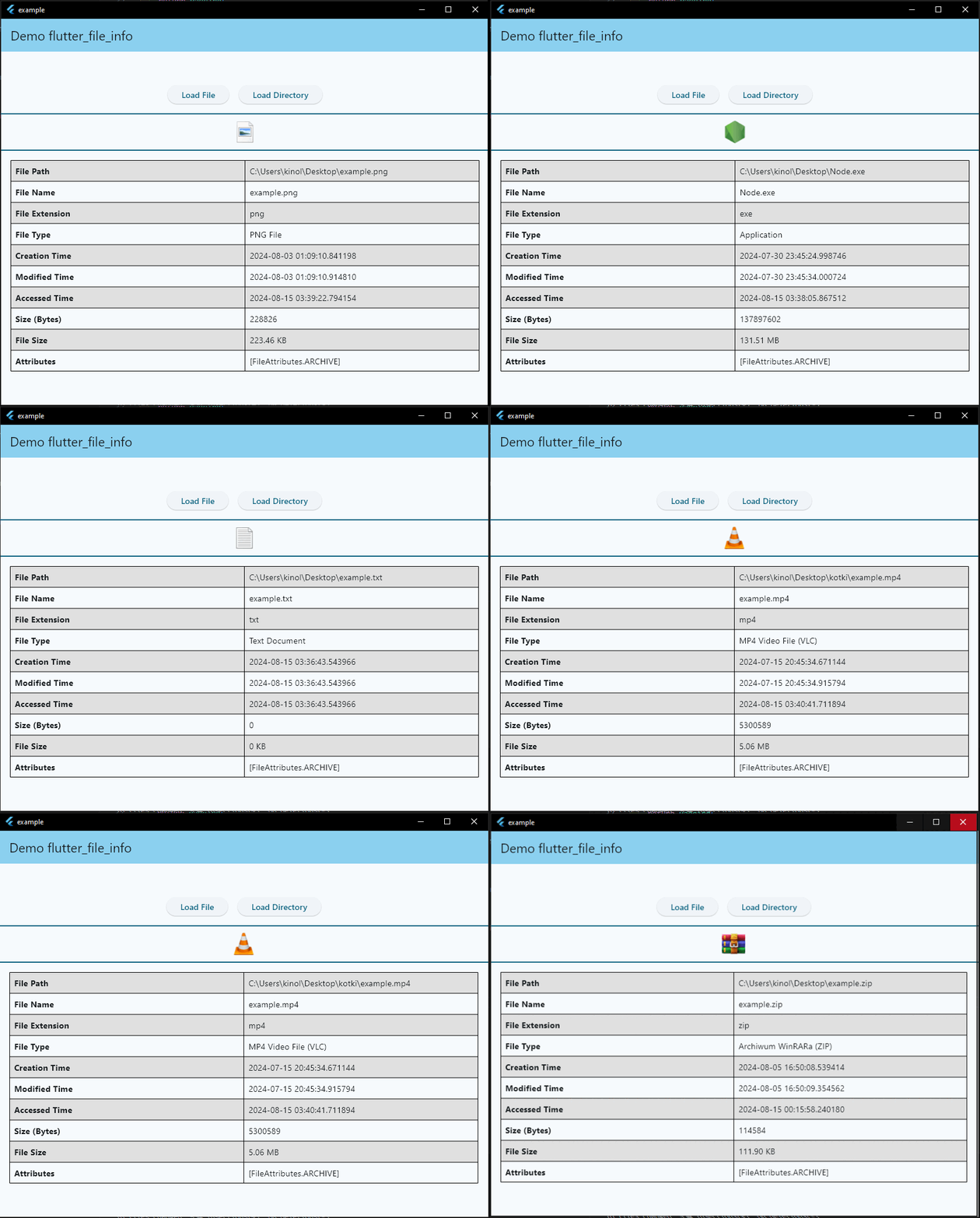
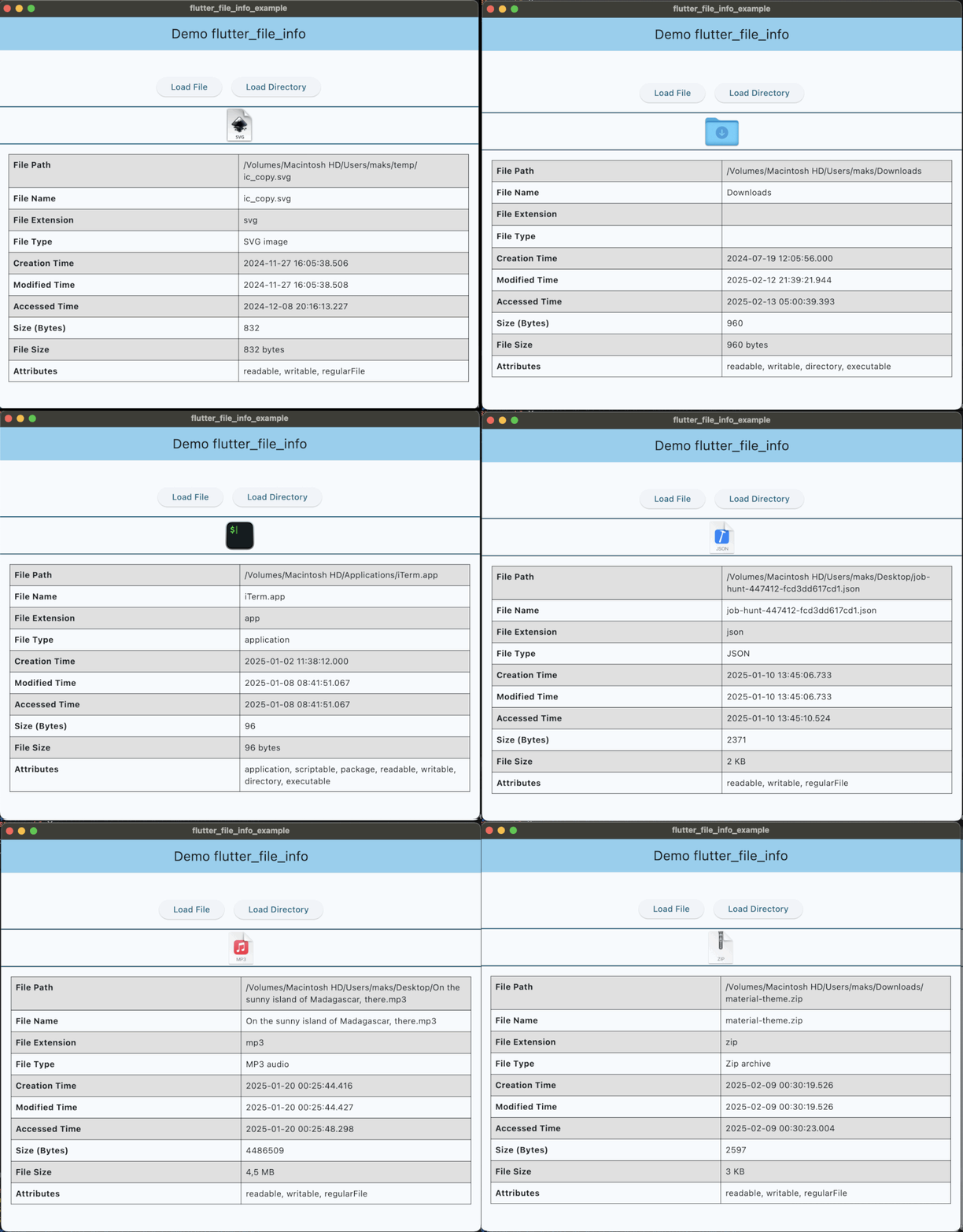
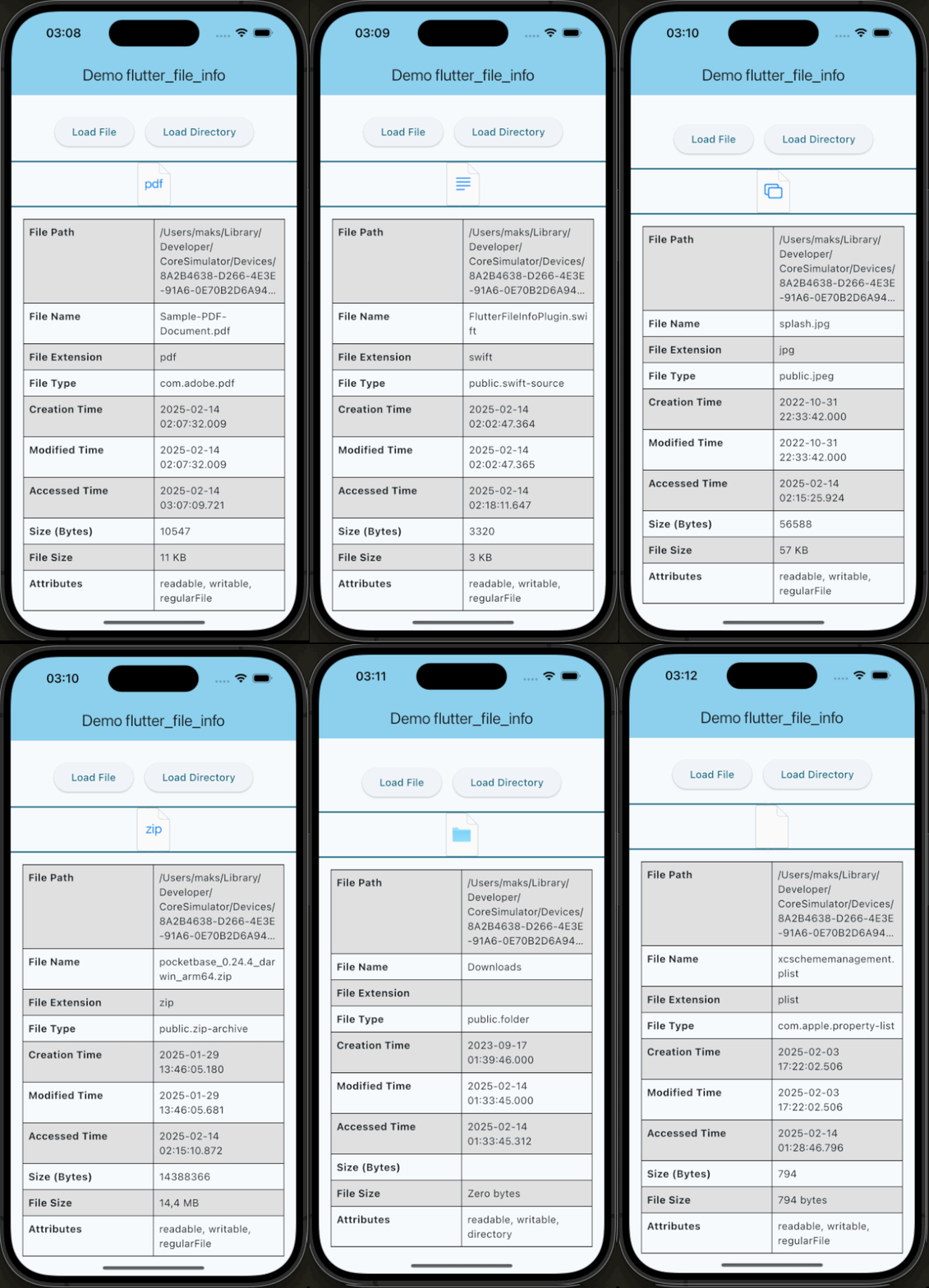
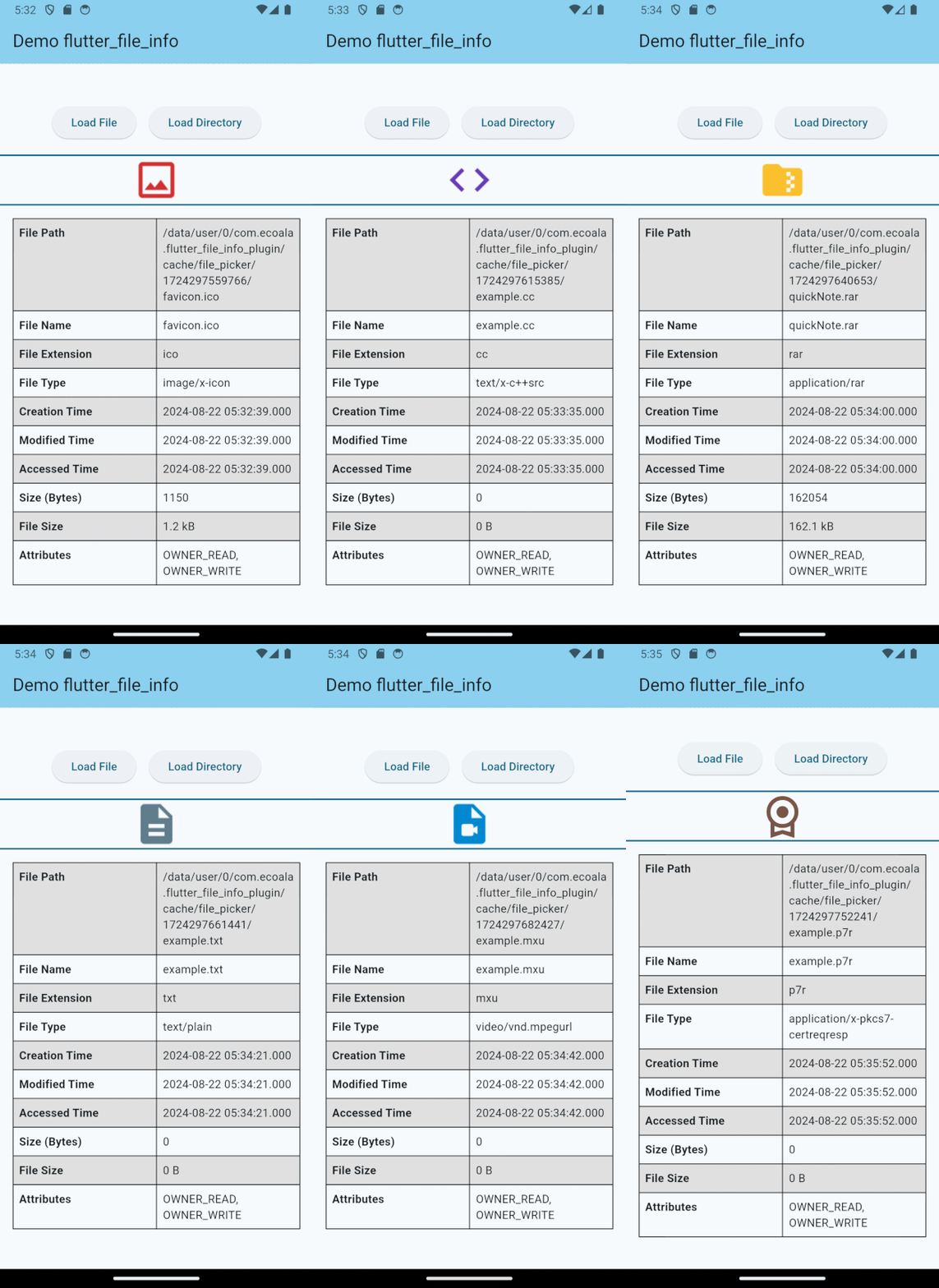
flutter_file_info는 파일 크기, 생성 날짜, 파일 유형과 같은 세부 파일 메타데이터를 검색할 수 있는 Flutter 플러그인입니다. 파일 확장자에 따라 운영 체제에서 할당한 네이티브 아이콘을 지원하여 다양한 플랫폼 간 시각적 일관성을 향상시킵니다. Android, iOS, macOS 및 Windows용으로 설계되어 파일 관리 애플리케이션에 원활하게 통합됩니다. 플랫폼별 코드 없이 시스템 레벨의 파일 정보에 접근하는 것을 단순화합니다. 풍부한 파일 미리보기나 상세한 파일 속성이 필요한 앱에 적합합니다.
사용 사례
파일 브라우저 개발
미디어 파일 메타데이터 추출
파일 미리보기 썸네일
크로스 플랫폼 파일 유틸리티
데스크톱 파일 관리
주요 기능
유형별 네이티브 파일 아이콘
크로스 플랫폼 지원
파일 크기 및 타임스탬프 검색
간단한 API 통합
확장 가능한 메타데이터 접근
적합한 대상
파일 탐색기 개발 중인 개발자
파일 메타데이터가 필요한 앱
데스크톱 및 모바일 파일 유틸리티
파일 미리보기 기능이 있는 UI
파일 정보가 필요한 플러그인
고려 사항
플랫폼별 권한이 필요합니다
기본 파일 메타데이터에만 제한됨
아이콘 렌더링은 운영 체제에 따라 달라질 수 있습니다
대용량 파일 스캔에 적합하지 않음
기반 운영체제 파일 시스템 API에 의존
원본 README
연결된 소스 저장소의 README 원문 스냅샷입니다. 최신 내용은 저장소에서 확인하세요.
flutter_file_info
A Flutter plugin for retrieving detailed file metadata, including system-native file icons. You can retrieve the native icon assigned to a file based on its type, ensuring a consistent visual representation across platforms. Perfect for applications that require access to file details and icons.
Features
Access to native file icons.
Retrieval of detailed file metadata.
Compatibility Chart
API
Android
iOS
Linux
macOS
Windows
Web
getFileIconInfo()
:heavy_check_mark:
:heavy_check_mark:
:x:
:heavy_check_mark:
:heavy_check_mark:
:x:
getFileInfo()
:heavy_check_mark:
:heavy_check_mark:
:x:
:heavy_check_mark:
:heavy_check_mark:
:x:
iOS Deployment Target
This plugin requires a minimum iOS deployment target of 13.0.
Ensure that your project is configured correctly by following these steps:
Update the Podfile
In the ios/Podfile file, set the deployment target:
platform :ios, '13.0'
After making this change, run:
cd ios && pod install
Update Xcode Project Settings
Open your project in Xcode (ios/Runner.xcworkspace).
Navigate to Runner → General.
In the Deployment Info section, set iOS Deployment Target to 13.0.
These steps ensure that your project is compatible with the required iOS version.
If you would like to contribute to the development of this plugin, please fork the repository and submit a pull request. For detailed contribution guidelines, please refer to the CONTRIBUTING.md file.