

 v1.1.1
expand_tap_area
크기나 레이아웃을 변경하지 않고 위젯의 탭 영역을 수동으로 확장합니다. iOS 개발에서의 hitTest와 유사합니다.
60좋아요 2.3만30일 다운로드140Pub 점수
AndroidiOSWebmacOSWindowsLinux
크기나 레이아웃을 변경하지 않고 위젯의 탭 영역을 수동으로 확장합니다. iOS 개발에서의 hitTest와 유사합니다.

아래는 영문 원문 스냅샷입니다. 최신 내용은 GitHub에서 확인하세요.
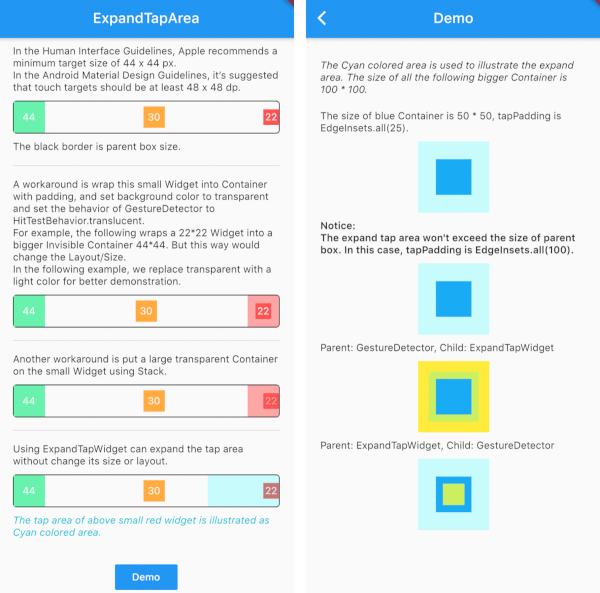
Manually expand the tap area of a widget without changing its size or layout. Similar with the hitTest in iOS development.
In the Human Interface Guidelines, Apple recommends a minimum target size of 44 x 44 px.
In the Android Material Design Guidelines, it’s suggested that touch targets should be at least 48 x 48 dp.
Inspired by issue
ExpandTapWidget(
  onTap: () {},
  tapPadding: EdgeInsets.all(25.0),
  child: smallWidget(),
),

|

|
의존성 목록 2 개
{"sdk":"flutter"}{"sdk":"flutter"}사용 목적에 따라 검색하고 개발 활동을 비교한 뒤 원본 저장소에서 요구 사항을 확인하세요.
“A repository is the most basic element of GitHub.”
GitHub Docs — About repositories ↗