

 v1.1.0
show_fps
FPS 배지로 앱 성능을 확인할 수 있는 플러터 패키지입니다.
43좋아요 2.4천30일 다운로드160Pub 점수
AndroidiOSWebmacOSWindowsLinux
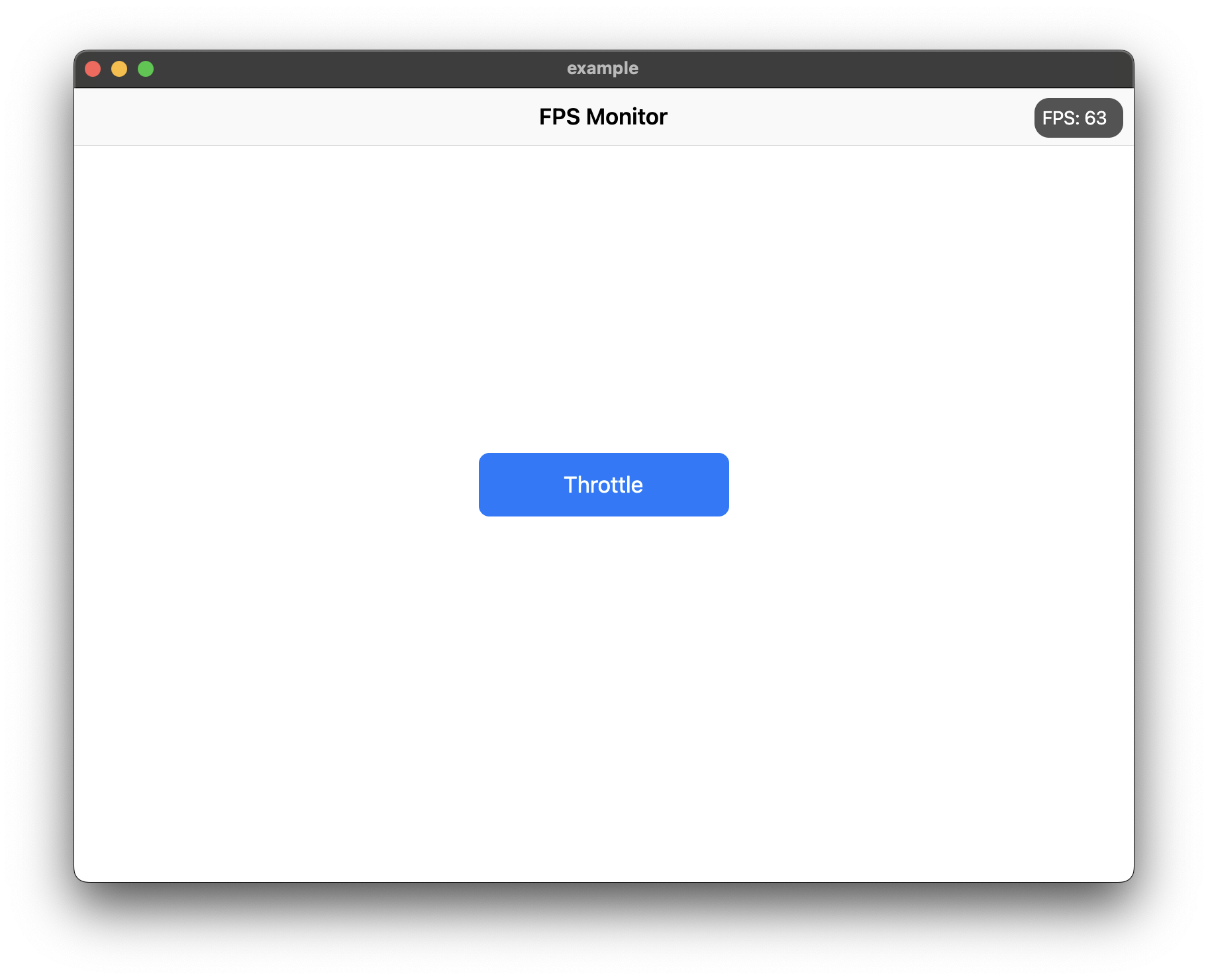
Flutter 앱에서 FPS를 표시합니다.

아래는 영문 원문 스냅샷입니다. 최신 내용은 GitHub에서 확인하세요.


Use ShowFPS to monitor your app's FPS (Frames Per Second) in real time with advanced performance metrics.
Add show_fps: ^1.1.0 in your project's pubspec.yaml:
dependencies:
  show_fps: ^1.1.0
Import show_fps in your dart file:
import 'package:show_fps/show_fps.dart';
Wrap your main widget with ShowFPS widget:
import 'package:flutter/material.dart';
import 'package:show_fps/show_fps.dart';

void main() {
  runApp(const MyApp());
}

class MyApp extends StatelessWidget {
  const MyApp({super.key});

  @override
  Widget build(BuildContext context) {
    return MaterialApp(
      title: 'FPS Monitor',
      debugShowCheckedModeBanner: false,
      home: ShowFPS(
        alignment: Alignment.topRight,
        visible: true,
        showChart: true,
        child: const MyHomePage(),
      ),
    );
  }
}
import 'package:flutter/foundation.dart';

ShowFPS(
  visible: !kReleaseMode,
  child: MyHomePage(),
)
ShowFPS(
  showChart: false,
  child: MyHomePage(),
)
ShowFPS(
  alignment: Alignment.topRight,
  visible: true,
  showChart: true,
  borderRadius: const BorderRadius.all(Radius.circular(11)),

  // Display options
  showAverage: true,           // Show rolling average FPS
  showMinMax: true,            // Show min/max FPS values
  showFrameTime: true,         // Show frame time in ms
  colorCodedText: true,        // Color FPS based on performance

  // Chart options
  targetFps: 60,               // Target FPS for calculations
  showTargetLine: true,        // Show target line on chart
  showJankIndicators: true,    // Highlight slow frames
  jankThreshold: 1.5,          // Frames 1.5x slower than avg are jank
  chartMaxFps: 60,             // Max FPS for chart scale

  // Advanced metrics
  showFrameBudget: true,       // Show % of frame budget used
  showDroppedFrames: true,     // Show dropped frame count

  // Interaction options
  draggable: true,             // Allow dragging the widget
  collapsible: true,           // Tap to collapse/expand
  doubleTapToHide: true,       // Double-tap to temporarily hide
  hideDuration: const Duration(seconds: 3),

  // Performance options
  sampleRate: 1,               // Update every N frames

  // Customization
  backgroundColor: const Color(0xaa000000),
  goodColor: const Color.fromARGB(255, 0, 162, 255),
  poorColor: const Color(0xfff44336),
  textStyle: const TextStyle(
    color: Colors.white,
    fontSize: 14,
  ),

  // Alert callback
  alertThreshold: 30,          // Alert when FPS drops below 30
  onAlertTriggered: () {
    print('FPS dropped below threshold!');
  },

  child: MyHomePage(),
)
| Parameter | Type | Default | Description |
|---|---|---|---|
child |
Widget |
required | The main widget to monitor |
alignment |
Alignment |
Alignment.topRight |
Position of the FPS widget |
visible |
bool |
true |
Whether to show the FPS widget |
showChart |
bool |
true |
Whether to show the FPS chart |
borderRadius |
BorderRadius |
BorderRadius.circular(11) |
Border radius of the widget |
showAverage |
bool |
false |
Show average FPS instead of instantaneous |
showMinMax |
bool |
false |
Show min/max FPS values |
showFrameTime |
bool |
false |
Show frame time in milliseconds |
colorCodedText |
bool |
true |
Color FPS text based on performance |
targetFps |
double |
60 |
Target FPS for calculations |
showTargetLine |
bool |
false |
Show target FPS line on chart |
showJankIndicators |
bool |
true |
Highlight jank frames on chart |
jankThreshold |
double |
1.5 |
Multiplier for jank detection |
textStyle |
TextStyle? |
null |
Custom text style |
draggable |
bool |
false |
Allow dragging the widget |
collapsible |
bool |
false |
Allow tap to collapse/expand |
sampleRate |
int |
1 |
Update every N frames |
chartMaxFps |
double |
60 |
Maximum FPS for chart scale |
showFrameBudget |
bool |
false |
Show frame budget percentage |
showDroppedFrames |
bool |
false |
Show dropped frame counter |
alertThreshold |
double? |
null |
FPS threshold for alerts |
doubleTapToHide |
bool |
false |
Double-tap to temporarily hide |
hideDuration |
Duration |
3 seconds |
Duration to hide after double-tap |
backgroundColor |
Color |
Color(0xaa000000) |
Background color |
goodColor |
Color |
Color(0xff00a2ff) |
Color for good performance |
poorColor |
Color |
Color(0xfff44336) |
Color for poor performance |
onAlertTriggered |
VoidCallback? |
null |
Callback when FPS drops below threshold |
의존성 목록 3 개
{"sdk":"flutter"}{"sdk":"flutter"}^2.0.0사용 목적에 따라 검색하고 개발 활동을 비교한 뒤 원본 저장소에서 요구 사항을 확인하세요.
“A repository is the most basic element of GitHub.”
GitHub Docs — About repositories ↗