

 v2.0.0
web_smooth_scroll
보다 부드럽고 아름다운 스크롤 느낌을 제공하는 데 도움이 되는 패키지입니다.
171좋아요 5.1천30일 다운로드160Pub 점수
Web
mayurnile/web_smooth_scroll open-source repository details.

아래는 영문 원문 스냅샷입니다. 최신 내용은 GitHub에서 확인하세요.
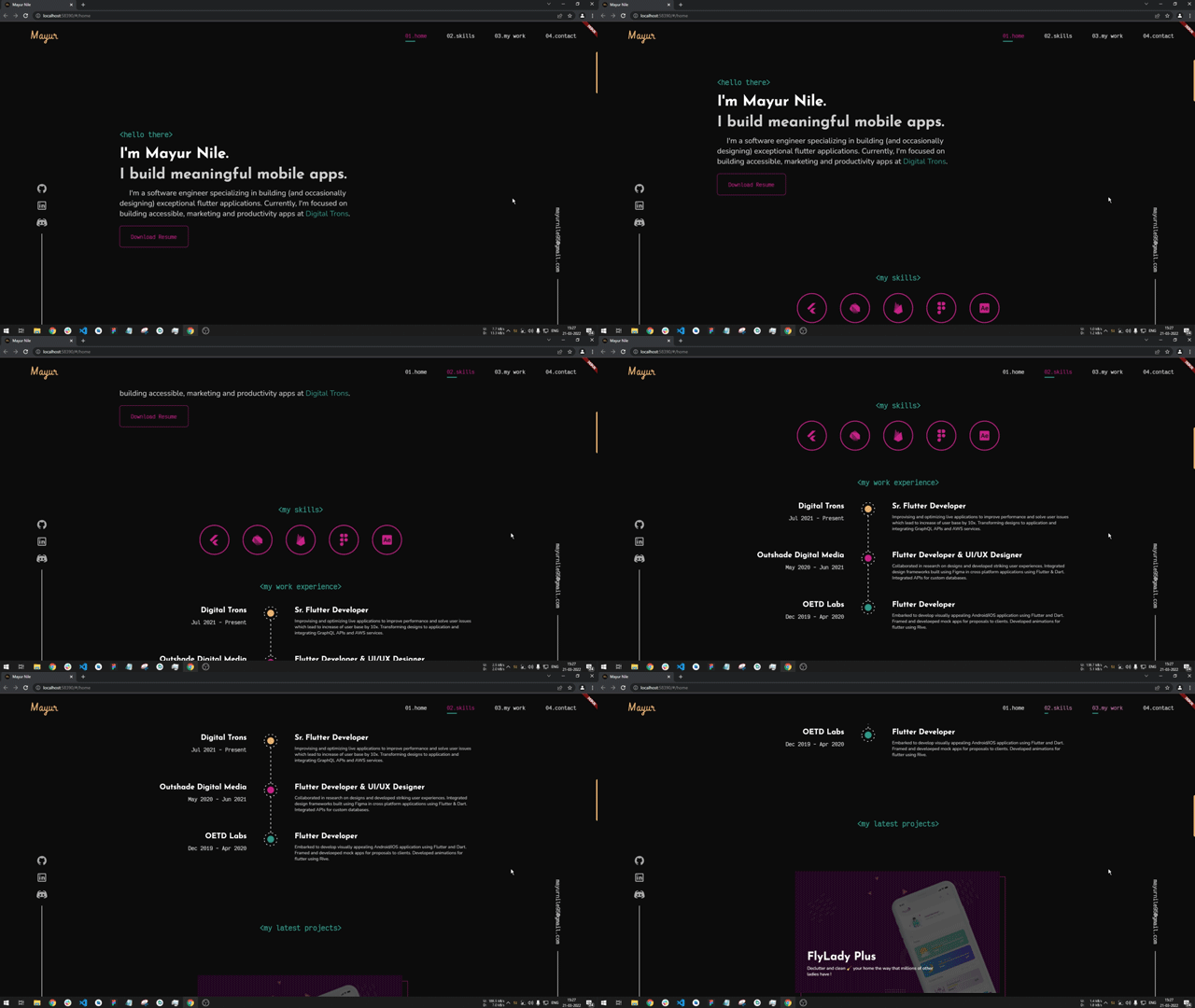
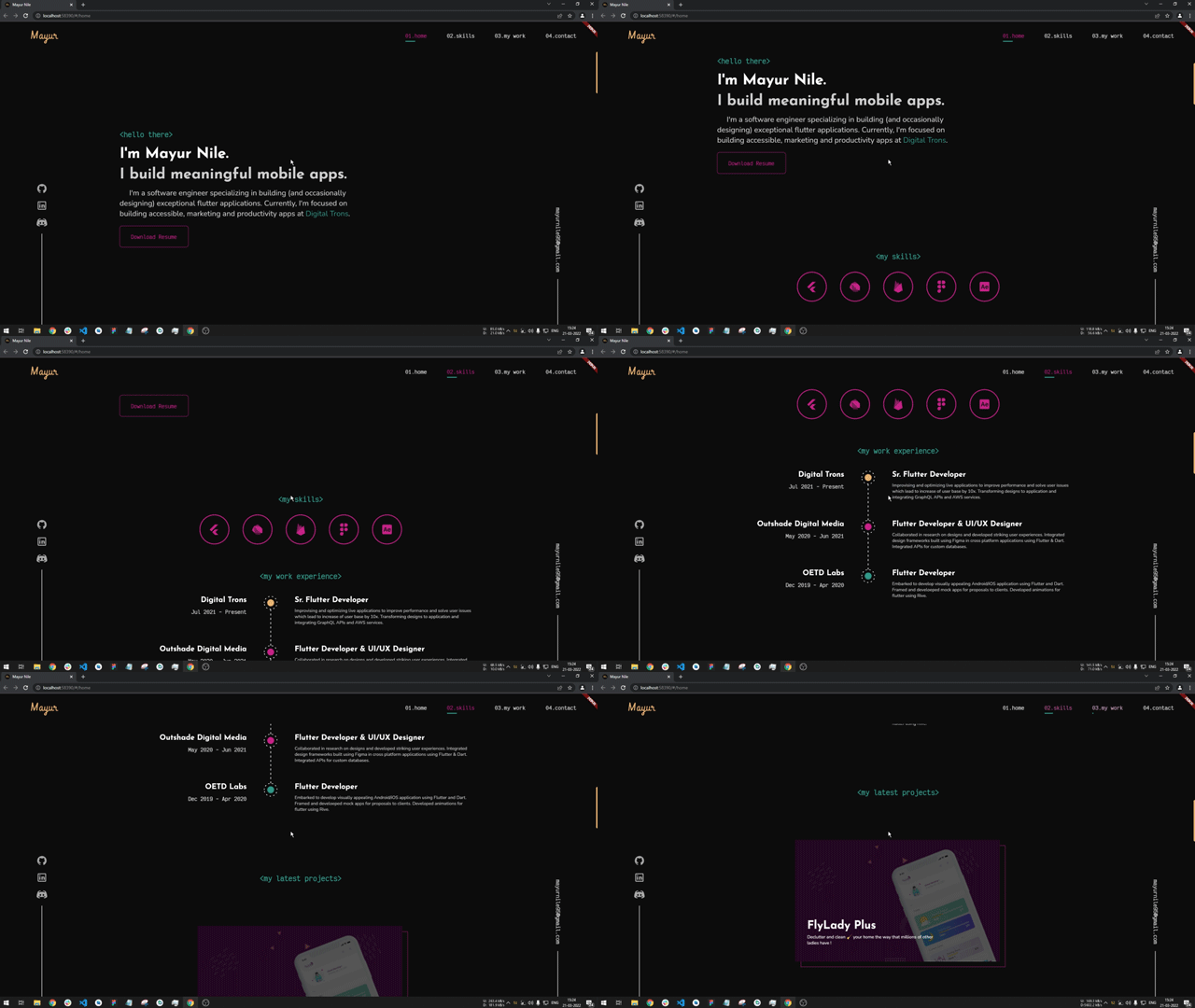
A package to help you provide a smoother and aesthetic scroll feeling. The motivation behind this package is, while using the official Flutter SDK the scrolling experience on web is very jerky and feels laggy to overcome it and provide more quality scrolling this package is developed.
While I was developing my portfolio website using Flutter I faced the issue of jerky scrolling so for a research in solving it I came across this package https://pub.dev/packages/smooth_scroll_web, but it has got some issues and currently not being maintained by the author. It has issues while scrolling and also when using with scrollbars the scroll behaviour is different. Also when user uses a trackpad to scroll it'll scroll to the bottom of the screen and makes the website completely unusable. Also that package doesn't supports null safety which is supported in this package. I've developed this package to overcome all this issues. I would like to thank Dezső Csete, for this motivation and providing a base to work on.
Add
dependencies:
  web_smooth_scroll: ^latest_version
to your pubspec.yaml, and run
flutter packages get
in your project's root directory.
- Import it to your project file
import 'package:web_smooth_scroll/web_smooth_scroll.dart';
- Create a Scroll Controller
  // Controllers
  late ScrollController _scrollController;

  @override
  void initState() {
    // initialize scroll controllers
    _scrollController = ScrollController();

    super.initState();
  }
- Use the controller with package
@override
  Widget build(BuildContext context) {
    return Scaffold(
      appBar: AppBar(
        title: const Text('Web Smooth Scroll'),
      ),
      body: WebSmoothScroll(
        controller: _scrollController,
        child: SingleChildScrollView(
          physics: const NeverScrollableScrollPhysics(),
          controller: _scrollController,
          child: _buildScrollableList(),
        ),
      ),
    );
  }
WebSmoothScroll can be used with any scrollable widget, just pass the same scroll controller to WebSmoothScroll as well as the scrollable widget. And also specify scroll physics to NeverScrollableScrollPhysics()There are additional optional parameters one can use
    WebSmoothScroll(
        controller: _scrollController,
        scrollSpeed: 2.1, // additional scroll extent for smooth animation
        scrollAnimationLength: 800, // duration of animation of scroll in milliseconds
        curve: Curves.easeInOutCirc, // curve of the animation
        child: SingleChildScrollView(
          physics: const NeverScrollableScrollPhysics(),
          controller: _scrollController,
          child: _buildScrollableList(),
        ),
    ),
WebSmoothScroll else don't use this plugin.NeverScrollableScrollPhysics() else you won't see any change in the scrolling behaviour의존성 목록 3 개
{"sdk":"flutter"}{"sdk":"flutter"}^2.0.1사용 목적에 따라 검색하고 개발 활동을 비교한 뒤 원본 저장소에서 요구 사항을 확인하세요.
“A repository is the most basic element of GitHub.”
GitHub Docs — About repositories ↗