

v0.1.3
aad_b2c_webview
Azure AD B2C 사용자 흐름 엔드포인트에 액세스하기 위해 WebView를 내장하는 간단한 Flutter 패키지입니다.
25좋아요 69430일 다운로드110Pub 점수
플랫폼 정보 없음
Azure AD B2C 내장 웹뷰는 Azure AD B2C를 사용하여 사용자 로그인에 내장 웹뷰를 사용하는 방법을 보여주는 매우 간단한 Flutter 패키지입니다.

아래는 영문 원문 스냅샷입니다. 최신 내용은 GitHub에서 확인하세요.

Azure AD B2C Embedded Webview is a very simple Flutter package that demonstrates how to use the embedded web view to sign in users with Azure AD B2C. Currently, using Flutter packages - appAuth and flutter_azure_b2c redirects to browser and doesn't provide in-app experience.
This package embeds the web view of the user flow endpoint using flutter_appview and redirects the user as per onRedirect callback method.
To use the package in your Flutter app, add the following code to your main.dart file:
dependencies:
  aad_b2c_webview: <latest_version>
It is recommended to use env to save the keys securely
const aadB2CClientID = "<app-id>";
const aadB2CRedirectURL = "https://jwt.ms";
const aadB2CUserFlowName = "B2C_1_APPNAME_Signin";
const aadB2CScopes = ['openid', 'offline_access'];
const aadB2CTenantName = "<tenantName>";
const aadB2CUserAuthFlow = "https://$aadB2CTenantName.b2clogin.com/$aadB2CTenantName.onmicrosoft.com";
B2CWebViewParams params = B2CWebViewParams(
  responseType: Constants.defaultResponseType,
  tenantBaseUrl: aadB2CUserAuthFlow,
  clientId: aadB2CClientID,
  userFlowName: aadB2CUserFlowName,
  redirectUrl: aadB2CRedirectURL,
  scopes: aadB2CScopes,
  containsChallenge: true,
  isLoginFlow: true,
);
You have the flexibility to include optional parameters in order to customize the URL according to your specific requirements. The optionalParameters parameter allows you to pass a list of OptionalParam objects, where each object consists of a key and a value that represent the parameter name and its corresponding value, respectively.
Here's an example of how you can utilize the optionalParameters parameter to add new parameters to the URL:
optionalParameters: [
  OptionalParam(key: "parameter1", value: "value1"),
  OptionalParam(key: "parameter2", value: "value2"),
],
In the above example, we include two optional parameters: "parameter1" with the value "value1" and "parameter2" with the value "value2". You can include multiple OptionalParam objects within the list to incorporate multiple optional parameters in the URL.
These optional parameters provide you with the ability to customize the behavior of the URL and conveniently transmit additional information as per your needs.
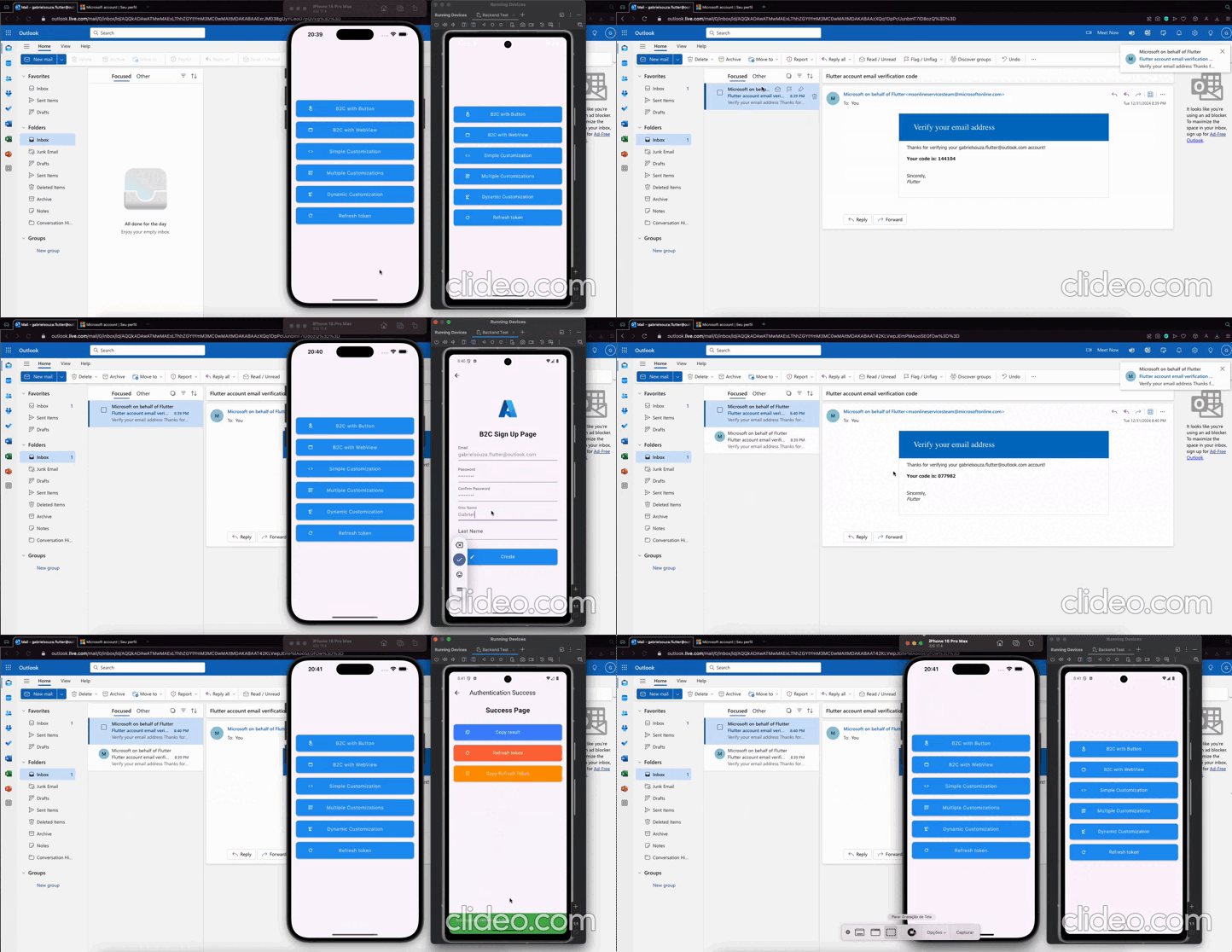
To add the easy to use sign in with microsoft button simply use the AADB2CBase.button widget and a beautiful sign in button appears as shown below.
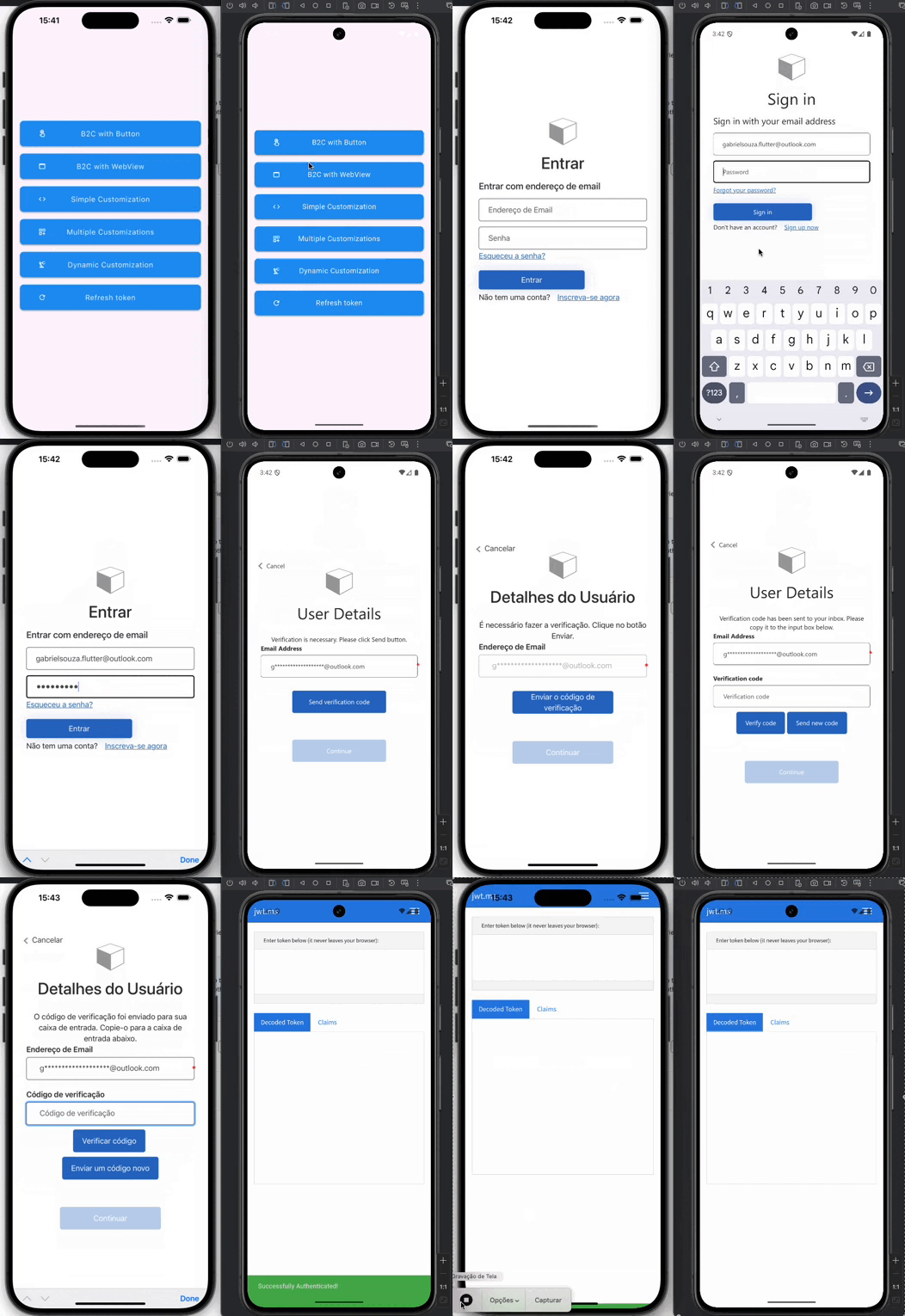
Add the following /android/app/src/main/AndroidManifest.xml inside the tags:
<meta-data android:name="flutter_deeplinking_enabled" android:value="true" />
<intent-filter android:autoVerify="true">
<action android:name="android.intent.action.VIEW" />
<category android:name="android.intent.category.DEFAULT" />
<category android:name="android.intent.category.BROWSABLE" />
<data android:scheme="https" android:host="myurl.com" />
</intent-filter>
import 'package:aad_b2c_webview/aad_b2c_webview.dart';
import 'package:flutter/material.dart';

class B2CWithButton extends StatelessWidget {
  final B2CWebViewParams params;
  const B2CWithButton({super.key, required this.params});

  @override
  Widget build(BuildContext context) {
    return Scaffold(
      appBar: AppBar(),
      body: SafeArea(
        child: Padding(
          padding: const EdgeInsets.all(16.0),
          child: Column(
            mainAxisAlignment: MainAxisAlignment.center,
            children: [
              const Text(
                'Azure B2C Button',
                style: TextStyle(
                  fontSize: 24.0,
                  fontWeight: FontWeight.bold,
                ),
              ),
              const SizedBox(height: 16.0),
              AADB2CBase.button(
                params: params,
                settings: ButtonSettingsEntity(
                  onError: _onError,
                  onSuccess: _onSuccess,
                  onKeepLoading: _onKeepLoading,
                ),
              ),
            ],
          ),
        ),
      ),
    );
  }

  _onSuccess(
      BuildContext context,
      accessToken,
      idToken,
      refreshToken,
      ) {
    var snackBar = const SnackBar(
      content: Text('Successfully Authenticated!'),
      backgroundColor: Colors.green,
    );
    ScaffoldMessenger.of(context).showSnackBar(snackBar);
  }

  _onError(BuildContext context, String? error) {
    var snackBar = SnackBar(
      content: Text(error ?? ''),
      backgroundColor: Colors.redAccent,
    );
    ScaffoldMessenger.of(context).showSnackBar(snackBar);
  }

  bool _onKeepLoading(String? url) =>
      url?.startsWith(params.redirectUrl) ?? false;
}
Click here to access the full example
Custom build sign in button to call web view page
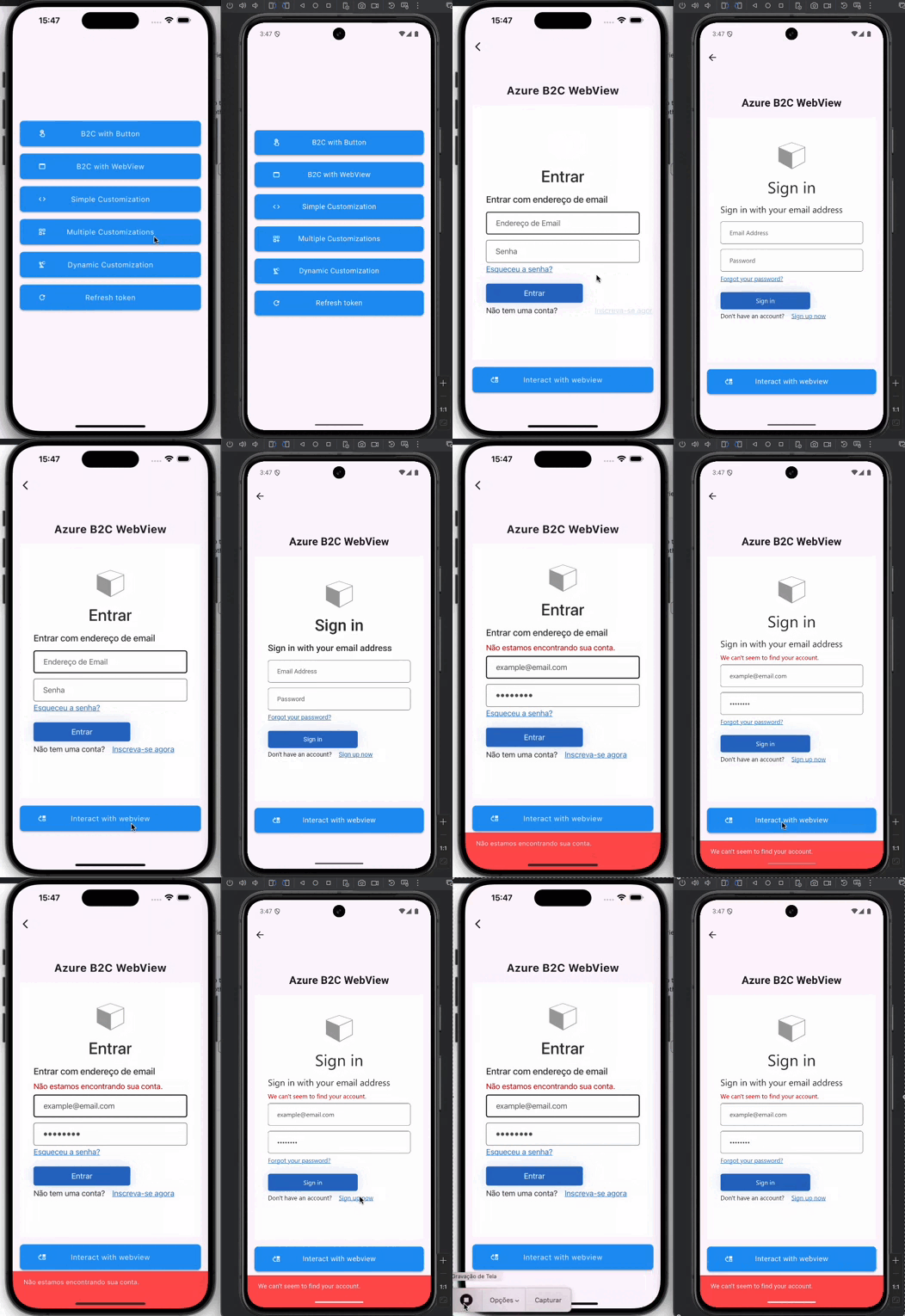
import 'dart:developer';
import 'package:aad_b2c_webview/aad_b2c_webview.dart';
import 'package:flutter/foundation.dart';
import 'package:flutter/material.dart';
import 'widgets/button_widget.dart';

class B2CWithWebView extends StatefulWidget {
  final B2CWebViewParams params;
  const B2CWithWebView({super.key, required this.params});

  @override
  State<B2CWithWebView> createState() => _B2CWithWebViewState();
}

class _B2CWithWebViewState extends State<B2CWithWebView> {
  ActionController? _controller;

  @override
  Widget build(BuildContext context) {
    return Scaffold(
      appBar: AppBar(),
      resizeToAvoidBottomInset: false,
      body: SafeArea(
        child: Padding(
          padding: const EdgeInsets.symmetric(horizontal: 16.0),
          child: Column(
            mainAxisAlignment: MainAxisAlignment.center,
            children: [
              const Center(
                child: Text(
                  'Azure B2C WebView',
                  style: TextStyle(
                    fontSize: 24.0,
                    fontWeight: FontWeight.bold,
                  ),
                ),
              ),
              const SizedBox(height: 16.0),
              SizedBox(
                height: MediaQuery.sizeOf(context).height * 0.6,
                width: MediaQuery.sizeOf(context).width,
                child: AADB2CBase.webview(
                  params: widget.params,
                  settings: WebViewSettingsEntity(
                    onError: _onError,
                    onSuccess: _onSuccess,
                    controllerBuilder: (
                      BuildContext context,
                      ActionController action,
                    ) => _controller = action,
                  ),
                ),
              ),
              const SizedBox(height: 16.0),
              ButtonWidget(
                onTap: () async {
                  try {
                    await _controller?.insertAndClick(
                      listIdValue: [
                        ActionEntity(id: 'email', value: 'example@email.com'),
                        ActionEntity(id: 'password', value: '12345678'),
                      ],
                      buttonId: 'next',
                    );
                  } catch (error, trace) {
                    if (kDebugMode) log('Error: $error', stackTrace: trace);
                  }
                },
                title: 'Interact with webview',
                icon: Icons.move_up_outlined,
              ),
            ],
          ),
        ),
      ),
    );
  }

  _onSuccess(
    BuildContext context,
    accessToken,
    idToken,
    refreshToken,
  ) {
    var snackBar = const SnackBar(
      content: Text('Successfully Authenticated!'),
      backgroundColor: Colors.green,
    );
    ScaffoldMessenger.of(context).showSnackBar(snackBar);
  }

  _onError(BuildContext context, String? error) {
    var snackBar = SnackBar(
      content: Text(error ?? ''),
      backgroundColor: Colors.redAccent,
    );
    ScaffoldMessenger.of(context).showSnackBar(snackBar);
  }
}
Click here to access the full example
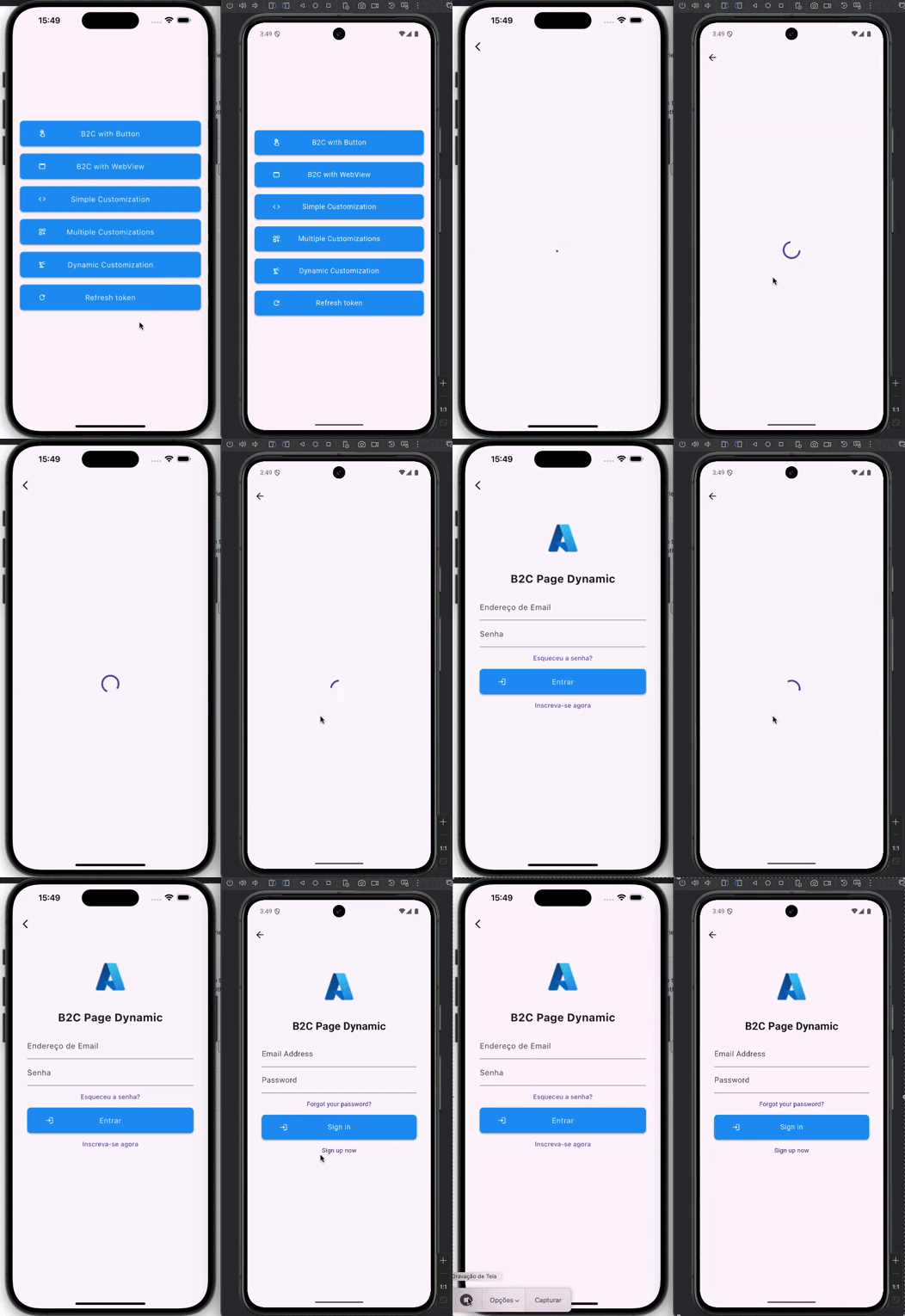
Get all the power of Flutter/Dart to customize the layout of Azure authentication screens
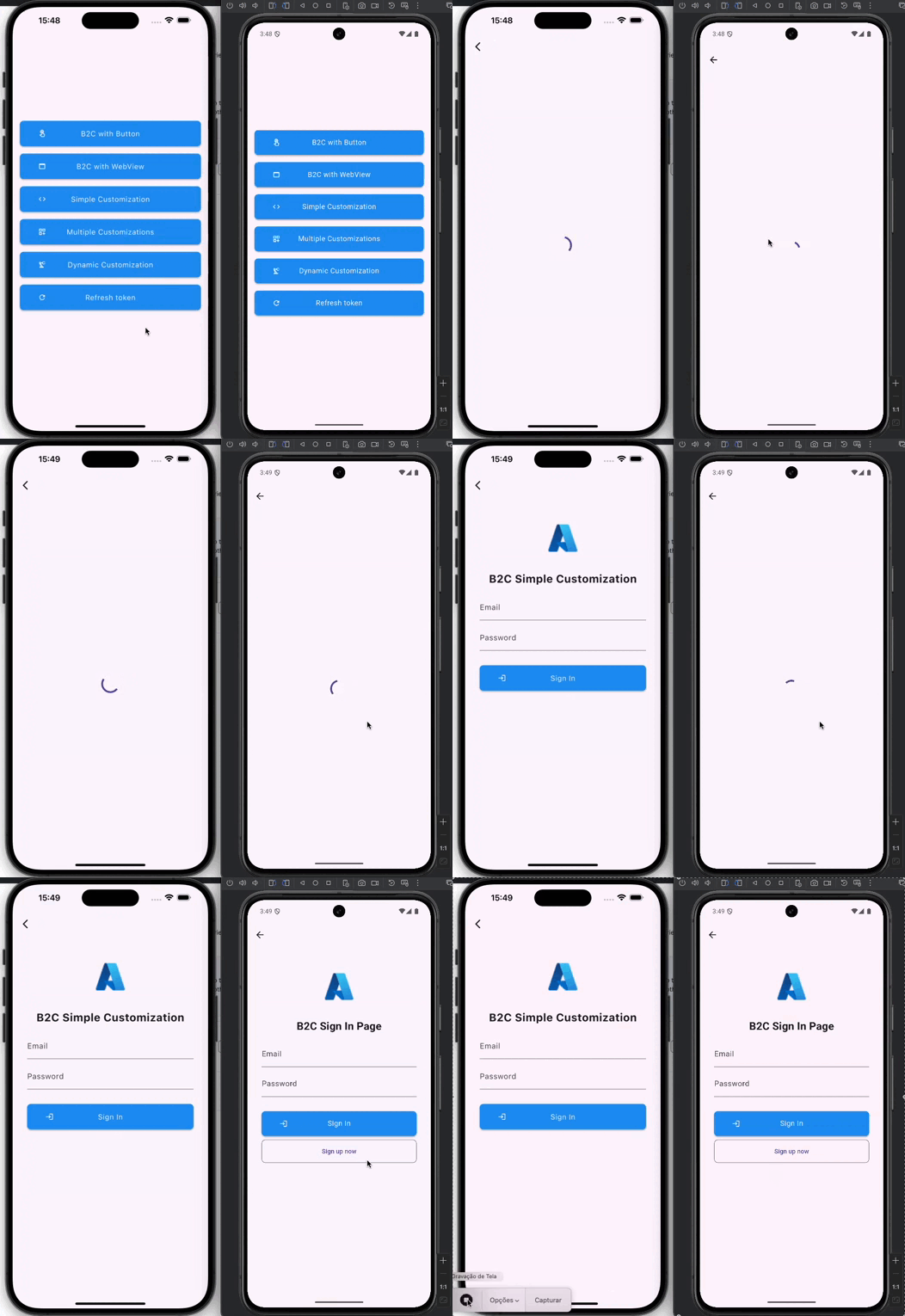
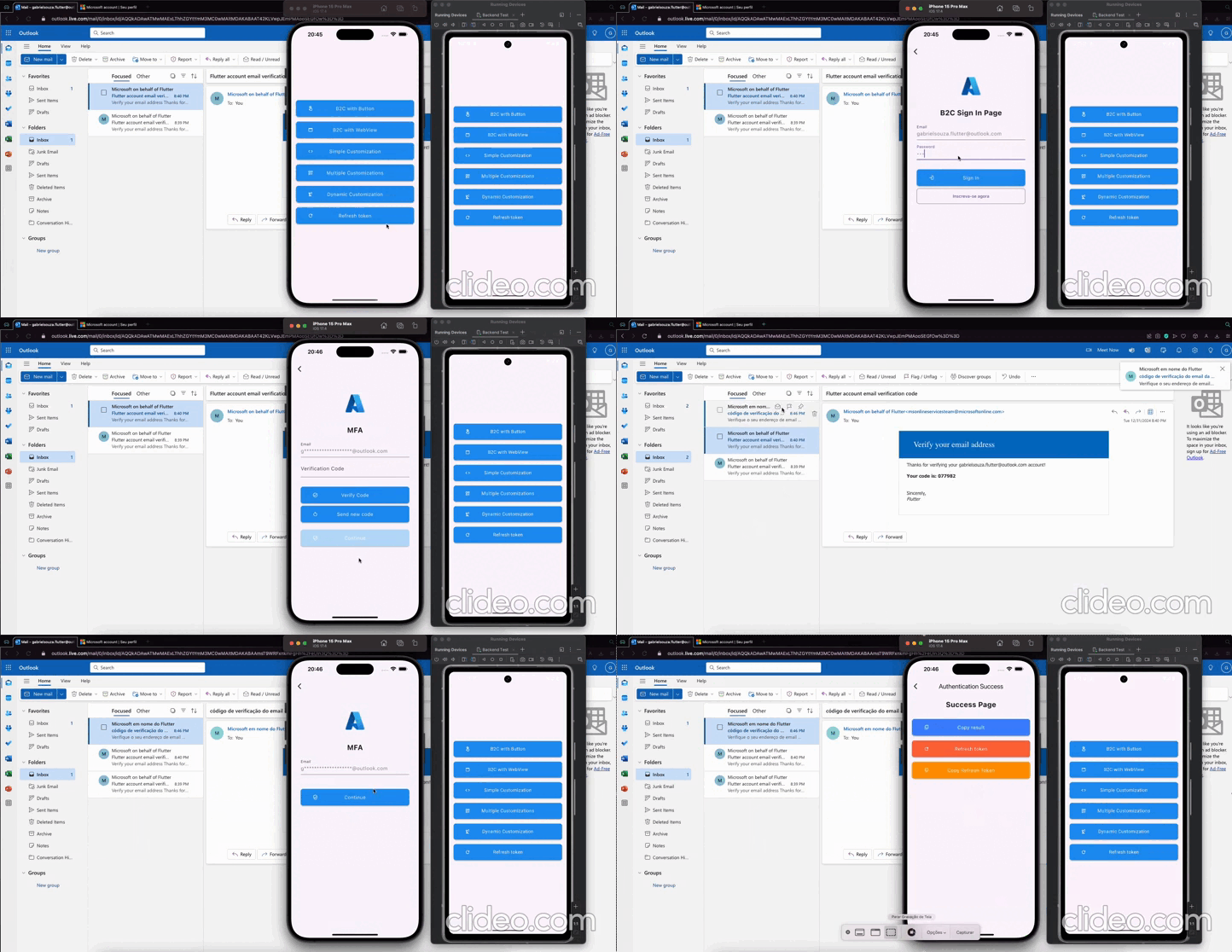
Convert layout to flutter automatically
import 'package:aad_b2c_webview/aad_b2c_webview.dart';
import 'package:example/core/commons.dart';
import 'package:flutter/material.dart';
import 'widgets/button_widget.dart';

class B2CWithDynamicCustomization extends StatefulWidget {
  final B2CWebViewParams params;
  const B2CWithDynamicCustomization({super.key, required this.params});

  @override
  State<B2CWithDynamicCustomization> createState() =>
      _B2CWithDynamicCustomizationState();
}

class _B2CWithDynamicCustomizationState
    extends State<B2CWithDynamicCustomization> {
  @override
  Widget build(BuildContext context) {
    return Scaffold(
      appBar: AppBar(),
      body: Scaffold(
        body: AADB2CBase.custom(
          params: widget.params,
          settings: CustomSettingsEntity(
            onError: (BuildContext context, String? error) {
              setState(() => _isLoading = false);
              var snackBar = SnackBar(
                content: Text(error ?? ''),
                backgroundColor: Colors.redAccent,
              );
              ScaffoldMessenger.of(context).showSnackBar(snackBar);
            },
            onSuccess: (context, accessToken, idToken, refreshToken) async {
              setState(() => _isLoading = false);
              var snackBar = const SnackBar(
                content: Text('Successfully Authenticated!'),
                backgroundColor: Colors.green,
              );
              ScaffoldMessenger.of(context).showSnackBar(snackBar);
            },
            pageBuilder: (_, __, controller, List<HtmlParseEntity>? htmlItems) {
              return Padding(
                padding: const EdgeInsets.all(32.0),
                child: Form(
                  key: _formKey,
                  child: CustomScrollView(
                    slivers: [
                      defaultImage(),
                      buildTitle('B2C Page Dynamic'),
                      SliverList.builder(
                        itemCount: htmlItems?.length ?? 0,
                        itemBuilder: (BuildContext context, int index) {
                          final item = htmlItems?[index];
                          if (item?.type == null) return const SizedBox();
                          return switch (item!.type) {
                            HtmlParseType.input => _inputBuilder(item),
                            HtmlParseType.button => _button(
                                controller,
                                item,
                                false,
                              ),
                            HtmlParseType.a => _button(
                                controller,
                                item,
                                true,
                              ),
                            HtmlParseType.none => const SizedBox(),
                          };
                        },
                      ),
                    ],
                  ),
                ),
              );
            },
          ),
        ),
      ),
    );
  }

  bool _isLoading = false;
  final GlobalKey<FormState> _formKey = GlobalKey<FormState>();
  final TextEditingController _emailController = TextEditingController();
  final TextEditingController _passwordController = TextEditingController();

  Widget _inputBuilder(HtmlParseEntity params) {
    return TextFormField(
      controller: TextEditingController(),
      enabled: !_isLoading,
      decoration: InputDecoration(
        labelText: params.name,
      ),
      keyboardType: TextInputType.text,
    );
  }

  Widget _button(
    ActionController controller,
    HtmlParseEntity params,
    bool isLink,
  ) {
    onTap() async {
      if (_formKey.currentState?.validate() ?? false) {
        setState(() => _isLoading = true);
        String email = _emailController.text.trim();
        String password = _passwordController.text.trim();
        await controller.insertAndClick(
          listIdValue: [
            ActionEntity(id: 'email', value: email),
            ActionEntity(id: 'password', value: password),
          ],
          buttonId: 'next',
        );
      }
    }

    if (_isLoading) return _buildLoading();
    if (isLink) {
      return TextButton(
        onPressed: onTap,
        child: Text(
          params.textContent,
          style: const TextStyle(
            decorationStyle: TextDecorationStyle.solid,
          ),
        ),
      );
    }
    return ButtonWidget(
      title: params.textContent,
      icon: Icons.login_outlined,
      onTap: onTap,
    );
  }

  Widget _buildLoading() {
    return const Column(
      mainAxisAlignment: MainAxisAlignment.center,
      crossAxisAlignment: CrossAxisAlignment.center,
      children: [
        CircularProgressIndicator(),
      ],
    );
  }
}
Click here to access the full example
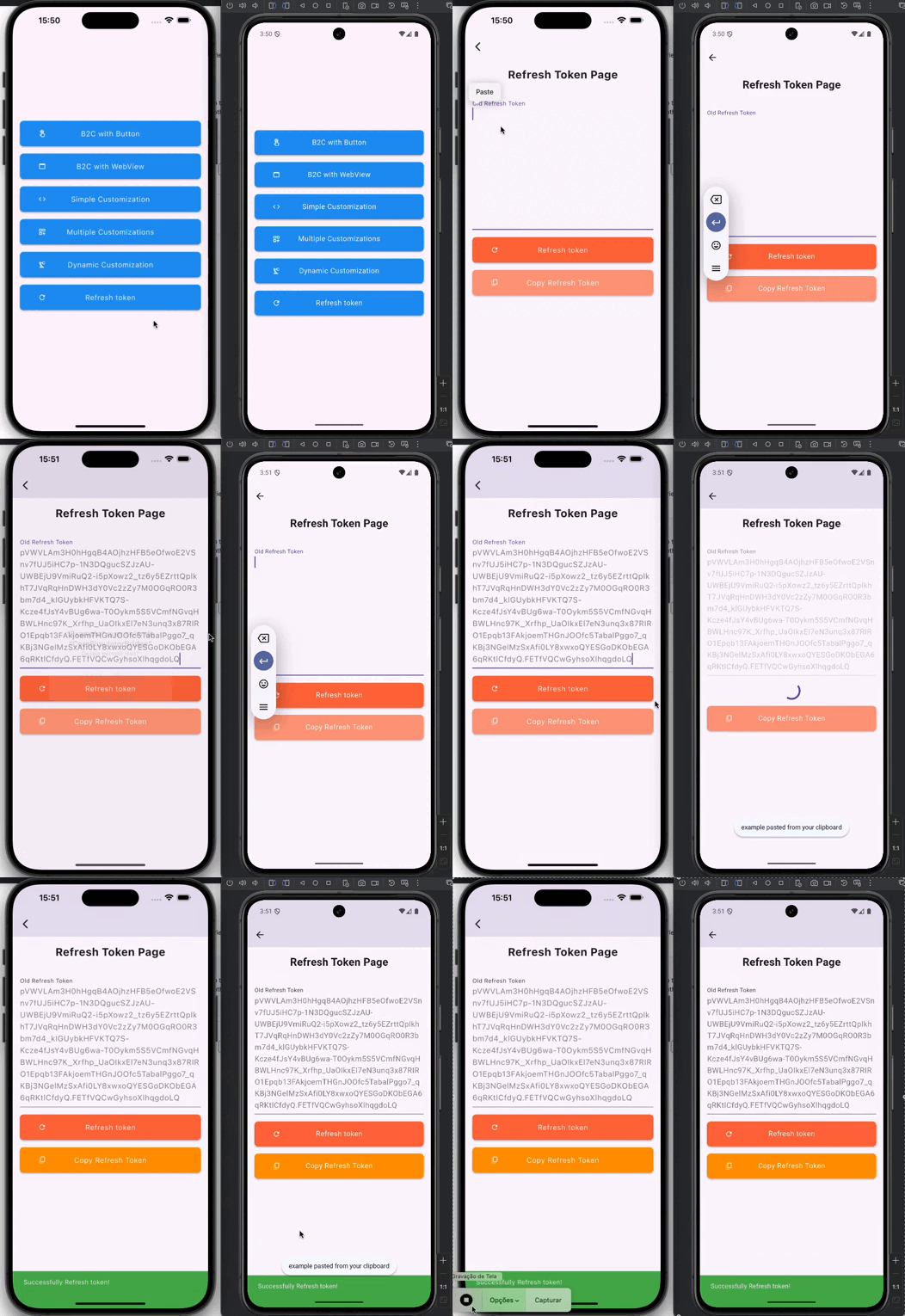
Use the code below to refresh the token
await controller.refreshToken(
  B2CAuthEntity(
    refreshToken: _refreshTokenController.text.trim(),
    userFlowName: aadB2CUserFlowName,
    tenantBaseUrl: aadB2CUserAuthFlow,
    clientId: aadB2CClientID,
  ),
);
의존성 목록 11 개
{"sdk":"flutter"}^4.10.0^4.2.0^3.18.4^2.10.0^7.7.0^1.1.0+1^1.2.2{"sdk":"flutter"}^2.0.0^1.0.4사용 목적에 따라 검색하고 개발 활동을 비교한 뒤 원본 저장소에서 요구 사항을 확인하세요.
“A repository is the most basic element of GitHub.”
GitHub Docs — About repositories ↗