

v0.1.3
modal_progress_hud
모달 진행률 표시 위젯 (HUD = 헤드업 디스플레이). 비동기 호출 중에 위젯에 대한 액세스를 차단하기 위해 다른 위젯을 감쌉니다. 사용자 지정 스피너도 수락합니다.
485좋아요 1.1천30일 다운로드40Pub 점수
플랫폼 정보 없음
flutter용 간단한 모달 진행률 HUD(헤드업 디스플레이 또는 진행률 표시기)

아래는 영문 원문 스냅샷입니다. 최신 내용은 GitHub에서 확인하세요.
A simple widget wrapper to enable modal progress HUD (a modal progress indicator, HUD = Heads Up Display)


Inspired by this article.
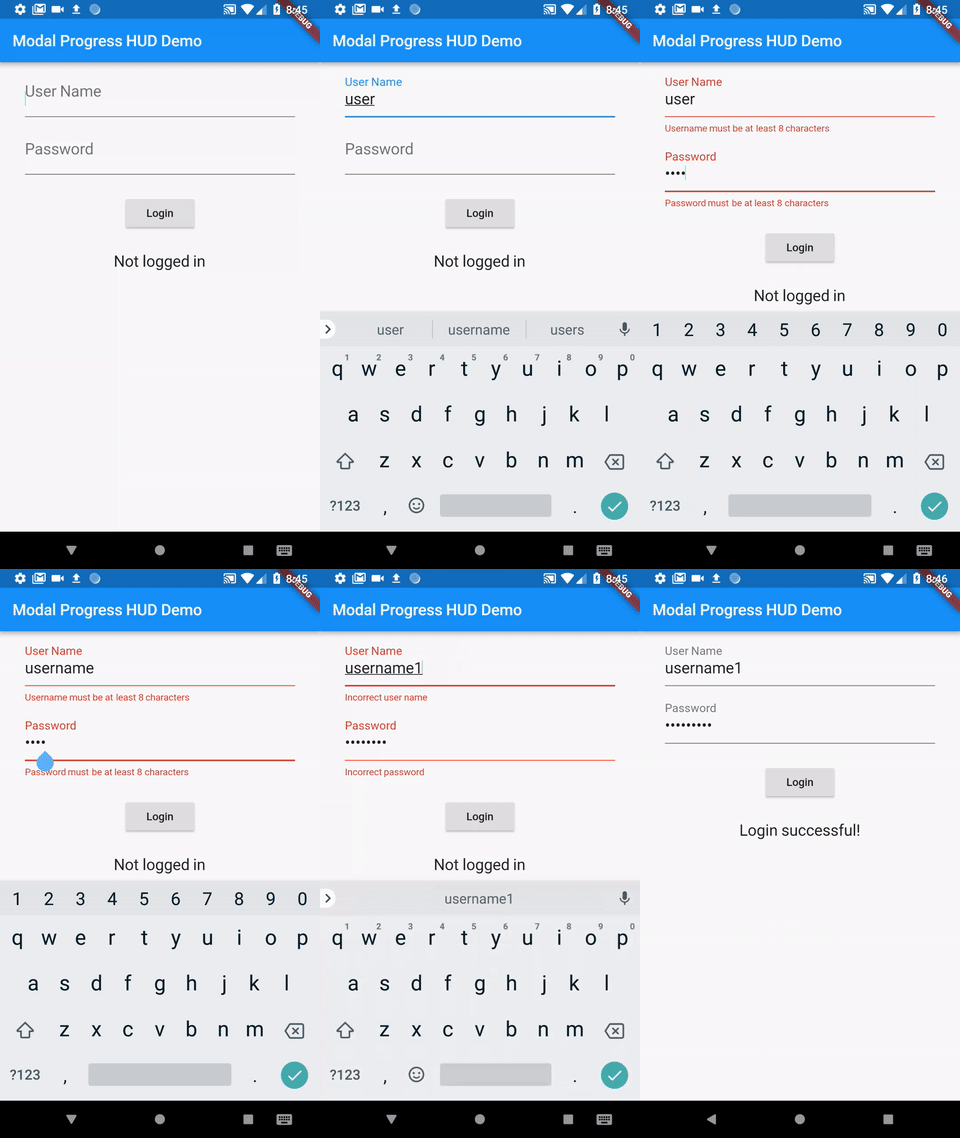
See example for details
Add the package to your pubspec.yml file.
dependencies:
  modal_progress_hud: ^0.1.3
Next, import the library into your widget.
import 'package:modal_progress_hud/modal_progress_hud.dart';
Now, all you have to do is simply wrap your widget as a child of ModalProgressHUD, typically a form, together with a boolean that is maintained in local state.
...
bool _saving = false
...

@override
Widget build(BuildContext context) {
  return Scaffold(
     body: ModalProgressHUD(child: Container(
       Form(...)
     ), inAsyncCall: _saving),
  );
}
The current parameters are customizable in the constructor
ModalProgressHUD(
  @required inAsyncCall: bool,
  @required child: Widget,
  opacity: double,
  color: Color,
  progressIndicator: CircularProgressIndicator,
  offset: double
  dismissible: bool,
);
Here is an example app that demonstrates the usage.
_saving is false which causes your child widget to display_saving is set to true, which will display the modal_saving is set back to false, hiding the modalclass SettingsPage extends StatefulWidget {
@override
_SettingsPageState createState() => new _SettingsPageState();
}
class _SettingsPageState extends State<SettingsPage> {
bool _saving = false;
void _submit() {
setState(() {
_saving = true;
});
//Simulate a service call
print('submitting to backend...');
new Future.delayed(new Duration(seconds: 4), () {
setState(() {
_saving = false;
});
});
}
Widget _buildWidget() {
return new Form(
child: new Column(
children: [
new SwitchListTile(
title: const Text('Bedroom'),
value: _bedroom,
onChanged: (bool value) {
setState(() {
_bedroom = value;
});
},
secondary: const Icon(Icons.hotel),
),
new RaisedButton(
onPressed: _submit,
child: new Text('Save'),
),
],
),
);
}
@override
Widget build(BuildContext context) {
return new Scaffold(
appBar: new AppBar(
title: new Text('Flutter Progress Indicator Demo'),
backgroundColor: Colors.blue,
),
body: ModalProgressHUD(child: _buildWidget(), inAsyncCall: _saving),
);
}
}
Update: See this article on Medium about async form validation
See the example application source for a complete sample app using the modal progress HUD. Included in the example is a method for using a form's validators while making async calls (see flutter/issues/9688 for details).
Please file issues to send feedback or report a bug. Thank you!
의존성 목록 2 개
{"sdk":"flutter"}{"sdk":"flutter"}사용 목적에 따라 검색하고 개발 활동을 비교한 뒤 원본 저장소에서 요구 사항을 확인하세요.
“A repository is the most basic element of GitHub.”
GitHub Docs — About repositories ↗