


 v1.0.4
card_scanner
플러터용 빠르고 정확하며 안전한 신용 및 직불 카드 스캔 라이브러리입니다.
124좋아요 90330일 다운로드130Pub 점수
AndroidiOS
빠르고 정확하며 안전한 신용카드 및 디비트 카드 스캔을 위한 플러터 패키지

아래는 영문 원문 스냅샷입니다. 최신 내용은 GitHub에서 확인하세요.






card_scanner is a flutter plugin for accurately and quickly scanning debit and credit cards.

Add this to your package's pubspec.yaml file:
dependencies:
  card_scanner: <latest-version>
get the latest version number here
Just import the package and call scanCard:
import 'package:card_scanner/card_scanner.dart';
var cardDetails = await CardScanner.scanCard();

print(cardDetails);
Example Output:
Card Number = 5173949117389006
Expiry Date = 11/26
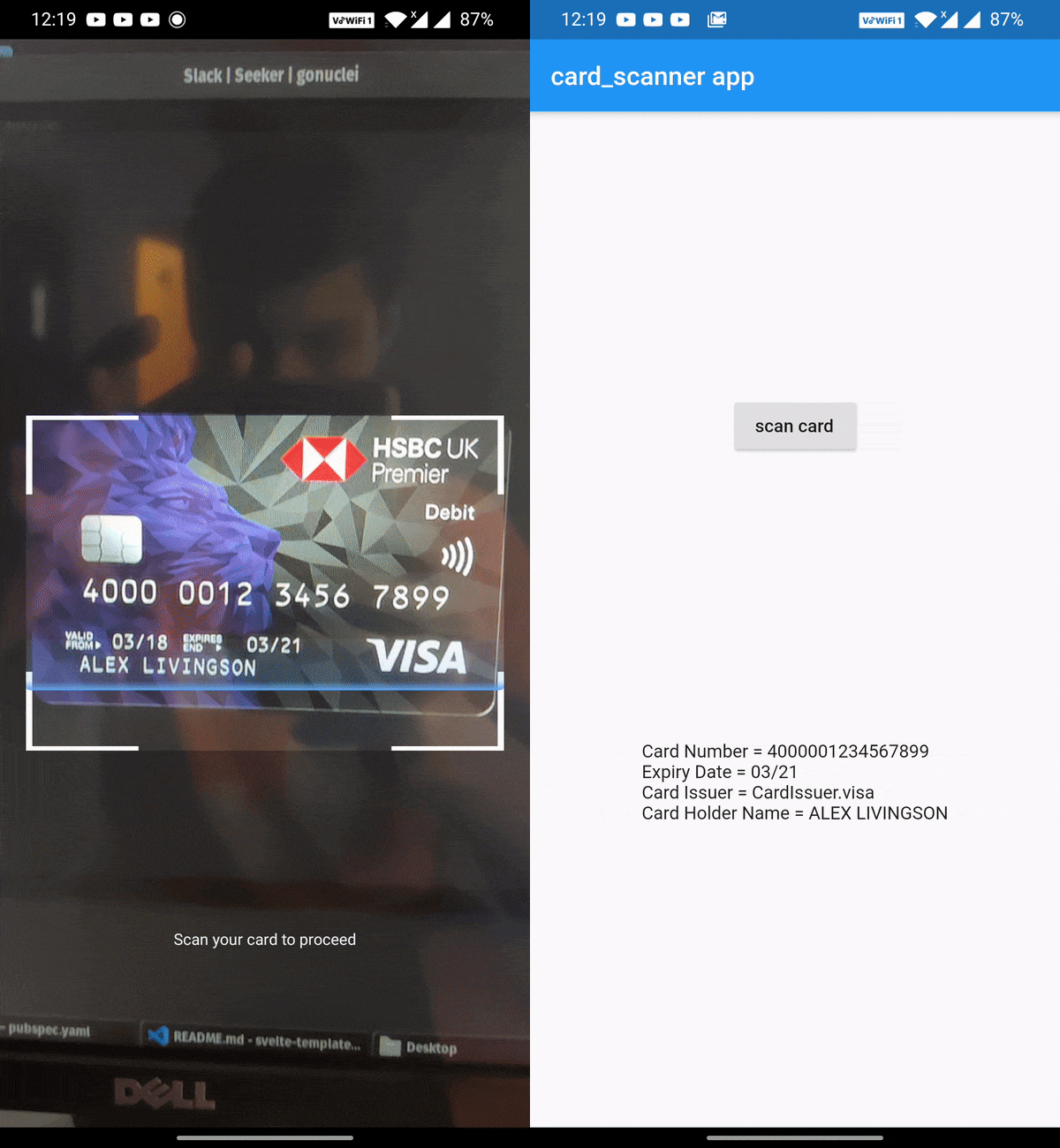
The above code opens the device camera, looks for a valid card and gets the required details and returns the CardDetails object.
If you wish to obtain the card holder name and card issuer, you can specify the options:
import 'package:card_scanner/card_scanner.dart';
var cardDetails = await CardScanner.scanCard(
    scanOptions: CardScanOptions(
        scanCardHolderName: true,
        scanCardIssuer: true,
    ),
);


print(cardDetails);
Example Output :
Card Number = 5173949117389006
Expiry Date = 11/26
Card Issuer = mastercard
Card Holder Name = PAUL SAMUELSON
use_frameworks! line from under Podfile of your Flutter project.
You can find this Podfile under your_flutter_project/ios/Podfile의존성 목록 2 개
{"sdk":"flutter"}{"sdk":"flutter"}사용 목적에 따라 검색하고 개발 활동을 비교한 뒤 원본 저장소에서 요구 사항을 확인하세요.
“A repository is the most basic element of GitHub.”
GitHub Docs — About repositories ↗