
 v1.0.15
aamarpay
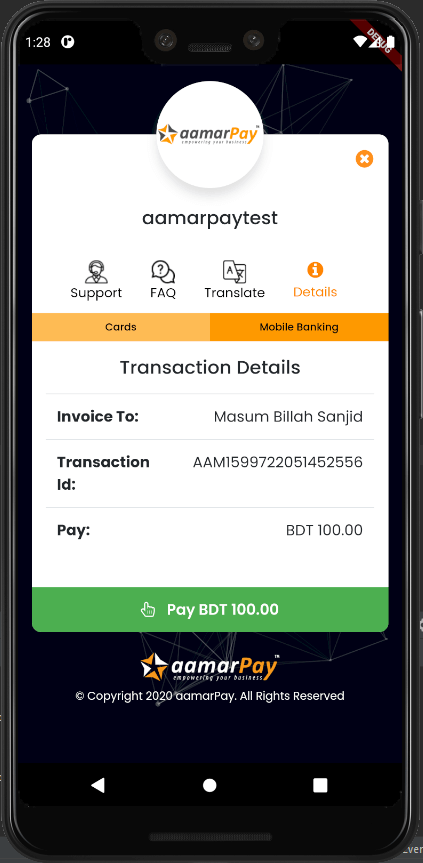
aamarPay를 위한 공식 Flutter 패키지입니다. aamarPay는 방글라데시용 온라인 결제 게이트웨이 서비스입니다.
36좋아요 12530일 다운로드140Pub 점수
AndroidiOSmacOS
aamarPay 공식 플러터 패키지입니다. aamarPay는 방글라데시를 위한 온라인 결제 게이트웨이 서비스입니다. 기업을 위한 최고의 온라인 결제 경험 제공에 헌신하고 있습니다. 가장 낮은 수수료와 빠른 체크아웃으로 온라인 결제 수령 경험을 향상시킵니다.

{"sdk":"flutter"}^4.13.0^5.9.0{"sdk":"flutter"}아래는 영문 원문 스냅샷입니다. 최신 내용은 GitHub에서 확인하세요.
aamarPay is an online payment gateway service for Bangladesh. Committed to provide best payment experience online for business. Lowest fee and fast checkout will give you good experience of receiving payment online.
aamarpay
minSdkVersion 19In the dependencies: section of your pubspec.yaml, add the following line:
dependencies:
     aamarpay: ^1.0.15
install packages from the command line:
$ flutter pub get
Here is the example code:
import 'package:flutter/material.dart';
import 'package:aamarpay/aamarpay.dart';

void main() {
  runApp(MaterialApp(
    home: MyPay(),
  ));
}

class MyPay extends StatefulWidget {
  @override
  _MyPayState createState() => _MyPayState();
}

class _MyPayState extends State<MyPay> {
  bool isLoading = false;

  @override
  Widget build(BuildContext context) {
    return Scaffold(
      body: Center(
        child: Aamarpay(
          // This will return a payment url based on failUrl,cancelUrl,successUrl
          returnUrl: (String url) {
            print(url);
          },
          // This will return the payment loading status
          isLoading: (bool loading) {
            setState(() {
              isLoading = loading;
            });
          },
          // This will return the payment event with a message
          status: (EventState event, String message) {
            if (event == EventState.error) {
              setState(() {
                isLoading = false;
              });
            }
          },
          // When you use your own url, you must have the keywords:cancel,confirm,fail otherwise the callback function will not work properly
          cancelUrl: "example.com/payment/cancel",
          successUrl: "example.com/payment/confirm",
          failUrl: "example.com/payment/fail",
          customerEmail: "masumbillahsanjid@gmail.com",
          customerMobile: "01834760591",
          customerName: "Masum Billah Sanjid",
          // That is the test signature key. But when you go to the production you must use your own signature key
          signature: "dbb74894e82415a2f7ff0ec3a97e4183",
           // That is the test storeID. But when you go to the production you must use your own storeID
          storeID: "aamarpaytest",
          // Use transactionAmountFromTextField when you pass amount with TextEditingController
          // transactionAmountFromTextField: amountTextEditingController,
          transactionAmount: "200",
          //The transactionID must be unique for every payment
          transactionID: "${DateTime.now().millisecondsSinceEpoch}",
          //The transactionID must be unique for every payment
          transactionID: "transactionID",
          description: "test",
          // When the application goes to the producation the isSandbox must be false
          isSandBox: true,
          child: isLoading
              ? Center(
                  child: CircularProgressIndicator(),
                )
              : Container(
                  color: Colors.orange,
                  height: 50,
                  child: Center(
                    child: Text(
                      "Payment",
                      style: TextStyle(
                          fontWeight: FontWeight.bold, color: Colors.white),
                    ),
                  ),
                ),
        ),
      ),
    );
  }
}
Find more details in aamarPay