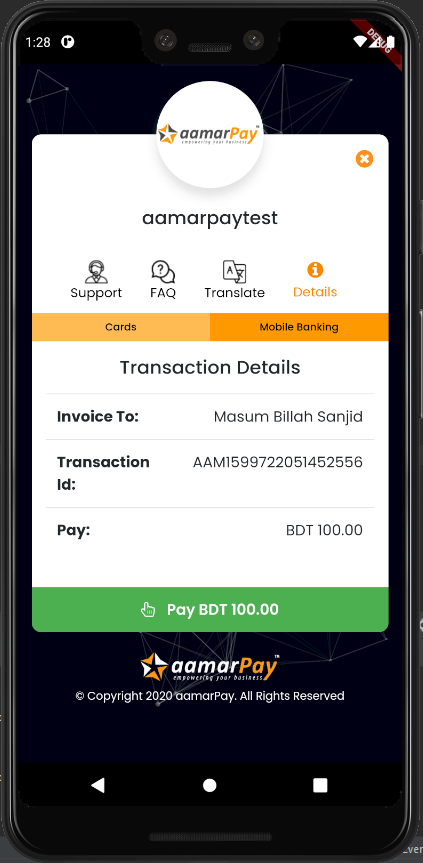
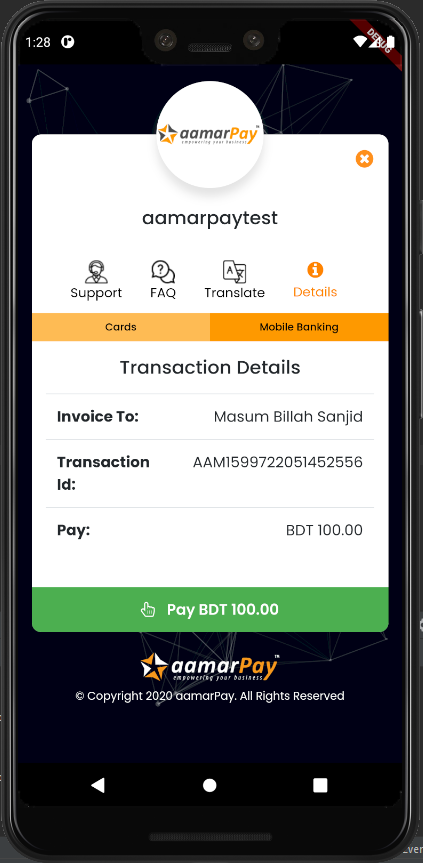
aamarpay Flutter 패키지는 방글라데시의 주요 온라인 결제 게이트웨이 서비스인 aamarPay와 공식적으로 통합을 제공합니다. 이 패키지는 Android, iOS, macOS용 Flutter 애플리케이션에서 결제를 원활하게 처리할 수 있게 해줍니다. 트랜잭션 시작, 결제 응답 처리, aamarPay API와의 안전한 통신을 간소화합니다. 방글라데시 시장에 초점을 맞춘 개발자를 위한 설계로, 현지 통화(BDT) 및 모바일 뱅킹, 신용카드/직불카드와 같은 일반적인 결제 수단을 지원합니다. pub.dev를 통해 간편한 설정으로 전자상거래 및 디지털 서비스 수익화를 간편하게 만듭니다.
사용 사례
방글라데시의 전자상거래 앱
디지털 서비스 구독
온라인 티켓 예약
모바일 뱅킹 통합
앱 내 구매
정부 서비스 결제
주요 기능
공식 aamarPay SDK 통합
BDT 거래 지원
크로스 플랫폼 호환성
안전한 결제 처리
간편한 pub.dev 설치
거래 상태 콜백
적합한 대상
방글라데시 핀테크 스타트업
현지 전자상거래 플랫폼
현지 결제가 필요한 모바일 앱
남아시아 시장을 겨냥하는 개발자
모바일 뱅킹 지원이 필요한 앱
고려 사항
유효한 aamarPay 상인 계정이 필요합니다
방글라데시 기반 사용자에 한정
적절한 SSL 구성이 필요합니다
외부 API 안정성에 의존
현지 금융 규제 준수를 요구할 수 있습니다
원본 README
연결된 소스 저장소의 README 원문 스냅샷입니다. 최신 내용은 저장소에서 확인하세요.
aamarpay
aamarPay is an online payment gateway service for Bangladesh. Committed to provide best payment experience online for business. Lowest fee and fast checkout will give you good experience of receiving payment online.
Requirements
Android: minSdkVersion 19
How to use:
In the dependencies: section of your pubspec.yaml, add the following line:
dependencies:aamarpay:^1.0.15
install packages from the command line:
$ flutter pub get
Importance notes
Read the comments in the example code
The transactionID must be unique for every payment
There is a test signature key. But when you go to the production you must use your own signature key
It is better to practice with the example code first
Here is the example code:
import'package:flutter/material.dart';
import'package:aamarpay/aamarpay.dart';
voidmain() {
runApp(MaterialApp(
home: MyPay(),
));
}
classMyPayextendsStatefulWidget{
@override_MyPayStatecreateState() => _MyPayState();
}
class_MyPayStateextendsState<MyPay> {
bool isLoading = false;
@overrideWidgetbuild(BuildContext context) {
returnScaffold(
body: Center(
child: Aamarpay(
// This will return a payment url based on failUrl,cancelUrl,successUrl
returnUrl: (String url) {
print(url);
},
// This will return the payment loading status
isLoading: (bool loading) {
setState(() {
isLoading = loading;
});
},
// This will return the payment event with a message
status: (EventState event, String message) {
if (event == EventState.error) {
setState(() {
isLoading = false;
});
}
},
// When you use your own url, you must have the keywords:cancel,confirm,fail otherwise the callback function will not work properly
cancelUrl: "example.com/payment/cancel",
successUrl: "example.com/payment/confirm",
failUrl: "example.com/payment/fail",
customerEmail: "masumbillahsanjid@gmail.com",
customerMobile: "01834760591",
customerName: "Masum Billah Sanjid",
// That is the test signature key. But when you go to the production you must use your own signature key
signature: "dbb74894e82415a2f7ff0ec3a97e4183",
// That is the test storeID. But when you go to the production you must use your own storeID
storeID: "aamarpaytest",
// Use transactionAmountFromTextField when you pass amount with TextEditingController// transactionAmountFromTextField: amountTextEditingController,
transactionAmount: "200",
//The transactionID must be unique for every payment
transactionID: "${DateTime.now().millisecondsSinceEpoch}",
//The transactionID must be unique for every payment
transactionID: "transactionID",
description: "test",
// When the application goes to the producation the isSandbox must be false
isSandBox: true,
child: isLoading
? Center(
child: CircularProgressIndicator(),
)
: Container(
color: Colors.orange,
height: 50,
child: Center(
child: Text(
"Payment",
style: TextStyle(
fontWeight: FontWeight.bold, color: Colors.white),
),
),
),
),
),
);
}
}