

 v1.0.2
glowy_borders
경계를 빛나게 만드는 패키지
84좋아요 7.3천30일 다운로드130Pub 점수
AndroidiOSWebmacOSWindowsLinux
컴포넌트 테두리를 아름답게 만드는 플러터 라이브러리

아래는 영문 원문 스냅샷입니다. 최신 내용은 GitHub에서 확인하세요.
This package provides a wrapper widget to animate borders around your widgets. You can choose to provide current Animation Progress externally or use an indefinitely animation.
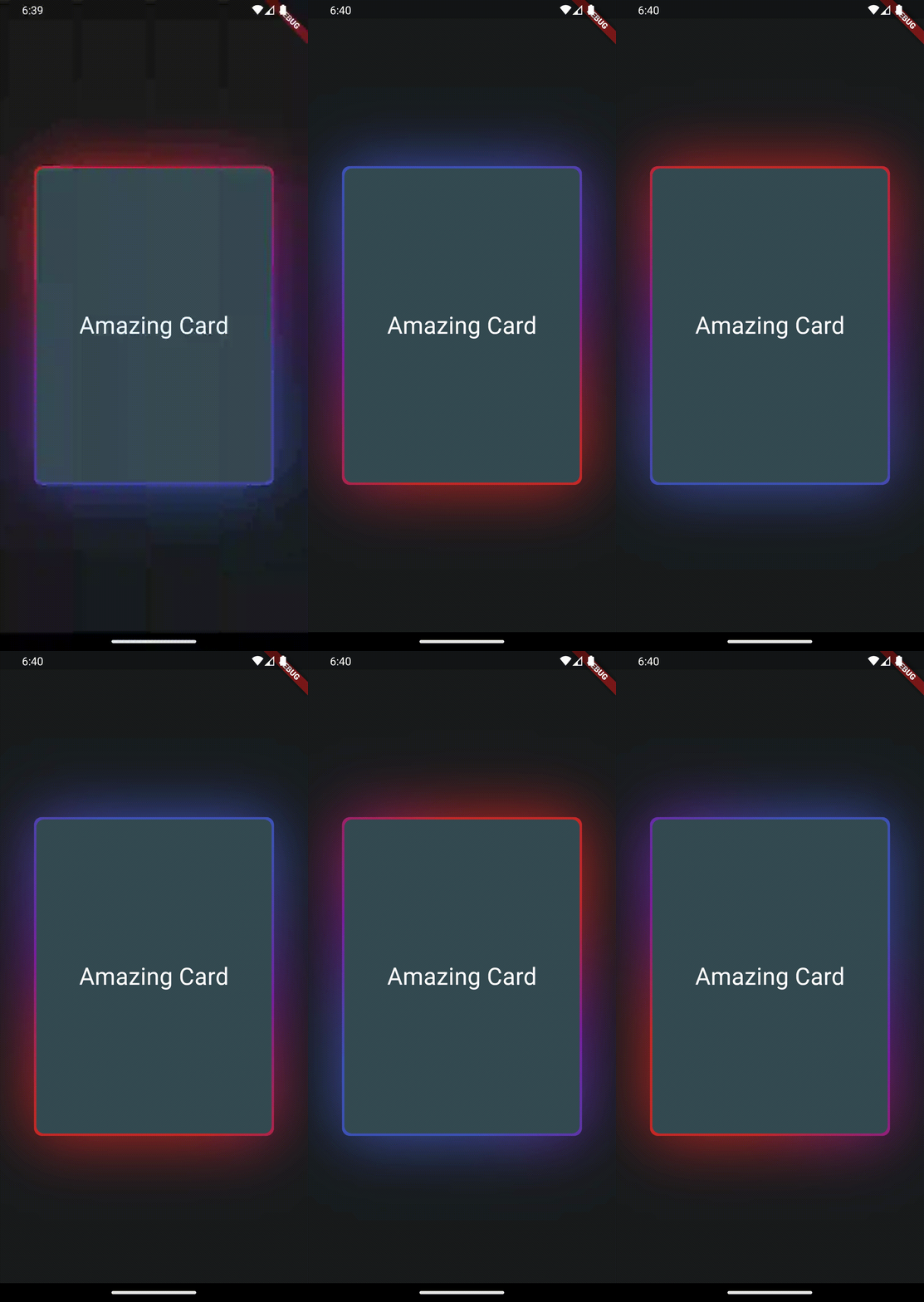 |
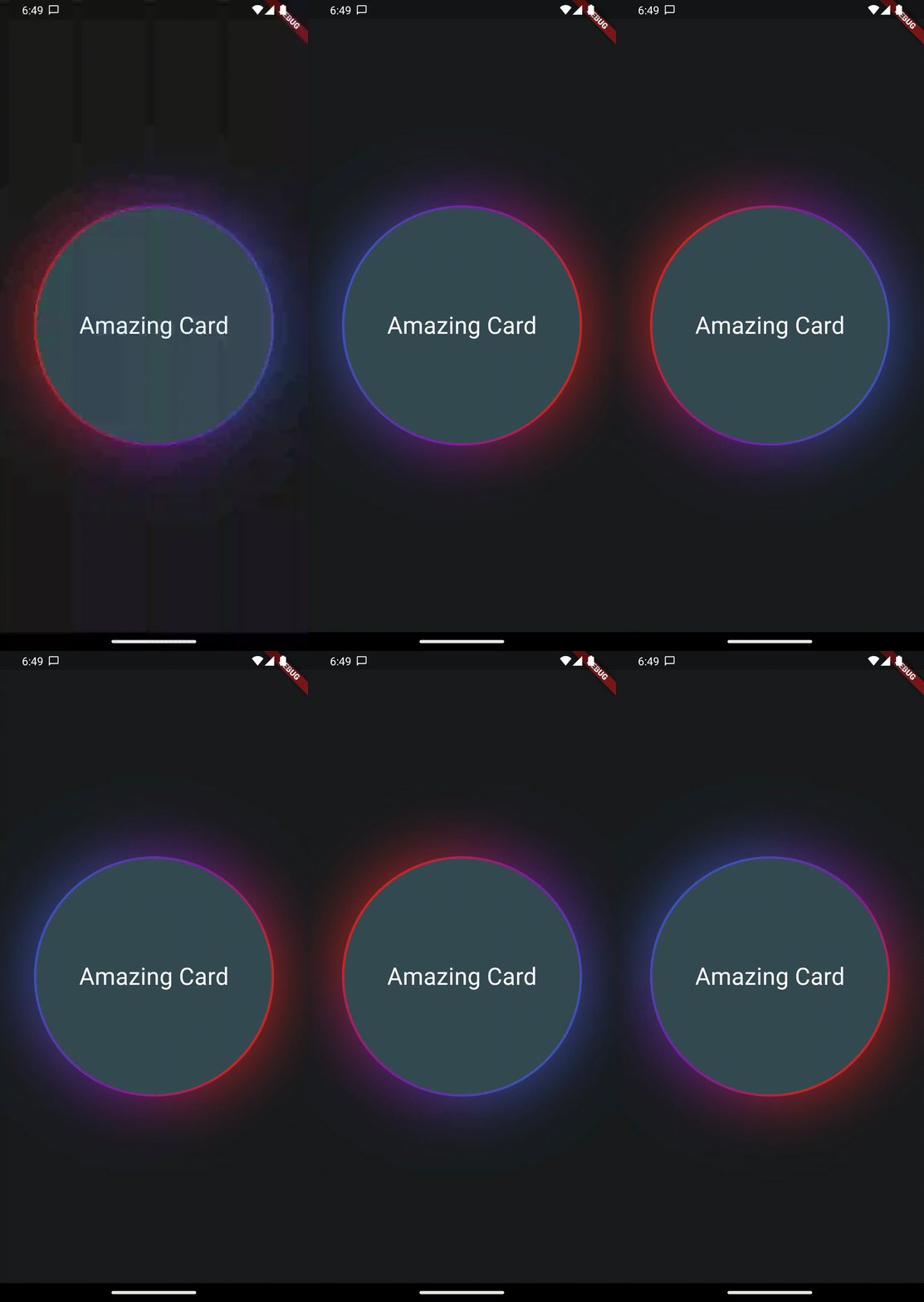 |
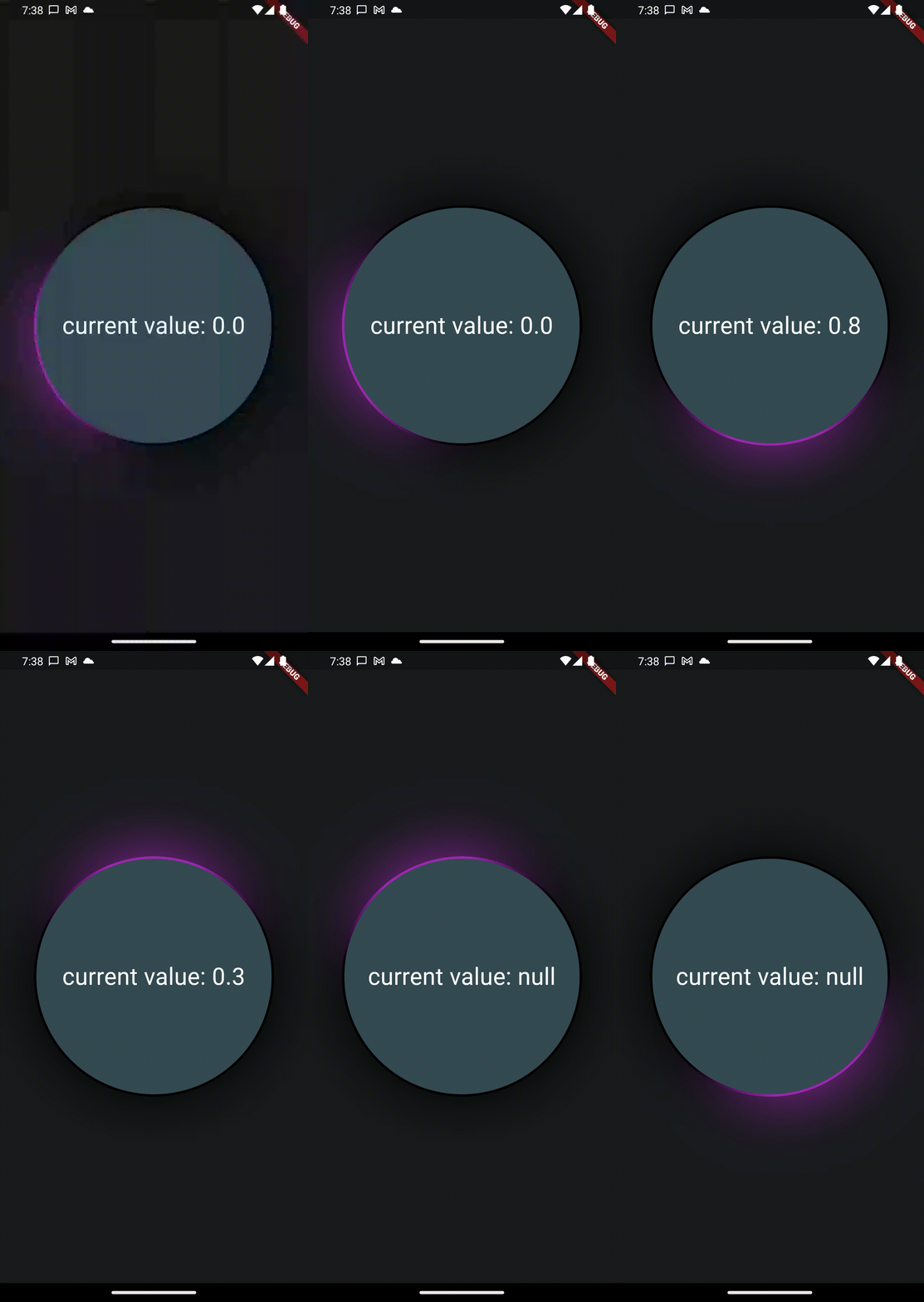
Create your flutter app, import this package and use AnimatedGradientBorder to wrap some element.
In this example you only need to wrap the widget with a full size Column in your app to see the
results.
Also note the currentProgress variable which is used to set animation state.
If you remove it or set it to null, the animation will play indefinitely.
Please Note that you will need to set the same border radius for the wrapper as well as the child to make it look like a true border.
Also note, that this widget will not work in stretched alignments if you don't provide the parameter stretchAlongAxis and specify which axis you want to stretch along
final widget = Scaffold(
  extendBody: true,
  body: SafeArea(
    child: Center(
      child: Column(
        mainAxisAlignment: MainAxisAlignment.center,
        crossAxisAlignment: CrossAxisAlignment.center,
        children: [
          const Column(
            children: [Text('Hallo Welt')],
          ),
          AnimatedGradientBorder(
            borderSize: 2,
            glowSize: 10,
            gradientColors: [
              Colors.transparent,
              Colors.transparent,
              Colors.transparent,
              Colors.purple.shade50
            ],
            animationProgress: currentProgress,
            borderRadius: BorderRadius.all(Radius.circular(999)),
            child: SizedBox(
              width: 300,
              height: 300,
              child: Container(
                decoration: BoxDecoration(
                    borderRadius: BorderRadius.all(Radius.circular(999)),
                    color: Theme
                        .of(context)
                        .colorScheme
                        .secondaryContainer),
                child: Column(
                  mainAxisAlignment: MainAxisAlignment.center,
                  children: [
                    Text("current value: $currentProgress",
                        style: TextStyle(color: Colors.white, fontSize: 30.0)),
                  ],
                ),
              ),
            ),
          ),
        ],
      ),
    ),
  ),
);
This feature uses Backdrop Filter under the hood which can cause performance issues if used extensively. Keep that in mind.
의존성 목록 3 개
{"sdk":"flutter"}{"sdk":"flutter"}^2.0.1사용 목적에 따라 검색하고 개발 활동을 비교한 뒤 원본 저장소에서 요구 사항을 확인하세요.
“A repository is the most basic element of GitHub.”
GitHub Docs — About repositories ↗