
flutter_spinbox
Flutter용 Material 및 Cupertino SpinBox

- 스타
- 33
- 포크
- 34
- 최근 푸시(UTC)
- 2025. 4. 7.
- 프로젝트 상태
- 활성
원본 README
아래는 영문 원문 스냅샷입니다. 최신 내용은 GitHub에서 확인하세요.
SpinBox for Flutter


SpinBox for Flutter is a numeric input widget with an input field for entering a specific value, and spin buttons for quick, convenient, and accurate value adjustments.
SpinBox for Flutter comes in two variants. It provides implementations for both designs in Flutter, Material and Cupertino (iOS).
Material Design
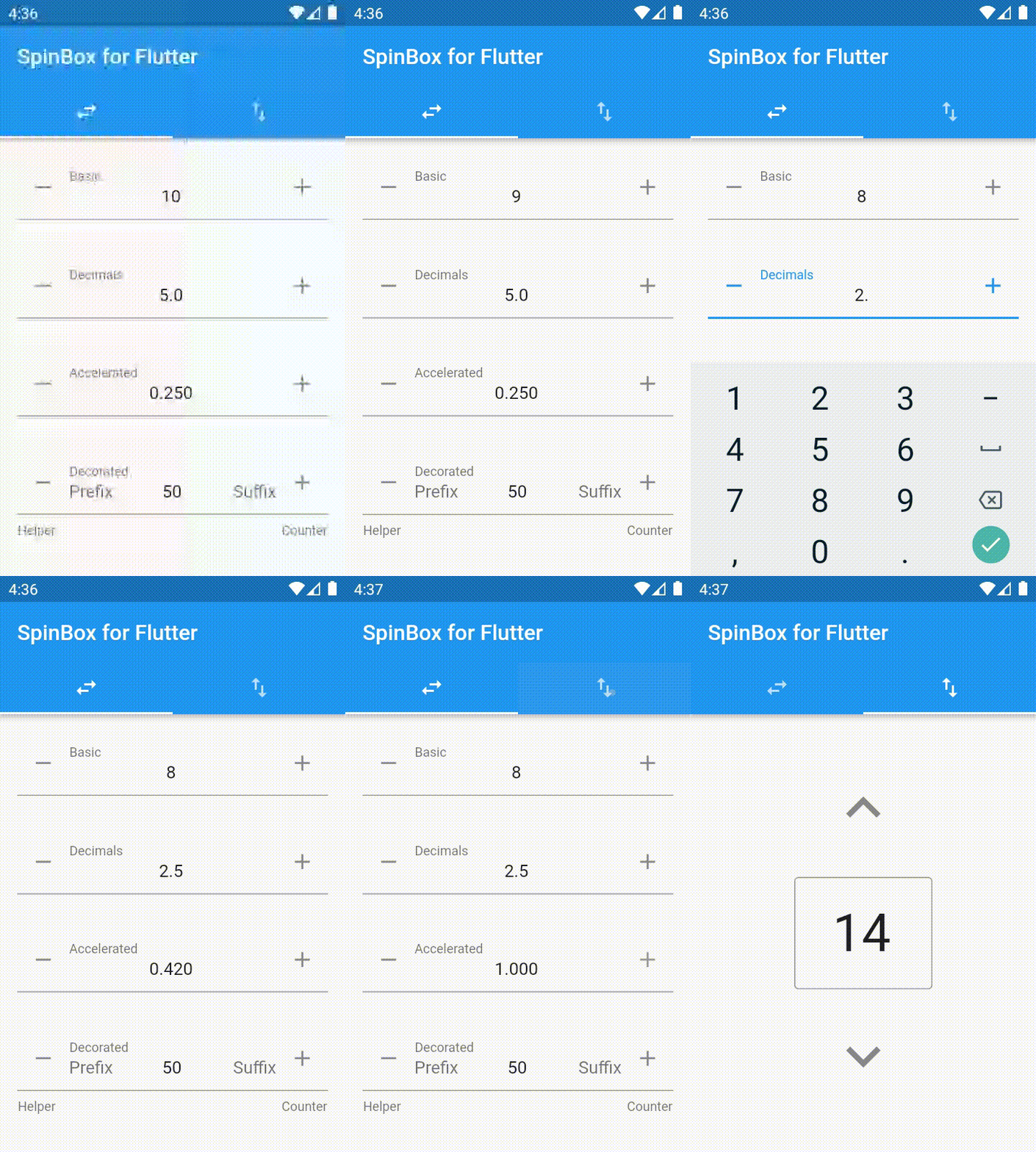
import 'package:flutter_spinbox/material.dart'; // or flutter_spinbox.dart for both

SpinBox(
  min: 1,
  max: 100,
  value: 50,
  onChanged: (value) => print(value),
)
See also Material Components widgets package.
Cupertino (iOS-style) Design
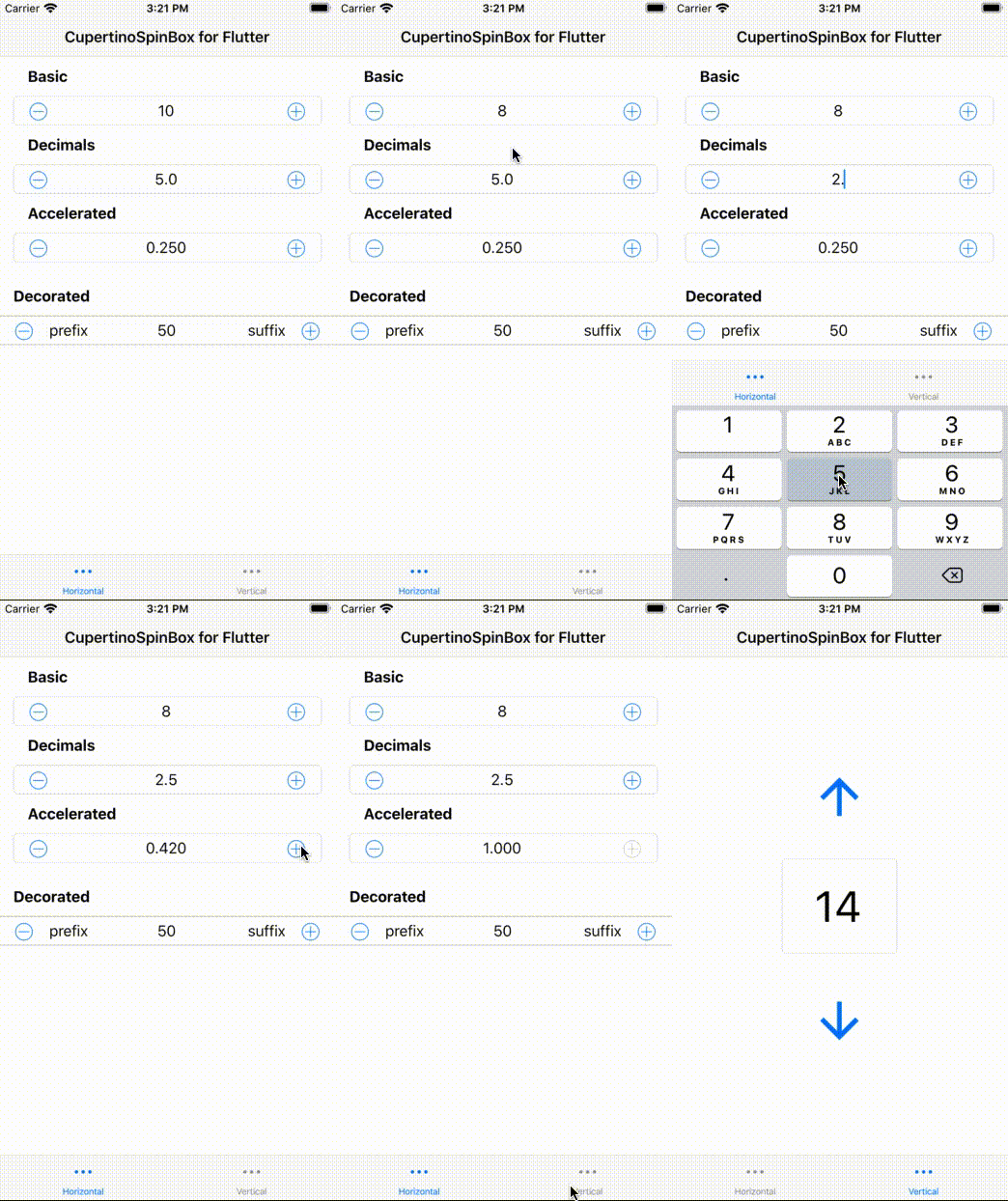
import 'package:flutter_spinbox/cupertino.dart'; // or flutter_spinbox.dart for both

CupertinoSpinBox(
  min: 1,
  max: 100,
  value: 50,
  onChanged: (value) => print(value),
)
See also Cupertino (iOS-style) widgets package.
Guidelines
Spin boxes are best suited for such applications
- that deal with large numeric value ranges and high precisions,
- where users typically know upfront the exact value they are entering,
- where users may later have a need to accurately adjust a previously entered value.
As a rule of thumb, spin boxes are great for scenarios where
- sliders and alike UI controls are too inaccurate,
- tumblers and alike UI controls cannot provide enough value range,
- and a plain text field is inconvenient for value adjustments (open the VKB, move the cursor, erase the previous value, enter a new value... vs. tap-tap-done).
Usage
To use this package, add flutter_spinbox as a dependency in your pubspec.yaml file.

Ubuntu Flutter Community ↗
분류
사용 중인 의존성
의존성 목록 5 개
- cupertino_icons
^1.0.2 - flutter
{"sdk":"flutter"} - meta
^1.3.0 - flutter_test개발 의존성
{"sdk":"flutter"} - lint개발 의존성
^2.0.0
프로젝트에 맞는 저장소를 선택하려면?
사용 목적에 따라 검색하고 개발 활동을 비교한 뒤 원본 저장소에서 요구 사항을 확인하세요.
- 이름, 작성자 또는 설명으로 검색하고 기술 주제로 범위를 좁힙니다.
- 스타, 포크, 최근 푸시를 함께 비교하세요. 스타는 관심의 지표이며 품질을 보장하지 않습니다.
- 사용하기 전에 GitHub에서 README, 라이선스, Issues를 확인하세요.
출처 및 관리
“A repository is the most basic element of GitHub.”
GitHub Docs — About repositories ↗