
 v1.0.0
progress_indicators
일부 멋진 진행률 표시기와 텍스트 애니메이터의 소량 모음입니다.
198좋아요 5.6천30일 다운로드130Pub 점수
AndroidiOSWebmacOSWindowsLinux
wal33d006/progress_indicators open-source repository details.

{"sdk":"flutter"}{"sdk":"flutter"}아래는 영문 원문 스냅샷입니다. 최신 내용은 GitHub에서 확인하세요.
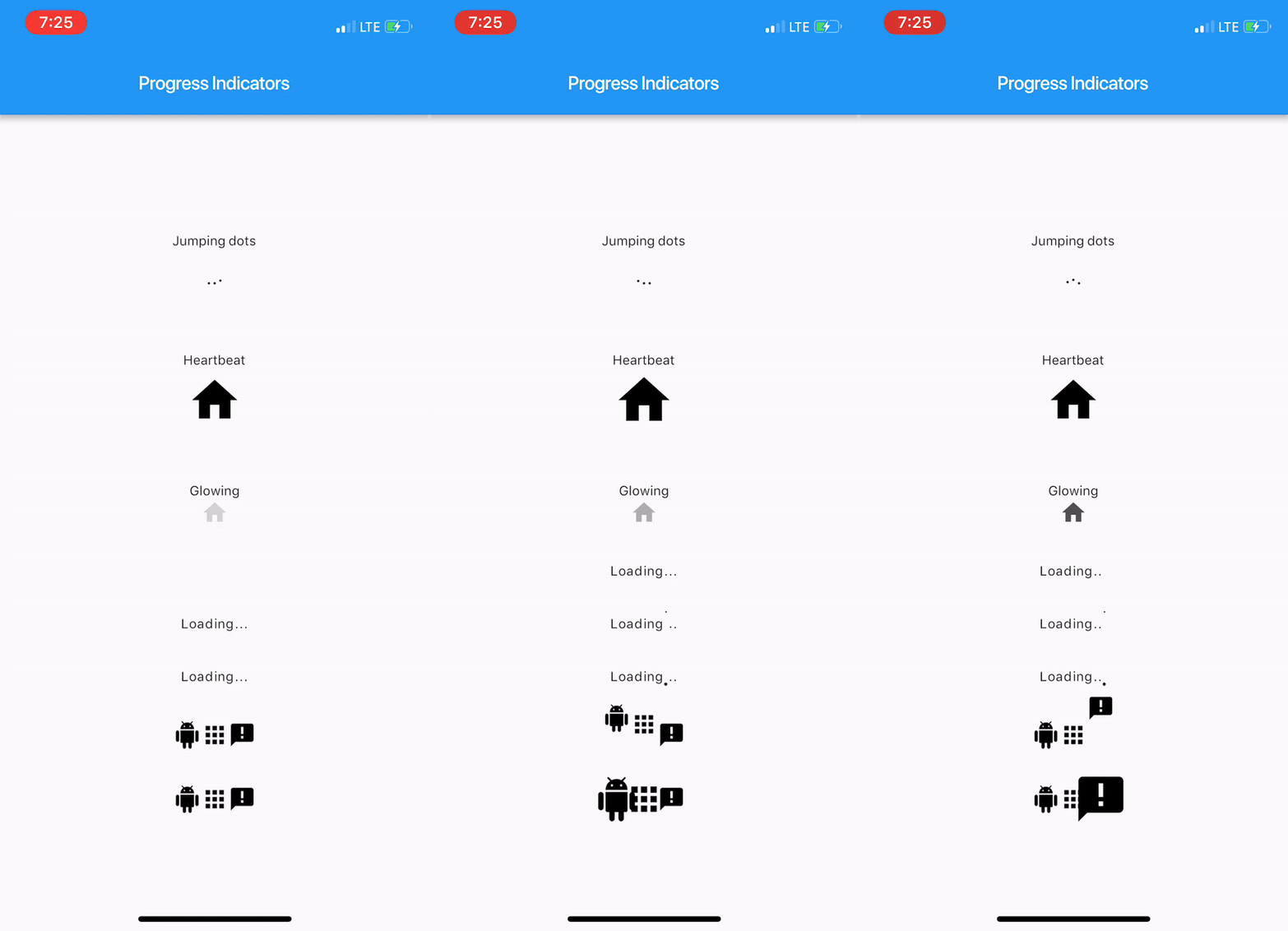
With this project, we are aiming to provide some cool, animated progress indicators to Flutter developers.
Here's how it looks like.
https://raw.githubusercontent.com/wal33d006/progress_indicators/HEAD/imgs/sample.gif
Import package:progress_indicators/progress_indicators.dart and use these avaiable widgets:
FadingTextJumpingTextScalingTextJumpingDotsHeartbeatProgressIndicatorGlowingProgressIndicatorCollectionSlideTranstionCollectionScaleTransitionWidget build(BuildContext context) {
print(Offset(0.0, -1.0).distanceSquared - Offset(0.0, 0.0).distanceSquared);
return new Scaffold(
appBar: new AppBar(
title: new Text(widget.title),
),
body: new Center(
child: new Column(
mainAxisAlignment: MainAxisAlignment.center,
children: <Widget>[
new Text('Jumping dots'),
JumpingDotsProgressIndicator(
fontSize: 20.0,
),
SizedBox(height: 60.0),
new Text('Heartbeat'),
SizedBox(height: 16.0),
HeartbeatProgressIndicator(
child: Icon(Icons.home),
),
SizedBox(height: 60.0),
new Text('Glowing'),
GlowingProgressIndicator(
child: Icon(Icons.home),
),
SizedBox(height: 32.0),
FadingText('Loading...'),
SizedBox(height: 32.0),
JumpingText('Loading...'),
SizedBox(height: 32.0),
ScalingText('Loading...'),
SizedBox(height: 32.0),
CollectionSlideTransition(
children: <Widget>[
Icon(Icons.android),
Icon(Icons.apps),
Icon(Icons.announcement),
],
),
SizedBox(height: 32.0),
CollectionScaleTransition(
children: <Widget>[
Icon(Icons.android),
Icon(Icons.apps),
Icon(Icons.announcement),
],
),
],
),
),
);
}
For complete sample, see the this example app.