패키지, 저장소 및 앱 카테고리 검색

progress_indicators 표지
패키지 상세v1.0.0

progress_indicators

일부 멋진 진행률 표시기와 텍스트 애니메이터의 소량 모음입니다.

AndroidiOSWebmacOSWindowsLinux
30일 다운로드
6.4천
좋아요
198
Pub 점수
130

패키지 설치

flutter pub add progress_indicators

패키지 개요

공개 정보를 바탕으로 생성한 선택 가이드입니다.

시각적으로 매력적인 진행률 표시기와 텍스트 애니메이터의 컬렉션을 제공하는 플러터 패키지입니다. 다양한 플랫폼에서 부드럽고 사용자 정의 가능한 로딩 애니메이션을 통해 사용자 경험을 향상시키도록 설계되었습니다. 앱에서 로딩 상태를 표시하거나 콘텐츠를 새로 고치거나 텍스트를 애니메이션화할 때 이상적입니다. Android, iOS, Web, macOS, Windows, Linux를 지원하여 기기 간 일관된 성능과 외관을 보장합니다. pub add를 통한 간단한 통합으로 복잡한 설정 없이도 현대적인 UI 요소를 쉽게 활용할 수 있습니다.

사용 사례

  • 로딩 화면
  • 새로 고침 인디케이터
  • 애니메이션 텍스트 표시
  • 온보딩 경험
  • 게임 로딩 상태
  • 인터랙티브 앱 피드백

주요 기능

  • 여러 애니메이션 진행 스타일
  • 텍스트 애니메이션 유틸리티
  • 크로스 플랫폼 호환성
  • 간편한 통합
  • 사용자 지정 가능한 색상 및 크기
  • 경량이며 성능이 뛰어남

적합한 대상

  • UI/UX 디자이너
  • 모바일 앱 개발자
  • 웹 애플리케이션 제작자
  • Flutter 초보자
  • 매력적인 로딩 시각 효과가 필요한 앱
  • 동적 콘텐츠 업데이트를 포함한 프로젝트

고려 사항

  • 시각적 향상에 국한
  • 고급 상태 관리 없음
  • 복잡한 애니메이션에 적합하지 않습니다
  • 유니크한 디자인을 위해 수동 스타일링이 필요합니다
  • Flutter의 렌더링 엔진에 의존합니다
  • 과도하게 사용할 경우 성능에 영향을 줄 수 있습니다

원본 README

연결된 소스 저장소의 README 원문 스냅샷입니다. 최신 내용은 저장소에서 확인하세요.

Flutter progress indicators

With this project, we are aiming to provide some cool, animated progress indicators to Flutter developers.

Currently available

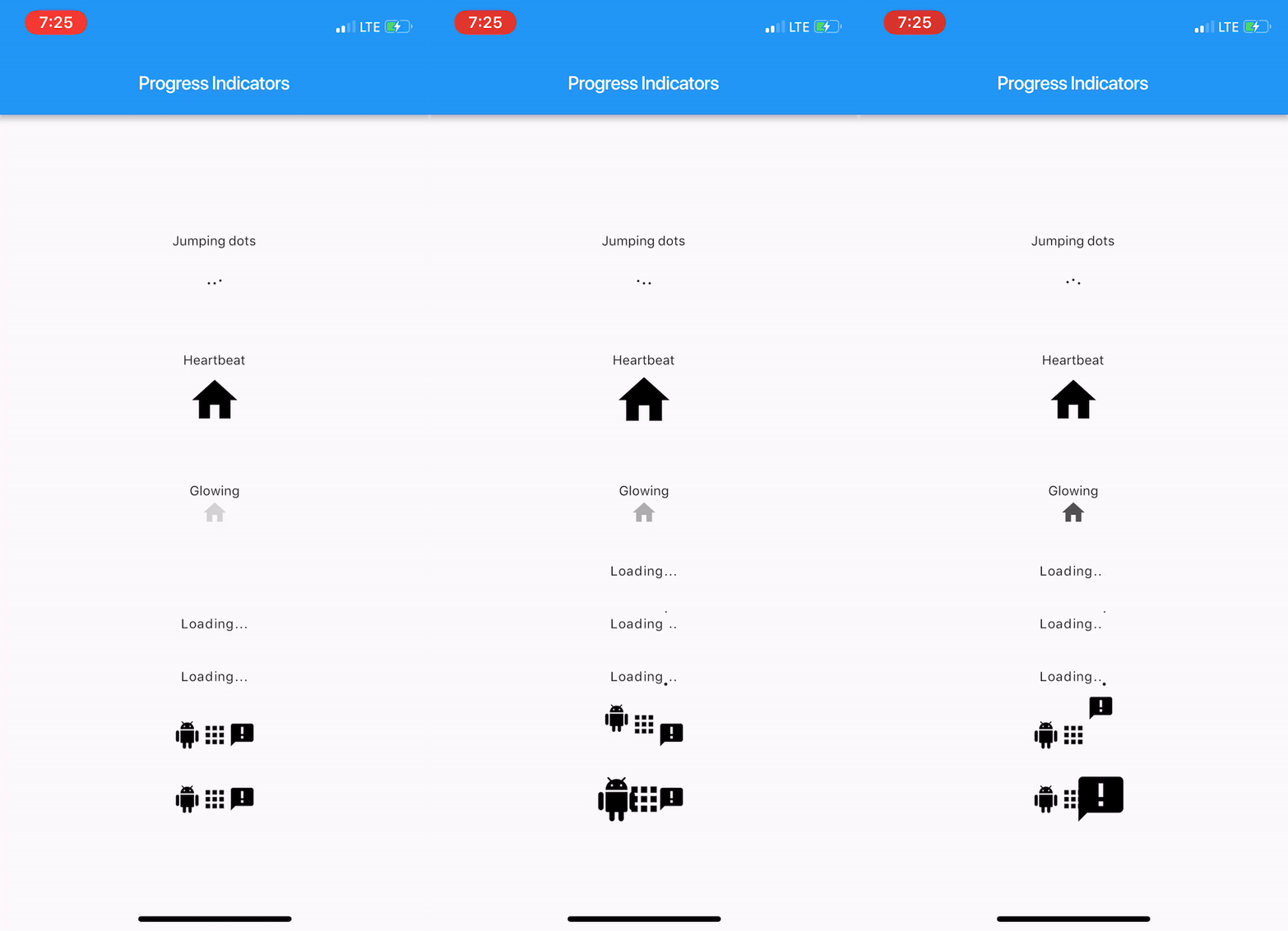
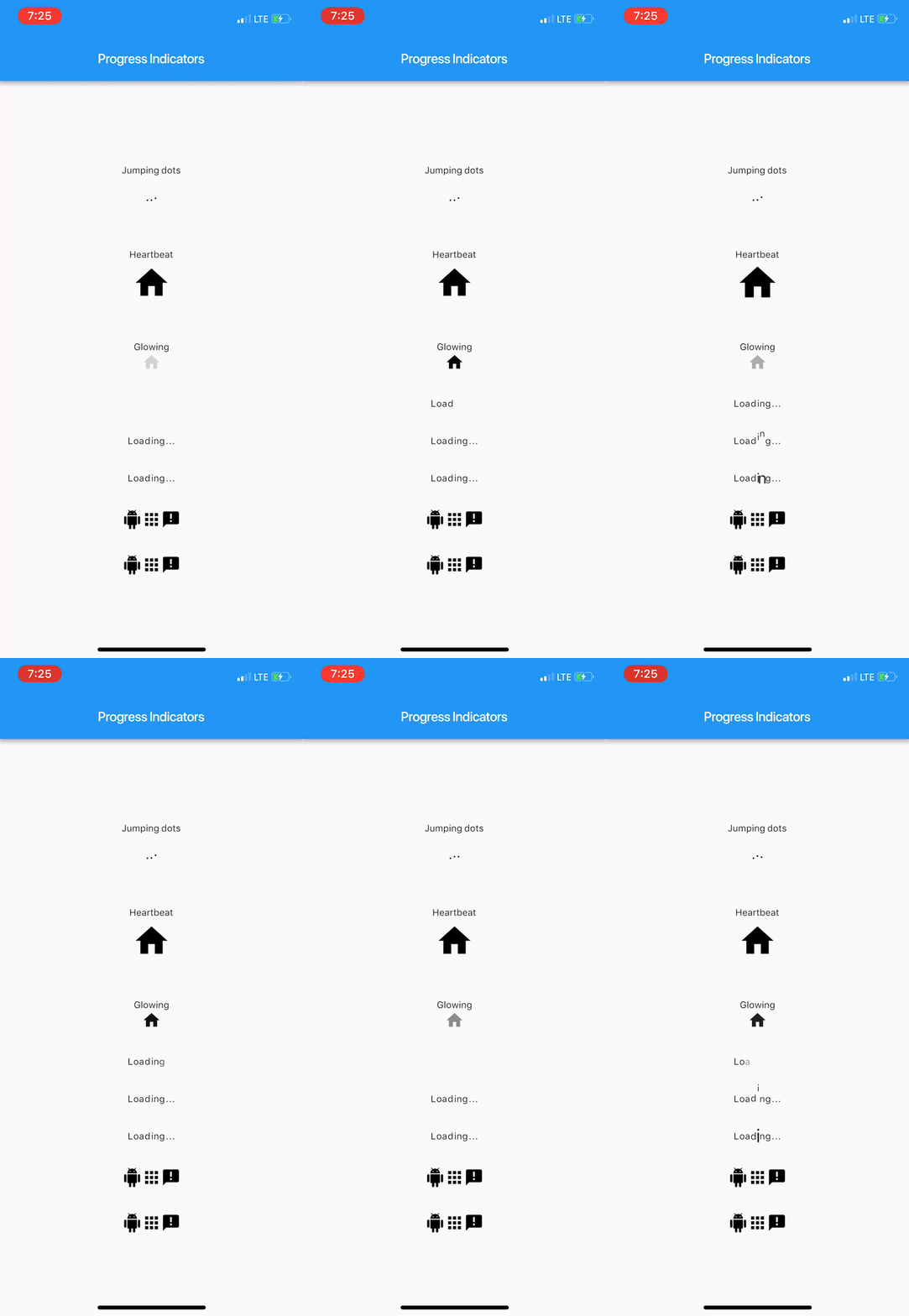
Sample

Here's how it looks like.

Usage

Import package:progress_indicators/progress_indicators.dart and use these avaiable widgets:

  • FadingText
  • JumpingText
  • ScalingText
  • JumpingDots
  • HeartbeatProgressIndicator
  • GlowingProgressIndicator
  • CollectionSlideTranstion
  • CollectionScaleTransition

Example

Widget build(BuildContext context) {
    print(Offset(0.0, -1.0).distanceSquared - Offset(0.0, 0.0).distanceSquared);
    return new Scaffold(
      appBar: new AppBar(
        title: new Text(widget.title),
      ),
      body: new Center(
        child: new Column(
          mainAxisAlignment: MainAxisAlignment.center,
          children: <Widget>[
            new Text('Jumping dots'),
            JumpingDotsProgressIndicator(
              fontSize: 20.0,
            ),
            SizedBox(height: 60.0),
            new Text('Heartbeat'),
            SizedBox(height: 16.0),
            HeartbeatProgressIndicator(
              child: Icon(Icons.home),
            ),
            SizedBox(height: 60.0),
            new Text('Glowing'),
            GlowingProgressIndicator(
              child: Icon(Icons.home),
            ),
            SizedBox(height: 32.0),
            FadingText('Loading...'),
            SizedBox(height: 32.0),
            JumpingText('Loading...'),
            SizedBox(height: 32.0),
            ScalingText('Loading...'),
            SizedBox(height: 32.0),
            CollectionSlideTransition(
              children: <Widget>[
                Icon(Icons.android),
                Icon(Icons.apps),
                Icon(Icons.announcement),
              ],
            ),
            SizedBox(height: 32.0),
            CollectionScaleTransition(
              children: <Widget>[
                Icon(Icons.android),
                Icon(Icons.apps),
                Icon(Icons.announcement),
              ],
            ),
          ],
        ),
      ),
    );
  }

For complete sample, see the this example app.

카테고리

소스 저장소

이 패키지를 사용하는 프로젝트