
flutter_story_editor
Este pacote utiliza o estilo do editor de imagens/vídeos de histórias do WhatsApp, você pode editar imagens e vídeos. Você pode adicionar textos, adesivos, desenhar com o dedo, aplicar filtros e desfazer.

- Estrelas
- 30
- Forks
- 33
- Último push (UTC)
- 23 de jul. de 2024
- Status do projeto
- Ativo
README original
Texto original em inglês. Visite o GitHub para a versão atual.
flutter_story_editor 
This package is created using style of the WhatsApp story image/video editor, with which you can edit images and videos both together. You can add texts, stickers, freehand finger drawing, apply filter, and undo. The edited images will be returned in a onSave call back as List of Files. You can then upload it to some storage or save it locally to your gallery.
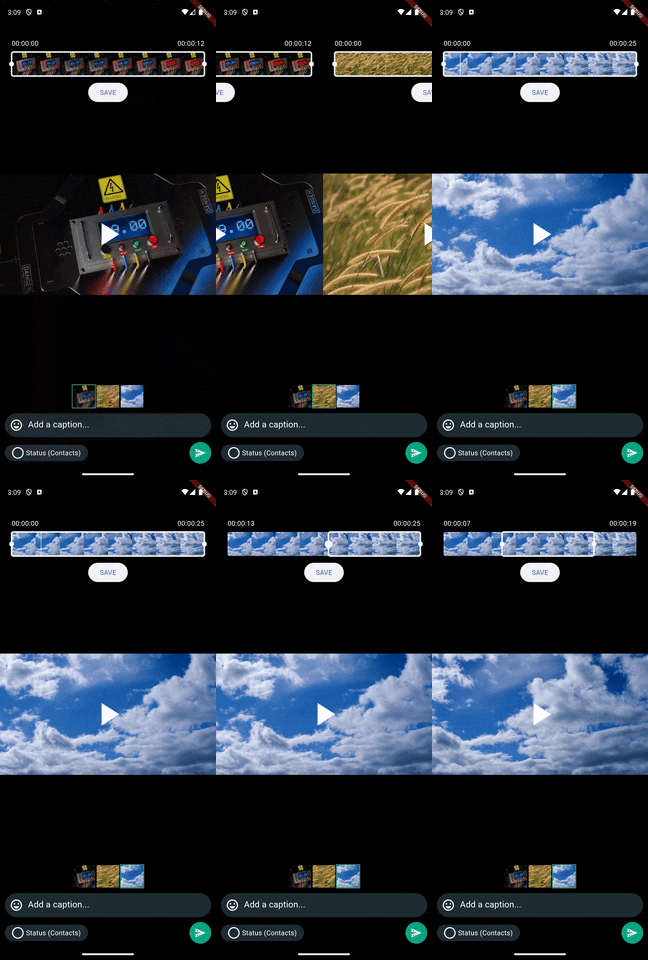
Video editing for now only support trimming. In future more video editing features will be added.
Features
✅ You can edit Images, and videos both together.
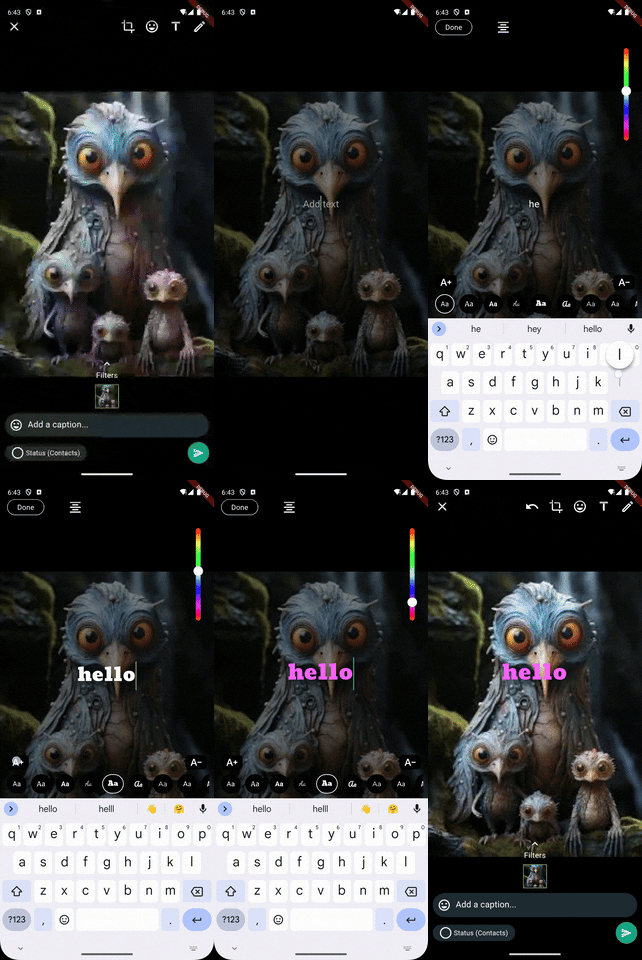
✅ Draggable fancy text with (custom colors, font families, and resize)
✅ Draggable stickers & emojis
✅ Apply filters to images
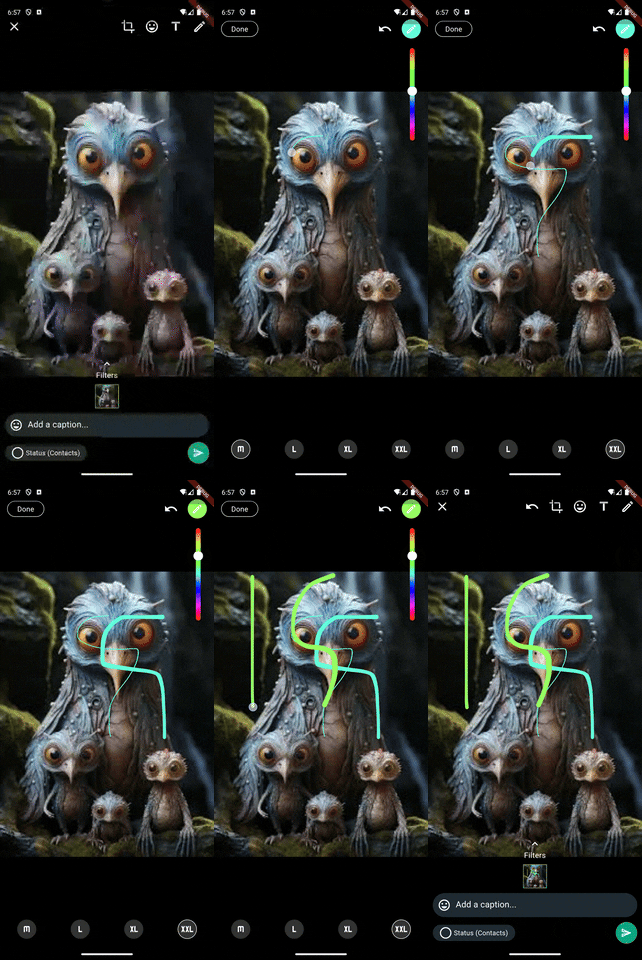
✅ Freehand drawing over images
✅ Trimming video frames
Future features
🚀 Drawing painting over video frames (requires platform specific work)
🚀 More image and video editing functionality like (WhatsApp & Instagram) stories
🚀 The UI is currently like WhatsApp, but I think we should go with something unique for flutter (your contribution & ideas will be very invaluable)
🚀 improve and enhance performance and existing features.
Package Demo
Installation
Add flutter_story_editor: latest_version to your pubspec.yaml and then import it.
dartimport 'package:stories_editor/stories_editor.dart';
Android
add the following code to your AndroidMAnifest.xml file
<activity
 android:name="com.yalantis.ucrop.UCropActivity"
 android:screenOrientation="portrait"
 android:theme="@style/Theme.AppCompat.Light.NoActionBar"/>
iOS
add the following code to your info.plist file
<key>NSCameraUsageDescription</key>
<string>Used to demonstrate image picker plugin</string>
<key>NSMicrophoneUsageDescription</key>
<string>Used to capture audio for image picker plugin</string>
<key>NSPhotoLibraryUsageDescription</key>
<string>Used to demonstrate image picker plugin</string>
How to use
  // Inialize controllers within the state
  FlutterStoryEditorController controller = FlutterStoryEditorController();
  final TextEditingController _captionController = TextEditingController();

  // TODO: create a method to pick files (videos and images) either separate or together.


    // Select files
    selectMedia().then((value) {
                  if (_selectedMedia != null && _selectedMedia!.isNotEmpty) {
                    showModalBottomSheet(
                      isScrollControlled: true,
                      isDismissible: false,
                      enableDrag: false,
                      context: context,
                      builder: (context) {

                        return FlutterStoryEditor(
                            controller: controller,
                            captionController: _captionController,
                            selectedFiles: _selectedMedia,
                            onSaveClickListener: (files) {
                              // Here you go with your edited files.
                            }
                        );
                      },
                    );
                  }
                },
              );
            }, icon: const Icon(Icons.upload, size: 50,)),
          ),
For more information : visit example project inside example/example.dart.
Screenshots
Initial view & Multiple images selected


Images & videos together & Apply filters


Crop, scale and rotate & Add draggable stickers


Add emojis & Add draggable fancy text


Draw freehand painting over images


Must read
The initial release of flutter_story_editor may have small bugs, and issues. If you found some, and you're willing to contribute feel free to create issue and rasie a PR. Make sure you inform me through my LinkedIn DM for the issues you create in both cases either or not if you want to contribute.
This package will be improved more along the time, your contribution will be very invaluable.
Created & Maintained By
@MuhammadAdnan, LinkedIn : @MuhammadAdnan , Instagram : @MuhammadAdnan.
YouTube : @eTechViral

Muhammad Adnan ↗
Categorias
Dependências usadas
Lista de dependências 16 itens
- flutter
{"sdk":"flutter"} - image_cropper
^5.0.1 - video_player
^2.8.6 - video_trimmer
^3.0.1 - video_thumbnail
^0.5.3 - hsv_color_pickers
^0.3.0 - perfect_freehand
^2.3.2 - file_picker
^8.0.1 - path
^1.9.0 - path_provider
^2.1.3 - flutter_keyboard_visibility
^6.0.0 - vector_math
^2.1.4 - font_awesome_flutter
^10.7.0 - material_design_icons_flutter
^7.0.7296 - flutter_testDesenvolvimento
{"sdk":"flutter"} - flutter_lintsDesenvolvimento
^3.0.2
Como escolher um repositório para seu projeto?
Filtre pelo caso de uso, compare a atividade e confira o projeto original antes de adotá-lo.
- Busque por nome, autor ou descrição e filtre por tema.
- Compare estrelas, forks e envios recentes. Estrelas indicam interesse, mas não garantem qualidade.
- Confira o README, a licença e as issues no GitHub antes de usar o projeto.
Fontes e manutenção
“A repository is the most basic element of GitHub.”
GitHub Docs — About repositories ↗