
 v2.0.0
animate_icons
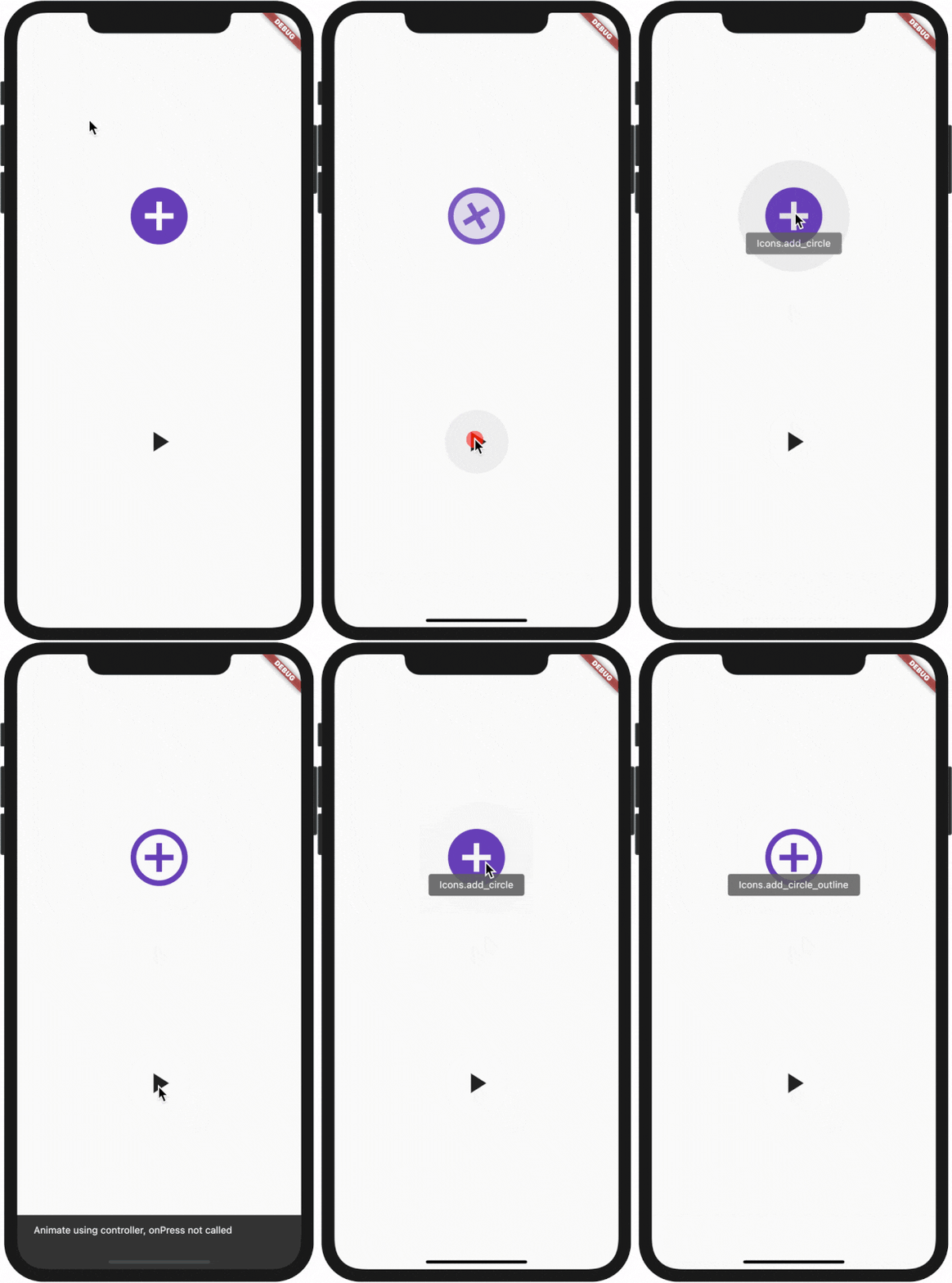
Este é um plugin com o qual você pode animar entre quaisquer dois ícones, como fazemos no widget AnimatedIcon fornecido por padrão.
210Curtidas 2,7 milDownloads em 30 dias140Pontos Pub
AndroidiOSWebmacOSWindowsLinux
Use este plugin para animar quaisquer dois ícones como os AnimatedIcons internos

Lista de dependências 2 itens
{"sdk":"flutter"}{"sdk":"flutter"}Texto original em inglês. Visite o GitHub para a versão atual.
All plugin in your pubspec.yaml
animate_icons:
Make the import:
import 'package:animate_icons/animate_icons.dart';
Use the following widget:
AnimateIcons(
    startIcon: Icons.add_circle,
    endIcon: Icons.add_circle_outline,
    size: 100.0,
    controller: controller,
    // add this tooltip for the start icon
    startTooltip: 'Icons.add_circle',
    // add this tooltip for the end icon
    endTooltip: 'Icons.add_circle_outline',
    size: 60.0,
    onStartIconPress: () {
        print("Clicked on Add Icon");
        return true;
    },
    onEndIconPress: () {
        print("Clicked on Close Icon");
        return true;
    },
    duration: Duration(milliseconds: 500),
    startIconColor: Colors.deepPurple,
    endIconColor: Colors.deepOrange,
    clockwise: false,
),
Define AnimateIconController to animate b/w start and end icons without onIco press, check which icon is there on top - start or end.
AnimateIconController controller;
controller = AnimateIconController();
AnimateIcons(
    startIcon: Icons.add,
    endIcon: Icons.close,
    controller: controller,
    size: 60.0,
    onStartIconPress: () {
        print("Clicked on Add Icon");
        return true;
    },
    onEndIconPress: () {
        print("Clicked on Close Icon");
        return true;
    },
    duration: Duration(milliseconds: 500),
    startIconColor: Colors.deepPurple,
    endIconColor: Colors.deepOrange,
    clockwise: false,
),
if (controller.isStart()) {
    controller.animateToEnd();
} else if (controller.isEnd()) {
    controller.animateToStart();
}