Texto original em inglês. Visite o GitHub para a versão atual.
Flutter Keyboard Shortcuts
Keyboard shortcuts to add where you want
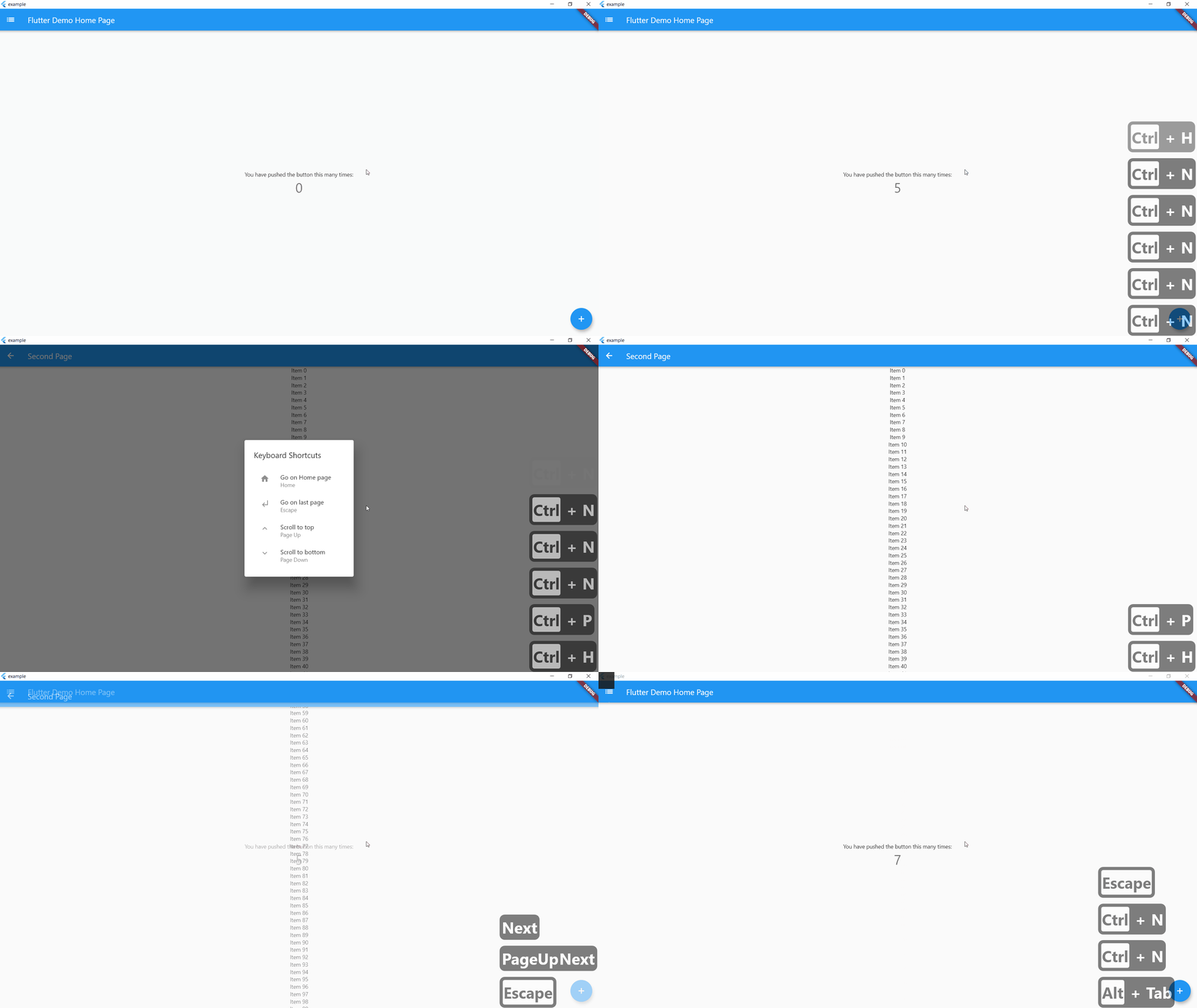
Example
On controlLeft + key P are pressed, user navigate to SecondPage()
helpLabel will be display on help menu
    KeyBoardShortcuts(
        keysToPress: {LogicalKeyboardKey.controlLeft, LogicalKeyboardKey.keyP},
        onKeysPressed: () => Navigator.push(
          context,
          MaterialPageRoute(builder: (context) => SecondPage()),
        ),
        helpLabel: "Go to Second Page",
        child: Center(
          child: Column(
            mainAxisAlignment: MainAxisAlignment.center,
            children: <Widget>[
              Text(
                'You have pushed the button this many times:',
              ),
              Text(
                '$_counter',
                style: Theme.of(context).textTheme.headline4,
              ),
            ],
          ),
        ),
      ),
If globalShortcuts is set to true, user can use Home Button to go on Homepage, up and down button to go on top or bottom of the page and escape to go on last page
    KeyBoardShortcuts(
        globalShortcuts: true,
        child: Center(
          child: Column(
            mainAxisAlignment: MainAxisAlignment.center,
            children: <Widget>[
              Text(
                'You have pushed the button this many times:',
              ),
              Text(
                '$_counter',
                style: Theme.of(context).textTheme.headline4,
              ),
            ],
          ),
        ),
      ),
initShortCuts() is used to customize shortcuts, you can set home page, title of help menu, icon on custom shortcuts and custom help menu
initShortCuts(HomePage(), helpTitle : "Help Menu", helpIcon : Icons.menu);
You can also use initShortCuts to create your own global shortcuts, they will be allow in all page were globalShortcuts is true without rewriting these shortcuts
  initShortCuts(
    HomePage(),
    keysToPress: {
      {LogicalKeyboardKey.controlLeft, LogicalKeyboardKey.keyP},
    },
    onKeysPressed: {() => print("Work")},
    helpLabel: {"Print Work"},
  );

