
v0.1.0
thememode_selector
Um widget para selecionar entre o modo claro e escuro do ThemeMode (em desenvolvimento, mas funcionando bem)
46Curtidas 18Downloads em 30 dias40Pontos Pub
Plataformas indisponíveis
Widget para selecionar entre ThemeMode.dark e ThemeMode.light
Texto original em inglês. Visite o GitHub para a versão atual.
I am currently working with the concept of Theme's in Flutter and I wanted to build a widget which would allow me to switch between light and dark themes. Seeking a design for a simple toggle, I was lucky enough to stumble into some of Zhenya Karapetyan's amazing work on Dribbble. Zhenya's simple yet fun design of a toggle component would look very nice in Flutter, and it has some really cool animations which I wanted to learn.
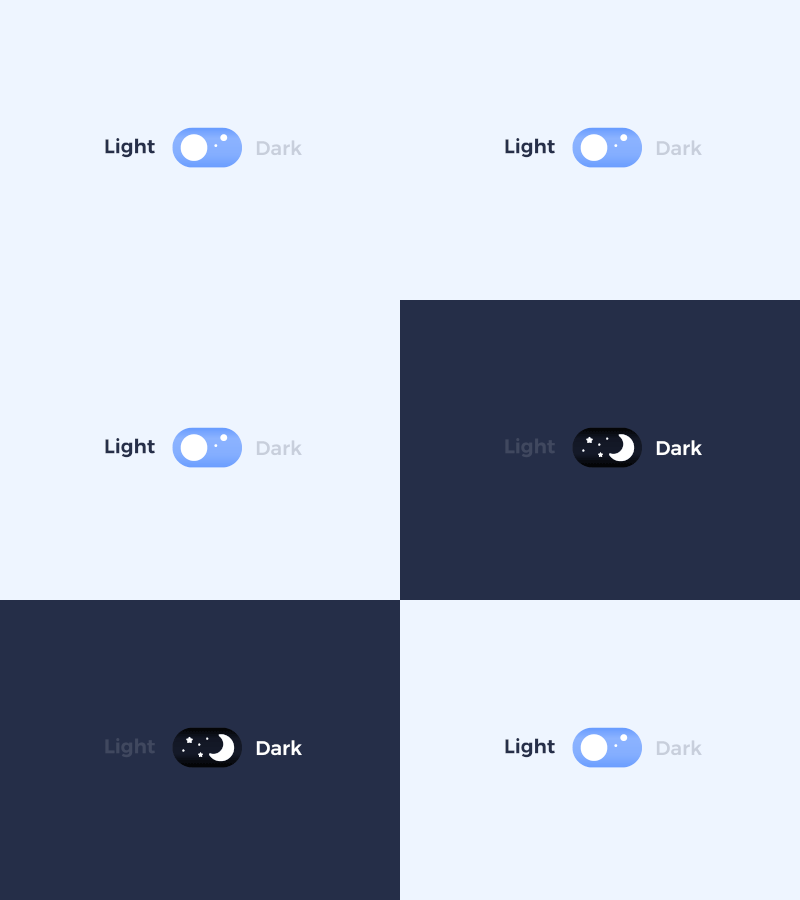
https://dribbble.com/shots/7635203-Light-Dark-mode-toggle-switcher/attachments/396864?mode=media
A widget to toggle between a light or dark ThemeMode
Add thememode_selector: ^0.1.0 to your pubspec.yaml configuration.
import 'package:thememode_selector/thememode_selector.dart'
Widget build(BuildContext context) {
  return Scaffold(
    appBar: AppBar(
      title: Text(title),
    ),
    body: Center(
      child: ThemeModeSelector(
        height: 39,
        onChanged: (mode) {
          print('ThemeMode changed to $mode');
          ThemeModeManager.of(context)!.themeMode = mode;
        },
      ),
    ),
  );
}
MIT

Lista de dependências 2 itens
{"sdk":"flutter"}{"sdk":"flutter"}Filtre pelo caso de uso, compare a atividade e confira o projeto original antes de adotá-lo.
“A repository is the most basic element of GitHub.”
GitHub Docs — About repositories ↗