
FlatApp-Firebase-Flutter
Aplicativo Flap com Firebase no Flutter por GeekyAnts.

- Estrelas
- 218
- Forks
- 78
- Último push (UTC)
- 31 de jan. de 2026
- Status do projeto
- Ativo
README original
Texto original em inglês. Visite o GitHub para a versão atual.
FlatApp-Firebase-Flutter
A new open-source Flutter project from GeekyAnts that enables the developer to quickly get started with the Flutter application development. We have recreated a few screens of our famous React Native Starter Kit in Flutter!
This project is integrated with Firebase for user authentication and contains all the basic features that are required to build an amazing Flutter app.
Demo
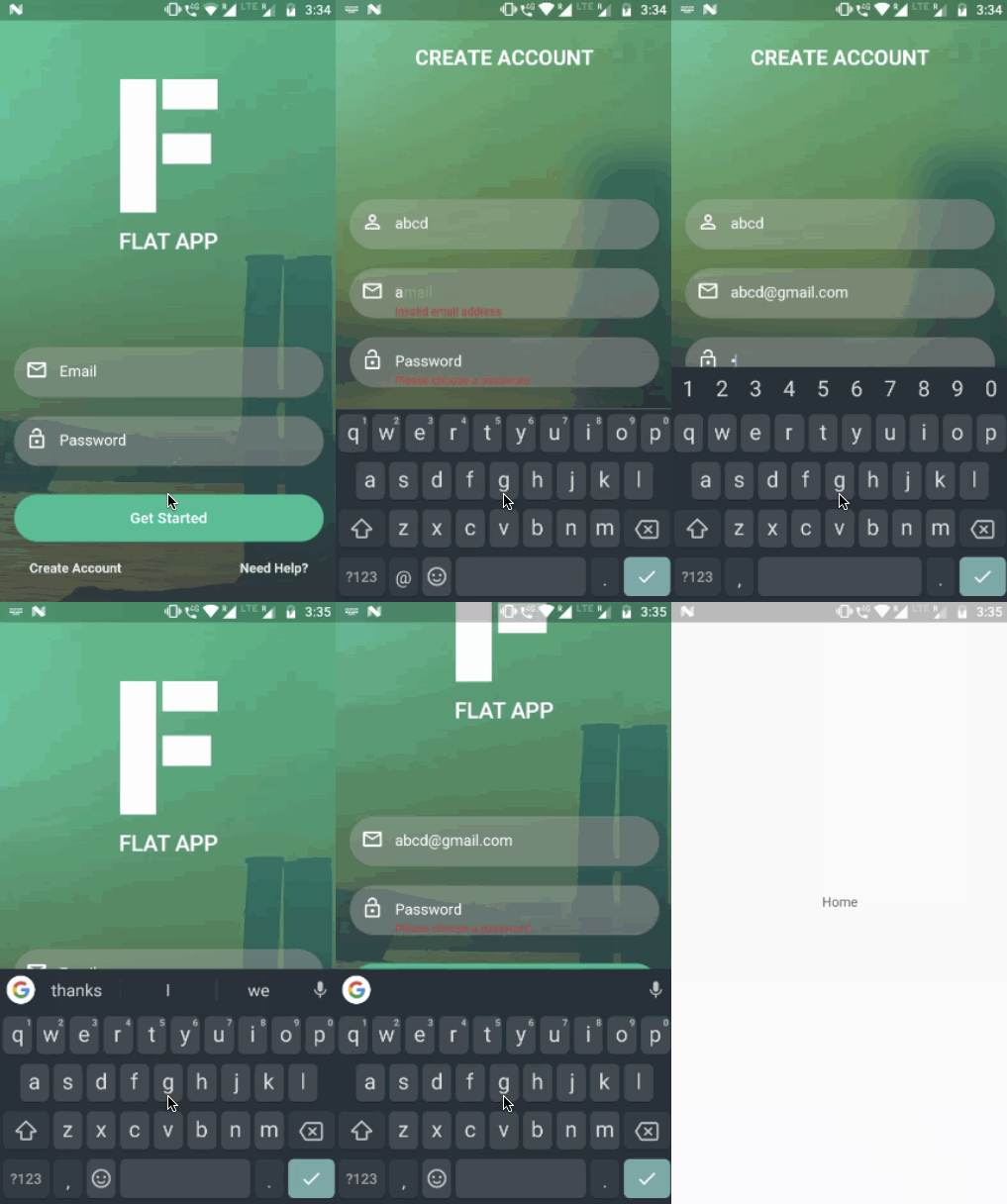
Features
- Form Validation
- Firebase Authentication
About
Flutter app with Firebase integration by GeekyAnts.
For Flutter development and mobile engineering, contact us.
Getting Started
Note: Make sure your Flutter environment is setup.
Installation
In the command terminal, run the following commands:
$ git clone git@github.com:GeekyAnts/FlatApp-Firebase-Flutter.git
$ cd FlatApp-Firebase-Flutter/
Setup Flutter Firebase integration
Check out the documentation to setup Flutter Firebase integration.
For Android
In android/app folder add your google-service.json.
For iOS
In ios/Runner folder add your GoogleService-Info.plist.
Start your Flutter project by running the command:
$ flutter run
Simulate for iOS
Method One
Open the project in Xcode from ios/Runner.xcodeproj.
Hit the play button.
Method Two
Run the following command in your terminal.
$ open -a Simulator
$ flutter run
Simulate for Android
Make sure you have an Android emulator installed and running.
Run the following command in your terminal.
$ flutter run
Check out Flutter’s online documentation for help getting start with your Flutter project.

GeekyAnts India Pvt Ltd ↗
Categorias
Dependências usadas
Lista de dependências 8 itens
- flutter
{"sdk":"flutter"} - flutter_testDesenvolvimento
{"sdk":"flutter"} - image_pickerDesenvolvimento
0.1.1 - google_sign_inDesenvolvimento
0.3.1 - firebase_analyticsDesenvolvimento
0.0.4 - firebase_authDesenvolvimento
0.1.1 - firebase_databaseDesenvolvimento
0.0.12 - firebase_storageDesenvolvimento
0.0.5
Rankings
Como escolher um repositório para seu projeto?
Filtre pelo caso de uso, compare a atividade e confira o projeto original antes de adotá-lo.
- Busque por nome, autor ou descrição e filtre por tema.
- Compare estrelas, forks e envios recentes. Estrelas indicam interesse, mas não garantem qualidade.
- Confira o README, a licença e as issues no GitHub antes de usar o projeto.
Fontes e manutenção
“A repository is the most basic element of GitHub.”
GitHub Docs — About repositories ↗