

 v3.0.0
odometer
Widgets altamente personalizáveis que você pode usar para transições de números e animações de contador.
100Curtidas 836Downloads em 30 dias150Pontos Pub
AndroidiOSWebmacOSWindowsLinux
Widgets altamente personalizáveis que você pode usar para transições de números e animações de contador.

Texto original em inglês. Visite o GitHub para a versão atual.


The package which was inspired by the package Odometer js.
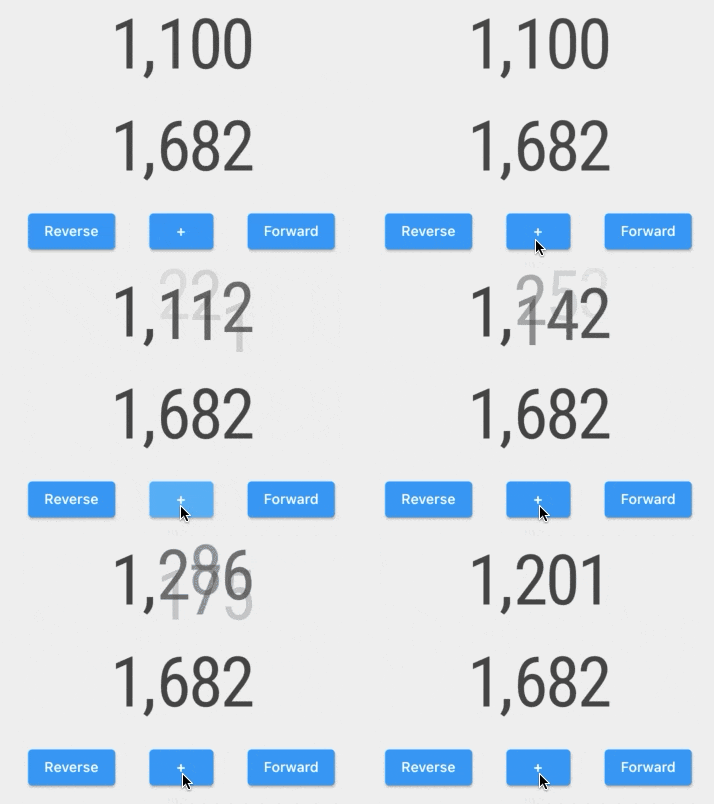
Examples of counter animation customization are made using this package:

In this package you will find pre-built widgets:
and high modifiable widgets:
The ImplicitlyAnimatedWidget uses the AnimatedOdometer with the sliding and fading digits transitions.
   AnimatedSlideOdometerNumber(
     numberTextStyle: TextStyle(fontSize: 15),
     odometerNumber: OdometerNumber(_counter),
     duration: Duration(seconds: 1))
The ExplicitlyAnimatedWidget uses the OdometerTransition with the sliding and fading digits transitions.
    SlideOdometerTransition(
      numberTextStyle: TextStyle(fontSize: 15),
      odometerAnimation: _odometerAnimation,
      duration: Duration(seconds: 1))
The AnimatedOdometer is based on implicit animation, and the OdometerTransition is based on explicit animation. To customize the odometer, you need to use two OdometerAnimationTransitionBuilders for new and old numbers. You will have access to:
Lista de dependências 2 itens
{"sdk":"flutter"}^1.5.2Filtre pelo caso de uso, compare a atividade e confira o projeto original antes de adotá-lo.
“A repository is the most basic element of GitHub.”
GitHub Docs — About repositories ↗