
 v0.0.4
auto_size_widget
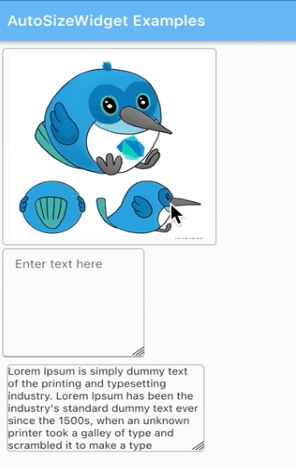
Um widget do Flutter que pode redimensionar o widget filho arrastando o canto do widget.
38Curtidas 153Downloads em 30 dias130Pontos Pub
AndroidiOSWebmacOSWindowsLinux
Um widget Flutter que pode redimensionar o widget filho arrastando a borda do widget
Texto original em inglês. Visite o GitHub para a versão atual.
A Flutter widget that can resize the child widget by dragging the widget corner.
dependencies:
    auto_size_widget: ^0.0.3
import 'package:auto_size_widget/auto_size_widget.dart';
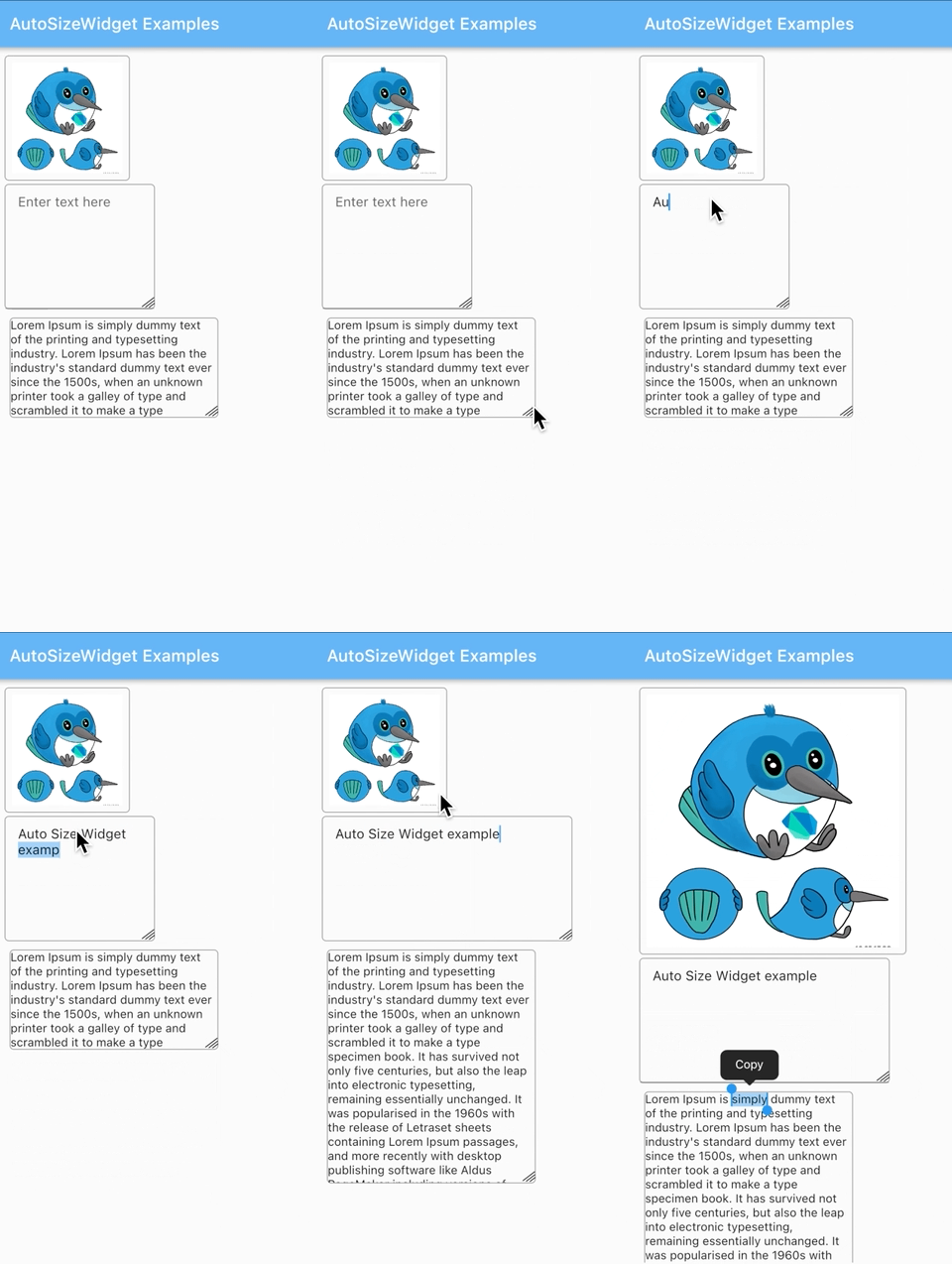
initialWidth and initialHeight should be different from maxWidth and maxHeight respectively.
AutoSizeWidget(
  initialWidth: 120,
  initialHeight: 120,
  maxWidth: 320,
  maxHeight: 320,
  boxDecoration: BoxDecoration(
    border: Border.all(width: 1, color: Colors.grey),
    borderRadius: BorderRadius.circular(5)),
  child: Image.network(
    'https://docs.flutter.dev/assets/images/dash/early-dash-sketches2.jpg',
    fit: BoxFit.fill,
  ),
),
initialWidth and maxWidth should be same to ensure that the width does not change on resize.
AutoSizeWidget(
  initialWidth: 250,
  initialHeight: 120,
  maxWidth: 250,
  maxHeight: 280,
  boxDecoration: BoxDecoration(
    border: Border.all(width: 1, color: Colors.grey),
    borderRadius: BorderRadius.circular(5),
  ),
  child: const SelectableText(
    "Lorem Ipsum is simply dummy text of the printing and typesetting industry. Lorem Ipsum has been the industry's standard dummy text ever since the 1500s, when an unknown printer took a galley of type and scrambled it to make a type specimen book. It has survived not only five centuries, but also the leap into electronic typesetting, remaining essentially unchanged. It was popularised in the 1960s with the release of Letraset sheets containing Lorem Ipsum passages, and more recently with desktop publishing software like Aldus PageMaker including versions of Lorem Ipsum."
  ),
),
initialHeight and maxHeight should be same to ensure that the height does not change on resize.
AutoSizeWidget(
  initialWidth: 150,
  initialHeight: 200,
  maxWidth: 300,
  maxHeight: 200,
  boxDecoration: BoxDecoration(
    border: Border.all(width: 1, color: Colors.grey),
    borderRadius: BorderRadius.circular(5)),
  child: TextFormField(
    keyboardType: TextInputType.multiline,
    maxLines: 3 * 120,
    textAlign: TextAlign.start,
    decoration: const InputDecoration(
      focusedBorder: InputBorder.none,
      contentPadding:
        EdgeInsets.symmetric(vertical: 11, horizontal: 15),
      hintText: "Enter text here"
    ),
  ),
),

Lista de dependências 3 itens
{"sdk":"flutter"}^2.0.0{"sdk":"flutter"}Filtre pelo caso de uso, compare a atividade e confira o projeto original antes de adotá-lo.
“A repository is the most basic element of GitHub.”
GitHub Docs — About repositories ↗