
v14.7.0
analyzer
Este pacote fornece uma biblioteca que realiza análise estática de código Dart.
327Curtidas 21,9 miDownloads em 30 dias130Pontos Pub
AndroidiOSmacOSWindowsLinux
Aplicativo complementar para máquinas de ginástica indoor (bicicleta, esteira, remo, kayak / canoa / ergômetro de natação, elíptica) para registrar treinos virtuais com trilhas de GPS sintéticas simplesmente circulando em uma rota com formato de pista

Este pacote fornece uma biblioteca que realiza análise estática de código Dart.
Plugin Flutter para acessar sensores de acelerômetro, giroscópio e magnetômetro.
 v35.1.42
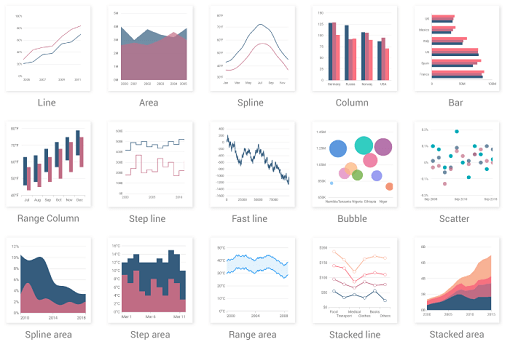
Uma biblioteca de gráficos do Flutter que inclui widgets de visualização de dados, como gráficos cartesianos e circulares, para criar gráficos em tempo real, interativos, de alto desempenho e animados.
 v9.0.0
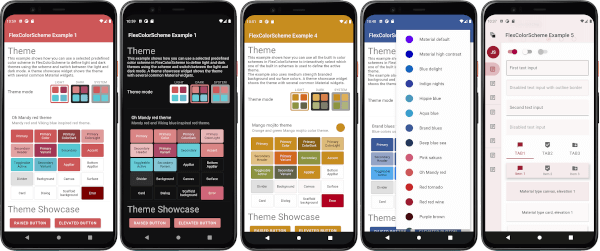
Um pacote Flutter para usar e criar temas bonitos baseados no Material Design.
Um pacote independente de plataforma para análise e serialização de formatos HTTP.
Plugin do Flutter para conectar e se comunicar com dispositivos Bluetooth Low Energy.
 v2.0.8
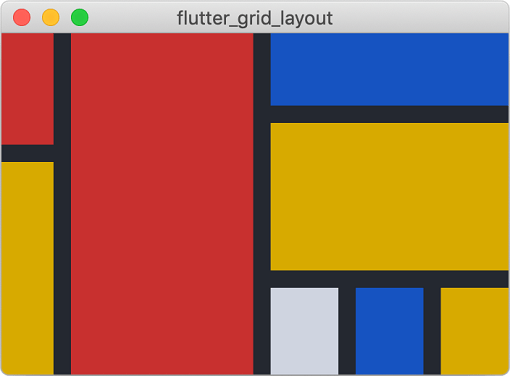
Um sistema de layout de grade poderoso para Flutter, otimizado para design de interface do usuário complexo.
 v5.0.1
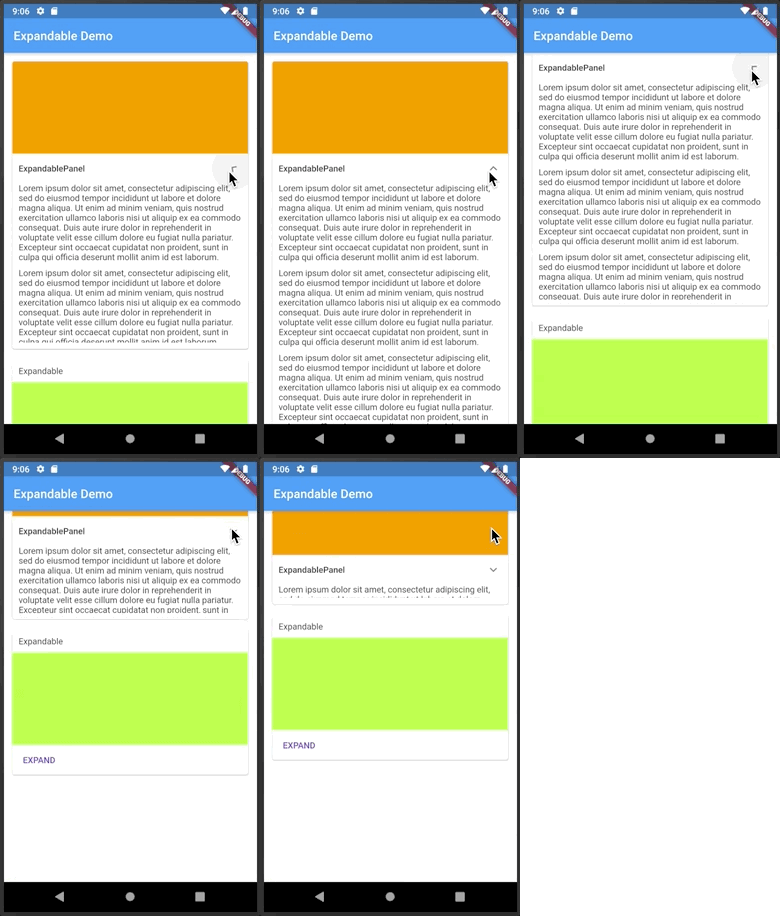
Um widget do Flutter que pode ser expandido ou colapsado clicando em um cabeçalho ou ícone.
Uma biblioteca de matemática vetorial para aplicações 2D e 3D.
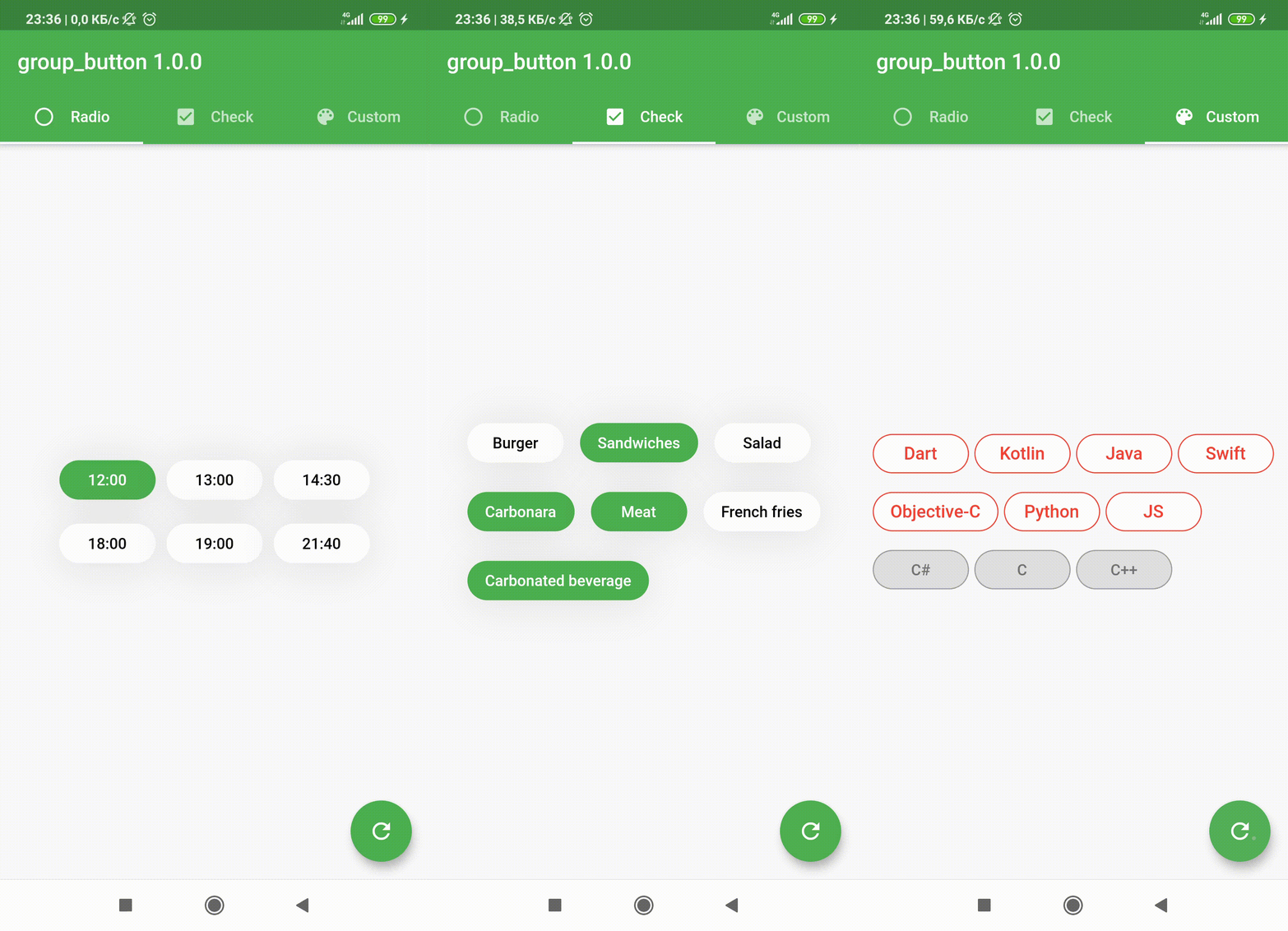 v5.3.4
Widget personalizado do Flutter para criar um grupo de botões. Inclui botões de opção e caixas de seleção.
Uma classe simples (mas correta) do Dart para validação de endereços de e-mail
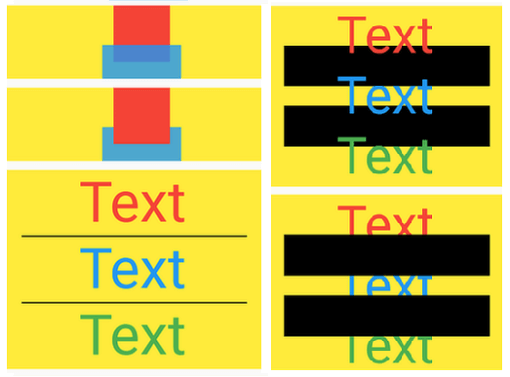 v13.1.0
Widgets como SideBySide, ColumnSuper, RowSuper, FitHorizontally, Box, WrapSuper, TextOneLine, Delayed, Pad, ButtonBarSuper, NormalizedOverflowBox, showDialogSuper etc.
Lista de dependências 62 itens
^7.0.0^11.0.0^6.6.0^1.19.1^2.1.0^12.3.0^0.5.0-nullsafety.0^3.0.0^5.0.1^0.0.4^10.3.10^8.4.0^6.0.4^2.2.1^0.0.3^0.3.0^2.0.8^0.13.1^2.2.4^5.0.2^4.7.3^5.3.4^1.6.0^4.1.2^2.9.1+2^0.20.2^1.0.0{"version":"^3.3.2"}{"version":"^3.3.2"}^0.0.5^0.5.0^1.0.7^9.0.0^1.9.1^2.1.5^11.3.1^2.8.0^1.0.0^4.1.0^0.28.0^1.8.1^12.0.1^6.1.0^1.2.0^32.2.9^0.10.1^2.0.2^6.3.2^2.1.4^1.5.1{"sdk":"flutter"}^8.4.1^2.13.1{"sdk":"flutter"}^6.0.0{"sdk":"flutter"}{"sdk":"flutter"}{"version":"^3.3.2"}^1.0.4^2.0.1^2.5.5^3.1.3Texto original em inglês. Visite o GitHub para a versão atual.
Track My Indoor Workout is an application which supports Bluetooth Low Energy (BLE) enabled smart fitness machines to record stationary workouts. Workouts can have GPS routes - generated based on speed - and upload to numerous fitness portals. Workouts can be exported in common formats and in some cases (ANT+ machines or data migration purposes) there's an option to import saved workouts.
The ultimate mission is to improve people's health by preventing fitness machines from becoming laundry drying racks.
For more details please see the application's website.
DeepWiki: https://deepwiki.com/TrackMyIndoorWorkout/TrackMyIndoorWorkout/
secret.dart file.
You can simply copy the provided mock file to satisfy compilation dependencies:
cp lib/secret.mock.dart lib/secret.dartdart format --line-length 100 . at the project root.
The project currently uses flutter format with 100 character line length.flutter analyze at the project root. That picks up the analyzer settings from the yaml.
You can consider adding the format and the analyze execution in a client-side
pre-push hook.git hack - git ship workflow. I'm avoiding squashing commits because
I want to preserve detailed commit history to help forensic debugging. But I'm flexible if
contributions become common and majority wants to change policies.1.8 to 17
JavaVersion.VERSION_17 and 17receive_sharing_intent plugin:
C:\Users\{USERNAME}\AppData\Local\Pub\Cache\hosted\pub.dev\receive_sharing_intent-1.8.1\android\build.gradle or on Linux /home/{USERNAME}/.pub-cache/hosted/pub.dev/receive_sharing_intent-1.8.1/android/build.gradlecompileOptions and kotlinOptions to raise the Java version:compileOptions {
sourceCompatibility JavaVersion.VERSION_17
targetCompatibility JavaVersion.VERSION_17
}
kotlinOptions {
jvmTarget = "17"
}
cd ${HOME}/{ANDROID_SDK}/cmdline-tools/latest/bin/
(in my case /home/csaba/Android/Sdk/cmdline-tools/latest/bin/)./sdkmanager --list | grep "ndk;28.2.13676358"./sdkmanager "ndk;28.2.13676358"local.properties if you have NDK directory, reference that:sdk.dir=/home/csaba/Android/Sdk
ndk.dir=/home/csaba/Android/Sdk/ndk/28.2.13676358
With certain data persistence or testing Mock changes you may need code regeneration.
It's always good to regen the persistence code after any isar version change.
dart run build_runner build --delete-conflicting-outputsdart format . after that.This work is licensed under Apache 2.0.
SPDX-License-Identifier: Apache-2.0