 v4.0.2
settings_ui
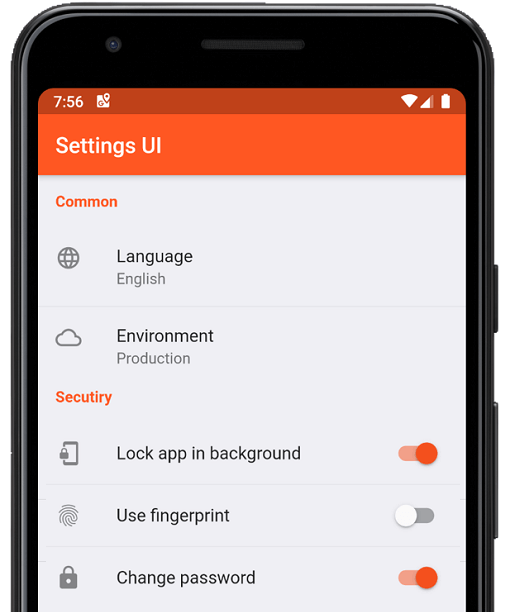
Crie configurações nativas para o aplicativo Flutter em minutos. Use interfaces únicas para construir
1 milCurtidas 212 milDownloads em 30 dias160Pontos Pub
AndroidiOSWebmacOSWindowsLinux
:weight_lifting: :medal_sports: Cronômetro de intervalo de HIIT e Tabata multiplataforma e de código aberto. Pull requests são bem-vindos!

Texto original em inglês. Visite o GitHub para a versão atual.





OpenHIIT is a free, open-source interval timer app built with Flutter. Create unlimited workout timers with custom audio/visual cues. No ads, no paywalls, no subscriptions.
▶️ The background timer package is developed separately here.
| ⏲️ Customizable Timers | Build interval timers. |
| 🔊 Visual & Audio Cues | Stay on track with cues for every interval transition. |
| 💾 Save & Load | Store unlimited timer configurations. |
| 📱 Export & Import | Export and share timer configs or import configs. |
| 🖌️ Color Coding | Color-code your timers to keep your routines organized. |
| 🏋️ Exercise Labels | Add exercise names that display on-screen while the timer runs. |
Check out the OpenHIIT Roadmap to see planned features, work in progress, and ideas under consideration. Have a suggestion? Open an issue or start a discussion.
Install Flutter — follow the official Flutter installation guide to set up Flutter and the Dart SDK.
Clone the repository:
git clone https://github.com/a-mabe/openhiit.git
cd openhiit
Install dependencies:
flutter pub get
Run the app — connect a device or start an emulator, then:
flutter run
Encountering an issue? Visit the support page for troubleshooting guidance and known issues.
Contributions are welcome! Please open an issue before creating a PR. To begin working on an issue:
feature/rest-round-alerts).Please check the Roadmap and open issues before starting work to avoid duplication.
OpenHIIT is released under the MIT License. You're free to use, modify, and distribute this app under those terms. See the LICENSE file for full details.
Crie configurações nativas para o aplicativo Flutter em minutos. Use interfaces únicas para construir
Espalhe confetes coloridos por toda a tela. Celebre conquistas no aplicativo com estilo. Controle a velocidade, ângulo, gravidade e quantidade de confetes.
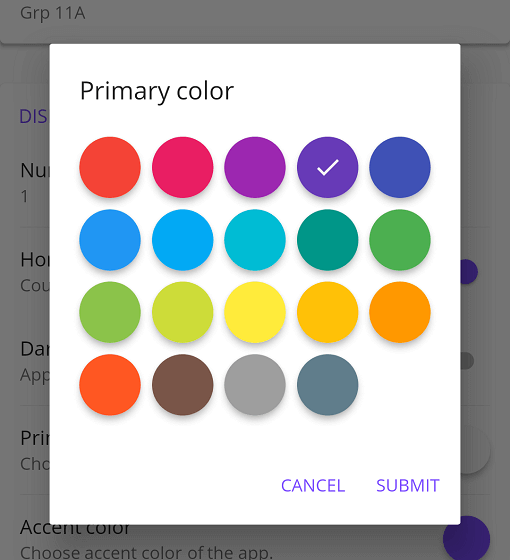
Seletor de cores Material com algumas personalizações possíveis para aplicativos Flutter
Lista de dependências 27 itens
{"sdk":"flutter"}^1.9.0^4.5.3^0.8.0^2.4.0+2^1.5.2^1.2.0^1.2.3^3.0.0^8.1.0^3.0.0^2.7.0^10.3.10^2.1.3^12.0.2^12.0.0+1^2.5.5^6.3.0^6.1.2^1.0.0^0.1.1^3.0.1^9.0.1^0.14.1{"sdk":"flutter"}^6.0.0{"sdk":"flutter"}Filtre pelo caso de uso, compare a atividade e confira o projeto original antes de adotá-lo.
“A repository is the most basic element of GitHub.”
GitHub Docs — About repositories ↗