

 v1.0.3
quick_text
Um pacote Flutter para formatação de texto simplificada com sintaxe semelhante ao markdown.
6Curtidas 120Downloads em 30 dias160Pontos Pub
AndroidiOSWebmacOSWindowsLinux
anees7757/quick_text open-source repository details.

Texto original em inglês. Visite o GitHub para a versão atual.
QuickText is a Flutter package that simplifies text formatting with markdown-like syntax. It allow you to easily apply styles like bold, italic, underline, strikethrough color and links directly within a string, without the need to manually construct complex TextSpan trees. Similiar usage like Text widget.
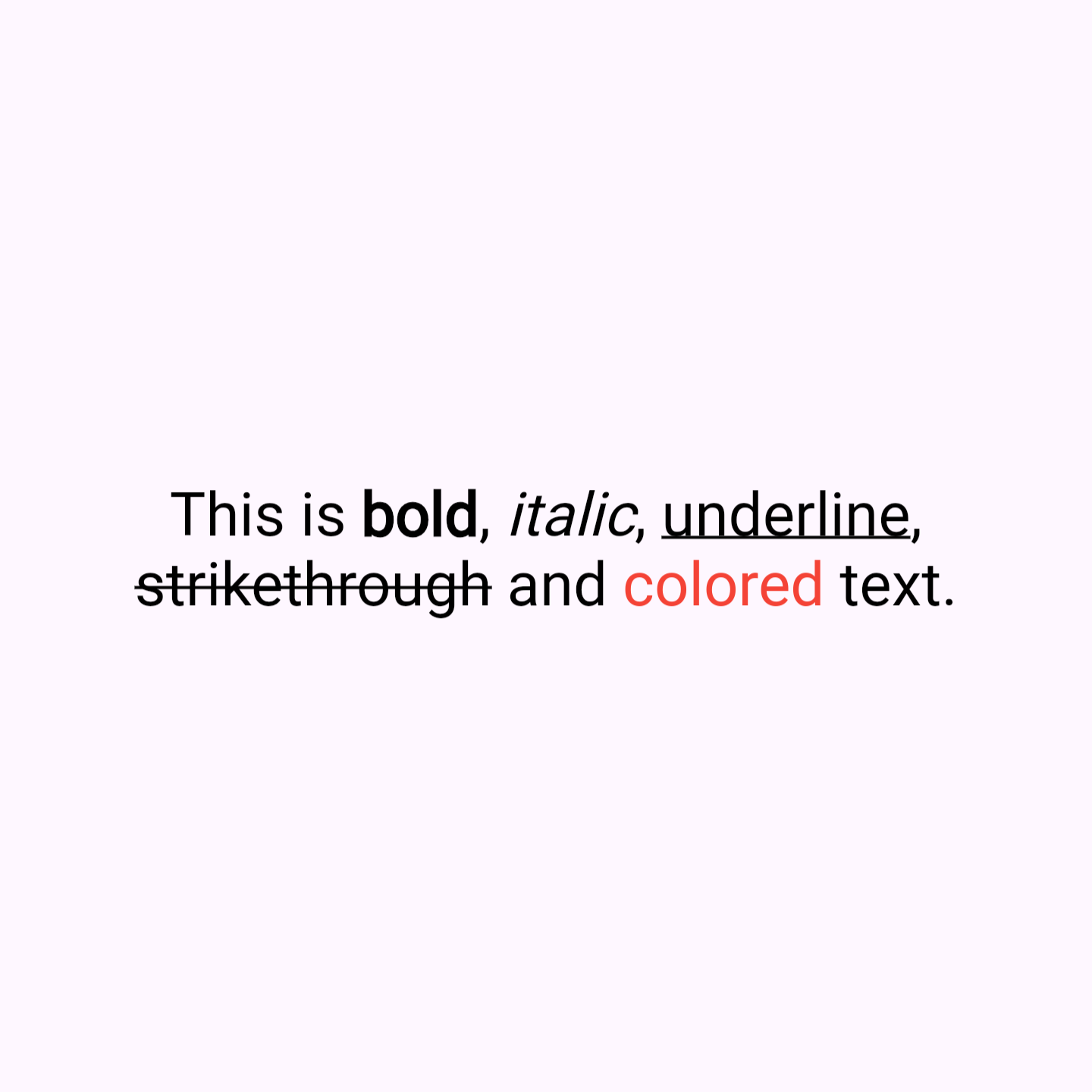
**bold**, *italic*, _underline_, ~strikethrough~, [colored](red), [colored](#FF0000) and [link](https://example.com).RichText and TextSpan.Here's how you can use QuickText in your Flutter app:
// Bold

QuickText(
  'This is **bold** text.',
),

// Italic

QuickText(
  'This is *italic* text.',
),

// Underline

QuickText(
  'This is _underline_ text.',
),

// Strikethrough

QuickText(
  'This is ~strikethrough~ text.',
),

// Using named colors

QuickText(
  'This is [colored](red) text.',
),

// Using hex colors

QuickText(
  'This is [colored](#FF0000) text.',
),

// links

QuickText(
  'This is [link](https://example.com).',
),
Add this to your package's pubspec.yaml file:
dependencies:
  quick_text: ^latest_version
Then run:
flutter pub get
Finally, import the package in your Dart code:
import 'package:quick_text/quick_text.dart';
Lista de dependências 4 itens
{"sdk":"flutter"}^6.3.1{"sdk":"flutter"}^4.0.0Filtre pelo caso de uso, compare a atividade e confira o projeto original antes de adotá-lo.
“A repository is the most basic element of GitHub.”
GitHub Docs — About repositories ↗